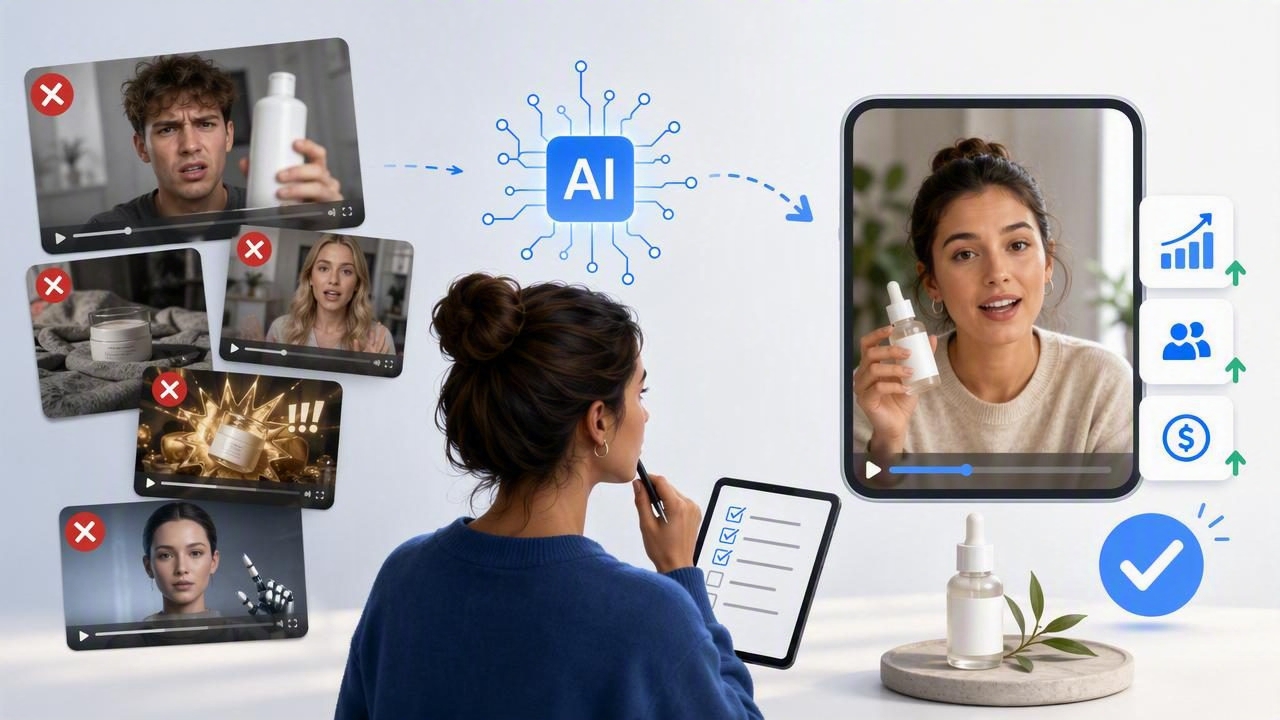
An AI video ad creator can help a brand explore more creative directions from a product image, but speed does not automatically produce a useful ad. The biggest risk is creating videos that look polished while failing to communicate the product, audience problem, or reason to act.
AI-generated UGC-style video concepts are most valuable when treated as creative hypotheses. They can help a team visualize different hooks, settings, scripts, and product demonstrations before investing time in a larger campaign. They are not proof that a specific message will convert, nor are they a substitute for validating real customer insights.
Below are the most important AI video ad creator mistakes to avoid, along with a concrete example of how a single product photo can support better creative comparison.
Why AI Video Ads Need a Clear Creative Brief
A product photo is only one input. It may show the item clearly, but it usually cannot explain who needs it, what objection they have, or what moment makes the product relevant. When those details are missing, AI-generated videos can become generic: a person holding a product, a flattering description, and a vague call to action.
Before generating a concept, define the advertising job the video needs to do. For example, is the objective to introduce an unfamiliar product, demonstrate an application method, answer a concern, or remind existing shoppers to reorder?
| Creative input | Weak direction | More useful direction |
|---|---|---|
| Audience | “Everyone who likes skincare” | “Busy commuters with dry skin who want a simple morning routine” |
| Problem | “Dry skin is annoying” | “Foundation catches on dry patches after a rushed commute” |
| Product role | “Show the serum” | “Show the serum as the first routine step before makeup” |
| Call to action | “Shop now” | “See whether this routine step fits your morning” |
1. Starting With a Weak or Ambiguous Product Image
Image quality shapes everything that follows. A dark, low-resolution, heavily cropped, or cluttered photo gives an AI video creator less reliable visual information. The product may appear distorted, labels may become unreadable, or details such as the package color and cap shape may change between scenes.
Use a clean image with the product centered, visible from a useful angle, and lit well enough to preserve its key visual features. If the label contains important text, make sure it is legible in the source image. A lifestyle image can be useful for mood, but a simple product image often makes comparison easier because there are fewer variables.
Limitation: Even a strong image does not guarantee exact packaging, typography, hands, or product behavior in every generated scene. Review visuals carefully before using any output publicly.
2. Asking for “Authentic” Without Defining What It Means
“Make it authentic” is not a usable creative instruction. Authenticity can refer to a casual filming style, a practical product problem, natural speech, an imperfect setting, or a specific creator perspective. Without a definition, the result may lean on surface-level UGC cues without sounding believable.
Replace vague instructions with observable choices. Specify the setting, the viewer’s situation, the speaker’s relationship to the problem, and the visual proof needed. For instance, say: “A creator-style bathroom-counter video that opens with a rushed morning makeup problem and then shows the product as part of a quick routine.”
That direction is more actionable than requesting a generic “natural testimonial.” It also avoids implying that an actor, avatar, or generated voice represents a verified customer experience.
3. Writing a Script That Hides the Product Until the End
Short-form viewers decide quickly whether a video is relevant. If the first several seconds focus only on a broad frustration, viewers may never connect the problem to the product. This is especially risky for unfamiliar brands or products that need visual context immediately.
Show the product early, even if the opening line leads with a problem. A strong hook can combine both:
“My makeup kept catching on dry patches, so I changed the first step in my morning routine.”
In this example, the product can appear in the opening shot, followed by a close-up of how it is used. The line creates curiosity without delaying the core visual message.
4. Trying to Explain Every Benefit in One Video
One of the most common AI video ad creator mistakes is turning a 20-second concept into a complete product brochure. A script that includes ingredients, comparisons, multiple use cases, brand history, promotion details, and five benefits rarely feels natural in a creator-style format.
Build each video around one dominant message. You can create separate concepts for different messages, such as convenience, a specific use case, texture, portability, or a common objection. This approach gives your team clearer learning opportunities when reviewing performance later.
- Concept A: The product solves a rushed-morning routine problem.
- Concept B: The product is easy to pack for travel.
- Concept C: The product fits a simple evening self-care ritual.
These are distinct propositions, not minor rewrites of the same ad.
5. Confusing an AI Concept With a Verified Product Claim
AI video generation can make an idea look convincing, but it cannot substantiate claims about results, ingredients, performance, safety, delivery times, or customer satisfaction. Do not let compelling visuals create a gap between what the ad suggests and what the business can support.
A generated scene showing a dramatic “before and after” result may be visually striking, but it may also be misleading if that outcome is not verified. The same caution applies to phrases such as “works instantly,” “the best,” “clinically proven,” or “everyone is switching.”
Keep claims aligned with approved product information. When in doubt, describe the demonstrated use rather than promising an outcome. “Apply before makeup” is materially different from “guarantees flawless makeup all day.”
6. Using Fake Testimonial Language
Creator-style video often borrows conversational formats, but a generated speaker should not be presented as a real purchaser unless that is true and documented. Avoid scripts that invent personal experience, reviews, ratings, or customer history.
Instead of: “I have bought this six times and it changed my skin,” use a transparent product-focused line such as: “Here is how this product could fit into a quick morning routine.” The first is an unverified testimonial; the second is a creative demonstration concept.
This distinction protects trust and helps teams separate illustrative advertising from actual customer evidence.
7. Changing Too Many Variables During Creative Testing
If one video uses a different hook, audience, background, product angle, length, offer, and call to action than another, you cannot easily tell what created the difference in response. More variation is not always more learning.
Use a product image to prepare a focused comparison. Imagine a photo of a reusable insulated water bottle. Create three UGC-style video concepts from the same image:
- Commute hook: “I stopped buying iced coffee on the way to work when I started bringing this.”
- Desk hook: “My small desk upgrade for drinking more water during long afternoons.”
- Gym-bag hook: “The bottle I reach for when I need a cold drink after training.”
Keep the product image, broad audience, video length, and call to action comparable. The key difference is the use-case hook. You are comparing message angles, not claiming that any concept has already produced a real sales result.
8. Ignoring Product Continuity Across Scenes
A video can lose credibility when the product looks different from shot to shot. Watch for changes in color, proportions, logo placement, lid style, texture, or the amount of product shown. Continuity matters even in casual UGC-style content because viewers need to recognize what is being promoted.
During review, compare each scene against the original product photo. If the product appearance changes materially, revise the creative direction, remove the inconsistent scene, or use a simpler sequence. Do not assume that viewers will overlook obvious inaccuracies just because the overall video looks dynamic.
9. Forgetting That Sound-Off Viewing Is Common
Many people encounter video ads without audio, especially while scrolling in public places. If the product story exists only in voiceover, the message may disappear. Add concise on-screen text that reinforces the hook, product category, and key use case.
Keep captions readable and short. A cluttered screen with long paragraphs, tiny text, and fast transitions is not more informative. It is harder to absorb.
Hook text: “Dry patches before makeup?”
Product cue: “A quick first routine step”
Action text: “See the routine”
10. Treating Platform Format as an Afterthought
Vertical, square, and horizontal placements create different composition needs. A product placed near the edge of a vertical frame may be obscured by interface elements. Captions can also be covered by buttons, descriptions, or profile information.
Plan the safe area before finalizing a concept. Place the product and essential text where they remain visible, and review the first frame as carefully as the rest of the video. A thumbnail-like opening image should immediately identify the product category or problem.
11. Skipping Human Review for Brand and Legal Fit
AI can accelerate content creation, but it should not be the final approver. A human review should check product accuracy, brand tone, claim substantiation, music and visual rights where applicable, spelling, captions, accessibility, and placement requirements.
Create a simple approval list that includes marketing, product, and legal stakeholders as needed. The exact process will vary by industry, particularly for regulated categories such as health, finance, food, and cosmetics.
12. Measuring Only Whether the Video “Looks Good”
Visual polish is subjective. The more useful question is whether a concept makes the intended message clear enough to earn attention and support the next action. Before testing, define what each variation is meant to learn.
- Does the commute scenario make the product’s everyday value clearer?
- Does the problem-first hook attract a more relevant viewer than the product-first hook?
- Does a close-up demonstration reduce uncertainty about how the product is used?
Review results in context and avoid drawing sweeping conclusions from a small amount of data. A concept that earns attention may still need a clearer product explanation, while a lower-performing hook may be useful for a narrower audience segment.
A More Reliable Way to Use AI Video Concepts
The strongest workflow is not “generate as many ads as possible.” It is to use a clear product image, a specific audience problem, and a small set of deliberately different concepts. Review each output for accuracy, separate creative illustrations from factual claims, and test one meaningful message variable at a time.
For teams exploring how a product photo can become a starting point for video concept development, UGCMade’s product photo-to-video guide provides additional context on preparing images and evaluating creative directions.
