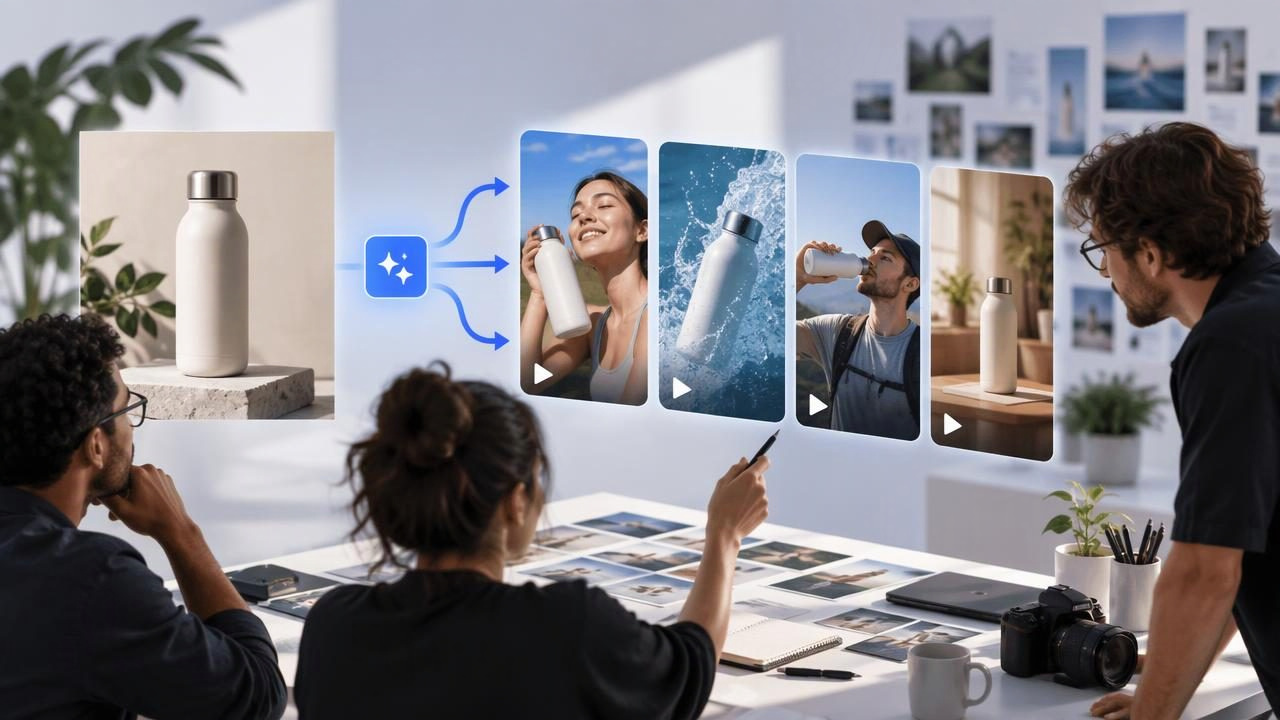
Creative agencies often need more video concepts than a traditional production schedule can accommodate. A single product image can offer a practical starting point for exploring AI-generated, UGC-style product demos—but it cannot show everything a real product video can prove. The key is to use image-based concepts for creative planning, compare them against a clear brief, and validate product details before anything is presented as a result.
This guide explains how an agency can work from one product photo, develop distinct demo directions, and decide which ideas deserve further production. It also covers the limitations of image-based video concepts, so teams can distinguish visual exploration from evidence about product performance.
What an AI product demo maker can contribute
An AI product demo maker can help a team explore how a product might be introduced in a short video. Starting with a product image, a creator may develop possible scenes, pacing, on-screen text, or UGC-inspired presentation styles. These outputs can help stakeholders discuss creative direction before committing to a full shoot.
That is different from documenting a product in use. A still image does not show how an object opens, fits, pours, sounds, or performs. A generated scene may suggest a demonstration, but the suggestion should not be treated as proof that the product behaves as shown. For agencies, this distinction matters when developing concepts for clients, reviewing claims, and preparing material for approval.
Think of image-based video as a creative prototype: useful for asking whether a hook, message, or visual direction is worth exploring. It is not automatically a finished product demonstration, a verified customer testimonial, or evidence of campaign results.
Start with a photo that supports the brief
The source image influences what a video concept can communicate. Choose a clear, well-lit product photo with a visible silhouette and readable branding when the label matters. Avoid a crop that hides a key feature or makes the product hard to distinguish from its background. If the brief depends on a particular detail—such as a lid, texture, control, or package size—make sure that detail is visible in the source material or provide an approved reference for the production team.
Before developing concepts, note what the image actually confirms and what it does not. It may show the product’s color, packaging, and approximate shape. It may not establish scale, material feel, ingredients, durability, or how the item works. This simple evidence check helps prevent a creative direction from turning into an unsupported claim.
Concrete example: one travel mug, three creative directions
Imagine an agency receives a clean product photo of a reusable travel mug. The client brief says the video should introduce the mug to commuters, but the supplied image shows the mug alone against a plain background. The team can use that image to explore different creative concepts, while treating any depiction of a person holding or using the mug as illustrative unless verified product footage is available.
- Routine-focused concept: Open with a commuter preparing to leave home, then introduce the mug as part of the morning routine. The proposed message might emphasize portability only if the client confirms the relevant product facts. Without footage or specifications, do not imply a particular fit in a bag or cup holder.
- Feature-led concept: Build the video around one confirmed feature supplied by the client, such as a specific lid design. Use a close-up direction to draw attention to it. If the source photo does not show the lid clearly, flag the visual gap instead of letting a generated scene invent its construction.
- Gift-oriented concept: Present the mug in a gifting context with a concise seasonal or everyday-use hook. This explores an audience and tone; it does not establish that customers buy it as a gift or that the angle will outperform another concept.
These are examples of creative routes, not actual generated outputs or proven product results. An agency could turn each route into a short storyboard or prompt brief and compare whether the direction is clear, on-brand, visually feasible, and factually supportable. If a concept requires product behavior the supplied materials cannot verify, mark that requirement for client confirmation or a reshoot.
Compare concepts with a consistent scorecard
Comparing concepts is more useful when the review criteria stay consistent. Otherwise, teams may favor the most polished-looking draft rather than the idea that best answers the brief. Ask reviewers to assess each concept against the same questions:
| Review area | Question to ask |
|---|---|
| Brief fit | Does the idea address the intended audience and communication goal? |
| Product accuracy | Are visible details and stated claims supported by approved references? |
| Hook clarity | Can a viewer understand the opening idea quickly? |
| Visual feasibility | Can the product and scene be shown convincingly with available assets? |
| Brand fit | Does the tone align with the client’s identity and content guidelines? |
| Production needs | What must be filmed, supplied, or approved before this becomes a final asset? |
Use a simple rating scale, such as low, medium, or high, and add a note explaining each score. The notes are often more useful than a total: “Strong opening, but needs a real close-up of the closure” gives the team a clear next step. Keep concept selection separate from performance evaluation. A scorecard assesses suitability for further development; it does not predict views, conversions, or sales.
Keep concept exploration separate from product results
When sharing AI-generated UGC-style concepts with a client, label the material clearly as a draft, mock-up, or visual direction. Do not imply that a depicted person is a real customer, that a scene was filmed with the actual product, or that a claim has been independently verified. If the concept will be used publicly, review the final asset against the client’s product information, brand requirements, and applicable advertising rules.
This separation also improves feedback. Ask stakeholders to comment on the hook, tone, audience, and structure—not to approve a generated detail simply because it looks plausible. If a visual raises a factual question, record it as a production or verification task. When possible, replace uncertain details with actual product footage, approved photography, or accurate motion graphics.
Know the limitations of a single product image
A single photograph contains limited visual information. It cannot reliably communicate views that are not shown, precise dimensions, movement, texture under different lighting, or how a person experiences the product. Generated motion can also introduce inconsistencies: packaging may shift, text may become distorted, components may change shape, and hands or interactions may look unnatural. These are reasons to review every frame, not assumptions that a tool will always produce a particular error.
Brand and legal checks still matter. Confirm spelling, logos, colors, product names, offer terms, and any performance or safety claims. If the brief calls for a real person’s endorsement, do not present an AI-created persona as a genuine customer. Consider accessibility too: captions should be readable, essential information should not rely on sound alone, and fast edits should not obscure the product.
Finally, treat the source image and any generated material as assets with rights and usage conditions. Confirm that the agency has permission to use the photo and that the client understands where draft concepts may be shared. The appropriate process depends on the source, the tools used, and the intended publication context.
A practical agency workflow
- Translate the brief into a single communication task. Decide what a viewer should understand, rather than asking one short video to explain every product benefit.
- Audit the source image and facts. List what is visible, what is confirmed by client materials, and what remains unknown.
- Write distinct concept directions. Vary the audience entry point, opening hook, or storytelling style—not just the background color or wording.
- Review concepts using shared criteria. Score brief fit, accuracy, clarity, brand fit, and production needs, recording uncertainties.
- Develop the selected idea with verified assets. Use real product footage or approved references wherever the concept depends on physical behavior or precise detail.
- Evaluate published creative with campaign evidence. Use actual platform and business data to assess results. A concept preview alone cannot establish performance.
For a deeper explanation of the image-to-video process, agencies can consult UGCMade’s guide to turning a product photo into video as one reference when planning visual storytelling.
Make the comparison useful, not just fast
The strongest use of an AI product demo maker for a creative agency is not simply making more drafts. It is creating a disciplined way to compare possible stories from limited source material, expose missing product information early, and give clients something concrete to discuss. One photo can help a team explore a routine-led, feature-led, or gifting direction; it cannot verify how the product works or which concept will perform best.
Keep that boundary visible throughout the process. Treat generated UGC-style videos as creative proposals, support factual demonstrations with accurate evidence, and use real campaign data to assess outcomes. With those safeguards, agencies can use product photography as a starting point for clearer concept development without confusing an appealing visual with a proven result.
