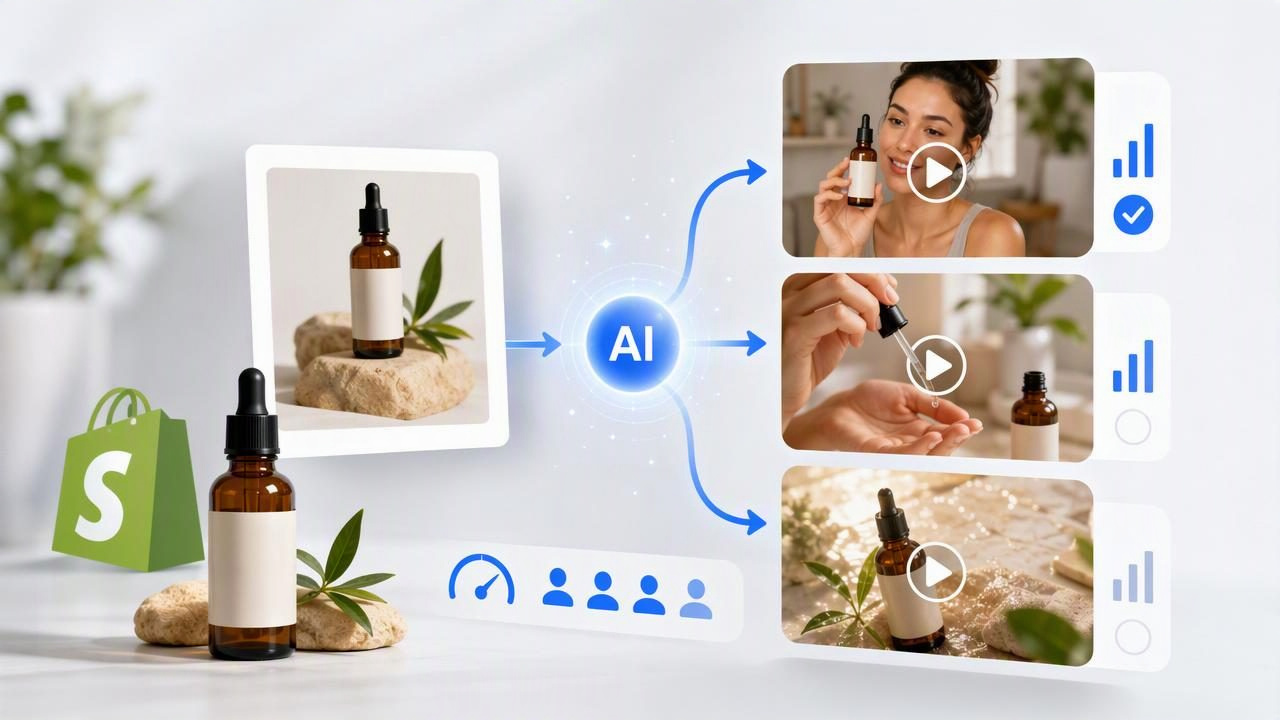
For a Shopify store, product photos are often the most reliable creative asset available. They show the actual item, its packaging, colors, texture, and key details. But a static product image alone may not communicate how the item fits into a customer’s everyday routine. That is where an AI UGC video generator for Shopify stores can support the early creative process.
The practical opportunity is not to treat AI-generated UGC-style video as a guarantee of performance. Instead, use a product photo to prepare, visualize, and compare several creator-style video concepts before investing in a full production, creator collaboration, or paid media test. This approach can help a team decide which angle deserves further development: a problem-and-solution hook, a product demonstration, a gifting story, or a routine-based use case.
This guide explains how to turn one product image into a structured set of UGC-style video concepts, how to compare them fairly, and where AI-generated visuals have important limitations.
Why Product Photos Are a Useful Starting Point for Shopify Video Creative
Shopify merchants typically already have product photography designed for their product pages: a clean hero image, lifestyle image, close-up detail shot, or image of the packaging. These images establish visual consistency between an ad and the destination page. When the video concept accurately reflects the product photo, customers have a clearer path from initial attention to product-page evaluation.
A well-chosen source image can make concept planning more specific. Rather than starting with a vague instruction such as “make a viral ad,” your team can identify the product, customer situation, and message in advance.
- Hero product photos are useful for direct product-introduction concepts.
- Lifestyle photos can support routine, occasion, and aspirational story angles.
- Close-up images are best for material, texture, size, or functional-detail concepts.
- Packaging images can support unboxing, gifting, and first-impression concepts.
The image is not the strategy by itself. It is visual evidence that helps ground the strategy in the real product. Before generating anything, define what a viewer should understand within the first few seconds.
Start With One Product and Three Distinct Customer Angles
A common mistake is creating three videos that all say the same thing with slightly different wording. A stronger comparison gives each concept a different reason for existing. The goal is to learn whether the customer responds more clearly to a pain point, a use case, or an emotional outcome.
For example, imagine a Shopify store selling a reusable insulated water bottle. The available product photo shows a matte navy bottle beside a laptop and gym bag. From that single image, the team could prepare three separate AI-generated UGC-style video concepts.
| Concept | Opening Hook | Core Message | Best Product Detail to Show |
|---|---|---|---|
| Commute problem | “My old bottle leaked in my work bag.” | A dependable bottle for busy workdays. | Secure lid and compact shape. |
| Daily routine | “This is the one thing I pack every morning.” | The product fits naturally into a repeatable habit. | Bottle beside laptop, bag, and keys. |
| Temperature benefit | “I stopped buying iced drinks on my way to the gym.” | Cold-drink convenience during an active day. | Insulated body and drink moment. |
These concepts are not claims about what will sell best. They are hypotheses. Each one gives a different audience motivation to evaluate later through appropriate testing and customer feedback.
Prepare the Product Image Before Building a Video Concept
Image quality affects how clearly a video concept can represent the product. Choose an image where the item is unobstructed, properly lit, and visually accurate. If the product has a logo, unusual shape, multiple components, or fine printed details, make sure these are visible in the source image and easy to verify against the actual item.
Use this preparation checklist before moving forward:
- Confirm product accuracy. Check the current colorway, label, included accessories, and packaging against the live Shopify product page.
- Select one primary visual fact. For the water bottle, that may be its slim profile, leak-resistant lid, or insulated body.
- Identify one customer situation. Examples include commuting, working from home, traveling, exercising, or giving a gift.
- Write a narrow message. Avoid trying to explain every feature in one short video.
- List claims that need evidence. Capacity, material specifications, temperature retention, and safety claims should match verified product information.
Good preparation also means deciding what not to show. Do not present an accessory that is sold separately as included. Do not imply an exact product function if it is not confirmed. And do not use an AI-generated scene to create false proof of product performance.
Write Prompts as Creative Briefs, Not as Performance Promises
A useful prompt for a creator-style video needs more than a product name. It should establish a setting, a natural action, a camera style, a message, and guardrails for product accuracy. The purpose is to prepare a plausible creative direction, not to manufacture a real customer review.
Vertical creator-style product video, 15 seconds.
Show a navy insulated water bottle based on the supplied photo.
Setting: morning desk setup with laptop and gym bag.
Opening: a person reaches for the bottle while leaving home.
Message: an easy item to pack for a busy routine.
Visual focus: bottle shape, lid, and placement in the bag.
Tone: casual, practical, handheld smartphone style.
Avoid: unverified temperature claims, logos not in the source image,
and statements presented as a real customer testimonial.
For the commute concept, the hook can focus on packing confidence. For the routine concept, it can focus on convenience. For the temperature concept, the creative can show a beverage moment without stating a precise retention duration unless the brand can substantiate it.
Creative concept example: “The bottle I keep by the door so I don’t forget water on busy mornings.” This is a script direction, not evidence that a real shopper said it.
How to Compare AI UGC Video Concepts Fairly
Comparisons become less useful when every variable changes at once. If one video has a stronger offer, a different length, different audience, and a different product angle, you cannot easily identify what influenced the outcome. Keep the basic structure consistent while changing one strategic idea.
For the three water-bottle concepts, retain the same product image, general duration, vertical format, and call to action. Then compare the opening message and situation.
- Hook clarity: Can a viewer understand the situation quickly without sound?
- Product visibility: Is the actual item visible early enough and often enough?
- Message-product match: Does the visual support the spoken or on-screen message?
- Brand-page continuity: Does the color, product version, and offer match the Shopify listing?
- Claim safety: Are there statements that require substantiation or review?
- Production readiness: Could this concept be recreated with real footage or a creator if needed?
A simple internal review score can help a small team avoid choosing a concept based only on personal preference. Score each category from one to five, then add notes about what should be revised. A lower score is not a failure; it may reveal that the concept needs a clearer opening or a more suitable source image.
What AI-Generated UGC-Style Video Can and Cannot Show
AI-generated video is useful for visualizing a direction, but it has boundaries. A generated person is not a verified customer. A generated scene is not a real product test. Product movement, hands, logos, labels, materials, and small mechanisms can also require close review for accuracy.
For Shopify stores, this distinction matters because product pages, ad copy, and customer expectations should align. If the source image shows a navy bottle, a generated sequence should not drift into a different lid design or invented color. If your product has regulated, health-related, durability, or performance-related claims, use only language your business can support.
Consider AI-generated UGC-style assets as concept previews and creative test materials. Before publishing, review every frame for incorrect branding, misleading demonstrations, accidental text, unrealistic product behavior, or language that could be interpreted as a customer testimonial.
Turn the Comparison Into a Better Shopify Creative Plan
Once the concepts have been reviewed, select the strongest direction based on clarity and relevance rather than novelty alone. The winning direction can inform a broader asset plan: product-page video, short social clips, paid creative variations, email visuals, and creator briefing notes.
For example, if the commute angle is the clearest concept, the next steps may include photographing the bottle in a real bag, capturing a close-up of the lid, and writing product-page copy that accurately explains the verified benefit. If the routine concept feels more natural, build a sequence around morning packing, desk use, and hydration reminders without overloading the video with extra features.
The most useful output is often not one finished-looking video. It is a better decision about what to produce, test, refine, or discard.
Final Takeaway
An AI UGC video generator for Shopify stores can help turn a product photo into a structured set of creator-style video ideas. Begin with an accurate image, choose genuinely different customer angles, keep comparisons controlled, and separate creative storytelling from verified product results. That process gives your content creation team a practical way to explore visual storytelling while protecting product accuracy and brand trust.
For a closer look at the product-photo-to-video workflow, UGCMade’s guide to turning product photos into video concepts offers additional planning context.
