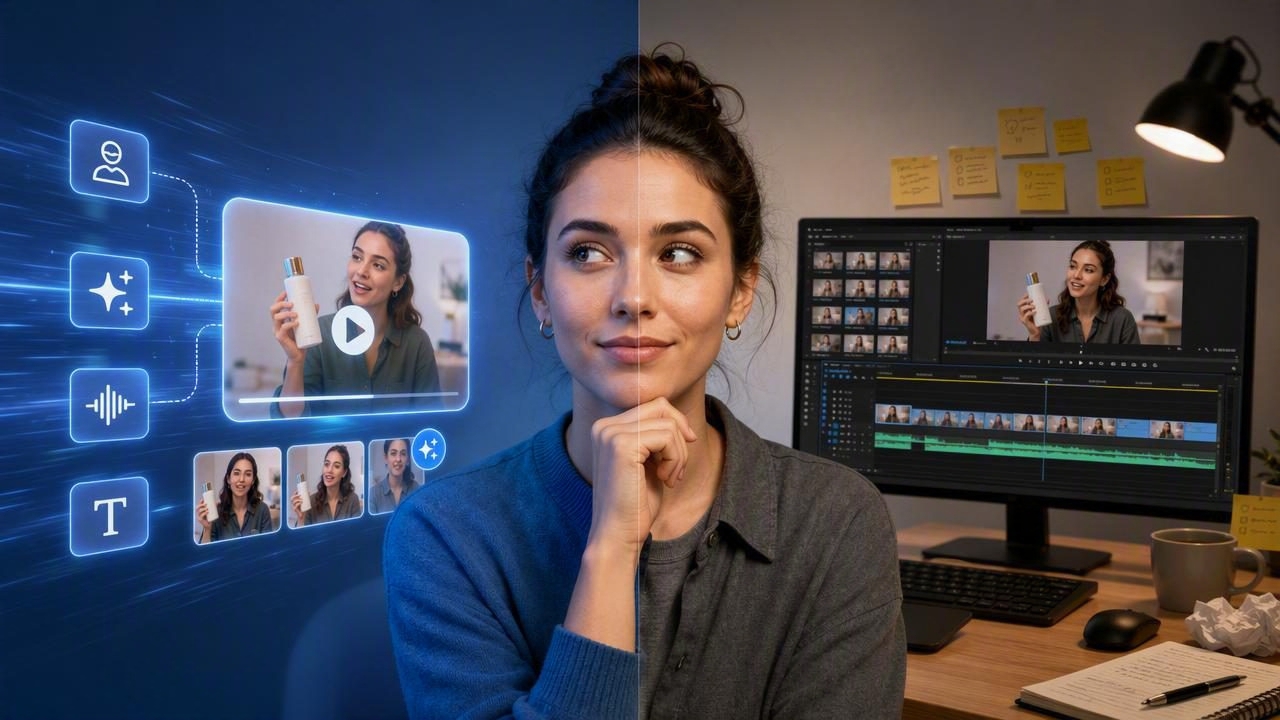
The choice between an AI UGC video generator vs manual video editing is not simply a question of speed versus quality. Both approaches can support effective video marketing, but they solve different production problems. An AI-assisted workflow can help a team turn a product image into several creator-style video concepts for review. Manual editing gives an editor deeper control over footage, pacing, sound, visual effects, and final brand details.
For product-focused brands, the practical question is: what needs to be learned or made next? If the goal is to explore multiple hooks, angles, and video structures from a single approved product photo, AI-generated UGC-style concepts can be useful early in the creative process. If the goal is to create a precisely directed campaign film using original footage, manual video editing is usually the stronger choice.
This guide compares both methods, explains where each fits in a content creation workflow, and shows how to use one product image to prepare meaningful video concepts without confusing creative possibilities with proven product results.
What Is an AI UGC Video Generator?
An AI UGC video generator is a tool designed to help create short, creator-style video concepts with artificial intelligence. “UGC-style” generally describes an informal, direct-to-camera presentation that resembles content made by a customer or creator: a person may introduce a problem, show a product, describe a use case, and end with a call to action.
Depending on the tool and creative inputs, a product photo can serve as a visual reference for the product being discussed or shown. The output is best viewed as a creative concept: it can help a team assess a potential script, hook, audience message, or visual storytelling direction before committing time to a traditional production.
It is important not to treat an AI-generated creator-style video as evidence that a real person used, reviewed, purchased, or endorsed the product. If a video contains product claims, testimonials, before-and-after language, regulated statements, or specific performance promises, those details require careful review and substantiation.
What Does Manual Video Editing Involve?
Manual video editing is the process of assembling, trimming, arranging, enhancing, and finishing recorded video and audio in editing software. The editor works with source material such as product footage, creator recordings, screen captures, photography, voiceovers, music, graphics, and brand assets.
Unlike an AI concept workflow, manual editing commonly begins after footage has been planned and captured. The process may include selecting the best takes, syncing audio, correcting color, masking objects, removing pauses, adding captions, building motion graphics, mixing sound, and exporting platform-specific versions.
Manual editing takes more hands-on effort, but it gives the team direct authority over every frame. This matters when a product must be shown accurately, when the brand has strict visual standards, or when the final asset depends on real demonstrations and approved talent.
AI UGC Video Generator vs Manual Video Editing at a Glance
| Factor | AI UGC Video Generator | Manual Video Editing |
|---|---|---|
| Primary purpose | Explore and prepare creator-style video concepts quickly | Produce a controlled, polished final video from source footage |
| Starting assets | Product image, message, script direction, and brand guidance | Recorded clips, audio, graphics, photography, and production assets |
| Creative control | Guided by prompts and available settings; output may vary | Frame-level control over selection, timing, color, audio, and effects |
| Speed for concept comparison | Useful when comparing several messaging directions | Slower when each variation requires new editing work |
| Best for | Early-stage testing plans, creative briefs, and short-form concept exploration | Product demonstrations, original campaigns, regulated messaging, and detailed finishing |
| Main limitation | May not precisely represent product behavior, people, or real-world use | Requires footage, editing skill, time, and often a larger production process |
A Concrete Example: Preparing Three Concepts From One Product Image
Imagine a skincare brand has one clean product photo: a moisturizer jar on a plain background. The brand wants to explore short-form social content aimed at people with dry-looking skin, but it has not yet decided which message should lead the campaign.
Rather than immediately filming three fully produced videos, the marketing team could use the product image to prepare three distinct AI-generated UGC-style concepts:
- The routine hook: “My evening routine felt incomplete until I added this final step.” The concept focuses on placement in a nightly routine and an emotionally familiar opening.
- The texture hook: “I look for a moisturizer that feels comfortable under makeup.” The concept centers on texture, application expectations, and a daytime use case.
- The simplicity hook: “One small product swap made my routine feel easier.” The concept emphasizes convenience and a minimal routine.
These are not product results, customer testimonials, or verified claims. They are creative directions that let the team compare messaging. The team can review which opening feels most relevant to its audience, whether the product photo is clear enough on a mobile screen, and whether the call to action matches the landing page.
How to Compare the Concepts Responsibly
Use a review scorecard before deciding which concept deserves more production effort. Score each version on message clarity, visual accuracy, relevance to the intended audience, brand fit, claim safety, and the strength of the first three seconds.
- Does the product image remain recognizable at a small size?
- Is the hook understandable without sound?
- Does the script avoid unverified efficacy, medical, or endorsement claims?
- Is the person or scenario presented as fictional or creative where necessary?
- Does the concept show a believable use context without misrepresenting how the product works?
- Would the same message make sense on the destination page?
After review, the strongest concept can guide a real shoot, a manual edit, or a controlled creative test. Actual performance still depends on audience, targeting, offer, placement, landing-page experience, and many other variables. A concept that looks promising is not automatically the concept that will generate the best business outcome.
When AI-Generated UGC-Style Video Is the Better Fit
An AI workflow can be especially helpful when a team is constrained by time, lacks a large library of footage, or needs to compare ideas before organizing a shoot. It can make visual storytelling more accessible for product launches, seasonal messaging, new positioning, and early creative exploration.
Choose this approach when you need to:
- Turn an approved product photo into several short-form messaging directions.
- Explore different hooks for the same audience problem.
- Prepare a creative brief that makes a future production more focused.
- Review creator-style pacing and structure before hiring talent or filming.
- Build internal alignment around what a video should communicate.
The most useful mindset is not “generate once and publish everywhere.” Instead, treat the output as a starting point for review. Check the product presentation, text, voice, captions, disclosures, and claims before using any asset publicly.
When Manual Video Editing Is the Better Fit
Manual editing is the appropriate choice when visual truth, precision, and original production value are central to the assignment. A product that has moving parts, an app interface, a food preparation process, a fit-sensitive garment, or a technical setup often needs real footage to avoid misleading viewers.
Manual editing is also stronger when the creative depends on exact timing. For example, a founder-led product demo may require a real close-up of a button press, a screen recording of the app response, accurate captions, an approved legal disclaimer, and a carefully mixed voiceover. Those details are difficult to replace with a generalized generated concept.
Use AI to expand the range of ideas. Use manual editing to protect accuracy and refine the details that audiences will notice.
Limitations to Consider Before Publishing
Both methods require editorial judgment. AI-generated video can introduce inconsistencies in product shape, labels, hands, environments, spoken language, or on-screen text. It may also create scenes that look plausible but do not accurately show product use. For that reason, product photography should be clear, current, and approved, while generated outputs should be reviewed against the real product.
Manual editing has different constraints. It cannot solve weak source footage, unclear messaging, or an unplanned shoot by itself. An editor can improve pacing and presentation, but cannot reliably create missing proof, authentic customer experiences, or accurate demonstrations that were never recorded.
For either workflow, avoid presenting fictional scenes as real customer stories. Obtain appropriate rights for footage, music, photos, voices, and talent. Ensure that advertising statements are accurate, supported, and suitable for the market where the content will appear.
A Practical Hybrid Workflow
For many teams, the best answer is not choosing one method forever. A hybrid process lets AI support early concept development while manual editing supports final production quality.
- Start with a high-resolution, front-facing product image and confirmed product details.
- Write three distinct audience messages rather than three minor script rewrites.
- Create concept versions that each use a different hook, use case, or objection.
- Review every version for product accuracy, brand alignment, and claim safety.
- Select the most useful direction for a real shoot or a refined manual edit.
- Use real footage where proof, product behavior, or customer authenticity matters.
- Measure published creative carefully, then use the learning to inform the next concept round.
This workflow protects the role of human creative judgment. The goal is not to automate every decision; it is to spend production time on the ideas that are clear, credible, and strategically useful.
Final Takeaway
In the AI UGC video generator vs manual video editing comparison, AI is strongest for quickly preparing and comparing creator-style concepts from a product image. Manual editing is strongest for accurate demonstrations, detailed control, and polished final storytelling. Brands can benefit from both when they clearly separate exploratory creative examples from real product evidence and approved advertising claims.
For a closer look at turning a product image into a reviewable video concept, UGCMade’s product photo-to-video guide offers a useful starting point for planning the process.
