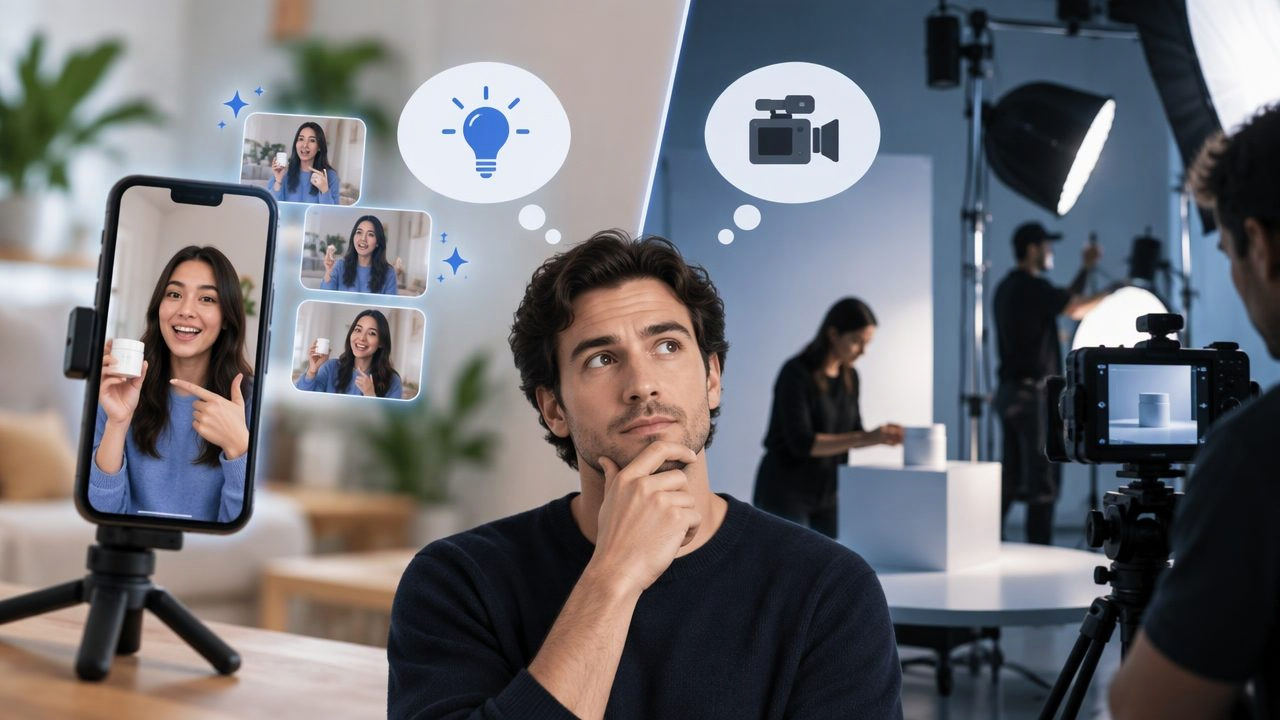
Choosing between an AI UGC video generator and studio production isn’t simply a choice between fast and polished. The right approach depends on what you need to learn or deliver. An AI-generated, creator-style concept can help you explore different ways to present a product from a product photo. A studio shoot can provide more control over real people, physical product details, lighting, and action.
Both can support video marketing, but they serve different roles. Use AI-generated concepts to explore a creative direction, not to imply that a person genuinely used or endorsed a product. Use studio production when the video depends on verifiable product demonstrations, precise physical details, or a real creator’s perspective.
What each production approach is designed to do
An AI UGC video generator can turn a product image and creative instructions into a UGC-style video concept. Depending on the tool, the result may include a virtual presenter, a spoken script, or a simulated product-focused scene. The specific options vary by platform. The defining point is that the content is generated or assembled digitally rather than filmed as a real customer’s experience.
Studio production involves filming a real product, person, or scene using a planned setup. A brand may work with a production team or creator to capture demonstrations, spoken lines, close-ups, and other footage. This can provide greater control over what is shown, though the team still needs a brief, preparation, filming, and editing.
These are not interchangeable ways to produce the same evidence. AI can help a team visualize and compare messages. A real filmed demonstration can show what a product actually looks like in use. Neither format guarantees audience response or campaign performance.
A concrete example: one product photo, three creative directions
Imagine an ecommerce brand has a clear photo of a reusable water bottle on a plain background. The image shows its color, shape, cap, and visible design. The team wants to explore possible short-form video ads before deciding what to film.
From that image, the team could prepare three creative concepts:
- Everyday carry: A creator-style opening about taking a bottle along during a busy day, followed by a view of the product.
- Design focus: A short introduction that directs attention to the bottle’s visible shape, color, and cap.
- Routine-based hook: A question about remembering to bring a reusable bottle, followed by a product-focused closing.
These are sample directions, not finished claims about the bottle. If the photo does not show whether it keeps drinks cold, fits a particular cup holder, or is leakproof, the team should not present those details as established facts. A generated scene of someone carrying the bottle is also a visual concept—not proof that the product was tested or that a real customer recommends it.
By comparing versions with different openings, scripts, or visual emphasis, the team can discuss which message best fits the brief. The comparison is about creative choices: the hook, clarity, tone, and relationship to the product image. It does not show which ad will perform better. Actual product results require accurate source information and, for performance questions, a properly planned campaign test.
AI UGC video generator vs. studio production: key differences
| Consideration | AI-generated UGC-style concept | Studio production |
|---|---|---|
| Starting point | Product photos and written direction may be enough to explore a concept. | Usually requires access to the product, a filming plan, and people or production resources. |
| Creative exploration | Useful for comparing alternative hooks, scripts, or presentation styles. | Changes may require additional planning, filming, or editing. |
| Physical accuracy | Depends on the source image and the generation process; details may be misrepresented. | A camera can capture the real item, although the shot still needs review for accuracy. |
| Human presence | A presenter may be simulated, not a real customer sharing personal experience. | A real creator or actor can deliver recorded dialogue and interact with the product. |
| Best fit | Early-stage concept exploration and creative comparison. | Precise demonstrations, real interactions, and controlled product footage. |
How to use a product photo to compare concepts responsibly
Start by checking whether the photo is suitable. A clear, well-lit image with the full product visible gives a stronger reference than a small, blurry, or heavily angled picture. Use an image that reflects the actual product and confirm that you have permission to use it. If important details are hidden, provide accurate product information separately rather than expecting the image to establish them.
- Choose one objective. Decide what you want to compare, such as an opening hook, a use-case framing, or a feature emphasis. Avoid changing every creative element at once.
- Write a fact-checked brief. List the product details that can be stated, the audience, the intended tone, and any claims that must be avoided. Distinguish visible details from verified specifications.
- Create distinct concepts. Give each version a clear creative premise. For example, compare a question-led opening with a product-design opening while keeping the central product information consistent.
- Review the output against the source. Check the product’s shape, color, logo, packaging, proportions, and any depicted interaction. Correct or discard versions that imply unsupported features.
- Label the work accurately. Treat generated presenters and scenes as creative assets, not customer testimonials, real usage footage, or evidence of product performance.
This process helps make comparisons useful without confusing a visual draft with a validated product demonstration. For a step-by-step look at creating video from a product image, see this product photo-to-video guide.
Where AI-generated concepts have limitations
A single image only communicates what it shows. It may not reveal how a product opens, feels, moves, sounds, or works. Generated video can introduce visual inconsistencies, including changes to labels, materials, proportions, or the way a hand interacts with an item. These risks are especially important when packaging, small components, or exact colors influence a buying decision.
There is also a difference between a creator-style aesthetic and authentic user-generated content. A simulated presenter should not be described as a customer who purchased, tested, or personally recommends the product. If a script includes a first-person experience, confirm that it is truthful and appropriately supported before using it. Follow applicable advertising, platform, and disclosure requirements for the markets and channels where the content will appear.
Finally, a polished concept is not evidence of effectiveness. Comparing generated drafts can help a team choose what to develop, but it cannot establish conversion lift, audience preference, or sales impact by itself. Those questions require real campaign data and careful testing.
When studio production is the better choice
Choose studio production when the idea depends on showing something that a still image cannot verify: a product being assembled, a feature working, a material responding to use, or a person demonstrating a specific step. A real shoot also makes sense when brand guidelines demand precise control over wardrobe, setting, lighting, product handling, or the identity and delivery of the presenter.
Studio footage can provide genuine human performance and closer control over the recorded scene. However, filming does not automatically make every claim trustworthy. The script must still be accurate, the demonstration must represent normal use, and product details must be reviewed. A production plan also takes coordination, and reshoots may be needed if the brief changes or an important shot is missing.
A practical decision rule
Use an AI UGC video generator when your immediate question is “Which creative direction should we explore?” A product image can help create and compare rough concepts before committing to a larger production plan. Keep the comparison focused, and review each output for factual and visual accuracy.
Choose a studio when the question is “How does the real product look and work in this situation?” Film the physical item and use a real presenter when the message depends on genuine interaction, detailed demonstration, or a real person’s recorded delivery. For some projects, the approaches can be sequenced: explore concepts from a product photo, then use the strongest fact-checked direction to brief a real shoot.
The useful distinction is not that one method replaces the other. AI-generated UGC-style video can support visual storytelling and early creative exploration, while studio production offers direct control over real-world footage. Match the method to the evidence your video needs to show, and be clear about what is a concept versus an actual product result.
