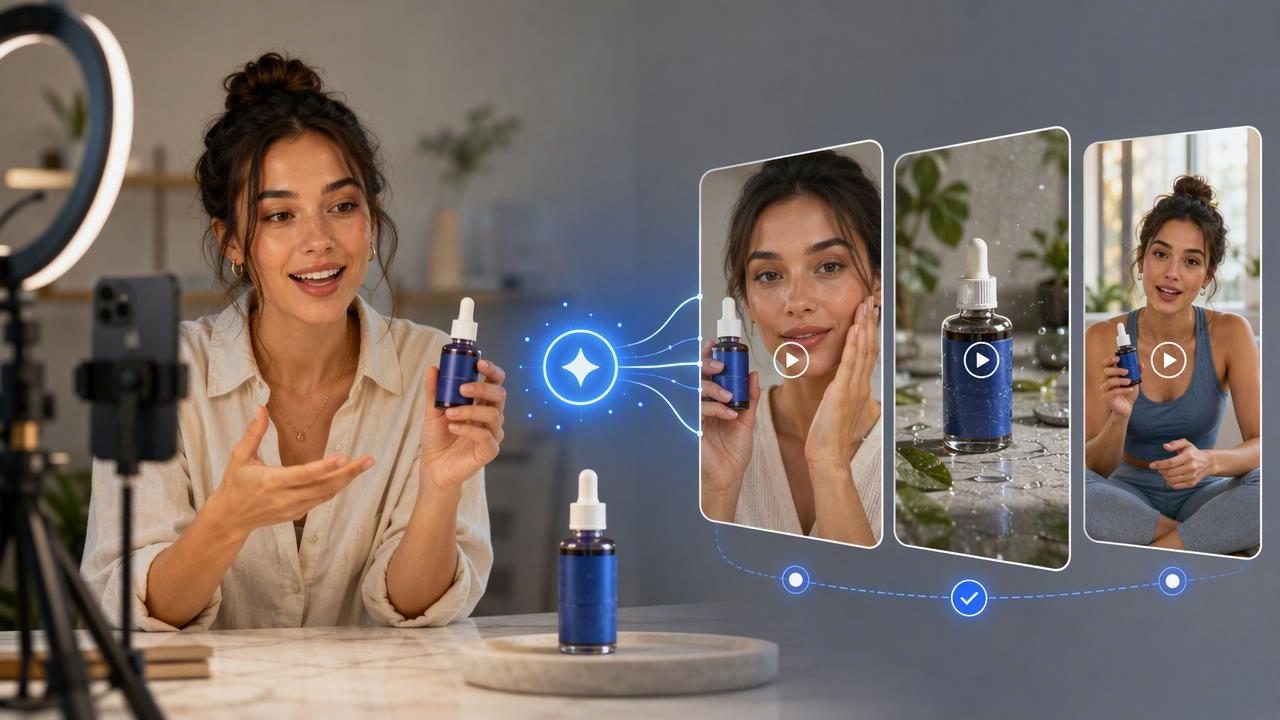
An AI video ad creator for authentic creator-style ads can help brands turn a single product image into multiple short-form video concepts without beginning every idea from a blank page. The opportunity is not simply to animate a photo. It is to use the product image as a creative reference while planning video ads that feel closer to the informal, useful, and human-centered content audiences see in creator feeds.
Creator-style advertising is often mistaken for a specific aesthetic: vertical video, casual lighting, handheld movement, captions, and a person speaking directly to the camera. Those visual cues can be helpful, but they are not enough on their own. The most convincing creator-style ads usually lead with a relatable problem, demonstrate a product in context, and make one clear claim that can be supported.
This guide explains how to prepare a product photo for AI-assisted video concepts, compare several UGC-style directions, and recognize the limitations of AI-generated creative before publishing an ad.
What Makes a Video Feel Like Creator-Style Content?
Authentic creator-style ads borrow from the communication patterns of user-generated content (UGC). They tend to feel direct rather than polished, specific rather than overly broad, and useful rather than promotional. That does not mean a brand should imitate a real customer or imply that an invented person has personally used a product.
Instead, treat creator style as a storytelling format. The objective is to show how a product fits into a recognizable moment in someone’s day.
- A fast hook: A problem, question, or surprising observation in the first few seconds.
- A believable setting: A kitchen counter, desk, gym bag, bathroom shelf, or other relevant use environment.
- One product-focused action: Opening, applying, assembling, comparing, carrying, or demonstrating the product.
- Natural language: Clear words a buyer might actually use when describing a need.
- Readable proof points: Product details, materials, ingredients, dimensions, or care instructions that match verified information.
The aim is not to make every ad look amateur. It is to make the product story easy to understand in the fast-scrolling environment where short-form video marketing happens.
Start With a Product Photo That Can Carry the Story
A product image is the visual foundation for an AI-generated UGC-style video concept. If that foundation is unclear, the resulting creative may display the wrong color, shape, logo placement, packaging detail, or product scale. Before using an image, inspect it as carefully as you would inspect a product listing photo.
Choose a source image with useful visual detail
The strongest starting image generally shows the full product, has a clean background, and retains important packaging or design elements. A front-facing product photo can be ideal for explaining what the item is. A lifestyle photo can be useful when the primary goal is showing where or how the product belongs in daily life.
| Product-photo element | Why it matters for video concepts | What to check |
|---|---|---|
| Product silhouette | Helps keep the item recognizable across scenes | Edges, size, lid, handle, texture, and overall form |
| Label or logo | Supports brand recognition and accurate visual references | Legibility, placement, spelling, and current packaging version |
| Color and finish | Prevents creative concepts from drifting from the real item | Exact shade, reflections, transparency, and material texture |
| Product context | Informs the most plausible use scene | Who uses it, where it is used, and what action it enables |
Keep an approved product-information sheet alongside the image. It should list only claims that your team can verify, such as product size, supported materials, ingredient information, compatible devices, or care instructions. This simple step prevents a creative idea from turning into an inaccurate ad claim.
Build Concepts Around a Real Customer Moment
Rather than asking an AI tool for “an authentic ad,” define the situation that makes the product relevant. A creator-style video gains credibility when the product solves a narrow, familiar problem.
For example, imagine a reusable insulated water bottle with a leak-resistant lid. The product photo shows a matte blue bottle, a carry loop, and a screw-top cap. The brand could prepare three distinctly different video concepts from that same image:
- The commute bag check: The opening shows someone placing the bottle beside a laptop and keys. The hook is, “The one thing I check before leaving for a long commute.” The product action is closing the lid and putting it into a bag pocket.
- The afternoon desk reset: The scene begins with a cluttered desk and a reminder to take a water break. The bottle becomes part of a small workday routine. The value is convenience and visibility, not an unverified hydration promise.
- The gym-to-errands carry: The video shows the bottle being picked up after a workout and carried outside. The focus is portability, using only product facts that can be substantiated.
These are creative examples, not evidence that the product will prevent spills, improve wellness, or perform in every situation. A concept can depict normal use, but any statement about performance must be supported by the brand’s actual product information.
Compare UGC-Style Video Concepts Before Committing
One of the practical advantages of AI-assisted content creation is the ability to explore different angles from the same product photo. Comparison matters because a visually attractive concept may still be weak for the audience, offer, or product category.
Use a comparison framework that evaluates the message, not just the scene:
| Concept angle | Best for | Potential strength | Potential risk |
|---|---|---|---|
| Problem and solution | Products with a clear daily frustration | Creates an immediate reason to keep watching | Can overstate the problem or product outcome |
| Routine integration | Everyday products and repeat-use items | Feels natural and visually relatable | May lack urgency without a focused hook |
| Feature demonstration | Products with visible functional details | Makes the product easy to understand | Can become too technical or sales-heavy |
| Gift or recommendation angle | Seasonal and consideration-stage campaigns | Frames the product through a buyer decision | Must not imply a real personal recommendation if none exists |
For the water bottle example, the commute concept may suit people who need convenience, while the desk reset may better match an audience interested in workday routines. The gym-to-errands version may make sense only if the visual story stays accurate to the product’s intended use. These concepts can share the same product image while changing the hook, setting, pacing, and call to action.
Write a Brief That Protects Product Accuracy
A brief should do more than request a vertical video with a person holding a product. It should distinguish between facts, creative direction, and prohibited claims. This is especially important when working with AI-generated visuals, where plausible-looking details are not automatically correct.
Example creative brief: Show the matte blue insulated bottle as provided in the reference image. Place it in a commuter bag and on a desk. Use a casual first-person routine angle. Do not add measurements, temperature-retention claims, discount claims, reviews, or customer quotes unless they are supplied and approved.
This direction gives the concept a useful boundary. It allows creative flexibility in the story while making it clear what cannot be invented. If the original photo does not reveal the bottom of the bottle, the inside of the cap, or a specific accessory, do not treat AI-created detail as product documentation.
Use Language That Sounds Human Without Pretending to Be a Customer
Creator-style scripts work best when they are concise and concrete. Avoid generic phrases such as “This changed everything” unless the message is clearly framed as a fictional creative line and is approved for the campaign. More useful copy connects the visible product action to a modest, understandable benefit.
For the commute concept, a safer opening could be: “My morning bag is already crowded, so I keep my water bottle in the side pocket.” This line describes a scenario instead of making an unsupported product-performance claim. The next shot can show the bottle in that pocket, followed by a product close-up and a simple invitation to learn more.
Caption text should also be checked carefully. Captions are part of the ad claim, not merely decoration. Confirm spelling, product names, availability language, and any descriptions before the video is used in marketing.
Limitations of AI-Generated Creator-Style Video
AI can help teams visualize and compare ad directions, but it is not a substitute for product verification, legal review, or a real creator relationship. Treat every generated output as a creative draft that needs review.
- Visual consistency can vary: Hands, packaging, labels, accessories, and product proportions may require close inspection.
- Generated people are not customers: Do not present an AI-generated person as a verified buyer, employee, expert, or creator.
- Claims still need substantiation: AI cannot validate performance, safety, comparative, health, or environmental claims.
- Authenticity is not guaranteed by style: A casual setting does not automatically create trust. Relevance and accuracy matter more.
- Real-world production may still be necessary: Products that need detailed demonstrations, exact texture, or regulated messaging may require original footage.
Make Product Photos a Starting Point for Better Creative Decisions
The most valuable use of an AI video ad creator is often concept development: turning one approved product photo into several clear, comparable creator-style directions. Start with a precise image, anchor each idea in a real use moment, and compare concepts based on message fit rather than surface-level trends.
Before publishing, review the product appearance, captions, context, and claims with the same care used for product photography and other brand assets. For additional guidance on moving from a product image to a video concept, see UGCMade’s product photo-to-video guide.
