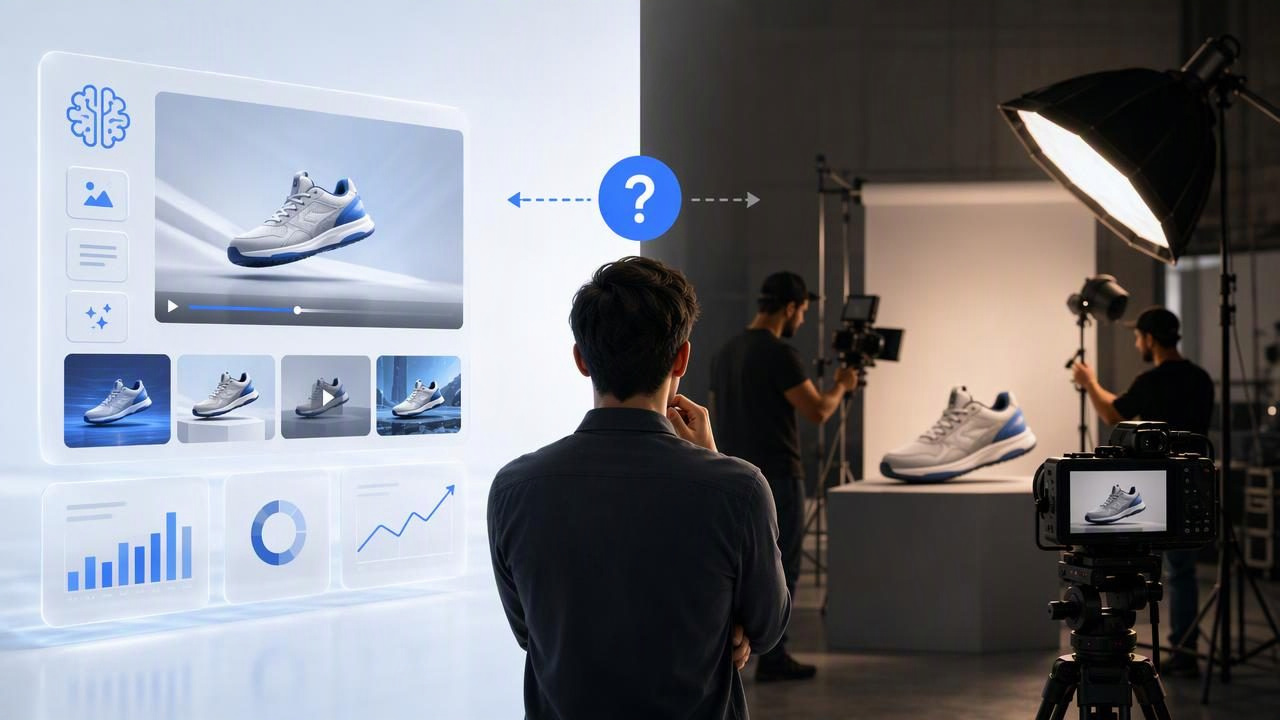
Choosing between an AI video ad creator vs studio production is not simply a question of which option is better. It is a question of what your campaign needs to prove, how much creative risk you can accept, and whether you need polished footage, fast concept exploration, or both.
Studio production can create highly controlled product commercials with real sets, performers, lighting, sound, and detailed direction. An AI video ad creator, on the other hand, can help marketers turn a product image into multiple UGC-style video concepts before committing resources to a full shoot. Both approaches have a place in modern video marketing, but they solve different problems.
This guide compares the two methods with a practical product-ad example, explains where each approach is strongest, and outlines the limitations to consider before building your next creative brief.
What Is the Difference Between AI Video Creation and Studio Production?
An AI video ad creator uses product imagery, instructions, and selected creative inputs to develop video concepts. The result is often intended to resemble short-form creator-style content: a product introduction, a problem-and-solution message, a routine clip, or a simple demonstration narrative.
Studio production is a traditional filming process. It may involve a producer, director, camera operator, actors or creators, a set, props, lighting, sound recording, editing, and post-production. The production team captures real footage and can control nearly every visual and practical detail.
| Factor | AI Video Ad Creator | Studio Production |
|---|---|---|
| Primary role | Explore and prepare multiple creative directions from existing assets | Create bespoke, controlled footage for a defined campaign |
| Starting point | Often a product photo and written concept | A production brief, crew, talent, location, and physical product |
| Creative iteration | Useful for comparing message angles and hook ideas quickly | Changes may require reshoots, revised edits, or added production time |
| Visual control | Depends on the input image and generated interpretation | High control over lighting, product handling, set design, and framing |
| Best fit | Early-stage ad concepts, variation planning, and rapid creative testing | Hero campaigns, precise demonstrations, premium brand films, and regulated claims |
Use One Product Image to Compare Creative Directions
A product image can be more than a catalog asset. It can become the anchor for a structured comparison of potential video ideas. The key is to keep the product representation consistent while changing only the creative angle you want to evaluate.
For example, imagine a brand selling a reusable insulated water bottle. Start with a clear product photo that shows the bottle’s color, logo placement, lid, and proportions. Instead of immediately commissioning a studio shoot, the marketing team could prepare three UGC-style video concepts around that same image:
- The daily-routine hook: A creator-style opening focused on taking the bottle to work, school, or the gym.
- The convenience hook: A short message about avoiding disposable bottles during a busy day.
- The comparison hook: A story about replacing an old bottle with one that better fits a daily routine.
These are creative examples, not evidence that the product has specific performance properties. The concepts should not claim exact temperature retention, leak-proof performance, material safety, or durability unless those claims are verified by the brand and properly supported.
By keeping the same product image across all three directions, the team can compare the strength of the hook, pacing, audience context, opening line, and call to action. This makes the image a common variable, helping the team evaluate the message rather than confusing messaging changes with changes in product appearance.
A Concrete Concept Comparison
Here is how the water-bottle brand might frame the concepts before generating or producing any videos:
| Concept | Opening Message | Audience Situation | What the Team Is Testing |
|---|---|---|---|
| Routine | “The one thing I pack every morning.” | Commuting or desk setup | Whether a familiar ritual creates attention |
| Convenience | “A small swap that simplifies my day.” | Errands, classes, or gym bag | Whether convenience resonates more than aesthetics |
| Replacement | “Why I finally replaced my old bottle.” | Personal upgrade story | Whether a before-and-after narrative drives curiosity |
None of these concepts proves that one will outperform another. They are hypotheses for creative testing. Actual results depend on the platform, audience, campaign objective, media budget, offer, landing page, ad delivery, and many other factors beyond the video itself.
When an AI Video Ad Creator Is the More Practical Choice
An AI-led workflow can be useful when a team needs more creative starting points than its production schedule allows. It is particularly relevant for ecommerce teams that already have clean product photography but need to broaden their visual storytelling.
- Testing message angles: Compare benefit-led, routine-led, gift-led, and problem-led storylines without treating one script as the only option.
- Planning a shoot: Use early concepts to identify the strongest direction before hiring creators, booking a location, or sourcing props.
- Refreshing ad creative: Develop new hooks and narrative structures when existing static product images have become familiar to the audience.
- Supporting lean teams: Give a small marketing team a way to organize multiple ad directions from a limited collection of product assets.
- Creating internal alignment: Show stakeholders what different creator-style approaches might look like before approving a detailed production brief.
AI-generated concepts are especially helpful when the decision is still strategic: Which story should we tell? They are less suitable when the central question is highly technical: Can we show this precise mechanism, certification, texture, or result exactly as it occurs in real life?
When Studio Production Is Worth the Investment
Studio production is usually the better choice when visual accuracy and physical proof are essential. A real shoot lets a brand show the actual product being used under controlled conditions. It also gives the team more direct oversight of talent, wardrobe, hand placement, styling, camera movement, lighting, audio, and brand presentation.
Consider studio production when you need to:
- Demonstrate a product mechanism, assembly step, or real-world application precisely.
- Capture true material texture, packaging details, colors, fit, or scale.
- Film verified product claims with appropriate substantiation and approvals.
- Create a flagship brand film with a carefully art-directed visual identity.
- Feature a real spokesperson, founder, customer, or contracted creator.
- Produce footage that must comply with detailed legal, safety, or industry requirements.
For example, a skincare brand should be cautious about relying on generated visuals to communicate before-and-after outcomes, product texture, or use instructions. If the footage needs to show a real application method or substantiate a product claim, a controlled shoot with approved messaging is generally the safer route.
The Limitations of AI-Generated UGC-Style Video
AI video concepts should be reviewed as creative assets, not assumed to be literal documentation of the product. A generated clip may interpret a product photo in ways that do not precisely match the item’s physical construction, packaging, label text, dimensions, accessories, or functionality.
Before publishing, check for the following:
- Product accuracy: Confirm that logos, labels, colors, components, and proportions are correct.
- Claim accuracy: Remove unsupported statements about performance, safety, health, sustainability, or comparative superiority.
- Usage accuracy: Ensure the product is not shown being used in an unsafe, impossible, or misleading way.
- Brand consistency: Review wording, tone, on-screen text, and visual cues against brand guidelines.
- Rights and approvals: Confirm that all required rights, disclosures, and internal approvals are handled for the intended campaign.
Important: A creator-style concept can help communicate an idea, but it does not replace product validation, legal review, real customer research, or properly filmed evidence.
A Sensible Hybrid Workflow for Brand Engagement
For many teams, the strongest choice is not AI video creation or studio production. It is a sequence that uses each method for the work it does best.
- Use a clear product photo to prepare several distinct ad concepts.
- Compare the concepts based on hook, audience context, message clarity, and brand fit.
- Select the most promising direction for further refinement or controlled testing.
- Use studio production when the chosen concept requires real proof, precise product interaction, premium visuals, or detailed compliance review.
- Feed what you learn back into future product photography, scripts, and video marketing briefs.
This process prevents teams from treating a single product image as a finished video strategy. Instead, the image becomes a practical starting point for deciding what visual story deserves deeper investment.
Choosing the Right Option for Your Next Product Ad
Choose an AI video ad creator when you need to explore multiple UGC-style concepts, compare narrative angles, and make faster creative decisions from existing product imagery. Choose studio production when you need real-world precision, controlled execution, and footage that must accurately demonstrate the physical product.
For a practical overview of turning a product image into video concepts while keeping review and product accuracy in mind, see UGCMade’s product photo-to-video guide.
