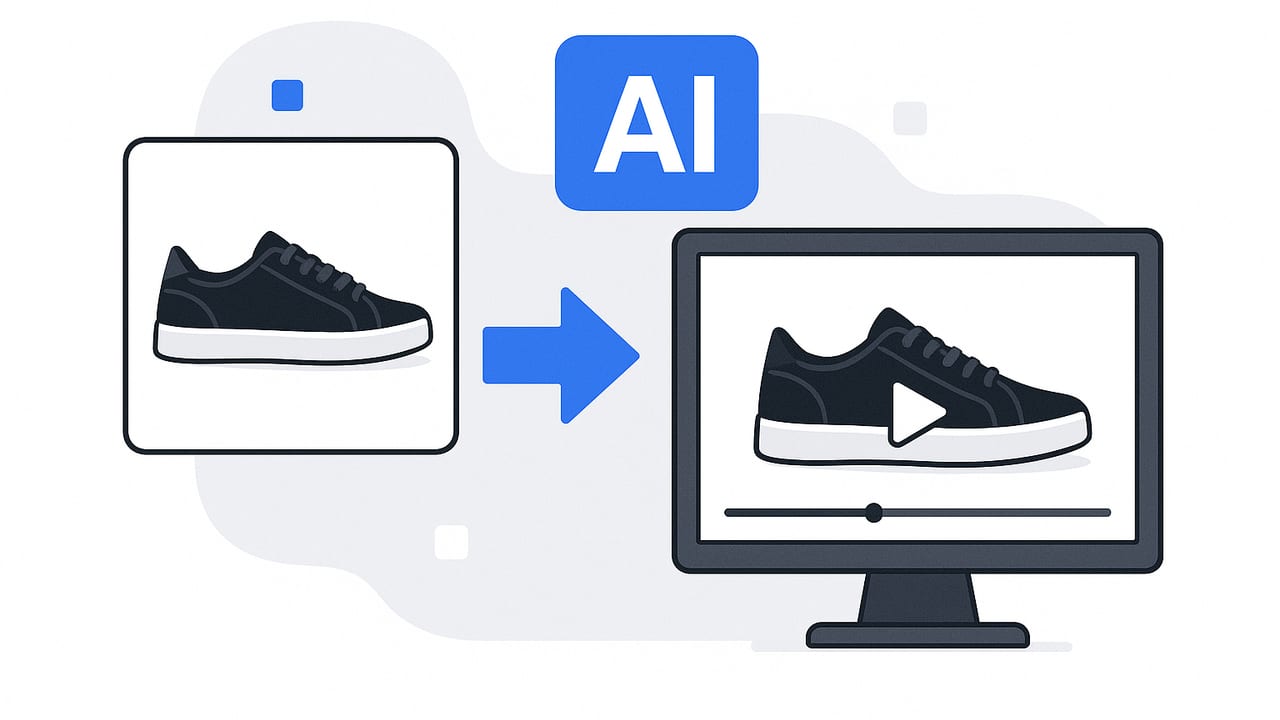
AI video generators have shifted from novelty to necessity for teams that need fast, consistent, and on-brand product videos. With the right workflow, you can transform static product photos into scroll-stopping clips that boost visibility, click-throughs, and conversions. This guide breaks down how an ai video generator works, what to look for, proven prompts and scripts, platform specs, and the metrics that matter so your next batch of videos is not only eye-catching but performance-ready.
What an AI Video Generator Actually Does
An ai video generator automates parts of the video production stack: visual assembly, motion design, text overlays, voice, music, and sometimes editing logic. Instead of stitching footage in a timeline, you supply inputs (images, brand assets, copy, and goals), then guide the model with prompts or templates. The output is a short video designed for channels like TikTok, Instagram, YouTube Shorts, marketplaces, or PDPs.
Under the hood, you will generally find:
- Layout intelligence: sequencing shots and transitions based on narrative structure.
- Motion templates: pans, zooms, parallax, and speed ramping tuned to beats or captions.
- Text generation: headlines, CTAs, and overlays optimized for readability and length.
- Voice options: AI voiceover, subtitles, and brand term pronunciation controls.
- Export presets: aspect ratios, safe zones, and bitrate settings per platform.
The payoff is speed without starting from a blank timeline, plus consistency across versions and languages.
How to Choose an AI Video Generator
Before you commit, evaluate tools against your goals, content sources, and brand constraints. Use these criteria as a scorecard:
- Input flexibility: Supports photos, short clips, product URLs, and CSV feeds for scaling.
- Template depth: Provides product-focused templates (unboxing, carousel, comparison, how-to).
- Brand controls: Fonts, color tokens, logo placement, subtitle styling, and voice consistency.
- Prompting & guardrails: Clear prompt syntax, editable scripts, and predictable outputs.
- On-platform specs: One-click exports for 9:16, 1:1, 4:5, 16:9 with safe-zone guides.
- Audio & rights: Library licensing, custom music upload, and voice usage rights.
- Localization: Multi-language captions/voice with region-specific spelling.
- Collaboration: Version history, review links, and role-based approvals.
- Analytics handoff: UTM support, naming conventions, and hooks for A/B testing.
- Data privacy: Asset isolation, SSO, and content retention policies.
Score each feature by must-have, nice-to-have, or not-needed. Your best-fit tool is the one that reduces handoffs and bottlenecks in your actual workflow, not the one with the longest feature list.
Workflow: From Photos to a Converting Video
Turn static images into a performance-ready clip with this repeatable sequence. You can use any solid ai video generator that supports templates and prompts.
- Define the job-to-be-done. Choose one goal: increase PDP add-to-cart, improve paid CTR, or drive email clicks. Align messaging and length to that outcome.
- Assemble source assets. Pick 4–8 product photos with varied angles (hero, detail, scale, lifestyle). Prepare a 15–25 word benefit-led headline and 3 features.
- Select a template. Choose a structure that matches your goal: problem-solution for paid, carousel for marketplaces, or quick tutorial for owned channels.
- Prompt the generator. Provide the brand tone, audience, key benefit, and CTA. Include required words (SKU, proof point) and words to avoid (claims you cannot substantiate).
- Lock brand elements. Set colors, fonts, logo entry/exit, and caption style. Enable safe zones so text does not collide with UI chrome.
- Guide motion. Prefer subtle parallax, 110% zooms, or 5–8 degree pans. Keep transitions simple (cut, dissolve). Reserve flashy effects for hooks only.
- Audio pass. Choose an instrumental track that matches pace. If using AI voice, set speed to 0.95–1.05x for natural cadence and enable subtitles.
- Draft, then A/B. Export two versions with different opening hooks or headlines. Keep all else equal to isolate impact.
- Compliance check. Confirm claims, pricing, approvals, and region-specific legal lines. Add alt text when embedding in web pages.
- Export & tag. Output 9:16 for short form, 1:1 or 4:5 for feeds, and 16:9 for PDPs. Use consistent file names and UTM tags for later analysis.
Clarity beats cleverness. Lead with the primary benefit in the first 2 seconds, then prove it with one visual detail and a single call to action.
Prompt Library for Product Videos
Good prompts reduce rework. Start with these and adapt tone and details for your brand. Paste them into your ai video generator and swap bracketed fields.
1) Paid social: benefit-led hook
Goal: paid CTR boost
Audience: [busy parents]
Tone: clear, helpful
Assets: 6 product photos (hero, lifestyle, close-ups)
Voice: subtitles only, no voiceover
Instruction: Create a 15s 9:16 video.
Hook (0-2s): On-screen text: 'Stop [pain point]?'
Body (3-12s): 3 scenes, each shows 1 feature with overlay.
CTA (12-15s): 'Try [product] today' + soft logo.
2) PDP: proof-focused carousel
Goal: add-to-cart lift on product page
Tone: informative
Assets: 8 photos including scale and material details
Instruction: 20s 16:9 video with captions.
Include: 1 benefit statement + 2 proof points (material, certification).
End: 'Free returns | Ships in 24h'.
3) Comparison: switch reasons
Goal: convert switchers
Tone: confident, concise
Assets: 5 product photos, 1 competitor-agnostic image
Instruction: 18s 4:5 video. Split screen: before/after.
Include: 'Save [X%] time' or 'Lasts [X] hours' with visual meter.
CTA: 'Upgrade in 60 seconds'.
Script Frameworks That Consistently Work
Use these formulas to turn features into outcomes your audience cares about. Pair each with lean visuals and fast captions.
- PAS (Problem-Agitate-Solve): Problem in 2 seconds, heighten stakes, reveal product as simple fix. Best for cold traffic.
- FAB (Feature-Advantage-Benefit): Feature = what it is, Advantage = why it is better, Benefit = outcome. Ideal for PDPs and remarketing.
- AIDA (Attention-Interest-Desire-Action): Classic for short form: hook, 2 proof frames, desire via lifestyle shot, then CTA.
Example (FAB for a water bottle):
Feature: Double-wall steel.
Advantage: Keeps drinks cold 24h.
Benefit: Ice-cold sips on your longest days.
CTA: Choose your size.
Platform Specs and Best Practices
Match output to where it will live. Use the formats below as your default export set from the ai video generator.
| Platform | Aspect ratio | Length sweet spot | Captions | Hook |
|---|---|---|---|---|
| TikTok | 9:16 | 7–15s | On | 0–2s |
| Instagram Reels | 9:16 | 7–15s | On | 0–2s |
| Facebook Feed | 4:5 or 1:1 | 10–20s | On | 0–3s |
| YouTube Shorts | 9:16 | 10–20s | On | 0–2s |
| PDP / Website | 16:9 or 1:1 | 15–30s | On | 0–3s |
Additional guidance:
- Design captions to be readable at 12–16 px equivalent on mobile.
- Keep key text away from top/bottom 10% safe zones to avoid UI overlap.
- Export at 1080x1920 for vertical, 1920x1080 for horizontal; use 8–12 Mbps for crisp edges on text.
Measuring Impact and ROI
Great-looking videos still need to earn their keep. Tie performance to objectives and use naming conventions to track creative variables.
- Awareness: Thru-play rate, average watch time, cost per 3-second view.
- Traffic: CTR, CPC, landing page bounce.
- Conversion: View-through conversions, add-to-cart rate, revenue per session.
Quick ROI approach:
- Run an A/B test where Variant A changes only the opening hook.
- Measure incremental conversions: Conv(A) − Conv(B).
- Compute ROI = (Incremental revenue − Production cost) / Production cost.
Example: If the new hook lifts add-to-cart by 0.6% over 50,000 sessions (300 extra carts), with average order value of 45 and 60% checkout completion, incremental revenue is 300 × 0.6 × 45 = 8,100. If you spent 600 generating and deploying the variants, ROI = (8,100 − 600) / 600 = 12.5x.
Use UTM parameters and consistent file names such as brand_product_goal_hookA_len15 to keep analysis tidy across channels.
Common Pitfalls (and Fixes)
- Over-designed intros: Logos and animations that take 3 seconds. Fix: show benefit first, logo last.
- Text overload: Walls of copy on-screen. Fix: 6–8 words per frame; shift detail to captions or PDP.
- Stock feel: Generic music and visuals. Fix: use on-brand palettes, custom textures, and real product close-ups.
- Pacing mismatch: Slow edits for fast music. Fix: align cut frequency with beats and reading speed.
- Ignoring accessibility: No subtitles or low contrast. Fix: always include captions and meet color contrast guidelines.
- One-size-fits-all exports: Reusing 16:9 everywhere. Fix: export per platform with safe zones and proper aspect ratios.
Putting It All Together
Choose a clear goal, pair it with an ai video generator that respects your brand constraints, then systematize: a tight prompt, a repeatable template, and a simple A/B plan for hooks. Keep copy sparse, prove a single benefit visually, and let captions carry the details. With the right loop of prompts, exports, and measurement, you can turn a folder of product photos into a full calendar of videos that actually move the numbers.
If you are exploring tools that turn product photos into engaging videos using AI, UGCMade offers a streamlined path from images to on-brand clips while keeping workflows simple.
