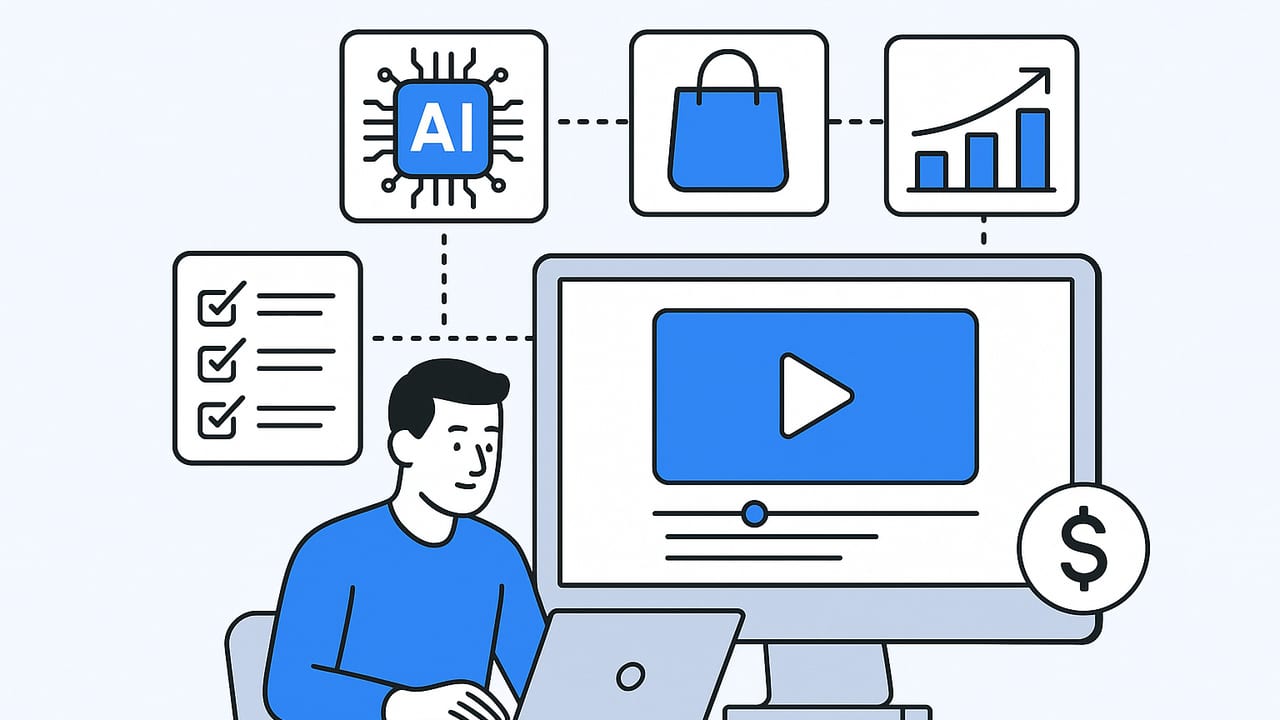
For ecommerce marketers, an AI video maker can turn product photos, bullet points, and quick scripts into polished, platform-ready videos in minutes. But speed only matters if the output converts. This playbook shows how to choose and use an AI video maker to build a reliable workflow—covering briefs, prompts, editing tips, specs, QA, and ROI—so you can scale video without sacrificing brand quality.
What an AI Video Maker Actually Does (and Doesn’t)
"AI video maker" is a catch-all label. Tools differ widely in how they generate and edit content. Knowing these differences helps you set clear expectations and choose the right tool for the job.
| Capability | What it Delivers | Best For | Limitations |
|---|---|---|---|
| Template-based assembly | Auto-layout of clips, captions, transitions | Fast social ads, product reels | Generic style if not customized |
| Text-to-video scripting | AI-generated voiceover, captions, stock inserts | Explainers, how-to, narrative ads | May hallucinate facts; needs tight brief |
| Photo-to-video motion | Ken Burns, parallax, spin/zoom from stills | Catalog-to-reel, PDP videos | Requires high-res images to look premium |
| Avatar/voice cloning | On-brand presenter or UGC-style voice | Consistent spokesperson across SKUs | Can feel uncanny if overused |
| Auto-editing from long form | Highlights, hooks, captions from a source video | Repurposing livestreams, reviews | Less relevant if you start from photos only |
Bottom line: an AI video maker speeds assembly and narrative, but it still needs strong inputs—clear benefits, visual assets, and a defined audience.
The Ecommerce Workflow: Brief to Publish
Use a repeatable pipeline so every video ships on time and on brand, no matter which ai video maker you choose.
1) Write a conversion brief
- Audience: who, problem, objections
- Unique Value Proposition: top 3 benefits
- Proof: ratings, certifications, before/after
- Offer: price, bundles, guarantee
- CTA: what you want viewers to do
2) Collect assets
- Images: 2000px+, multiple angles, lifestyle if available
- Logos, brand colors, fonts
- Testimonials, FAQs, feature bullets
3) Choose format and ratio
- Awareness: 9:16 short, hook-first
- Consideration: 1:1 carousel-to-video or 4:5 feed
- Conversion: 16:9 PDP or landing page explainer
4) Draft a 30–45 second script
Use a simple frame: Hook → Problem → Benefit + Proof → Objection → CTA.
5) Prompt your AI video maker
Feed the brief, script, and assets. Specify tone, ratio, caption style, and compliance notes.
6) Iterate visuals
Swap stock, adjust zooms on product photos, refine colors, adjust pacing to 130–160 wpm voiceover.
7) QA pass
Check brand, claims, captions, and platform specs. Export and compress correctly.
8) Publish, measure, and version
AB test hooks, CTAs, and first 3 seconds. Ship variants by audience and placement.
Prompt and Script Templates for AI Video Makers
Strong prompts reduce edits. Move from “make a video about X” to structured instructions with brand, voice, and constraints.
Template: 30s Product Ad (9:16)
Goal: Drive add-to-cart for [Product] on [Platform].
Audience: [Who], pain points: [P1, P2].
Assets: /images/[SKU-1..4], logo.svg, brand colors [#HEX].
Tone: Friendly, confident, UGC-inspired.
Structure:
1) Hook (0–3s): Pattern interrupt + specific benefit.
2) Problem (3–7s): Name the pain.
3) Solution (7–18s): Show product in use (zoom/pan photos), overlay features.
4) Proof (18–24s): Star rating + testimonial + certification badge.
5) Objection crush (24–27s): Shipping/fit/compatibility.
6) CTA (27–30s): Clear next step, on-screen + voice.
Voiceover: 145 wpm, natural female.
Captions: Burned-in, high-contrast, max 2 lines.
Music: Upbeat, copyright-safe.
Specs: 9:16, 1080x1920, 24 fps, 8–12 cuts, -14 LUFS.
Deliverables: MP4 + SRT + thumbnail with bold headline.
Template: Comparison Cut (vs. Alternative)
Make a 20s side-by-side comparing [Product] vs [Alt].
Show 3 measurable differences (e.g., weight, battery life, price).
Use on-screen checkmarks, label each side clearly.
End with CTA to view full specs on site.
Template: Testimonial Montage
Assemble 3 review quotes (max 10 words each) over product photos.
Animate stars 4.8/5 from [N] reviews.
Include a short UGC voiceover reading the strongest line.
Asset Prep and Platform Specs
AI can enhance motion and layout, but source quality rules the result. Treat image prep like cinematography.
- Images: use 300 DPI, remove noisy backgrounds, export PNG for transparency when needed.
- Color: include HEX values; ask the ai video maker to lock brand palette for titles and lower thirds.
- Captions: always on; 80% of short-form views are muted at start.
- Audio: LUFS around -14 for social; leave -1 dBTP headroom.
| Platform | Primary Ratio | Resolution | Duration | Notes |
|---|---|---|---|---|
| TikTok/Reels/Shorts | 9:16 | 1080x1920 | 6–30s for ads | Hook by 0–2s, captions, safe margins |
| Facebook Feed | 4:5 or 1:1 | 1080x1350 / 1080x1080 | 6–30s | Text-safe area, bold CTAs |
| YouTube | 16:9 | 1920x1080 | 30–60s | Clear thumbnail, end card |
| PDP/LP | 16:9 or 1:1 | 1920x1080 / 1080x1080 | 30–90s | Focus on benefits + proof |
Editing and Automation Tips That Improve Conversions
- Front-load the benefit: Place the strongest promise or visual in the first 1.5 seconds; use a movement cue (quick zoom or cut) to anchor attention.
- Cut to the voice: Align every scene change to the voiceover phrase boundary; let the ai video maker auto-snap cuts to phonemes when available.
- Motion from stills: Use parallax on layered PNGs (foreground product, midground hands, background texture) to create depth from photos.
- Caption hierarchy: Emphasize one keyword per line with brand color highlights.
- Micro-proofs: Overlay icons for “30-day returns,” “Hypoallergenic,” “BPA-free” right when the claim is said.
- Sound design: Add subtle swooshes on transitions and a “click” on CTA button animation.
QA Checklist Before You Publish
- Claims: No unsubstantiated superlatives; attach proof (UL, FDA, dermatologically tested).
- Readability: Captions ≥ 42 px in 1080x1920; contrast ratio ≥ 4.5:1.
- Brand: Colors and fonts match style guide; logo position consistent.
- Specs: Correct ratio, frame rate, file format; no letterboxing for vertical.
- Audio: No clipping; duck music by -12 dB under voice.
- Hooks: Hook delivers a concrete benefit within 2 seconds.
- Thumbnails: One bold headline, product visible, clean background.
- UTMs: Append campaign/source/creative ID so variants can be traced.
Measurement and ROI Modeling
An ai video maker saves time, but the real ROI comes from incremental revenue. Tie creative throughput to outcomes.
- Define success metric per funnel stage:
- Awareness: 2-second views, hold rate to 50%.
- Consideration: Product page visits, ATC rate from video viewers.
- Conversion: Purchase rate on PDP with video vs. without.
- Model uplift:
Baseline PDP CR (no video): 2.1% CR with video module: 2.6% (+0.5pp) Monthly sessions: 50,000 AOV: $58 Incremental orders: 50,000 * 0.005 = 250 Incremental revenue: 250 * $58 = $14,500 - Cost per shipped video:
Tool seat: $79 Production time saved: 2.5 hours @ $40/hr = $100 Stock/music: $6 Total per video: ~$185 (before reuse) - Breakeven check: If one video variant lifts monthly revenue by $185, you break even. Everything after is margin.
Optimize with controlled tests. Hold the script constant and vary the first 3 seconds, captions style, or CTA timing. Report winners and standardize.
Compliance, Rights, and Brand Safety
- Disclosures: If content looks like UGC but is paid, use clear ad disclosures and follow platform policies.
- Claims and health: Substantiate. Avoid medical claims without approvals.
- Music and fonts: Use licensed libraries; check commercial rights.
- Likenesses and voices: Get consent for faces/voices (including AI clones). Respect trademark usage.
- Data usage: Don’t upload sensitive personal data to generators. Review tool privacy and model training policies.
Choosing the Right Type of AI Video Maker
Match tool category to your dominant input and output needs.
- If most assets are photos and you need vertical reels fast: choose a photo-to-video maker with parallax and caption automation.
- If you need voice-led explainers: pick a text-to-video tool with natural TTS, multi-speaker timing, and stock B-roll search.
- If brand control matters: look for brand kits (fonts, HEX, templates), shot-locking, and version control.
- If you repurpose long form: choose auto-highlighter tools that find hooks and add dynamic captions.
- For collaboration: ensure comments, approvals, and export presets per platform are built in.
Rule of thumb: Buy for your most frequent job-to-be-done. Don’t overpay for features you’ll use 5% of the time.
Starter Content Calendar for Scalable Output
Rotate formats to avoid creative fatigue while keeping production predictable.
- Week 1: Benefit-led 20s ad (9:16) + PDP explainer (16:9)
- Week 2: Comparison cut (You vs. Alt) + testimonial montage
- Week 3: FAQ quick hits (3 clips x 10s) + bundle offer video
- Week 4: Seasonal hook variant + evergreen “how it works”
Each slot can be fed by the same brief and assets, changed only in hook and CTA.
Brief Template You Can Reuse
{
  "product": "[Name]",
  "audience": {"profile": "[Who]", "objections": ["[O1]", "[O2]"]},
  "benefits": ["[B1]", "[B2]", "[B3]"],
  "proof": {"rating": 4.8, "reviews": 1321, "badges": ["[Badge]"]},
  "offer": {"price": "$[X]", "bundle": "[Details]", "guarantee": "[Terms]"},
  "creative": {
    "tone": "[UGC / premium / playful]",
    "ratios": ["9:16", "1:1"],
    "caption_style": "High-contrast, 2 lines max",
    "voice": {"gender": "[F/M]", "speed_wpm": 145},
    "music": "Upbeat, license OK"
  },
  "cta": "[Shop now / Learn more]",
  "compliance": ["No unsubstantiated claims", "Disclose ad"]
}
Final Thought
An ai video maker is a force multiplier when it’s fed precise briefs and measured by outcomes—not just output. Start with one product, build your pipeline, and scale variants that prove lift. If your catalog lives as photos and you want UGC-style product videos without hiring creators each time, a platform like UGCMade can turn stills into engaging videos with AI while keeping brand control.
