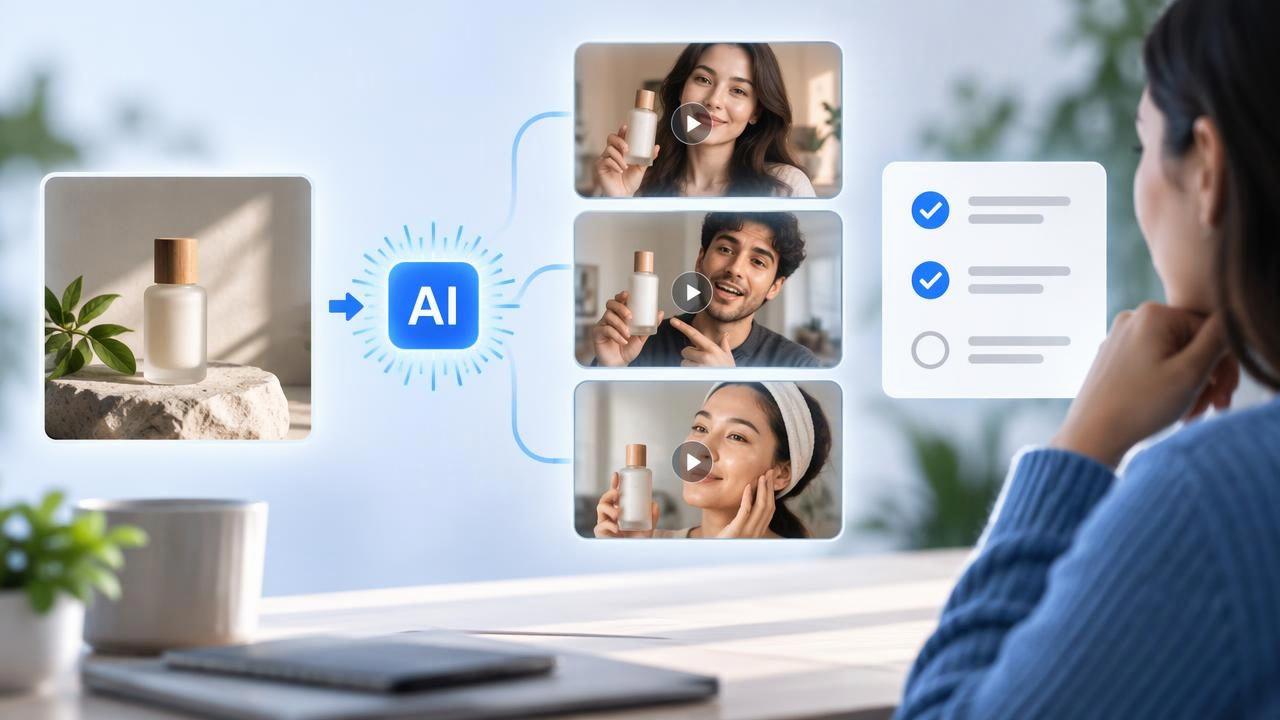
The best AI UGC video generator for a product campaign is the one that helps you explore useful creative directions while keeping the product and its claims accurate. A single product photo can be a starting point for several UGC-style video concepts, such as a quick product introduction, a use-case scene, or a feature-focused demonstration. Those outputs are creative drafts, not proof of how a product performs or how an audience will respond.
That distinction matters at launch. You want enough variation to learn which message deserves further work, without mistaking a polished-looking clip for a real customer review or verified product demonstration. Use an image-to-video workflow to compare ideas, then check every visual and statement against the actual product before publishing.
What makes an AI UGC video generator useful for a launch?
UGC-style usually describes a creator-like presentation: direct-to-camera framing, conversational language, or a casual setting. AI-generated content can imitate some of those conventions, but it is not automatically user-generated content. It does not become an authentic customer experience simply because it looks informal.
For a product launch, evaluate a tool by how well it supports the decisions you need to make, rather than by how many video effects it advertises. Consider whether you can start from a product image, specify the audience or campaign message, explore distinct concepts, and review the result closely. Also consider practical controls such as aspect ratio, clip length, editing options, and export requirements; availability and capabilities can vary by service, so verify them before building a workflow around them.
- Product fidelity: Does the generated clip preserve the visible shape, color, packaging, and details?
- Creative range: Can you explore different hooks or contexts, instead of receiving near-identical versions?
- Claim control: Can you keep unsupported benefits, invented specifications, and false testimonials out of the script?
- Reviewability: Can a person inspect the image, wording, pacing, and final format before the video is used?
No generator can decide whether a campaign message is strategically right or factually supportable. Treat the tool as a way to make and compare creative drafts—not as a substitute for product knowledge, legal review, or audience research.
Start with the campaign question, not the video effect
Before generating concepts, write down the one decision the campaign needs to help you make. For example: should the launch lead with the product’s everyday use, its design, or a specific verified feature? This gives each draft a purpose. If every version changes the opening, setting, script, and visual treatment at once, it becomes difficult to tell what made one concept feel clearer than another.
Use a product image that shows the item cleanly and in a relevant view. A sharp, well-lit photo with unobstructed packaging gives a visual reference, but it does not provide details the image cannot show. Add accurate product information separately when needed, and distinguish confirmed facts from ideas that still need review. If the source photo shows only the front of a bottle, for instance, it cannot reliably establish the appearance of its back label or demonstrate how its lid works.
Example: compare three launch concepts from one product photo
Imagine a brand preparing to launch a reusable insulated bottle. It has one approved product photo and wants to explore UGC-style creative before deciding which direction to develop. The following are hypothetical creative concepts, not actual generated results, customer feedback, or performance findings.
| Concept | Opening idea | What it explores | What to verify |
|---|---|---|---|
| Everyday carry | A creator-style introduction to bringing the bottle along on a commute | Whether a familiar routine makes the product relevant | That the scene does not imply unverified leak resistance or fit |
| Design close-up | A short look at the bottle’s visible shape and finish | Whether appearance is a useful launch hook | That color, proportions, logo, and surface details match the real item |
| Feature-led explanation | A concise explanation of one confirmed product feature | Whether a concrete fact is easier to understand than a lifestyle scene | That the feature and wording match approved product information |
Keep the test disciplined: use the same product image, audience, approximate duration, and call to action where possible, while changing the main creative angle. A simple comparison makes the review more meaningful. If one concept feels stronger, the team can identify whether it was the hook, the context, or the explanation—not assume the visual style alone caused the difference.
For the first pass, judge each draft against a review sheet. Is the product recognizable in every shot? Does the opening make the product or its intended use clear? Does the script say only what the brand can substantiate? Is the scene plausible, and does the video clearly avoid presenting an invented person as a verified buyer? These checks make concept comparison safer and more useful.
Separate creative quality from product accuracy
A video can look engaging and still misrepresent the item. Generative systems may alter a label, shift a color, distort proportions, or show a product interaction that the source image does not establish. Small changes can be especially noticeable in product photography: a different cap, handle, finish, or package design may make the clip unusable even when the overall scene looks polished.
Review the product frame by frame where practical, especially close-ups and moments involving hands. Compare the render with approved product images and specifications. If a visual detail is wrong, do not treat it as a harmless creative flourish; revise the prompt, edit the shot, or remove it. For an action the reference cannot support, such as opening a mechanism, film or source an accurate demonstration rather than presenting a guess as fact.
Apply the same discipline to narration and on-screen text. Do not let a generated script invent durability, health, sustainability, safety, or performance claims. A friendly first-person voice can sound like a testimonial, so avoid lines that imply the speaker purchased, used, or personally recommends the product unless that experience is real, authorized, and represented transparently. Follow the advertising disclosure and platform rules that apply to your content and market.
How to compare concepts without overreading results
At the concept stage, assess creative fit—not campaign success. You can ask a small internal review group which opening is clearest, whether the product is easy to identify, or which message merits a properly produced test. Those opinions are directional feedback, not evidence that a concept will increase sales or outperform another one with customers.
If you do run a live comparison, define the question and keep other variables as consistent as possible. Decide in advance what you will measure, for how long, and what counts as a meaningful result. Account for differences in audience, placement, spend, timing, and delivery. A short test or small sample may be inconclusive; avoid turning a tentative pattern into a broad claim about the best creative for every channel.
Maintain a record of each concept’s source image, prompt or brief, script, edits, and review status. This helps the team identify what changed between versions and trace claims back to approved information. It also makes it easier to update a draft if packaging, positioning, or campaign details change before launch.
Common limitations to plan for
- One image limits the scene: It may not show multiple views, scale, controls, or how the product works.
- Human details can vary: Hands, object contact, reflections, and movement may appear unnatural or inconsistent.
- Text can be unreliable: Check labels, logos, captions, and any generated lettering against the source.
- Creator style is not creator consent: Do not imitate a recognizable person or use a likeness without appropriate rights.
- A draft is not a finished campaign: Brand review, accessibility, captions, format checks, and platform requirements still matter.
These limitations do not make image-led video creation useless. They define where it is most helpful: exploring a hook, visual mood, or narrative direction before investing in a final production. When exact product handling or a credible personal endorsement is central to the message, use genuine footage and properly authorized contributors.
Choosing the best tool for your product campaign
There is no universally best AI UGC video generator for every launch. The right choice depends on the kind of source material you have, the creative decisions you need to test, the accuracy risks of your product, and the review process your team can support. Make a short shortlist, test the same brief where possible, and compare outputs against the same product-fidelity and claim checklist.
Prioritize tools that fit your actual workflow over features you may never use. A clear, reviewable concept that preserves the product is more valuable than a dramatic clip that invents details. For an overview of turning a product image into a video concept, see UGCMade’s product photo-to-video guide.
In short, use a product photo to explore distinct UGC-style directions, keep the comparison focused, and separate creative possibilities from verified product facts and real campaign results. That approach makes an AI UGC video generator a practical part of product campaign planning—without asking a generated video to prove what only accurate product information and real-world testing can establish.
