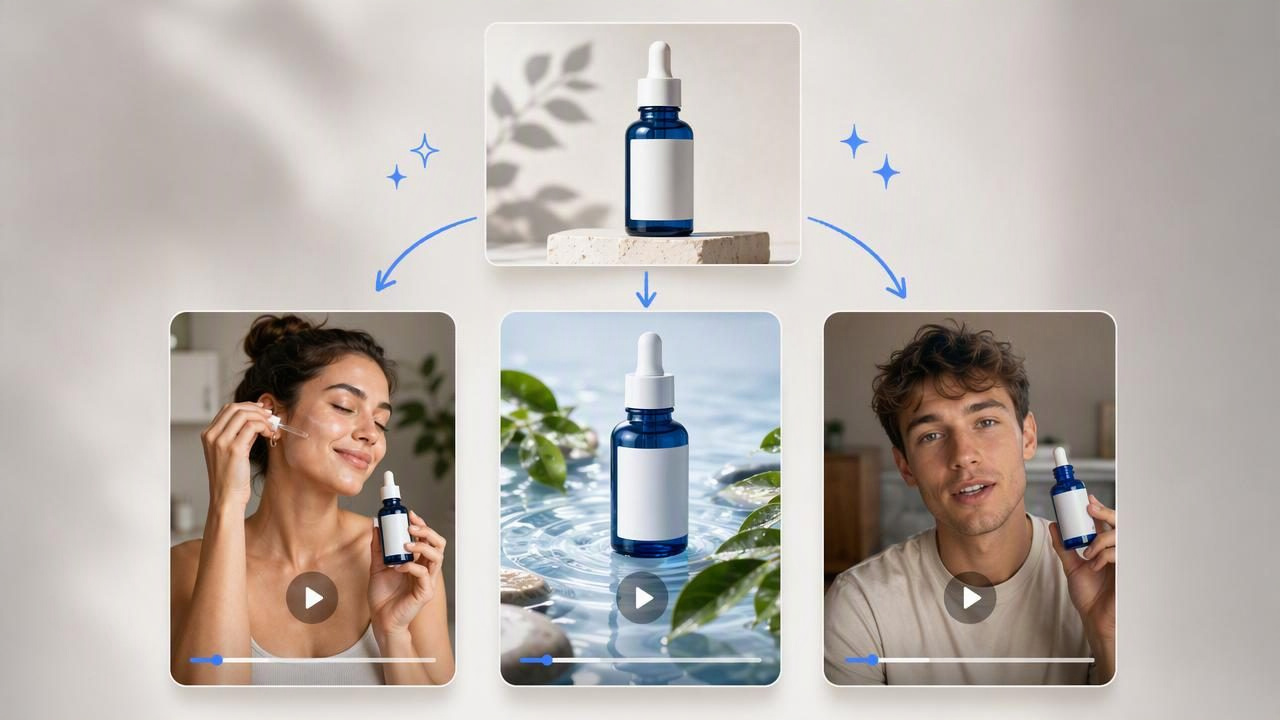
Finding the best AI UGC video generator to turn one image into three videos is less about choosing a tool with the longest feature list and more about building a useful creative comparison. A single, well-prepared product photo can become the starting point for several distinct UGC-style video concepts: a problem-and-solution story, a quick product demonstration, and a lifestyle-focused recommendation.
This approach helps ecommerce teams, founders, and marketers explore different ways of presenting the same offer before committing to a larger production plan. Rather than assuming one angle will resonate, you can compare concepts that use different hooks, scenes, voiceover directions, and calls to action while keeping the product itself consistent.
It is important to set realistic expectations. AI-generated UGC-style videos are creative concepts, not proof of actual customer sentiment, product performance, or advertising results. A generated creator-style scene may help visualize an idea, but it should not be presented as a verified testimonial or as evidence that a real person used your product.
What Makes an AI UGC Video Generator Useful?
An AI UGC video generator is designed to help turn a product image and creative direction into short-form video concepts with a creator-style feel. The strongest use case is not simply animating a photo. It is using a product image as a visual anchor while testing different storytelling approaches around it.
When evaluating options, look for a workflow that helps you think clearly about the following elements:
- Product clarity: The item should remain recognizable, correctly proportioned, and visually consistent with the source image.
- Creative variation: You should be able to explore genuinely different ad angles, not just minor edits to the same script.
- Audience fit: The concept should reflect where and how your audience may discover the product, such as a quick social feed placement or a product detail page.
- Message control: Product claims, tone, benefits, and required brand language need careful review before publication.
- Practical review: It should be easy to compare ideas using the same product photo, so the core variable is the creative direction.
The “best” option depends on your goal. A brand launching a skincare product may need several educational product demo angles. A home goods business may want to test whether a visual transformation story is more compelling than a convenience-focused script. The generator itself is only part of the process; the quality of the input photo and concept brief strongly affects the usefulness of the output.
Start With a Product Image That Can Support Three Stories
One image can support multiple videos when it clearly communicates the product’s shape, finish, color, and key details. Use an image that shows the actual item rather than an overly stylized mockup. If the product has an important functional feature—such as a nozzle, zipper, display, texture, or attachment—make sure it is visible.
Before creating any video concepts, review the image with these questions:
- Can someone identify the product within the first second?
- Does the image show the correct packaging, label, and colorway?
- Are there reflections, shadows, or cropped details that could confuse the visual interpretation?
- Would a close-up help explain the product’s main value?
- Do you have approved claims and product facts to guide the script?
A clean product photograph gives you more control. It does not guarantee that every generated scene will be accurate, however. Review labels, hands, product proportions, on-screen text, and any implied product use carefully. If a concept shows an action that your product cannot actually perform, revise or discard it.
A Concrete Example: One Water Bottle, Three UGC-Style Video Concepts
Imagine a brand selling an insulated water bottle with a leak-resistant lid and a carry loop. The brand has one high-quality image of the bottle on a plain background. Instead of making three near-identical clips, the team can use that same image to prepare three contrasting concepts.
| Concept | Primary Hook | Visual Direction | What It Tests |
|---|---|---|---|
| Commute problem | “I was tired of finding spills in my bag.” | Morning bag-packing scene, close-up of lid, bottle placed upright. | Whether a frustration-led hook creates attention. |
| Daily routine | “This is the bottle I bring everywhere.” | Desk, gym bag, and outdoor walk sequence with product close-ups. | Whether lifestyle relevance makes the product more memorable. |
| Feature demonstration | “Three details I look for in a water bottle.” | Close-up sequence highlighting carry loop, lid, and bottle finish. | Whether practical feature education is the clearest message. |
All three concepts begin with the same product photo, but they make different promises to the viewer. The commute concept frames the bottle as a response to a common inconvenience. The routine concept positions it as part of a daily lifestyle. The feature demonstration focuses on product details rather than a broader personal story.
These are not actual customer experiences unless they come from documented, approved customer content. They are creative examples of potential ad directions. Avoid wording such as “this changed my life,” “I bought five,” or “it never leaks” unless you have substantiation and the necessary approvals. A safer concept can say, “Designed with a leak-resistant lid,” when that is an accurate, approved product attribute.
How to Compare Three Video Concepts Fairly
To learn from creative variation, keep the product and audience consistent while changing one major storytelling variable at a time. If every video has a different product image, price, offer, audience, and message, it becomes difficult to identify why one concept appears stronger than another.
Use a simple comparison brief for each version:
Product: Insulated water bottle
Audience: Commuters and active adults
Core fact: Leak-resistant lid and carry loop
Video length: Short-form concept
Variable: Hook and narrative angle
Required review: Product accuracy, claim accuracy, readable text
Then compare the concepts against a shared checklist. This does not predict conversion performance, but it helps identify whether each piece communicates the intended message clearly.
- First-second clarity: Is the product visible quickly, and does the opening line create a reason to keep watching?
- Product relevance: Does the story naturally connect to the item, or could the same script apply to almost anything?
- Visual accuracy: Are the product’s dimensions, lid, color, and branding represented correctly?
- Claim safety: Are statements factual, supportable, and consistent with your approved product information?
- Call-to-action fit: Does the final prompt match the stage of awareness? A new audience may need “See how it works,” while a product-page visitor may be ready for “Explore the details.”
Creative Concepts vs. Actual Product Results
This distinction is essential in AI-powered content creation. A video concept can help a team explore a hypothesis, such as whether a commuter-focused hook may be clearer than a feature list. It cannot establish that the hook will generate more sales, hold attention longer, or outperform another ad without real-world measurement.
Similarly, an AI-generated creator-style video should not be treated as a real customer review. Do not imply that an identifiable person purchased, tested, or endorses the product unless that relationship is genuine and permission has been obtained. If your marketing requires disclosures, endorsements, regulated claims, or before-and-after results, involve the appropriate legal, compliance, or brand reviewers.
A useful creative output is a starting point for review and testing—not a substitute for evidence.
Once you select a direction, you can use your own campaign measurement process to assess outcomes. Consider factors such as qualified traffic, engagement quality, add-to-cart behavior, completed purchases, and audience feedback. Results will vary based on targeting, offer, landing page, seasonality, creative placement, and many other variables beyond the video itself.
Common Mistakes When Turning One Image Into Three Videos
- Creating three cosmetic variations: Changing only captions or music does not provide meaningful creative learning. Vary the hook, narrative structure, or objection addressed.
- Using vague benefits: “Amazing quality” is less useful than a specific, approved product detail that viewers can understand.
- Overloading the script: A short video cannot explain every feature. Give each concept one central message.
- Ignoring the source photo: Weak lighting, hidden product details, or outdated packaging can undermine every concept built from the image.
- Publishing without review: Check product accuracy, text, claims, brand names, visual continuity, and required disclosures before use.
- Confusing realism with authenticity: A creator-style visual can feel familiar, but authentic marketing still requires truthful messaging and responsible representation.
Choose the Strongest Direction Before Expanding Production
The advantage of turning one image into three UGC-style video concepts is focus. You do not need to guess whether your audience cares most about convenience, product features, or a relatable problem. You can prepare clear creative directions around the same product and evaluate which one best fits your marketing objective.
For the water bottle example, the feature demonstration may be the most suitable choice for a product page where shoppers need details. The commute problem may be more suitable for awareness creative because it introduces a recognizable frustration quickly. The routine version may work best when the goal is to place the product within an aspirational but believable day-to-day setting.
Keep the comparison grounded: use accurate product information, distinguish creative examples from customer proof, and treat generated videos as material to review rather than guaranteed outcomes. For a practical walkthrough on preparing a source image and planning these kinds of variations, UGCMade’s guide to turning a product photo into video offers additional context for product-focused visual storytelling.
