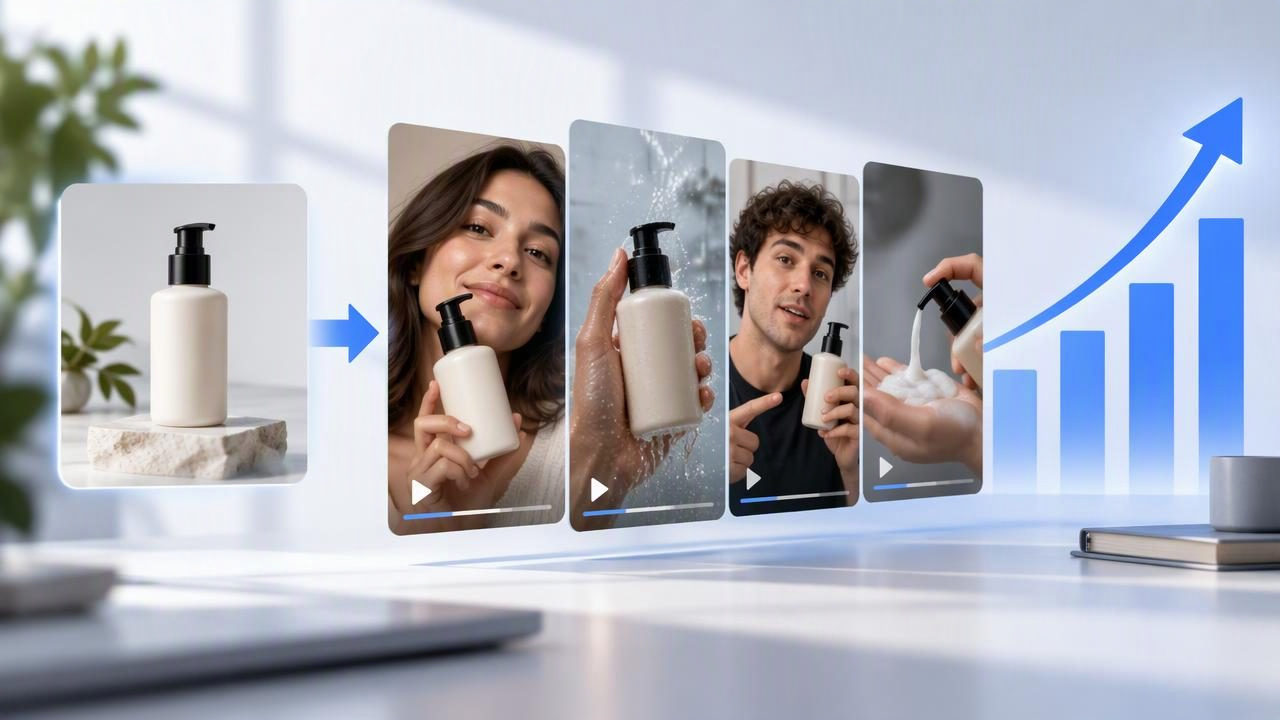
When an ecommerce team needs more social video concepts, producing every idea from scratch can be slow and demanding. A product photo can offer a useful starting point: it gives a creative team a consistent visual reference while they explore different hooks, settings, and story angles for short-form ads. The result is a set of concepts to review—not proof that a product performs a certain way or that an ad will succeed.
Choosing the best social video ad tool to scale ecommerce creative production means looking beyond how quickly a tool can produce a video. You also need to know whether it supports meaningful creative comparisons, represents the product accurately, and gives your team enough control to review claims and visual details before anything is published.
What a social video ad tool should help you compare
For this use case, a tool is valuable when it helps your team explore distinct creative directions from a reliable product reference. UGC-style video concepts may borrow the conversational tone and everyday settings of creator content, but an AI-generated concept is not the same as a real customer review or a recorded customer experience.
Look for a process that lets you assess creative choices such as:
- Hook: Does the opening lead with a problem, a product feature, or a use occasion?
- Story: Does the video show a quick demonstration, a routine, or a simple product introduction?
- Setting: Does the context fit the intended audience without distracting from the product?
- Product fidelity: Do the shape, color, packaging, and visible details remain consistent with the reference?
- Clarity: Can a viewer understand what is being shown without unsupported claims or confusing visuals?
These are creative review questions, not performance guarantees. A polished result can still need factual checks, editing, or a different concept.
Example: compare three concepts from one product photo
Imagine an ecommerce brand has a clear photograph of a reusable insulated tumbler. The image shows its color, lid, handle, and overall shape against a plain background. The team wants to explore social video concepts but has not filmed a creator or chosen a campaign message. It can use the photo as a visual reference and compare three hypothetical directions:
- Morning routine: A creator-style scene opens with a person preparing to leave home, then brings the tumbler into view. The concept focuses on fitting the product into a daily routine.
- Desk-side moment: A short scene shows the tumbler beside a laptop during a work break. The opening hook could focus on keeping a drink nearby, provided that wording matches the product’s verified use and claims.
- Close-up product introduction: The video begins with a direct-to-camera introduction and cuts to close views of the lid, handle, and finish. This puts product details ahead of lifestyle context.
These are creative examples, not actual generated outputs, customer stories, or evidence that the tumbler keeps drinks hot, prevents leaks, or produces better ad results. The source photo cannot establish those facts. The team should verify product claims against approved product information and inspect every visual for details that may have changed or been invented during generation.
The comparison becomes useful when the concepts differ in a deliberate way. If all three use the same opening, scene, and message, the team has mostly compared minor variations. By contrast, the routine, desk, and close-up directions test different storytelling approaches while keeping the pictured product constant. That makes creative review more focused, even before the team considers publishing or testing an ad.
Prepare the product photo for a fair comparison
A reference image can only communicate what it clearly shows. Before using it, choose a sharp image with the product unobstructed, good lighting, and a view that makes important features easy to recognize. If color or packaging accuracy matters, use a reference that represents the product version you intend to promote.
- Check that the image is high enough quality for the intended video format.
- Use a clean background where possible, especially when the product outline is important.
- Provide additional approved angles when a single view does not show a key detail.
- Keep product facts, approved claims, and required disclaimers available for human review.
- Avoid asking a still image to prove motion, performance, or a customer’s personal experience.
Good product photography improves the reference, but it does not guarantee that every generated frame will be accurate. Review hands, labels, logos, accessories, and product proportions closely. If a detail looks wrong, treat it as an issue to correct or reject—not as a new product feature.
Use a comparison scorecard, not a single favorite
When evaluating options for ecommerce content creation, compare tools and concepts against the same criteria. A basic scorecard helps separate visual appeal from practical usefulness. Rate each item consistently, for example from one to five, and write a short note explaining the rating.
| Review area | What to check |
|---|---|
| Creative range | Can you explore clearly different hooks, settings, and story structures? |
| Reference fidelity | Does the product remain recognizable and consistent with the source photo? |
| Editing control | Can your team revise wording or reject details that are inaccurate? |
| Review effort | How much human checking and correction does each concept require? |
| Workflow fit | Do the available formats and review steps suit your team’s content process? |
| Usage terms | Are rights, privacy, and commercial-use terms clear for your intended use? |
Do not choose a tool on the assumption that a larger number of outputs automatically means more useful creative. A smaller set of distinct, reviewable concepts may be easier to assess than many near-duplicates. Check the tool’s current documentation for available controls, formats, and terms; these can differ between services and change over time.
Separate creative quality from ad performance
A video concept can be clear, engaging, and visually coherent without delivering a particular business result. Creative review asks whether the story communicates the intended message and depicts the product responsibly. Performance analysis asks how an ad performs with a real audience under defined conditions. Those are related but separate questions.
If you later run a campaign test, define the variable you want to learn about. For example, compare the morning-routine hook with the product-introduction hook while keeping the audience, offer, placement, and other campaign conditions as consistent as your test allows. Record what changed and what did not. Avoid attributing a result to a single creative difference if several elements changed at once.
Even a structured test does not establish that the same concept will work for every audience or channel. Results can depend on targeting, timing, budget, placement, and many other factors. Do not treat a generated preview, a team preference, or a hypothetical example as evidence of conversion lift.
Know the limits of image-based video concepts
A still image offers limited information. It may show appearance, but it usually cannot confirm how a product fits, feels, operates, or performs in use. AI-generated scenes can also introduce inaccurate text, altered packaging, implausible movement, or details that were not in the source. Creator-style presentation can make a concept feel personal, so it is particularly important not to imply a real person used or endorsed a product when that did not happen.
Set review rules before production: verify factual statements, inspect product details frame by frame, check any required disclosures, and confirm that the concept does not misrepresent an actual customer or creator. A human editor should decide whether a draft is suitable to publish. If accuracy depends on demonstrating a feature, consider obtaining real footage or another reliable source rather than relying on a generated interpretation of one photo.
Make the tool decision around your real workflow
Start with one representative product image and a short brief that names the audience, the approved product facts, and the creative question you want to explore. Compare a few intentionally different concepts, then note where each is strong, inaccurate, or difficult to revise. This reveals whether a tool supports your actual visual storytelling needs—not just whether it can produce a striking preview.
Before adopting a process across a catalog, review the time required for image preparation, concept selection, corrections, approvals, and final checks. Include licensing and privacy review where relevant. A tool may help teams explore creative directions, but it does not remove responsibility for claims, brand consistency, or publication decisions.
The most useful choice is the one that makes product-photo-based concept comparison manageable while keeping human judgment at the center. For a practical look at comparing directions from a product image, see UGCMade’s guide to testing ad variations.
