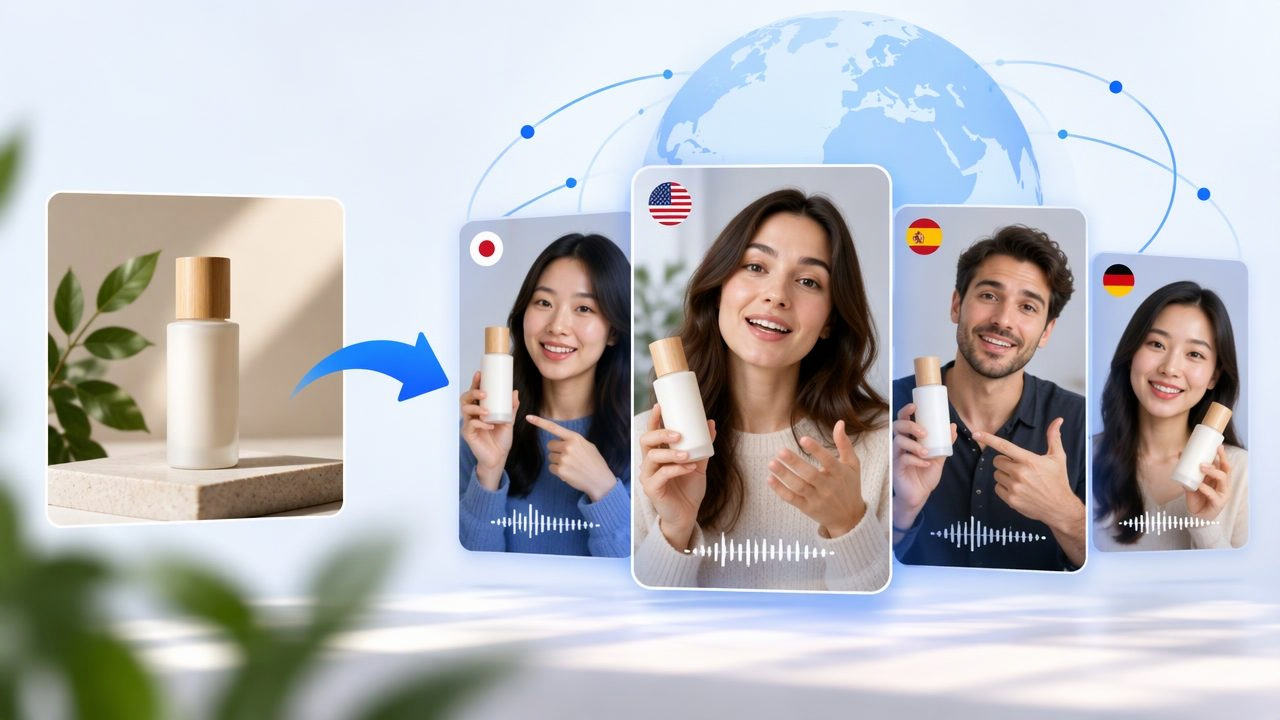
If you are searching for how to get camera free video creation with multilingual UGC generator tools, the basic idea is simple: start with a product image, create several short video concepts, and adapt the strongest concepts for audiences who speak different languages. You can explore creator-style storytelling without filming a person or arranging a camera shoot.
That convenience comes with an important distinction. A generated video concept is not the same as a real customer review, a verified product demonstration, or evidence that an ad will perform well. Use generated content to develop and compare creative directions, then review every detail before publishing.
What camera-free UGC-style video creation means
In this context, “camera-free” means using existing visual assets—often a product photo—as the starting point instead of recording new footage. Depending on the tool, an AI video workflow may animate an image, build a scene around it, or add generated narration and captions. The available options differ, so check a platform’s current capabilities rather than assuming every generator includes the same features.
UGC-style describes a familiar creative approach: conversational language, a relatable scenario, and a clear focus on a product or use case. It does not automatically mean the video was filmed by a customer or that the speaker is a real buyer. Be transparent about synthetic or staged material when that distinction matters to your audience or advertising rules.
Start with a product photo that can support a story
A single image can provide a useful visual anchor, but it cannot answer every question about a product. Choose a sharp, well-lit photo where the item is easy to recognize. A clean background helps a generator distinguish the product from its surroundings; a second image from another angle can help your team verify details, if your workflow allows additional references.
- Check visibility: Keep the main product unobstructed and large enough to inspect.
- Confirm details: Review labels, colors, packaging, accessories, and any visible claims.
- Gather approved facts: Write down what the product does, who it is for, and which statements are supported.
- Choose a realistic use case: A video idea should fit how someone could actually encounter or use the item.
Do not expect one still image to prove texture, size, durability, ingredients, or how a product works in motion. If those qualities matter, provide accurate references or arrange real footage. A generator may invent visual details while filling gaps, so comparison and fact-checking are part of production, not optional polish.
Example: compare concepts for a reusable water bottle
Imagine a brand has one front-facing photo of a reusable bottle. It wants to explore English- and Spanish-language video concepts for a general audience. Before generating anything, the team confirms the bottle’s capacity, material, care instructions, and approved product description. These facts form guardrails; they are not claims to add unless the brand has verified them.
The team can compare three creative directions while keeping the product and core facts constant:
| Concept | Opening idea | Story angle | What to review |
|---|---|---|---|
| Daily routine | “Heading out? Make room for a refill.” | Show the bottle as part of a morning bag-packing routine. | Does the scene imply a size or fit that the photo does not establish? |
| Desk setup | “A small reset for your workday.” | Place the product in a tidy desk scene and describe its approved features. | Are any performance or health benefits being suggested without evidence? |
| Gift idea | “Looking for a practical gift?” | Frame the bottle as one possible everyday gift. | Does the visual show packaging or accessories that are not included? |
These are creative examples, not actual product results. They do not establish that the bottle keeps drinks cold, fits a particular bag, or increases sales. The team should remove or revise any scene that suggests unverified qualities. The concepts are useful because they make different storytelling choices easy to review side by side—not because a generated scene proves the product behaves as shown.
Adapt concepts for more than one language
A multilingual UGC generator can help teams explore versions for different language audiences, but direct translation is only a starting point. A hook that sounds natural in English may feel stiff, overly formal, or culturally misplaced when translated word for word. Localize the message, not just the vocabulary.
- Write the idea in plain language. Keep the original hook focused on one product fact or use case.
- Adapt for the audience. Ask a fluent reviewer to make the wording sound natural and appropriate for the region.
- Check narration and captions. Verify pronunciation, spelling, accents, line breaks, and whether text stays readable on a phone.
- Keep meaning consistent. Confirm that each version makes the same supported claims and does not add promises during localization.
For example, the English idea “A small reset for your workday” might be adapted into a more natural local expression rather than translated literally. The exact wording depends on the market, audience, and context. Have a fluent speaker review the final script and any on-screen text; automated language output can miss idioms, tone, and regional differences.
Compare concepts fairly before choosing one
When you compare AI-generated UGC-style video concepts, keep the test focused. If the hook, language, setting, product description, and length all change at once, it becomes difficult to tell which difference mattered to reviewers. Begin with one variable, such as opening line, and hold other elements as steady as the tool and production process allow.
- Review whether the product remains recognizable and visually accurate.
- Check whether the opening communicates a clear reason to keep watching.
- Assess whether the story matches the intended audience and channel.
- Compare language versions for naturalness, clarity, and consistent claims.
- Record why a concept was selected or rejected, rather than relying on a vague preference.
Internal review can help identify confusing scripts or inaccurate scenes, but it is not a substitute for audience testing. If you publish variants, track the same relevant measures across versions and account for differences in placement, budget, audience, and timing. A creative comparison can inform the next test; it cannot guarantee a conversion lift or predict results in every market.
Know the limitations before publishing
Camera-free production can reduce the need for a new shoot, but it does not eliminate creative direction or quality control. A generator may alter a label, create an impossible grip, distort packaging, or introduce an object that was never supplied. Review the video frame by frame, especially where the product appears close up or interacts with a person, hand, or prop.
Also confirm that you have rights to the product photos, logos, music, and other supplied assets. Follow the rules that apply to your advertising, market, and platform. Do not present a synthetic speaker as a verified customer, invent a testimonial, or imply first-hand experience that did not happen. If the video depicts a feature that matters to a purchase decision, verify it against reliable product information or real footage.
Finally, check the generator’s language coverage, export options, usage terms, and content controls before building a workflow around it. “Multilingual” does not guarantee that every dialect, voice, subtitle format, or market is supported. A short pilot with a few concepts can reveal whether the tool fits your actual production needs.
A practical way to get started
Choose one product photo, write down a small set of verified facts, and develop a few clearly different hooks. Generate or assemble concept drafts using a tool that supports the languages you need, then review visual accuracy, translation quality, and disclosure requirements. Treat the output as a draft for creative comparison—not a finished demonstration or proof of customer response.
For a more detailed look at the image-to-video process, see UGCMade’s guide to turning a product photo into video. The same careful approach applies regardless of the tool: start with accurate inputs, compare creative ideas, and verify the final video before it represents your brand.
