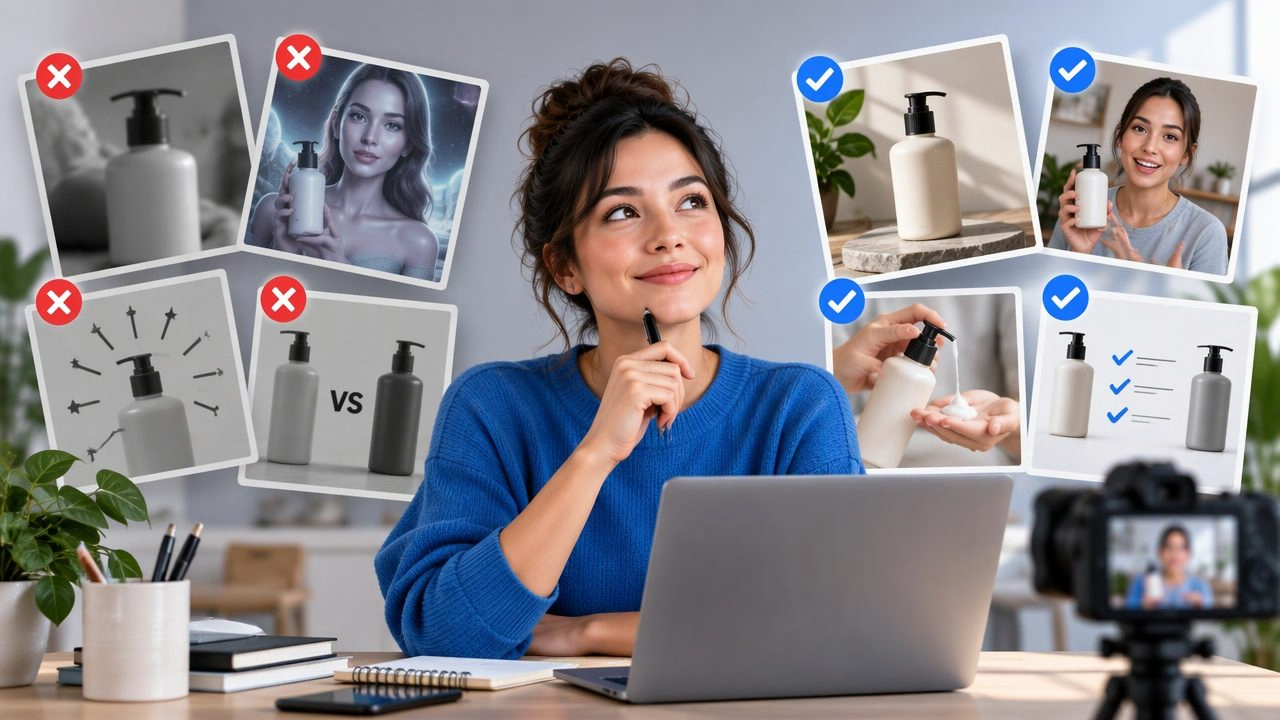
A creator-style ad maker can turn a product photo into a starting point for short-form video concepts. That can help a team explore different hooks, scenes, and story angles before investing in a larger production. But a fast workflow does not guarantee useful creative. Poor source images, unclear claims, and unfair comparisons can make outputs confusing—or make a concept look more convincing than the product evidence supports.
The goal is not to treat every generated video as a finished ad. It is to create and compare creative hypotheses: possible ways to present a product that can be reviewed, refined, and tested. Here are common mistakes to avoid, with a practical example using one product image.
1. Starting with a product photo that hides important details
An AI-generated video can only work with the visual information it receives and the instructions provided. If the source photo shows a product at an awkward angle, crops off a key feature, or includes distracting objects, the resulting concept may preserve those problems or introduce new ones. A stylish setting cannot compensate for a product that is difficult to recognize.
Before uploading an image, check that the product is easy to identify and that its important visible details are clear. Look for sharp focus, balanced lighting, a useful crop, and enough space around the item. If the product has distinctive packaging, a logo, a particular shape, or a feature that matters to the story, make sure that detail is visible in the source image.
- Use a clear hero image: Give the product visual priority rather than making it one small element in a busy scene.
- Check the crop: Leave room for the framing and composition of a vertical video.
- Review image rights: Confirm that you have permission to use the product photo and any visible people, artwork, or branded elements.
A single photo can be a useful concept input, but it is not a complete product reference. If accuracy depends on a feature the photo does not show, provide a suitable additional reference where the tool allows it, or avoid making that feature central to the concept.
2. Asking for a video before deciding what it should communicate
“Make this look engaging” is too broad to guide a meaningful ad concept. Without a clear message, a generated video may add generic lifestyle details while leaving viewers unsure what the product is or why it matters. Decide on the intended audience, the main message, and the action you want viewers to consider before generating variations.
Keep the brief narrow. For example: “Show the travel mug in a morning commute setting and introduce its stated leak-resistant lid.” This is more actionable than “Make a viral video about this mug.” The example only works if leak resistance is a verified product claim; if it is not documented, choose a visual angle that does not imply it.
Separate the creative direction from the facts. A scene, pacing choice, or opening line can be an imaginative way to present the product. A capacity, material, performance statement, or health benefit is a factual claim and should be checked against approved product information.
3. Changing too many creative variables at once
Generating several videos is not the same as running a useful comparison. If each version changes the hook, setting, audience, product benefit, and call to action, you may not know which difference shaped a viewer’s response. This makes the comparison difficult to interpret and can lead to weak follow-up decisions.
Start with a shared brief and choose one variable to explore. For example, keep the product, factual message, length, and call to action consistent while changing the opening angle. You might compare a convenience-led opening with a design-led opening. These are creative examples to evaluate, not proof that either message performs better.
| Keep consistent | Vary for the comparison |
|---|---|
| Product image and verified details | Opening hook |
| Core message and call to action | Scene or visual setting |
| Approximate length and format | Story structure or pacing |
A simple comparison makes it easier to describe what changed and why. It does not, by itself, establish which concept will perform better. That requires an appropriate test and enough relevant data.
4. Treating AI-generated details as real product results
Generated video may create a plausible scene that was never filmed: a person holding the item, a location, a product interaction, or a visual detail. Plausibility is not verification. A concept image of a mug being carried through a commute does not prove that it fits a particular bag, stays leak-free, or keeps a drink hot for a stated period.
Review every frame for visual accuracy. Compare the product’s proportions, color, label, packaging, lid, and other important features with approved references. Watch for invented text, altered logos, extra components, inaccurate hands or interactions, and backgrounds that suggest a specific use or result without evidence.
Also be clear about the nature of the creative. A creator-style format may resemble a personal recommendation, but an AI-generated person is not a real customer or a verified testimonial. Do not present a simulated reaction as an authentic customer experience. Follow applicable advertising rules and platform policies, and disclose synthetic or altered media when required.
5. Making a concept look like a finished campaign
A polished-looking video can invite people to overlook what has not been checked. Before publication, review the script, product representation, rights, disclosures, captions, and call to action. Confirm that the creative matches the actual item being sold, including the version, packaging, and any options shown.
Use a review checklist rather than relying on a general “looks good” approval:
- Are product details and claims supported by current, approved information?
- Could a viewer mistake a generated scene or speaker for a real customer experience?
- Are music, images, likenesses, and other assets cleared for the intended use?
- Are captions readable, and does the message make sense with sound off?
- Does the video fit the placement’s specifications and required disclosures?
Concept generation can speed up exploration, but it does not replace legal, brand, or product review. Treat the output as draft creative until the appropriate people have checked it.
6. Comparing concepts without recording what changed
When several versions look similar, memory is an unreliable comparison tool. Label each concept with its intended difference and keep a short record of the brief, source image, and review notes. This is especially useful when more than one person is evaluating the work or when concepts are revised later.
For example, a team could label two hypothetical travel-mug concepts “morning routine hook” and “minimal design hook.” If both use the same product photo and verified details, the labels explain the creative distinction. They do not imply actual audience preference, sales impact, or campaign results.
For a live test, define the audience, placement, timing, and success measure before comparing outcomes. Change one main creative variable where practical, and avoid drawing strong conclusions from a small or uneven sample. A creative review can tell you whether a concept is clear and on-brand; only measured campaign evidence can speak to its performance in a particular context.
7. Expecting one image to solve every production problem
A product photo is a convenient starting point, not a substitute for every kind of footage. It may be enough to explore mood, framing, or a simple product introduction. It may not show how an item works, how it fits, how it sounds, or how it behaves under real conditions. Those stories may require accurate demonstration footage, more references, or a different production approach.
Be selective about the concept. If the message depends on a close-up interaction, a specific physical result, or a sequence of steps, check whether the source material can support it. When it cannot, either gather better evidence or choose a concept that stays within what the image and verified product facts can establish.
A practical example: compare two mug concepts responsibly
Imagine a brand has one clean product photo of a travel mug and wants to explore creator-style video directions. First, the team confirms the photo accurately represents the current mug and checks which product details are approved for advertising. It then writes one shared brief: introduce the mug clearly, use a concise opening, and end with the same call to action.
Next, it prepares two creative directions. Concept A opens with a hypothetical morning-routine scene. Concept B opens with a close visual of the mug’s design. The team keeps claims and the product image consistent, then reviews both videos for product fidelity, unsupported implications, and readability. These are sample concepts, not actual customer results or evidence that one hook is more effective.
If the team decides to test them in a campaign, it sets the test conditions and measurement plan separately. This distinction matters: a video can be visually appealing and still need revision, and a concept review is not a performance study.
Use AI video concepts as drafts, not evidence
The most useful creator-style ad maker workflow begins with a suitable product photo, a focused brief, and verified product information. Vary a small number of creative choices, document each version, and check generated details before sharing or publishing. Keep imaginative scenes clearly separate from factual product claims and real customer experiences.
For a closer look at turning a product image into a video concept and planning variations, see UGCMade’s guide to product photo-to-video workflows. Whatever tool you use, treat each output as a draft to assess—not as proof of product performance or campaign success.
