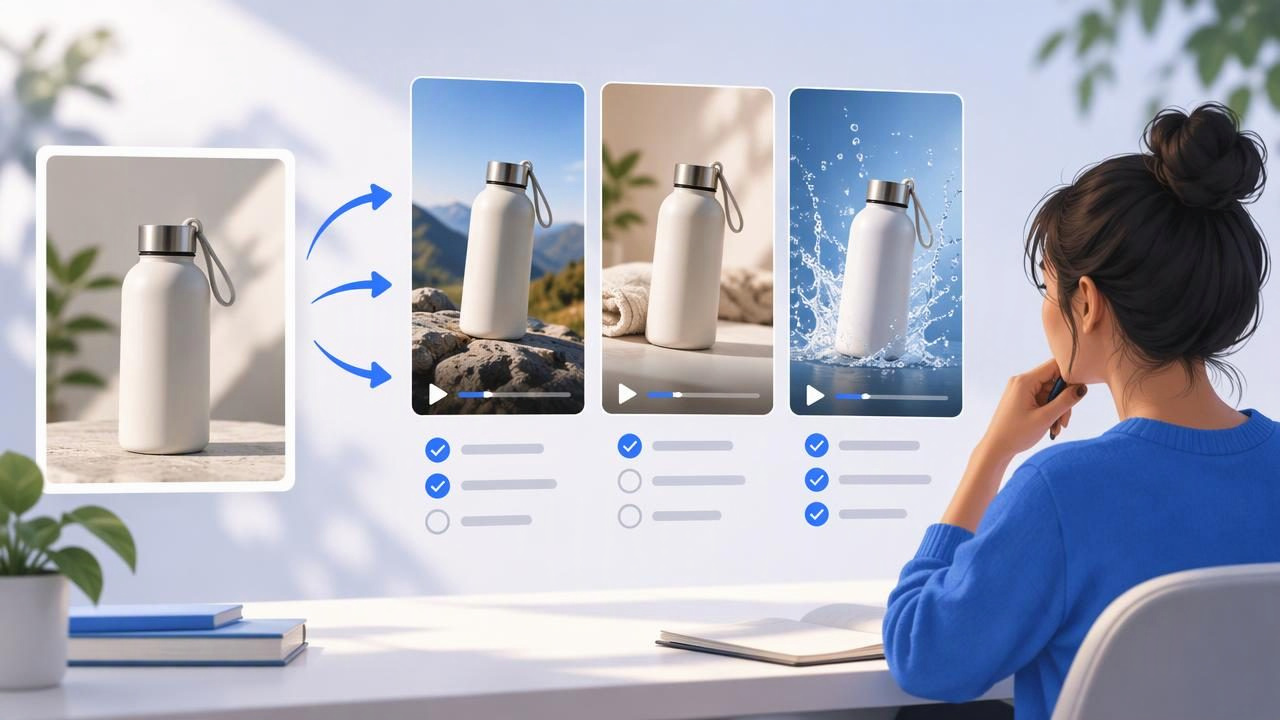
A single product photo can be the starting point for several creator-style video ad concepts. The key is to treat each AI-generated video as a creative draft—not proof of how the product performs or how an audience will respond. With a clear source image, distinct ideas, and a careful review process, beginners can explore more directions before committing to a finished piece of content.
This guide explains how to prepare a product image, create meaningfully different UGC-style concepts, and compare them without confusing a compelling idea with a verified product result. The example uses a fictional blue ceramic mug, so its scenes and hooks are illustrative rather than claims about a real product.
What a Creator-Style Ad Maker Can Help You Explore
A creator-style ad maker is a tool or process for developing social-video concepts that borrow the informal, personal feel of creator content. Depending on the tool, a product image may serve as a visual reference for an AI-generated video. The image can help communicate the product’s appearance, color, shape, and visible details. It does not, by itself, provide a truthful review, establish product performance, or supply a real customer’s experience.
That distinction matters. A video can look like a casual recommendation while still being a scripted concept. If a scene includes a person, a spoken line, or an implied use case, review it for accuracy and avoid presenting a fictional reaction as a real testimonial. Think of generated versions as options to evaluate, not finished evidence.
Start With a Product Photo That Gives the Model Clarity
Good product photography makes a stronger visual reference. Before creating concepts, inspect the image as if you were briefing a designer who has never seen the product. Can they identify the item? Is its outline easy to see? Are important details hidden by glare, props, or cropping? A clean image is often more useful than a busy lifestyle photograph when the goal is to preserve the product’s appearance.
- Show the whole item: Avoid cropping off handles, lids, packaging, or other recognizable parts.
- Use clear lighting: Soft, even light can make color and shape easier to interpret than harsh reflections or deep shadows.
- Keep the background simple: Reduce visual clutter that could compete with the product.
- Check the reference details: If a logo, label, texture, or small feature matters, make sure it is visible and legible.
- Use accurate source material: Start with an image that represents the item you actually sell, not an aspirational mockup with unconfirmed details.
A useful test is to write down three details that must remain correct. For the fictional blue ceramic mug, those might be its blue glaze, rounded handle, and plain white interior. These notes give you a simple review checklist for every generated concept.
Concrete Example: Three Concepts From One Mug Photo
Imagine you have one clear image of the blue mug and want to explore three creative approaches. Keep the product and basic offer consistent, but change the story each video tells. The following concepts are examples for planning; they are not actual outputs, product results, or customer experiences.
| Concept | Opening idea | Visual direction | What to review |
|---|---|---|---|
| Morning routine | A simple opening about starting the day slowly | Place the mug on a breakfast table in soft morning light | Does the mug remain recognizable, and does the scene imply any unverified benefit? |
| Desk reset | A relatable line about taking a short break between tasks | Show the mug beside a notebook and laptop | Do the props support the idea without hiding the product? |
| Gift moment | A question about choosing a practical present | Frame the mug near simple wrapping paper or a gift tag | Does the video avoid implying that it comes in gift packaging unless that is true? |
These concepts differ in context and opening, not in the mug’s core identity. That makes them easier to compare. If you change the color, price, offer, setting, script, and audience all at once, you will not know which difference shaped your preference. For early creative exploration, vary one or two major elements at a time.
Also inspect the details frame by frame. If the generated mug changes color, its handle shifts shape, or an invented logo appears, the concept may need revision or may not be suitable to use. A persuasive-looking scene is not a substitute for accurate product representation.
Write Hooks That Match the Concept
A hook is the opening moment that gives someone a reason to keep watching. For beginners, the aim is not to make every line sound dramatic. Aim for a natural, relevant start that connects to the video’s visual story. The mug concepts could use different kinds of openings: a routine-based observation, a workday situation, or a gift-selection question.
Keep claims grounded in information you can substantiate. A line such as “Here is my favorite mug” suggests a personal opinion; if the speaker is fictional or AI-generated, do not frame it as a genuine customer endorsement. A neutral line such as “A closer look at this blue ceramic mug” is less likely to imply an experience that never happened. If you do use a creator or spokesperson, make sure the script and presentation accurately disclose the nature of the content where required.
How to Compare AI-Generated Video Concepts
Evaluate each draft against the same criteria instead of asking only which one feels most entertaining. A short review sheet helps separate visual quality, message clarity, and product accuracy.
- Product fidelity: Does the item match the source photo in color, shape, and visible features?
- First-second clarity: Can a viewer quickly tell what the video is about?
- Story fit: Does the scene support the opening line, or do the words and visuals feel unrelated?
- Claim accuracy: Are all statements, implied benefits, packaging details, and use cases verified?
- Readability: Are any captions or labels legible and correctly written?
- Brand suitability: Does the tone and setting fit your brand and intended audience?
You can score each category from one to five, but use the scores as an organizing aid rather than an objective prediction of ad performance. For example, a desk scene might score well for message clarity while a gift scene might prompt a question about packaging accuracy. Resolve factual problems before deciding which direction deserves further development.
If you later test concepts with an audience, keep the comparison as fair as possible. Use the same product, offer, audience, placement, and measurement period while changing a clearly defined creative element. Record what changed and what you observed. A preference during an internal review is not evidence of a conversion lift, and an early test result does not automatically generalize to other audiences or campaigns.
Common Beginner Mistakes and Their Fixes
- Starting with a cluttered image: Choose a cleaner reference or crop distractions while keeping the product intact.
- Making every concept nearly identical: Give each version a distinct audience situation, story, or hook so the comparison can teach you something.
- Changing too many variables: Keep the offer and key message stable when you want to understand the effect of a creative change.
- Trusting visual polish over accuracy: Review product details, captions, and claims even when a draft looks convincing.
- Confusing UGC style with real UGC: A creator-like format does not make a generated speaker a real customer. Label and present content responsibly.
- Calling a concept a result: A generated video is a draft. Audience response requires an actual, appropriately designed test.
Know the Limits Before You Publish
AI-generated video can misrepresent small product details, produce awkward movement, add objects that were not in the source, or create text that is difficult to read. Results depend on the image, instructions, and tool being used; a strong reference cannot guarantee a flawless video. Review the complete clip, not just its opening frame, and compare it with accurate product photography and product information.
There are also practical and ethical limits. Do not invent customer quotations, endorsements, product specifications, or performance claims to make a concept more persuasive. Consider whether the scene could mislead viewers about who is speaking, what is included, or how the product works. Check applicable advertising rules and platform requirements before publishing. When accuracy is uncertain, revise the concept, use a real approved asset, or leave the questionable element out.
A More Useful Beginner Workflow
Choose one accurate product photo and note the details that must remain unchanged. Then outline a few distinct stories for the same item, such as a routine, a use-case demonstration, and a gift idea. Generate or assemble drafts according to the capabilities of your chosen tool, and review them using consistent criteria. Reject inaccurate versions before polishing them. Finally, treat any audience test as a separate step and make conclusions only from the evidence it provides.
This approach makes product photography a practical starting point for visual storytelling while keeping creative exploration separate from verified results. For more context on the image-to-video process, see UGCMade’s guide to turning a product photo into video.
