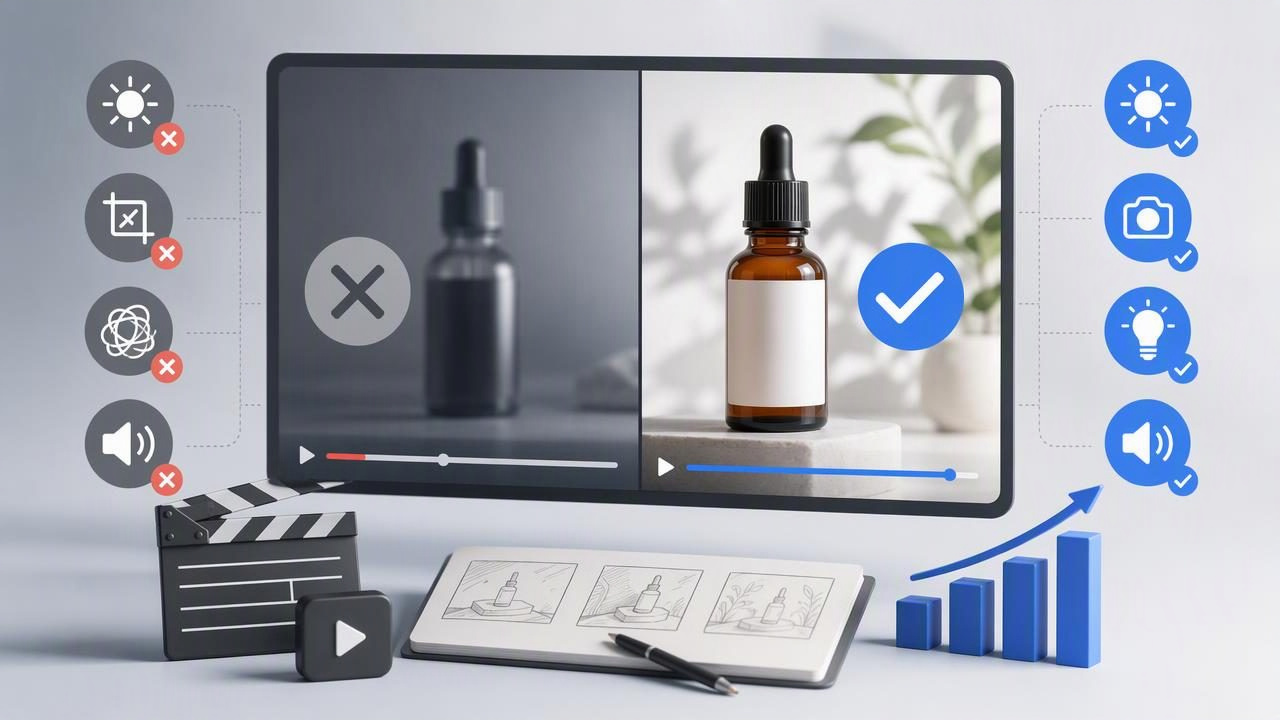
An ecommerce video generator can help a team explore more creative directions from existing product photography, but faster content creation does not automatically produce better marketing. The biggest risk is not that a video looks imperfect. It is that it communicates the wrong product benefit, creates an inaccurate expectation, or makes a weak concept look polished enough to publish without scrutiny.
AI-generated, UGC-style product videos are especially useful for preparing creative concepts: a founder-style explanation, a quick unboxing angle, a problem-and-solution story, or a close-up product demonstration. However, these concepts should be treated as creative hypotheses, not evidence of actual customer experiences or verified product performance.
This guide covers the most important ecommerce video generator mistakes to avoid, including a concrete example of how one product image can support concept comparison before your team decides what to test.
1. Starting With a Product Image That Hides the Important Details
Many video issues begin before generation. If the source image is dark, cropped too tightly, blurry, or visually cluttered, the resulting video may make the item difficult to identify. A generator can build movement and a narrative around an image, but it cannot reliably recover product details that are not visible in the original photo.
For ecommerce content, the product image should answer basic visual questions immediately:
- What is the product?
- What color, size, material, or format is shown?
- Which feature should the viewer notice first?
- Does the packaging, label, logo, or product shape appear accurately?
For example, a skincare brand may have a clean studio image of a serum bottle. If the label is readable and the bottle is well-lit, it can support concepts focused on texture, a morning routine, or a simple product introduction. If the bottle is partly hidden behind props, however, the generated concept may emphasize atmosphere rather than the product itself.
Avoid the mistake: choose one image where the item is prominent, recognizable, and not obscured. Save lifestyle imagery for concepts where context matters more than fine product detail.
2. Treating a UGC-Style Video as a Real Customer Testimonial
Creator-style visual language can feel personal: direct-to-camera framing, casual pacing, handheld movement, and conversational hooks. That style can be appropriate for exploring an ad concept, but it must not be confused with a real customer review or customer footage.
A generated person should not be presented as a verified buyer. Likewise, do not include statements such as “this changed my skin overnight,” “I lost 10 pounds,” or “every customer loves it” unless those claims are properly substantiated and approved for use. The same caution applies to before-and-after implications, medical claims, financial outcomes, and guarantees.
Creative example, not a product result: “I wanted a compact bottle that fits easily in my gym bag” is a concept for a product-use scenario. It does not prove that a real customer said it or that every buyer will have the same experience.
Use neutral, accurate copy that describes observable attributes. A reusable water bottle might be introduced as “a leak-resistant bottle with a carry loop,” provided those details are true and supported by product documentation. Avoid turning a plausible visual story into an unverified endorsement.
3. Generating Videos Before Defining the Single Message
One of the most common ecommerce video generator mistakes is asking one short video to do everything. A 15-second video cannot effectively introduce a product, explain five features, compare alternatives, offer a discount, establish brand values, and close with a call to action.
Instead, give each concept one job. Clear creative constraints make generated videos easier to review and compare.
| Concept goal | Primary message | What the viewer should understand |
|---|---|---|
| Problem awareness | Show the everyday frustration | Why this category matters |
| Feature demonstration | Highlight one useful detail | How the product works |
| Routine fit | Place the product in context | When someone may use it |
| Product introduction | Show the item clearly | What it is and who it is for |
Before generating anything, write a one-sentence brief. For instance: “Show busy commuters why the insulated travel mug is easy to carry during a morning commute.” That is more actionable than “make a viral video.”
4. Comparing Concepts That Change Too Many Variables at Once
Creating several videos is useful only when you can identify what differs between them. If one version has a different audience, product claim, hook, setting, voice, offer, pacing, and call to action, you cannot learn which creative decision made the concept stronger or weaker.
Use a product image to develop controlled concept comparisons. Consider a fictional example: a photo of a compact insulated travel mug on a plain background.
Three concepts from the same travel mug image
- Commute hook: “Coffee that stays with you past the first train stop.” The visual emphasis is portability and a morning routine.
- Desk setup hook: “A smaller mug for a less cluttered workday.” The emphasis is size and everyday desk use.
- Practical feature hook: “The travel mug designed for the cup holder.” The emphasis is compatibility, only if this feature is verified.
All three concepts use the same product image. The product, broad audience, and format stay relatively stable, while the opening message changes. This makes the comparison more meaningful. The videos do not prove that commuters prefer one message; they help the team decide which message is clear enough to test in an appropriate campaign.
Important limitation: generated scenes, motions, people, and environments can be illustrative. Review whether the product’s visible proportions, color, logo, lid design, and use context remain faithful to the real item. Do not imply a feature simply because a generated visual makes it look possible.
5. Letting the First Three Seconds Become an Afterthought
Product video viewers often decide quickly whether to continue watching. Yet brands frequently begin with a slow logo reveal, a vague lifestyle shot, or a generic line such as “You need this.” These openings may look polished, but they do not explain why the content is relevant.
A stronger opening connects a specific viewer situation to a product-relevant idea. For the travel mug example, possible concept hooks include:
- “Your coffee should not go cold before your first meeting.”
- “A morning-bag essential for people who skip the drive-through cup.”
- “The small travel mug concept for crowded commutes.”
Each hook still needs review. “Keeps coffee hot all day” would be a performance claim and should not be used unless the brand can support it. Specificity is useful; unsupported specificity is not.
6. Ignoring Product Accuracy During Review
Generated video can introduce visual inconsistencies. A container may appear to have a different cap, a garment may shift color, or an object may be shown at an unrealistic scale. These errors matter in ecommerce because customers use video to judge what they might receive.
Create a review checklist that separates creative quality from product accuracy:
- Is the product name, label, and packaging correct?
- Are colors and materials represented honestly?
- Does the video show a real feature, not an invented one?
- Are hands, product interactions, and use cases believable?
- Does the script avoid unapproved claims and fabricated reviews?
- Is any text readable on a mobile screen?
If a concept has a strong message but imperfect product depiction, it may still be useful as an internal storyboard. It should not automatically become customer-facing content.
7. Assuming Every Platform Needs the Same Cut
Another frequent mistake is exporting one video and placing it everywhere unchanged. A product video may need a different crop, caption treatment, pacing, or opening frame depending on where it appears. Even when the core concept is identical, viewers encounter it in different contexts.
For example, a product page video may prioritize close-up detail and clear feature explanation. A short social placement may need a more immediate hook. An email embed or landing page section may benefit from a silent-first visual sequence because many viewers will not begin with audio enabled.
This does not mean creating unrelated content for every channel. It means protecting the message while adapting presentation details responsibly.
8. Publishing Without Captions, Context, or a Clear Next Step
Captions improve comprehension when audio is unavailable, unclear, or ignored. They can also reinforce the main product message, provided they remain brief enough to read. Avoid filling every frame with dense text. The product should remain visible.
End with a next step that matches the video’s purpose. A product introduction may lead to “Explore colors and details.” A feature video may lead to “See specifications.” A concept intended for paid testing may use a campaign-approved action. Do not attach an aggressive offer to a video that has not established what the product is.
9. Calling a Creative Preview a Proven Winner
A video that feels compelling in an internal review is not necessarily a winning ad. Creative preference is subjective, and real performance depends on audience, channel, pricing, landing page alignment, seasonality, targeting, and many other variables.
Use generated concepts to make better choices before testing, not to declare results in advance. Record what each version is trying to communicate, what changed, and what assumptions need validation. If a concept eventually performs well, avoid overgeneralizing from one campaign or audience segment.
A Practical Final Review
Before publishing an ecommerce video, ask five questions:
- Can a viewer identify the product within a few seconds?
- Does the video focus on one truthful, useful message?
- Are all visible details and spoken claims accurate?
- Is this clearly a creative concept rather than a fabricated customer story?
- Can the team explain what it is comparing or testing?
A disciplined review process prevents speed from becoming carelessness. Product photos can become a valuable starting point for visual storytelling when the resulting videos are treated as concepts to evaluate, refine, and validate—not as automatic proof of product value.
For teams exploring this workflow, UGCMade’s guide to turning a product photo into video offers additional context on preparing product imagery for video concepts.
