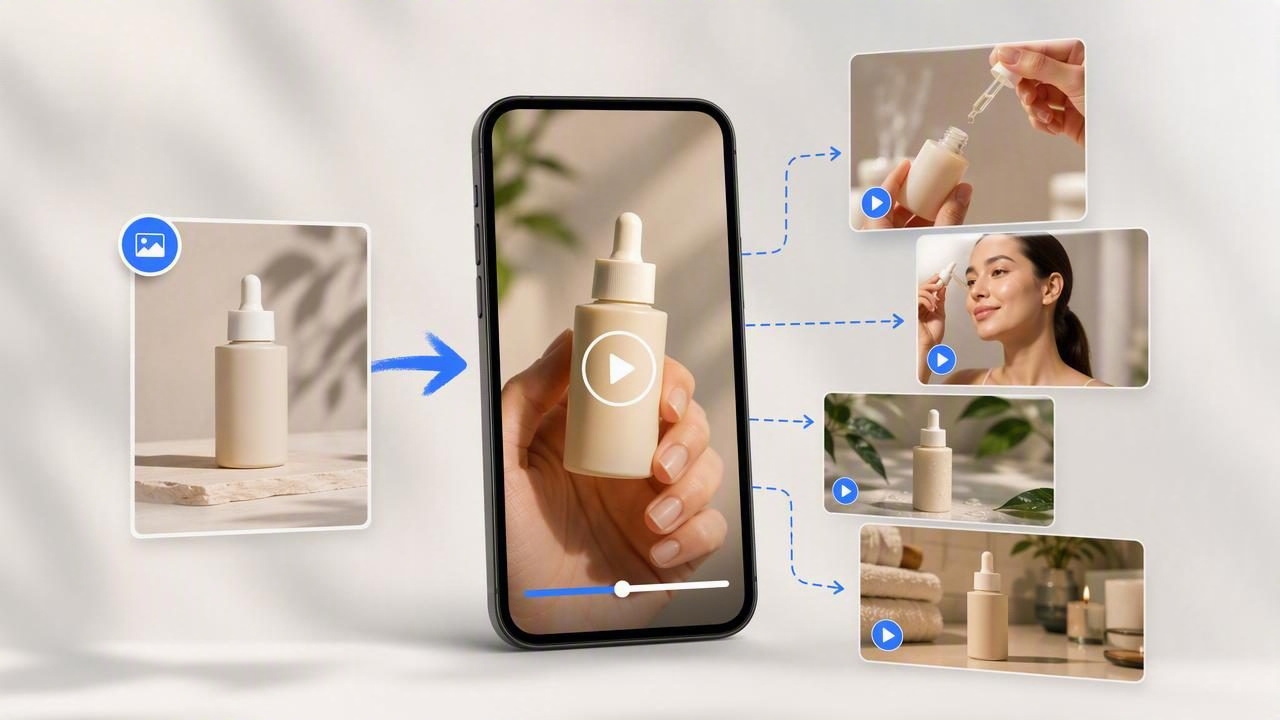
Learning to use an ecommerce video generator does not have to begin with a full production brief, a studio shoot, or dozens of assets. For many product brands, a single strong product image is enough to plan several distinct short-form video concepts.
The important word is plan. An AI-generated UGC-style video can help you explore creative directions quickly, but it is not proof that a product performs exactly as shown or that a specific ad will convert. Beginners get better results when they treat generated videos as creative concepts to review, refine, and compare—not as automatic replacements for product testing, accurate product documentation, or human judgment.
This guide covers practical ecommerce video generator tips for beginners, with a concrete example of using one product photo to prepare multiple UGC-style concepts for social content, product launches, and ad creative testing.
What an Ecommerce Video Generator Can Help You Do
An ecommerce video generator uses available visual assets and creative instructions to help produce video ideas or video assets more efficiently. Depending on the tool and source material, the output may include motion, scene changes, presenter-style delivery, captions, voiceover, or product-focused sequences.
For a beginner, the most useful application is often not creating more videos at random. It is creating clearer variations of one message. A product photo gives the creative process a visual anchor: the item’s shape, color, packaging, logo placement, and general category are visible from the start.
That makes it easier to compare different storytelling approaches, such as:
- A problem-and-solution hook
- A quick unboxing-style introduction
- A routine-based product demonstration
- A gift recommendation angle
- A feature-focused explanation
- A founder-style “why I chose this” message
These are creative examples, not claims about actual performance. A video concept can suggest an angle worth testing; it cannot verify customer satisfaction, product efficacy, or business results.
Begin With a Product Image That Can Carry the Story
Not every product image is equally useful for video creation. A polished image gives an AI system and your creative team more reliable visual information. Before using a photo, inspect it as though it were the first frame of an ad.
Choose a photo with these qualities
- A clear product view: The product should be large enough to recognize immediately on a mobile screen.
- Accurate colors and packaging: Avoid images that heavily distort the real product through filters or editing.
- Limited visual clutter: A simple background makes it easier to keep the product central to the story.
- Readable key details: Labels, texture, size cues, or components should be visible when relevant.
- Permission to use: Confirm that you own the image or have the rights to use it in commercial marketing.
A plain packshot can work well, especially when the creative concept is built around a direct product introduction. A lifestyle photo may work better when you want to show context, such as a kitchen product on a counter or a travel accessory in a carry-on bag.
A Concrete Example: One Photo, Three UGC-Style Concepts
Imagine an ecommerce brand sells a reusable insulated water bottle. Its source image shows a matte blue bottle standing upright against a light background. The logo is visible, the cap is clear, and the product silhouette is easy to identify.
Instead of requesting a vague “make a video,” prepare three different concepts that all use the same photo while making different promises about the story, not unverified product outcomes.
| Concept | Opening Hook | Core Visual Story | Message to Evaluate |
|---|---|---|---|
| Busy-day routine | “The bottle I keep next to my desk every day.” | Product appears in a workday, commute, or gym routine. | Does routine-based relevance feel more relatable than a feature list? |
| Design-first recommendation | “I wanted something simple that I would actually carry.” | Close visual attention on the color, shape, and lid. | Does visual design create enough interest for a cold audience? |
| Gift idea | “An easy gift for someone who is always on the go.” | Product is framed as a practical, presentable item. | Does a gifting context suit the campaign and season? |
All three concepts can be prepared from the same product image, yet they answer different marketing questions. The first tests audience identification, the second tests product aesthetics, and the third tests purchase occasion.
Notice what these concepts do not say. They do not claim the bottle keeps drinks cold for a specific duration unless that claim is verified and approved. They do not show an invented leak test, suggest a material certification without evidence, or imply a customer review that does not exist.
Write Prompts Like a Creative Brief, Not a Wish List
Beginners often overload prompts with every feature, benefit, audience, tone, platform, and visual effect they can think of. This can make the resulting direction unfocused. A stronger approach is to write one concise brief for one concept.
Use this structure:
Product: [what is visibly shown in the photo]
Audience: [who the concept is for]
Situation: [where or when they use it]
Hook: [the first spoken or on-screen idea]
Visual priority: [what must remain clear]
Tone: [casual, calm, energetic, practical]
Claim limits: [approved facts only]
Call to action: [simple next step]
For the reusable bottle example, a beginner-friendly brief might read:
Product: matte blue reusable water bottle with a visible screw-top cap. Audience: commuters who want a practical everyday bottle. Situation: morning desk setup. Hook: “One small thing that makes my workday feel more organized.” Visual priority: keep the bottle shape, color, and cap accurate. Tone: casual and useful. Claim limits: do not state temperature retention or material claims. Call to action: “See the colors and details.”
This prompt is specific enough to guide a creative direction while leaving room to review whether the generated visuals feel believable and on-brand.
Compare Concepts Before You Spend Time Refining Them
One of the best ecommerce video generator tips for beginners is to compare broad ideas before polishing small details. It is easy to spend too long revising caption timing, transitions, or background music on a concept that was never strategically strong.
Use a simple evaluation grid after preparing your first variations:
| Question | Why It Matters |
|---|---|
| Is the product recognizable in the first few seconds? | Short-form viewers need immediate visual context. |
| Can someone understand the angle without sound? | Many viewers encounter social video with audio muted. |
| Does the hook match the product category? | A dramatic hook may feel disconnected from a simple everyday item. |
| Are visible details faithful to the source image? | Product accuracy protects trust and reduces misleading content. |
| Is the concept distinct from the other versions? | Minor changes are less useful than genuinely different messaging angles. |
Pick the one or two strongest directions based on relevance, clarity, and brand fit. Then refine only those. This is a more disciplined process than generating many nearly identical clips.
Keep UGC Style Authentic Without Faking Evidence
UGC-style video usually aims for a personal, conversational, mobile-first feel. It may use informal language, a first-person viewpoint, quick cuts, captions, or everyday settings. However, style should not be confused with proof.
A creator-style script can say, “Here is how I would fit this into my morning routine,” when it is clearly presented as a creative scenario. It should not impersonate a real customer, invent a review, or claim a person used the product when no such relationship exists.
Likewise, do not let a generated concept create visual proof that you cannot substantiate. If the video shows product features, ingredients, compatibility, dimensions, or outcomes, check each one against your approved product information.
Useful authenticity checks
- Does the voice match your intended audience and brand tone?
- Are on-screen captions easy to read and factually correct?
- Would a viewer mistake a fictional scenario for a genuine testimonial?
- Does the product appearance match the image you supplied?
- Are required disclosures, safety details, or offer terms handled separately where needed?
Common Beginner Mistakes to Avoid
- Using a weak source image. Blurry, tiny, or heavily shadowed photos make it harder to maintain a clear product focus.
- Testing only one message. Changing colors or music is not the same as comparing audience motivations.
- Adding unsupported claims. Keep scripts and captions within verified product information.
- Overlooking the first frame. Start with a recognizable product image or a highly relevant situation.
- Assuming every output is ready to publish. Review for visual inconsistencies, factual accuracy, legal compliance, and brand suitability.
- Confusing creative output with results. A polished concept still needs real-world review and, where appropriate, controlled campaign testing.
Know the Limits of Photo-Based Video Concepts
A single image is a useful starting point, but it does not contain every product detail. It may not show the back label, scale, texture, moving parts, alternate colors, packaging contents, or how the item works in real life. Generated movement or scenes may therefore be illustrative rather than product-documentary footage.
For categories where accuracy matters especially—such as cosmetics, food, supplements, electronics, baby products, or regulated goods—use careful review processes and approved claims. Add real photos, product specifications, or filmed demonstrations when you need to show details that the source image cannot establish.
The goal is not to make a product photo appear capable of proving everything. The goal is to use it efficiently to identify the most promising visual storytelling direction.
A Practical Next Step for New Ecommerce Teams
Choose one clear product image and write three short briefs based on three different customer motivations. Keep each brief focused on one hook, one situation, and one approved message. Compare the concepts using the evaluation questions above, then refine the strongest direction with accurate captions and product details.
If you want a more detailed walkthrough of this photo-led creative process, UGCMade’s guide to turning a product photo into video concepts offers additional context for planning product-focused visual storytelling.
For beginners, that is the central lesson: start small, protect accuracy, and compare meaningful creative ideas. One well-chosen product photo can become the foundation for a smarter, more organized video marketing workflow.
