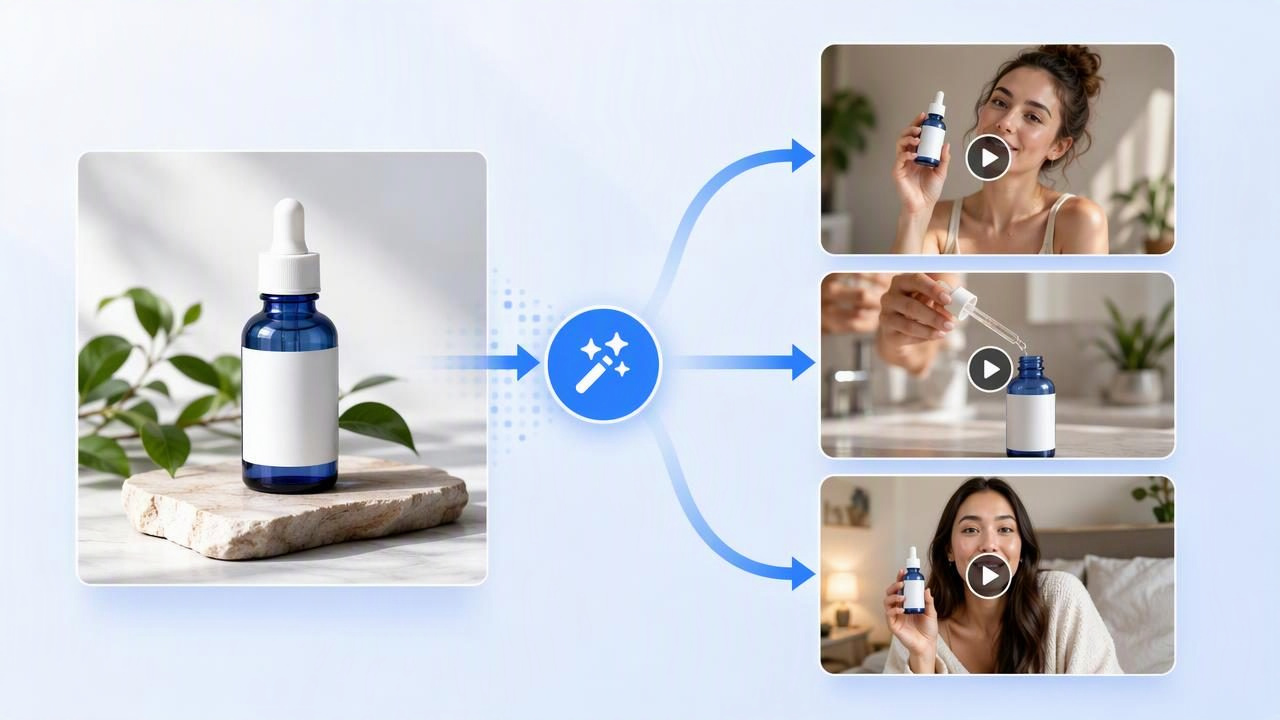
A Facebook UGC ad generator can help marketers explore creator-style video ideas without starting every concept with a full production day. The useful part is not simply turning a still product image into motion. It is using one clear product photo as a shared visual reference while comparing different messages, hooks, scenes, and customer situations.
For brands planning Facebook and Instagram ad creative, this approach can make early concept development more structured. Instead of asking, “Which video will perform best?” before any test has run, ask a more practical question: Which distinct creative hypotheses are worth producing and evaluating?
This article explains how to prepare a product image, create comparable UGC-style video concepts, and assess what the generated creative does—and does not—tell you before you use it in an advertising workflow.
What a Facebook UGC Ad Generator Is Useful For
UGC-style advertising usually aims to resemble content a person might create in everyday life: a direct-to-camera recommendation, an unboxing moment, a quick routine, or a product demonstration in a familiar setting. This style often puts the product in context quickly, with a human perspective and a straightforward message.
An AI-assisted generator can support the concepting stage by helping a team visualize several possible versions of that idea from the same product image. For example, one photo of a reusable water bottle could become the basis for these separate creative directions:
- A commuter describing how the bottle fits into a work bag.
- A gym-focused routine showing a hydration reminder before a workout.
- A gift-oriented concept featuring the bottle on a desk with a simple seasonal message.
- A product-detail concept focused on the lid, handle, and visible finish.
These are not interchangeable variations. Each represents a different audience context, opening line, and reason to care. That distinction matters because changing only colors, captions, or music may create multiple files without creating genuinely different ad concepts.
Start With a Product Photo That Can Carry the Story
A generated video can only work with the visual information available in the source image and the instructions behind the concept. A product photo does not need to look like a high-budget campaign image, but it should make the item recognizable and avoid confusing details.
Use a clean, product-first image
Choose an image where the product is large enough to inspect. The shape, packaging, label, color, and key physical details should be visible. If your ad concept depends on a specific feature—such as a zipper, pump, dispensing nozzle, texture, or screen—make sure that feature appears clearly in the source photo.
For a skincare serum, for instance, a front-facing packshot can establish branding and bottle shape. But if the concept is about dispensing a precise amount, you may need a separate photo showing the dropper. A single image is a starting point, not a substitute for every product angle or real demonstration.
Remove ambiguity before generation
Ambiguous images lead to ambiguous creative. Before using the photo, check for:
- Reflections that obscure packaging or alter product color.
- Text that is too small to read or partly hidden.
- Multiple products when the ad should focus on one SKU.
- Background objects that could be mistaken for included accessories.
- Claims, badges, or pricing that may not apply in every campaign.
Keep an approved reference image on file. If your team later compares concepts, using the same source image reduces one unnecessary variable. You can then focus the comparison on message and scenario rather than wondering whether the product appearance changed the outcome.
A Concrete Example: One Image, Three Distinct UGC-Style Concepts
Imagine a brand selling a compact insulated lunch container. The available product photo shows the container upright on a plain surface, with the logo, lid, and color clearly visible. Rather than requesting three vague “UGC ads,” define three creative hypotheses.
| Concept | Audience situation | Hook direction | Product role |
|---|---|---|---|
| Office lunch reset | Busy worker between meetings | “I stopped buying lunch every day.” | A visible part of a weekday routine |
| School-day prep | Parent packing lunch | “This made weekday lunch prep less chaotic.” | A practical organization tool |
| Leftovers solution | Home cook saving dinner | “My leftovers finally travel without a mess.” | A problem-solving product detail |
All three directions can feature the same container, but they should not share the same script with minor wording changes. The office concept should emphasize time and routine. The school-day concept should emphasize preparation. The leftovers concept should emphasize the relevant product-use scenario.
Here is a simple creative brief for the first concept:
Concept: Office lunch reset
Opening: A creator-style speaker introduces a workday lunch problem.
Scene: Kitchen counter, then a desk-lunch setting.
Product visibility: Show the lunch container early and clearly.
Message: Preparing food ahead can simplify a weekday routine.
CTA: Keep it neutral and campaign-ready; add approved offer copy later.
Avoid: Unverified claims about temperature duration, leakproof performance,
or money saved.
This brief gives the concept a job. It does not assume that the statement is true for every buyer or that it will outperform another angle. It simply makes the creative hypothesis clear enough to compare.
Compare Concepts, Not Just Generated Clips
When reviewing AI-generated UGC-style video, it is tempting to choose the version that looks most polished. For Facebook ad creative, however, a more useful review asks whether each concept has a clear reason to exist.
Create a comparison sheet with consistent evaluation points:
- Hook clarity: Can a viewer understand the problem or situation within the opening moments?
- Product recognition: Is the product shown clearly enough to connect it to the message?
- Audience relevance: Does the scenario match a defined customer group or purchase moment?
- Message specificity: Is the language concrete without making unsupported promises?
- Brand fit: Do the setting, tone, and product presentation feel appropriate for the brand?
- Variation quality: Is this meaningfully different from the other concepts?
For example, if the office-lunch and school-prep clips both open with “I love this container,” they may have different scenes but weak conceptual separation. Revising one opening to address a specific tension—such as rushed mornings—makes the test cleaner.
Separate Creative Examples From Actual Product Results
This distinction is essential. A generated UGC-style video is a creative example, not proof that an ad will drive sales, lower costs, or improve engagement. It may help a team assess narrative direction, visual pacing, product prominence, and the range of possible messages. It cannot verify audience response on its own.
Actual product results come later, after appropriate campaign setup, budget allocation, audience selection, tracking, and a sufficient evaluation period. Even then, results can be influenced by offer quality, landing page experience, seasonality, frequency, market conditions, and the other ads competing for attention.
Use generated video to decide what to test—not to predict what will win.
This is particularly important when reviewing creator-style content. A script that feels natural in a draft may still need legal, brand, and product review. Do not present unverified benefits as personal experience. Do not imply that a creator used the product if the video is a concept rather than an authentic customer endorsement. And do not use generated content to imitate a real individual without appropriate permission.
Common Limitations to Plan Around
AI-generated product video can speed up early visual storytelling, but it has practical limits. Planning for them prevents a strong concept from becoming a misleading final asset.
- Fine details may need review: Packaging text, logos, labels, hands, product dimensions, and motion can require close inspection.
- Product performance is not demonstrated automatically: If an item must be shown opening, fitting, charging, mixing, or functioning in a precise way, use approved real footage or validate every detail carefully.
- Claims still require substantiation: “Keeps food hot all day,” “clinically proven,” or “saves money” should not appear unless your brand can support them.
- Authenticity has boundaries: A creator-style format can be useful, but it should not be framed as a real review, testimonial, or customer story when it is not one.
- Formatting is part of the plan: Consider where captions, product shots, and on-screen text will sit for the placements you intend to use.
Build a More Useful Testing Library
Once you have reviewed early concepts, organize the approved directions into a simple library. Name each asset according to its core variable: audience situation + hook + product angle. For example: “Office worker / skipped lunch / compact storage” is more useful than “Version 4 final final.”
Maintain notes about what changed between concepts. If one version uses a problem-first opening and another begins with a product close-up, document that difference. Clear records help creative teams avoid duplicating ideas and make future iterations more intentional.
You can also pair every concept with a claim-review status: approved, needs substantiation, or avoid. That small step protects consistency when video, captions, landing pages, and ad copy are developed by different people.
Final Takeaway
A Facebook UGC ad generator is most valuable when it helps turn one product photo into a disciplined set of creative options. Start with a clear image, build concepts around genuinely different customer situations, and compare the message—not only the visual polish. Then treat the videos as testable creative hypotheses rather than guaranteed performance evidence.
For a practical walkthrough of preparing a source image and shaping product-photo video concepts, UGCMade’s guide to turning a product photo into video offers additional planning considerations.
