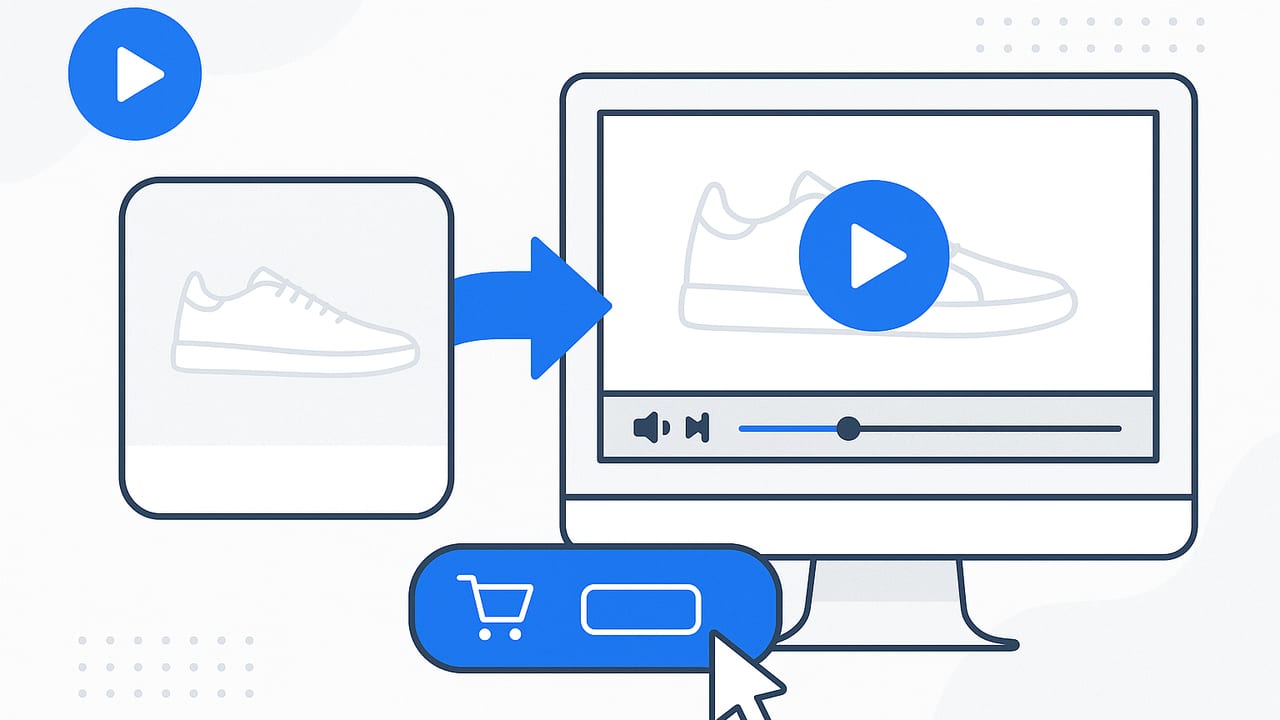
Turning static images into short, purposeful videos is one of the fastest ways to increase onsite engagement and sales. If you’re looking to boost conversion with product photo videos, the key isn’t cinematic flair—it’s clarity, speed, and trust. Below, you’ll find practical frameworks, specs, test plans, and analytics tips to ship videos that consistently lift add-to-cart and checkout rates.
Why Photo-Based Product Videos Lift Conversion
Short videos built from your existing product photos work because they resolve buyer uncertainty in seconds while maintaining fast load times. Here’s why they matter:
- Processing fluency: Motion plus captions help shoppers absorb benefits quickly, especially on mobile where scanning beats reading.
- Risk reduction: Rotations, close-ups, and comparison frames reduce perceived risk by showing details and use-cases, lowering returns.
- Information density: A 10–20 second video can convey features, size, and value props faster than multiple product copy blocks.
- Micro-social proof: Quick overlays like “4.8★ from 2,100+ buyers” activate credibility without requiring a separate review module.
“Clarity is the ultimate conversion accelerant.” Use motion to remove questions, not to add theatrics.
Where to Deploy Photo Videos for Maximum Impact
Placement matters as much as production. Start with high-intent pages, then widen distribution:
- Product detail pages (PDP): Place above the fold, near the gallery or price. Autoplay muted with captions, tap to unmute visible.
- Category/listing pages: Use micro-videos on hover or tap to reveal a 5–8 second loop showing key differentiators (e.g., “waterproof,” “fits in carry-on”).
- Landing pages for paid campaigns: Align the first 3 seconds with your ad hook to maintain message match and lower bounce.
- Email: GIF or MP4 thumbnails that link to PDP. Show motion in the inbox without heavy payloads.
- Social & UGC placements: Vertical cuts for TikTok/Reels/Shorts. Focus on hooks and problem–solution arcs.
Recommended Specs and Formats
| Placement | Aspect Ratio | Length | File Size Target | Notes |
|---|---|---|---|---|
| PDP hero | 1:1 or 4:5 | 10–20s | < 2 MB | Autoplay muted; captions on; clear CTA frame at end. |
| Category/PLP | 1:1 | 5–8s loop | < 1 MB | Show one differentiator and price anchor. |
| Vertical social | 9:16 | 6–15s | < 4 MB | Hook in first 1–2s; big text; safe margins. |
| Ads (square) | 1:1 | 6–15s | < 2 MB | Variant per audience; price or offer clarity. |
Story Playbooks: Scripts That Convert
You don’t need a scriptwriter—just repeatable frameworks. These are built for photo-to-video workflows:
1) Problem → Proof → Payoff (PPP)
- Hook (0–2s): On-screen pain point (“Spills ruining your bag?”) over a lifestyle photo.
- Proof (3–10s): Close-up photo sequence with waterproof icon, quick rating overlay.
- Payoff (11–15s): Happy-use shot + CTA (“Stay dry. Add to cart”).
2) Feature → Benefit → Objection Bust (FBO)
- Feature: “Magnetic clasp” with macro photo.
- Benefit: “One-handed snap, even with gloves.”
- Objection Bust: “Tested 10,000+ cycles.” Verification badge overlay.
3) Before/After Value Reveal
- Before: Messy drawer photo labeled “15 mins to find a cable.”
- After: Organized kit photo labeled “30 seconds and done.”
- CTA: “Declutter today.”
Visual Techniques When You Only Have Photos
- Ken Burns + parallax: Slow pans and layered depth simulate movement without video footage.
- Masked transitions: Wipes following product contours keep energy while feeling on-brand.
- Motion typography: Animate 3–6 word captions. Use high contrast and big sizes (min 52–64px for mobile).
- Icon overlays: Communicate certifications, materials, and compatibility fast.
- Micro-comparisons: Side-by-side frames (yours vs. generic) with one highlighted metric.
- Price/offer anchors: Flash a “Bundle saves 20%” card near the end; avoid flashing too early for non-offer traffic.
CTA Design and Copy That Get Clicks
- Placement: Reserve the final 2–3 seconds for a full-frame CTA card.
- Copy: Replace vague “Shop now” with specific outcomes: “Get the spill-proof tote.”
- Color contrast: Buttons should pass WCAG AA contrast; aim for 4.5:1 or higher.
- Persistent cue: A subtle arrow or pulse near the primary CTA area can lift CTR without feeling pushy.
A/B Testing Plan to Prove Uplift
Validate impact with a lean, statistically sound test:
- Define the success metric: Primary = Add-to-cart rate; Secondary = PDP conversion to checkout; Tertiary = Time on PDP, scroll depth.
- Create variants:
- Control = existing PDP (no video).
- Variant A = short 12s photo video above the fold.
- Variant B = same video + review/rating overlay.
- Traffic split: 33/33/34%, run for full buyer cycles (min 2 weeks) or until 95% confidence.
- Segment analysis: New vs. returning, mobile vs. desktop, paid vs. organic. Photo videos often yield larger lifts on mobile/new users.
- Guardrails: Monitor bounce and page speed. If LCP degrades, re-compress or defer below-the-fold assets.
Analytics: Track What Matters
Set up event tracking so you can attribute revenue to video exposure.
GA4 event example (gtag.js)
<script>
// Fire when the video enters viewport and starts playing
function trackVideoStart(productId) {
  gtag('event', 'pdp_video_start', {
    event_category: 'engagement',
    product_id: productId,
    location: 'pdp_hero'
  });
}

// Fire when users click the CTA after watching
function trackVideoCTA(productId) {
  gtag('event', 'pdp_video_cta_click', {
    event_category: 'conversion',
    product_id: productId
  });
}
</script>
Bind these to your player’s play and CTA button events. Pair with add_to_cart events to model assisted conversions.
Optional: VideoObject schema (JSON-LD)
<script type="application/ld+json">
{
  "@context": "https://schema.org",
  "@type": "VideoObject",
  "name": "Waterproof Tote — 15s Product Overview",
  "description": "Key features and benefits shown using product photos.",
  "thumbnailUrl": "https://example.com/tote-thumb.jpg",
  "contentUrl": "https://example.com/tote-video.mp4",
  "uploadDate": "2024-09-01",
  "duration": "PT15S",
  "transcript": "Keep your gear dry. Magnetic clasp. 4.8 stars from 2,100 buyers."
}
</script>
This helps discoverability and can improve rich media appearance in search.
Speed, SEO, and Delivery Best Practices
- Compress smartly: Use H.264/MP4 or WebM; enable two bitrates (e.g., 720p and 540p). Target <2 MB for PDP videos.
- Lazy-load: Only load the video poster image on initial render; fetch the video after the main content is interactive.
- Autoplay behavior: Autoplay muted, captions on. Provide clear controls to unmute and pause.
- Poster image: Create a high-contrast poster with the first benefit line for higher play rates.
- Filename and alt text: Use descriptive names (e.g., waterproof-tote-overview.mp4) and alt text on the poster for accessibility and SEO context.
- Video sitemap (optional): If you have many videos, submit a video sitemap to help search engines index them.
Accessibility and Compliance
- Captions: Always caption your videos; many shoppers watch with sound off.
- Controls: Provide a visible pause button and keyboard focus states.
- Flashing content: Avoid rapid flashes; adhere to WCAG guidelines for motion and animation.
Common Pitfalls (And Easy Fixes)
- Overlong videos: If engagement drops after 10 seconds, move the CTA earlier or tighten the script.
- Text too small: Design for 360–414px widths first; keep safe margins for notches and UI overlays.
- Feature-only messaging: Translate features to outcomes (“stainless steel” → “won’t rust outdoors”).
- Heavy files: Re-encode at lower bitrate and resize to intended display resolution.
Example: A 15-Second PDP Video From 5 Photos
- 0–2s (Hook): Lifestyle shot + text: “Keep gear bone-dry.”
- 3–5s (Proof 1): Macro of zipper with “Waterproof seal.” Parallax to emphasize build.
- 6–8s (Proof 2): Capacity photo with overlay: “Fits 16” laptop.”
- 9–11s (Social): Rating card: “4.8★ from 2,100+ buyers.”
- 12–15s (CTA): Product on white + price anchor + button: “Get the waterproof tote.”
Output variants: 1:1 for PDP, 9:16 for social, 5–8s loop for category page.
Localization and Personalization Tips
- Localized captions: Translate the 3–4 key lines; keep the same motion timing.
- Offer-aware variants: Swap the CTA frame for promotional traffic (“Bundle & save 20%”) while keeping evergreen copy for organic.
- Audience fit: Change the first photo to match persona (commuter vs. traveler) and keep the rest identical for clean tests.
Quick Pre-Launch Checklist
- Script matches a proven framework (PPP, FBO, or Before/After).
- First caption visible by 0.5s; readable at arm’s length on mobile.
- File size within target; lazy-loading enabled; poster optimized.
- Captions baked in or togglable; controls accessible.
- CTA at the end card; variant with earlier CTA for testing.
- GA4 events and VideoObject schema implemented.
- A/B test configured; sample size and runtime planned.
You don’t need studio footage to win conversion. With clear scripts, tight files, and thoughtful placement, photo-based videos can do the heavy lifting—clarify value, reduce doubt, and nudge action—especially on mobile. If you want a streamlined way to turn product photos into on-brand videos using AI, tools like UGCMade can help you go from images to publish-ready clips in minutes.
