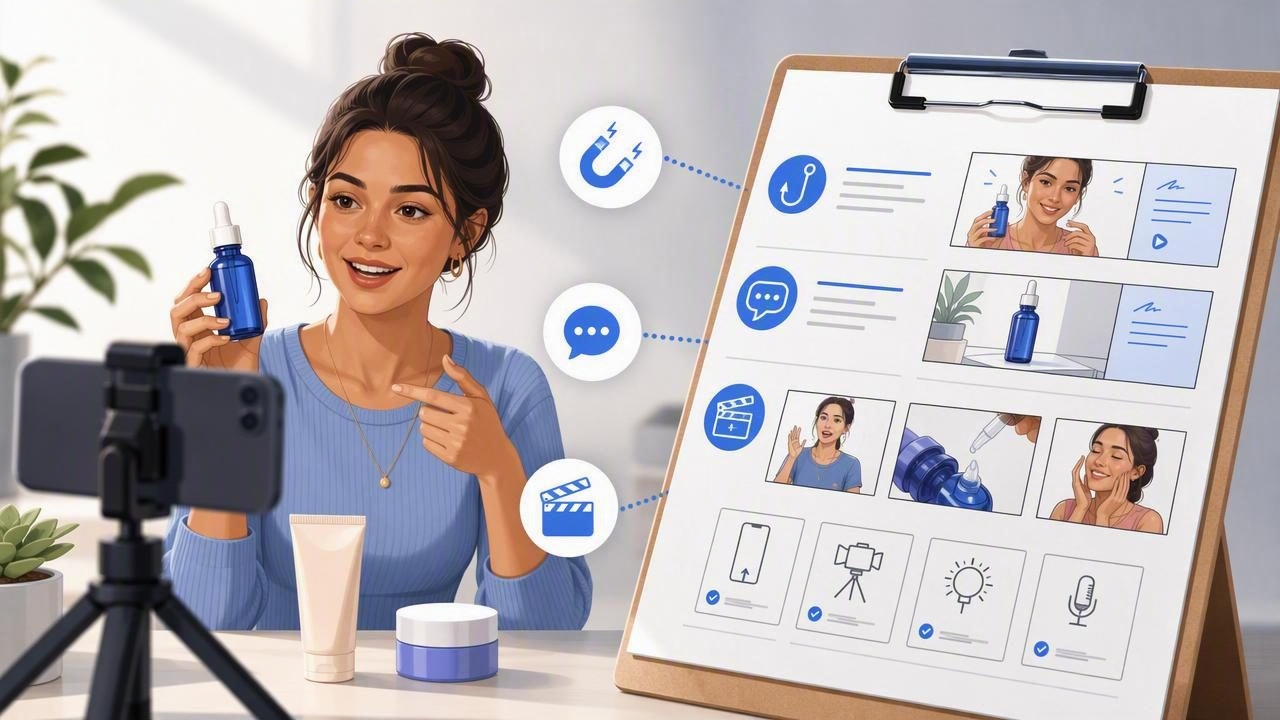
When brands say they need “UGC,” they usually mean one thing: authentic-looking video that sells without feeling like an ad. The fastest way to miss that goal is giving a vague prompt like “make it trendy” or “show benefits.” The fastest way to hit it is a clear brief that links product truth (what it does) to human context (why someone cares) and the visual plan (what we’ll actually see on screen).
This guide shows exactly how to brief a ugc content creator so you get usable footage, strong hooks, and on-brand messaging—especially when your starting point is product photography and you need to scale into video marketing quickly.
What a UGC content creator actually delivers (and what you should ask for)
A ugc content creator is typically hired to create native, creator-style video for paid ads and organic social. They may film as themselves, as a “customer,” or as a product demonstrator. Your brief should specify deliverables in practical terms:
- Format: 9:16 vertical (primary), plus optional 1:1 or 4:5 crops
- Length: 15–20s (hook-first), 30–45s (educational), 45–60s (story/demo)
- Outputs: raw footage + edited versions + captions (SRT or burned-in)
- Variations: 3 hooks, 2 CTAs, 2 thumbnail frames
- Usage rights: organic + paid, duration, whitelisting/Spark Ads permissions if needed
Rule of thumb: If you can’t describe what makes a “successful” video in one sentence, your creator can’t optimize for it.
Start with your strongest assets: product photos that tell the truth
Even when you plan to shoot new footage, your existing product photography is the foundation of accurate visual storytelling. It anchors details that creators may miss (color, finish, size, included accessories) and speeds up planning.
Photo prep checklist
- Hero shots: front, back, side, scale reference
- Detail shots: texture, ports, seams, labels, ingredients, material grain
- In-use context: lifestyle images or mockups that show the scenario
- Proof: certifications, test results, before/after (only if compliant)
- Packaging: unboxing sequence or flat lays
If you’re converting photos into motion (instead of filming), your brief should still specify camera movement style (slow push-in, parallax, cut-to-detail), on-screen text, and the pacing needed for the platform.
Define the goal before the script: awareness, consideration, or conversion
The same product can produce three very different videos depending on funnel stage. A good brief tells the ugc content creator what the viewer should do next.
- Awareness: stop the scroll and explain the category problem
- Consideration: prove differentiation with demo, comparison, or FAQ
- Conversion: reduce risk with offers, guarantees, social proof, and clear CTA
Add one measurable target: CTR, thumb-stop rate, hold rate, landing-page views, add-to-carts, or purchases (depending on where you’ll run it).
The core structure that wins in creator-style ads
Most high-performing creator ads follow a simple logic chain. Put this in your brief so the creator can build around it:
- Hook: a bold outcome, question, or “POV” that matches user intent
- Problem: what’s frustrating about the status quo
- Mechanism: what your product does differently (the “why it works”)
- Proof: demo, close-ups, numbers, testimonials, or credibility cues
- CTA: one clear next step (shop, learn, compare, claim offer)
This structure is also ideal when you’re animating product photos into video because each beat can map to a distinct visual: hero shot → problem text → feature close-up → proof screenshot → CTA frame.
A complete UGC brief (copy/paste template)
Here’s what to include so the creator can execute without guessing. The table below shows each brief element and an example.
| Brief element | What to include |
|---|---|
| Audience + context | “Busy parents who want quick, healthy snacks; watching on TikTok at night.” |
| Single video goal | “Drive product-page visits with a 20s hook-first demo.” |
| Key message | “Tastes like dessert, but high-protein and low sugar.” |
| Must-say points | 3 bullets max (e.g., “gluten-free,” “ships in 24h,” “fits in carry-on”). |
| Must-show shots | Close-up of texture, packaging, size in hand, before/after (if allowed). |
| Do-not-say / compliance | Claims to avoid, required disclosures (e.g., “results may vary”). |
| Style references | 2–3 links + what you like (pacing, tone, captions, transitions). |
| Deliverables | “3 concepts × 2 hooks each; raw + edited; captions + clean version.” |
Hook ideas that translate well from product photos to video
If your creator is filming, hooks are spoken and visual. If you’re animating product photography, hooks are often text-led (with motion and punchy cuts). Either way, give your ugc content creator 5–10 hook options to choose from.
- Outcome hook: “This is the fastest way I’ve found to ___.”
- Problem hook: “If you’re tired of ___, try this.”
- Comparison hook: “I tested ___ vs ___ so you don’t have to.”
- Myth hook: “Stop doing ___—here’s what actually works.”
- POV hook: “POV: you finally found a ___ that doesn’t ___.”
3 ready-to-use UGC script frameworks
These are short, flexible scripts you can include in a brief. Encourage the creator to keep language natural while hitting your must-say points.
1) Problem → mechanism → proof (20–30s)
- Hook: “I wish I knew this before buying another ___.”
- Problem: “Most ___ are ___, which means ___.”
- Mechanism: “This one works because ___ (feature + why).”
- Proof: “Here’s what it looks like / how it performs…”
- CTA: “If you’re dealing with ___, check it out.”
2) Unboxing → first impression → 3 benefits (30–45s)
- Unbox with close-ups + on-screen labels
- First impression (feel, size, finish, setup)
- Three benefits with matching visuals (one benefit per shot cluster)
- CTA + reassurance (shipping, warranty, returns, support)
3) “I switched from X to Y” comparison (20–30s)
- Hook: “I switched from ___ to ___ and I’m not going back.”
- 1–2 reasons the old option failed
- Side-by-side benefits (speed, cost, comfort, durability, taste)
- Quick proof moment (close-up, test, real-life scenario)
Shot lists that improve brand engagement (without overproducing)
Creators move faster when you pre-approve a shot list. Keep it simple, but specific.
Essential shots for most products
- Pattern interrupt: fast cut, surprising angle, or text splash in first second
- Hero: product centered, well-lit, readable
- Close-ups: materials, features, labels, texture
- In-use: one real scenario (desk, bathroom, kitchen, gym, car)
- Proof: review overlay, rating snippet, test result, “before/after” (if truthful)
- CTA frame: clean background + product + 5–7 words max
If you’re working from photos, your “shot list” becomes a frame list: which photos appear, in what order, with what motion (zoom, pan, parallax), and which captions pair with each.
Guardrails: brand voice, claims, and platform specs
A great ugc content creator can improvise—but only inside guardrails. Add these to prevent reshoots and compliance issues:
- Voice: playful vs premium, direct vs story-led, level of slang
- Words to use/avoid: “clinically proven” vs “tested,” etc.
- Claims policy: no medical promises, no unrealistic timelines, no competitor defamation
- Disclosure: “ad,” “sponsored,” or platform-specific disclosure if required
- Accessibility: captions on, high-contrast text, avoid tiny fonts
Plan for testing: make iteration part of the brief
UGC wins through iteration. Instead of requesting “one perfect video,” request a small matrix of variations. For example:
- Hooks: 3 versions
- Angles: “problem-aware” vs “product-aware”
- CTAs: “Shop now” vs “See how it works”
- Pacing: fast cuts vs calmer explainer
To keep analysis clean, use consistent naming and tracking links. Here’s a simple UTM pattern you can share with your team:
https://example.com/product?utm_source=tiktok&utm_medium=paid_social&utm_campaign=ugc_test_01&utm_content=hookA_demo_fastAsk your creator to label files the same way (e.g., hookA_demo_fast_v1.mp4). This makes creative testing far easier across ad platforms and internal dashboards.
Common brief mistakes (and how to avoid them)
- Too many messages: Pick one primary promise and one proof point.
- No “must-show” list: If viewers can’t see the differentiator, it won’t land.
- References without explanation: Link examples and say what to copy (hook pacing, text style, framing).
- Ignoring the edit: Specify captions, on-screen text, and first-2-second structure.
- No plan for variants: Testing is cheaper than guessing.
FAQ: briefing a UGC content creator
How long should a UGC brief be?
One page is ideal if it’s structured. Aim for clear bullets, a shot list, and 2–3 script options rather than long paragraphs.
Do I need to provide a script word-for-word?
Not usually. Provide a structure, must-say points, and hook options. Many creators perform better with natural language.
Can UGC be made from product photos only?
Yes—especially for product-page videos, catalog-style ads, and quick benefit explainers. It works best when the photos include detail shots and the edit uses strong on-screen text and motion.
What should I request: raw footage or edited videos?
Both, if possible. Raw footage protects you long-term: you can re-edit, localize, and create new variants without reshoots.
Putting it all together
A high-performing brief is a bridge between content creation and performance: it turns product facts, customer context, and visual direction into a repeatable workflow. When you brief a ugc content creator with clear goals, hooks, shot lists, and compliance guardrails, you get more usable footage, faster iterations, and stronger brand engagement—whether you’re filming from scratch or transforming existing product photography into video.
If your workflow involves converting product photos into dynamic video at scale, a specialized tool like UGCMade can help streamline the production side—so you can focus on creative strategy and testing.
