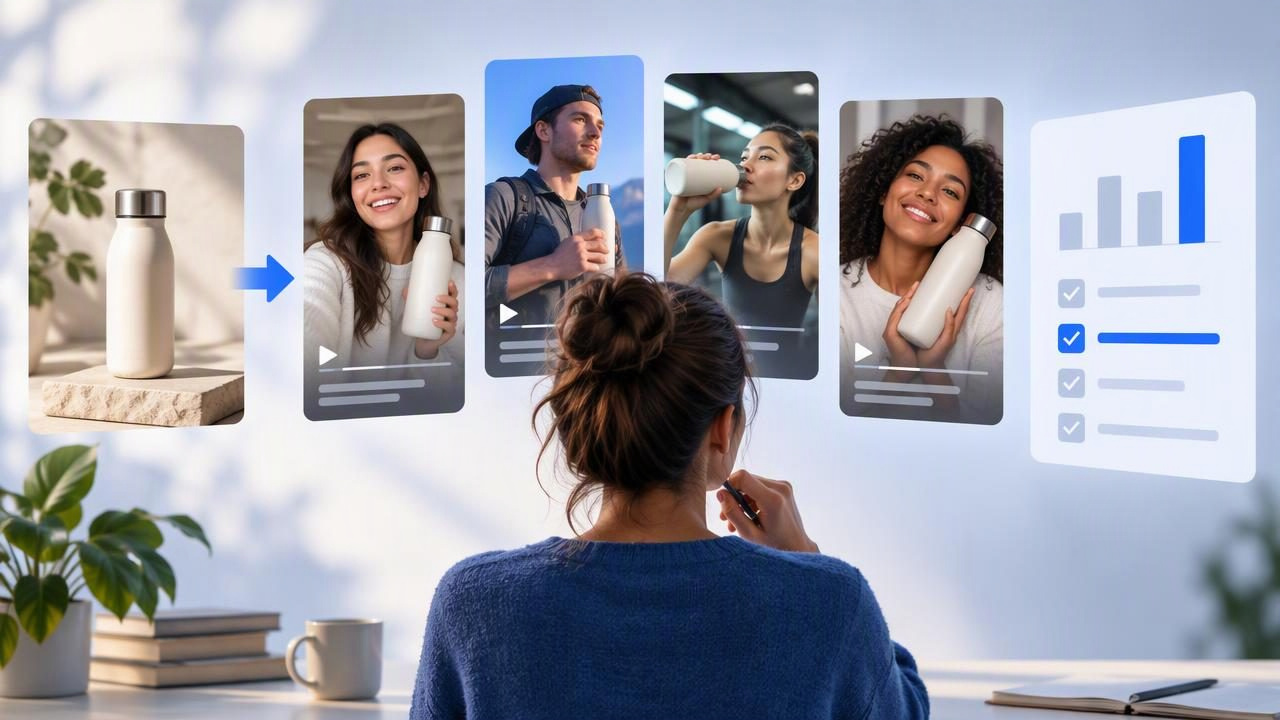
A social video ad tool for authentic creator style ads should help you explore concepts that feel natural in a social feed while keeping your product and claims accurate. That distinction matters: creator-style describes a creative approach, not proof that a real creator filmed or recommended the product.
You can start with a single product image to develop and compare AI-generated UGC-style video ideas. The photo gives the concepts a shared visual reference; your brief supplies the audience, use case, tone, and verified product details. Used thoughtfully, this can make early content creation more focused. It cannot, by itself, establish that a concept will perform well or that a depicted product experience is real.
Below is a practical way to build concepts from one image, compare them fairly, and decide what needs human review before anything is published.
What “authentic creator style” should mean
Creator-style ads often borrow from familiar short-form storytelling: a person speaking conversationally, a product shown in a real-life context, a quick demonstration, or a simple problem-and-solution structure. The aim is to make the message easy to follow and appropriate to the platform—not to disguise an ad as an independent review.
When AI helps create this style, be precise about what is generated. A synthetic presenter is not a customer. A scripted first-person line is not a verified testimonial. A simulated demonstration is not evidence that the item works exactly as shown. Treat the output as a creative concept until its visuals, script, claims, and disclosures have been checked.
That clarity also helps you write a better brief. Instead of asking for “a real customer review,” request a conversational product introduction, a clearly labeled fictional scenario, or a visual explainer that does not imply personal experience.
Start with one image—and a useful brief
A clean product photograph can anchor several different video concepts, but it has limits. It shows the product from a particular angle under particular lighting. It may not reveal how an item opens, fits, pours, charges, or performs. Do not assume an AI-generated scene can fill those gaps accurately.
Before creating concepts, record a few details alongside the image:
- Audience: Who is the video intended to help, and what do they already know?
- Use case: What real context can you support with product information or additional reference material?
- Verified facts: Which features, materials, dimensions, instructions, or limitations are confirmed?
- Tone: Should the delivery feel calm, energetic, instructional, or playful?
- Boundaries: What claims, scenarios, visual changes, or implied endorsements must be avoided?
Keep those elements stable across concepts when your goal is to compare creative approaches. If the audience, offer, claims, and product image all change at once, you will have trouble identifying what made one version more useful than another.
Example: build three concepts for a reusable bottle
Imagine a brand has one clear product image of a reusable bottle. Its confirmed information includes capacity, material, available colors, and care instructions. The image does not show leak resistance or how the lid behaves, so those details should not be invented or demonstrated as fact.
From the same photo and fact sheet, create three distinct creative directions:
- Everyday routine: Open with a morning-bag or desk scene, then introduce the bottle and state one verified detail. Keep the scene illustrative; do not imply a genuine customer is sharing a personal review.
- Feature-focused explainer: Use close framing, on-screen labels, and narration to explain the confirmed capacity and material. Avoid adding a feature the image or product documentation does not substantiate.
- Question-led hook: Begin with a relevant question, such as “What do you look for in an everyday bottle?” Then show the product and answer using only confirmed information. The question is a creative opening, not evidence of audience research.
These are sample creative directions, not finished advertisements and not examples of actual product performance. If the generator proposes a person drinking from the bottle, placing it in a bag, or using a particular lid, check whether the resulting action is physically accurate and supported by your references. Replace or remove anything misleading.
Compare concepts without changing everything
A useful comparison asks one clear question at a time. For example: does an everyday-routine opening communicate the product context more clearly than a feature-led opening? Keep the product image, audience, key fact, approximate duration, and call to action consistent. Vary the narrative angle or opening hook, then review each version against the same criteria.
| Review area | Questions to ask |
|---|---|
| Product accuracy | Does the product retain its correct shape, color, details, and intended use? |
| Message clarity | Can a viewer understand the main point without relying on unsupported claims? |
| Natural delivery | Does the script sound conversational without pretending to be a verified personal endorsement? |
| Visual coherence | Do the presenter, background, lighting, and product appear consistent from shot to shot? |
| Platform fit | Are framing, pacing, captions, and safe areas appropriate for the intended placement? |
| Review needs | Which words, gestures, demonstrations, or disclosures require correction before publishing? |
You can give each area a simple internal rating, such as “ready,” “revise,” or “reject,” and add a note explaining why. This is a production review tool, not a prediction of clicks, sales, or platform approval.
For a fair creative test, change one major variable at a time. You might compare three hooks while keeping the rest of the video similar. In another round, hold the hook steady and compare a routine-based story with a feature explainer. Label files clearly so the concept, version, and change are easy to identify later.
Creative quality is not the same as ad performance
A generated video can look polished and still fail to explain the product. Conversely, a simple concept may be worth testing if it communicates a useful detail clearly. Separate pre-publication creative review from results observed after a real campaign.
Before launch, you can assess whether the video is accurate, understandable, on brief, and technically suitable. You cannot infer a conversion lift or audience preference from the generated concepts alone. Those conclusions require actual, appropriately controlled testing and reliable campaign data. Even then, results apply to the audience, placement, budget, and period measured; they are not guarantees for future campaigns.
If you do run a test, define the question and success measure in advance. For example, a team might compare two opening hooks while keeping the rest of the ad and the test conditions as similar as practical. Review the metric that matches the objective, and avoid attributing a result to the hook if several other factors changed.
Know where a product-photo workflow can fall short
One image is a starting point, not a complete production brief. Common limitations include distorted packaging, incorrect labels, inconsistent proportions, implausible hand movements, and scenes that suggest a feature the product does not have. Text rendered inside video may also be misspelled or hard to read, so add or correct important copy during review rather than trusting it automatically.
There are also creative and compliance considerations. A synthetic person may appear to make a personal claim, even if the script was intended as general narration. A lifestyle scene can imply product use or results that your documentation does not support. Review the complete impression—not just individual sentences—and follow applicable advertising, platform, and disclosure requirements.
Finally, consider image rights, likeness permissions, music licensing, and any rules that apply to your category and intended market. A tool’s output does not remove your responsibility to check permissions or ensure that the final ad is appropriate. When a visual detail matters to product understanding, provide accurate references or use real footage rather than asking a still image to supply missing evidence.
A practical decision checklist
When assessing a social video ad tool for creator-style concepts, focus on whether the workflow helps your team make informed creative decisions:
- Can you provide a product image and a clear, fact-based brief?
- Can you distinguish concept variations, such as hooks or story angles, without losing track of what changed?
- Can a reviewer inspect the script and visuals for inaccurate demonstrations or implied testimonials?
- Can you revise or reject elements that do not match the product or brand?
- Can you evaluate the finished creative separately from campaign outcomes?
A tool is most useful when it fits your review process, not merely when it produces multiple versions. If your source photo does not show a critical product detail, gather better references or plan a real demonstration. If your objective is to test hooks, make the hook the deliberate difference. If the concept relies on a claim, verify it before production.
Turn a photo into a testable creative plan
One product image can support several distinct UGC-style directions when you give each a clear purpose and keep the facts consistent. Start with a credible brief, compare concepts using the same standards, and treat every generated scene as something to verify—not as proof of a customer experience or product result.
For a practical next step, explore UGCMade’s guide to testing ad variations for ideas on structuring creative comparisons. Use the principles that fit your process, then let careful review and real campaign evidence—not the appearance of a generated video—guide what you publish and learn.
