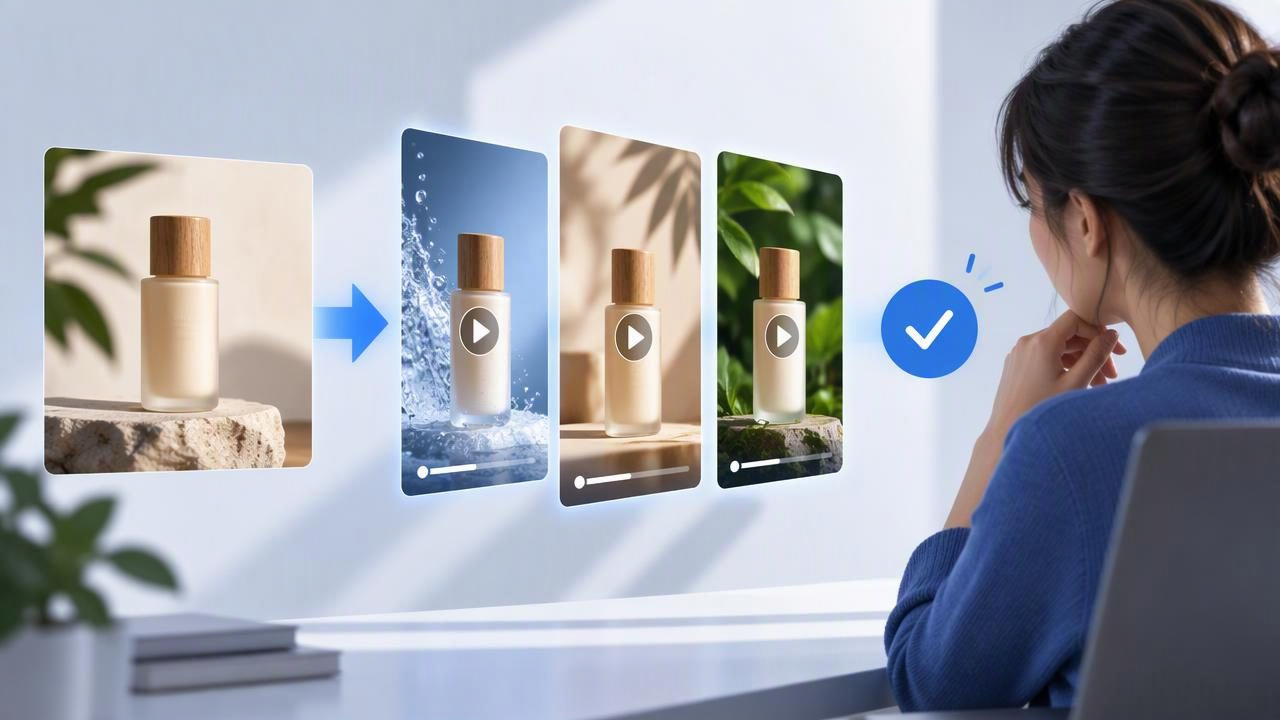
A short-form ad generator can help turn a product photo into several video concepts without starting every edit from a blank timeline. But a generated video is not automatically ready to publish. The image may not show enough product detail, the concept may imply an unverified benefit, or the final file may not suit the placement you have in mind.
To get platform-ready video ads, treat generation as a way to explore creative directions—not as a substitute for product checks, editing, or advertising review. Start with a clear product image, compare concepts built around different messages, and check each selected video against the current requirements of its intended platform.
What “platform-ready” means for a short-form video ad
Platform-ready means more than having a video file. A useful ad needs to fit its intended placement, communicate clearly on a phone, represent the actual product, and comply with the platform’s current advertising policies. It should also work with or without sound where appropriate, and leave room for interface elements that can cover parts of the screen.
Requirements can change and vary by placement, so check the current specifications for the exact destination before publishing. Confirm items such as aspect ratio, duration, file type, resolution, caption treatment, and safe areas. Do not assume that a video created for one feed, story, or short-form placement will automatically suit another.
Start with a product photo that can support a video
The source image affects what an AI-generated UGC-style concept can plausibly show. Choose a sharp, well-lit photograph where the product is easy to identify and is not cropped in a way that removes important details. A simple background can help keep attention on the item. If the product has a distinctive shape, label, color, or component, make sure that feature is visible.
Before uploading, ask what the photo can prove visually. A front-facing image may show a package design, but it cannot establish how a tool works in someone’s hand or how fabric moves when worn. A single angle may also hide ports, closures, ingredients, or scale. Avoid asking a generator to demonstrate details that are not present in the source or supported by other approved product information.
- Use a clean original: Avoid blurry images, heavy filters, distracting backgrounds, and text overlays that could be misread.
- Check product accuracy: Note the features, colors, packaging, and proportions that must remain consistent.
- Prepare approved facts: Write down claims you can substantiate and avoid adding benefits based only on a creative idea.
- Identify missing views: If a concept needs a back, side, or in-use view, source an accurate image rather than relying on invention.
Compare concepts by message, not just by visual style
Generating several videos from one image is most useful when each version tests a different creative hypothesis. Changing only the background or opening color may produce visual variety without telling you which message is clearer. Decide what you want each concept to communicate, then keep the product and factual claims consistent while varying the hook, audience problem, or explanation.
- Choose one audience need. For example, a shopper may want a reusable drink container that is easy to carry.
- Write a concise, supportable message. Use only product facts you have verified, such as its stated capacity or included features.
- Create distinct opening ideas. One version might lead with a daily inconvenience; another might begin with a direct product introduction.
- Keep the product depiction honest. Compare pacing, framing, narration, and scene treatment without changing the item’s real attributes.
- Review the outputs side by side. Ask which version makes the product and its value easiest to understand, not merely which looks most dramatic.
This is a creative comparison, not a performance result. Until ads are actually run and measured, you can say that one concept is clearer or more relevant to your brief, but you cannot claim it will produce more clicks, sales, or conversions.
Concrete example: one tumbler photo, three ad concepts
Imagine an online store has one clean photograph of a stainless-steel tumbler. The image shows the body, lid, and color accurately, but it does not show the tumbler being carried, filled, or used. The team wants short-form video ideas for people shopping for an everyday drink container.
Concept A: The routine hook. Open with a simple question about remembering a drink during a busy day, then introduce the tumbler using only approved product details. The visual treatment can emphasize the product image without pretending the photo proves a particular real-world result.
Concept B: The feature explanation. Lead with a verified feature, such as the stated capacity, and explain why a shopper might consider it. The team should confirm that the capacity is accurate and avoid implying temperature retention, leak resistance, or durability unless those claims are documented.
Concept C: The product-first introduction. Show the item immediately and use concise copy to identify its intended use and available color. This may be a useful alternative for viewers who prefer a direct introduction over a problem-led hook.
These are creative examples, not demonstrations of actual tumbler performance. If the generated scenes show a person holding the product, the hand, scale, lid, and product shape need close inspection. If the team wants to show pouring, cleaning, or use in a bag, it should verify those scenes with accurate source material or real product footage. A still image alone cannot validate them.
A practical comparison table for generated concepts
| Review area | What to compare | What to check |
|---|---|---|
| Opening | Question, problem, or direct introduction | Is the point clear in the first moments? |
| Product visibility | Close-up, centered product, or supporting scene | Does the item remain recognizable and accurate? |
| Message | Different approved features or shopper needs | Can every factual statement be substantiated? |
| Readability | Caption length, placement, and pace | Can viewers follow it on a small screen? |
| Placement fit | Framing and duration for the intended destination | Does it meet that placement’s current specifications? |
Use this comparison to select candidates for editing or testing. It does not predict which concept will win. If you later test ads, define the audience, placement, budget, and success measure consistently enough to make the comparison meaningful.
Check platform readiness before publishing
Once you select a concept, review the actual exported video—not just a preview or storyboard. Check the full timeline on a phone-sized screen and, where possible, in the placement preview. A video that looks balanced in an editor can feel crowded once interface controls and captions are visible.
- Format: Confirm the aspect ratio, duration, resolution, and accepted file format for the specific placement.
- Safe framing: Keep essential product details and text away from edges where interface elements may overlap.
- Sound and captions: Make sure narration or music is understandable and that key meaning is not lost when muted. Check caption accuracy and legibility.
- Opening and ending: Ensure the first moment identifies a relevant idea and the final frame does not cut off a message or call to action.
- Claims and disclosures: Verify claims, pricing, offers, endorsements, and required disclosures against your evidence and applicable policies.
- File review: Watch for flicker, distorted lettering, strange hands, inconsistent logos, abrupt transitions, or other generation artifacts.
Policies and technical specifications are not identical across platforms or placements. Check the latest official guidance for the destination you plan to use; do not rely on a generic “social-ready” label as proof of compliance.
Know the limitations of image-to-video concepts
A generator can create motion and presentation ideas from a still image, but it cannot make an unseen product property true. Generated movement may alter a label, change a product’s proportions, or create an object that was not in the original scene. Review every frame for accuracy, especially when the product has small text, reflective surfaces, complex packaging, or distinctive parts.
There is also a difference between a creator-style presentation and a genuine customer endorsement. Do not present invented dialogue, a synthetic person, or an illustrative scenario as a verified customer testimonial. Avoid implying that a person used or recommends a product unless that representation is truthful, authorized, and compliant with applicable rules. If the concept is illustrative, make sure the overall ad does not mislead viewers about what is real.
Finally, visual polish does not establish advertising effectiveness. A generated concept is a draft. Actual results depend on factors beyond the video, including the offer, audience, delivery, landing page, and campaign setup. Use performance data from a real, appropriately designed test to make performance claims.
Turn creative options into a responsible workflow
The most reliable way to get platform-ready short-form ads is to make each decision traceable: keep the original product photo, list approved facts, record the message behind each concept, and note the edits made during review. This makes it easier to identify whether a variation changed the hook, the product depiction, or a claim—and to correct problems before publication.
When you are ready to compare creative directions, UGCMade’s guide to testing ad variations offers a relevant next step for thinking about concept comparisons. Whatever tool you use, treat generated videos as starting points: verify the product, adapt the format to the chosen placement, and publish only after a careful factual and technical review.
