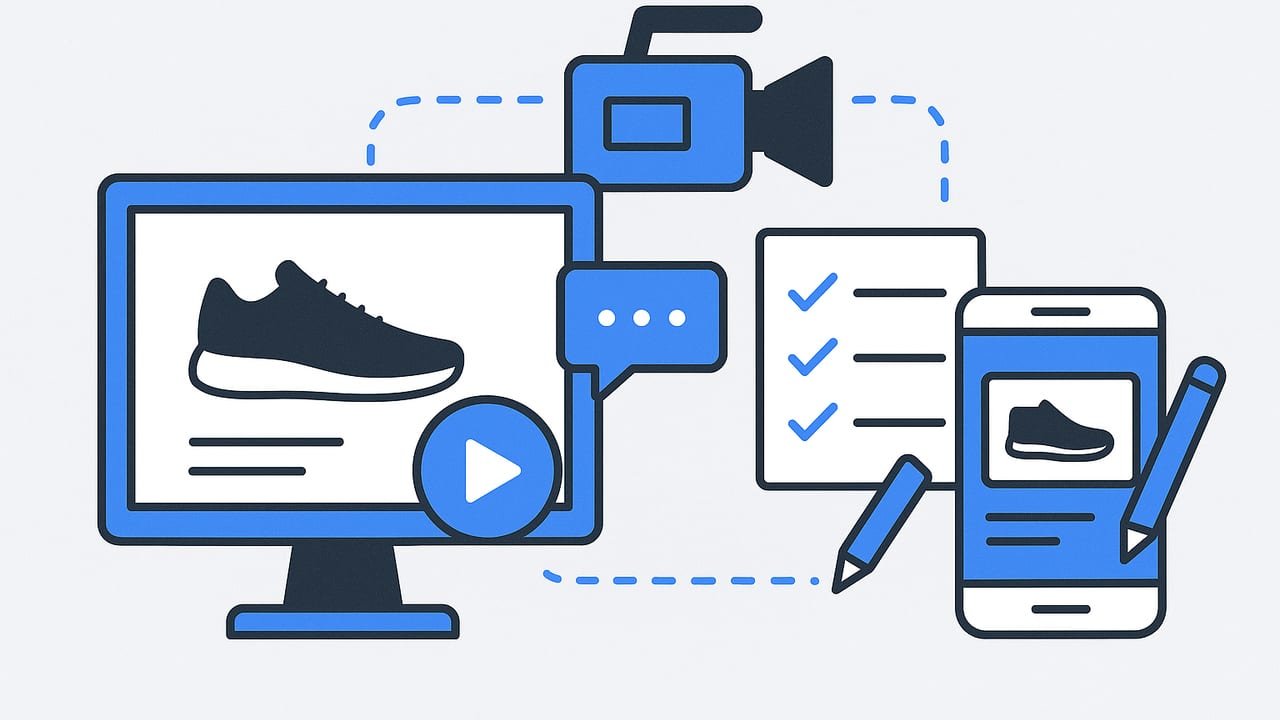
Want to make ecommerce product video ads that actually sell? The winning formula blends sharp creative strategy, platform-native formatting, and disciplined testing. Whether you shoot footage or start with product photos, this guide walks you through the end-to-end process: planning, scripting, building variations, exporting to spec, and measuring what matters.
Start With Strategy: One Clear Promise, One Clear Action
Before you open your editor, define the core of the ad. Clarity beats clever.
- Audience and problem: Who is buying and why now? Name their pain or desire in plain language.
- Value proposition: One specific promise your product delivers (time saved, money saved, pain removed, status gained).
- Proof: Demonstrable evidence: a clip of the product working, a quantified benefit, a review snippet.
- Call-to-action (CTA): What the viewer should do next (Shop now, Try risk-free, Get 20% off).
Short, clear demos beat cinematic fluff. Your first three seconds should show the product solving the problem.
Creative Frameworks That Convert
Use repeatable structures to make ecommerce product video ads faster and more predictably.
- Problem–Agitate–Solve (PAS) Demo: State the problem, intensify stakes, show your product fixing it in real time.
- Before/After: Visual contrast in lighting, speed, or outcome. Keep the transformation unmistakable.
- UGC Testimonial: First-person footage or voiceover describing the problem, moment of discovery, and result. Layer screenshots or results on screen.
- Three Reasons: Rapid cuts listing top benefits with micro-demos: Reason 1, Reason 2, Reason 3, CTA.
- Comparison: Your product vs. status quo. Side-by-side visuals; avoid naming competitors; stick to objective differences.
- Micro-Tutorial: How-to in 15–30 seconds. Teach one useful action that naturally showcases your product.
- Social Proof Montage: Stars, short review quotes, press badges, and quick reaction shots.
From Photos to Videos: Turn Stills Into Scroll-Stopping Ads
No footage? You can still make ecommerce product video ads from product photos. Focus on motion design, text, and proof.
- Sequence your story (15 seconds):
- 0–2s Hook: pain or promise text + hero image with punch-in motion
- 2–8s Demo montage: 2–3 images, parallax/zoom, arrows, and animated highlights
- 8–12s Proof: review snippet or stat with subtle badge animation
- 12–15s CTA frame: product + offer + button-style graphic
- Add motion: Ken Burns zooms, parallax layers, masked reveals, light sweeps, and speed ramps at cuts to preserve momentum.
- Design legible text: High-contrast, 3–6 words per line, max two lines. Use safe margins so UI overlays don’t hide your copy.
- Use captions: Many viewers watch muted. Burn-in captions for VO and summarize key benefits as on-screen text.
- Sound matters: Choose a tempo that matches cut cadence (100–130 BPM works well for direct-response). Add subtle whooshes and clicks for UI-like feedback.
- Brand lightly: Persistent logo watermark at low opacity or a tag in the final frame. Keep the focus on the product and benefit.
- Version rapidly: Swap the first 2–3 seconds (hook), alter colorways/backgrounds, and vary CTA copy to create testable variants.
Sample 15-Second Script (Photo-Based)
00:00–00:02 [Text] Frizzy hair in 5 minutes? Gone.
[Visual] Hero bottle close-up; fast zoom-in; sparkly sweep highlight

00:02–00:06 [Text] Heat-protect + shine
[Visual] Before/After split image; arrow points to frizz tamed

00:06–00:10 [Text] 5,000+ 5-star reviews
[Visual] Review card carousel glide; stars pop

00:10–00:15 [Text] Get smooth hair now →
[Visual] Product trio on clean background; price & free shipping badge
[Audio] Upbeat beat; subtle whoosh on each cut
6-Second Bumper Variant
00:00–00:02 [Text] Tame frizz fast
00:02–00:04 [Visual] Before/After slam cut; sparkle accent
00:04–00:06 [Text] Shop the serum →
Platform Basics and Export Specs
Format for where the ad will run. Always verify the latest platform requirements before launch, but these guidelines are dependable baselines:
| Placement | Aspect Ratio & Size | Length | Notes |
|---|---|---|---|
| TikTok Ads | 9:16, 1080×1920 | 5–35s recommended | Keep key text away from top/bottom UI; add captions; bold hook. |
| Instagram Reels / Stories | 9:16, 1080×1920 | 15–30s recommended | Safe margins left/right for stickers; high-contrast text. |
| Facebook Feed | 1:1 (1080×1080) or 4:5 (1080×1350) | <30s recommended | Front-load the benefit; add subtitles; clear CTA in first 5s. |
| YouTube Shorts | 9:16, 1080×1920 | Up to 60s | Strong first frame; avoid tiny text; music matched to cuts. |
| 2:3 or 9:16 | 6–15s recommended | Clean visuals; action-oriented overlay text. | |
| Amazon Sponsored Brands Video | 16:9, 1920×1080 | 6–45s | Autoplays muted; must communicate without sound; product-only focus. |
Export settings that travel well: H.264 MP4, high bitrate (8–12 Mbps for 1080p), variable bitrate 2-pass, AAC audio 44.1 or 48 kHz.
Write Copy for Small Screens
- Hook lines: Promise or pain in 3–6 words. Examples: “Wrinkles gone in 7 minutes,” “No-drill shelf hack,” “Stains out, colors safe.”
- Overlay style: One benefit per scene. Use verbs: Save, Clean, Seal, Charge, Blend.
- CTAs: “Shop now,” “See it work,” “Try risk-free,” “Get 20% off today.” Pair with button-style graphic.
- Compliance: Avoid unverifiable claims. If you quantify (e.g., “2x faster”), show the method or source on screen.
Editing Checklist for Faster Wins
- First frame sells: Put the product and promise on screen immediately.
- Cut density: New visual every 1–2 seconds for short-form placements.
- Legibility: Minimum font sizes that remain readable at arm’s length; use background boxes for contrast.
- Proof moments: Show the transformation, ingredient, mechanism, or social proof every 3–5 seconds.
- End cards: Clear product shot + offer + CTA + URL or logo.
- Accessibility: Burn-in captions; avoid strobe effects; ensure color contrast.
Testing Framework: Hooks, Bodies, CTAs
Treat creative like code: isolate variables and test methodically.
- Plan variants: Choose 3 hooks × 2 bodies (demo styles) × 2 CTAs = 12 versions.
- Launch in controlled sets: Same budget, targeting, and placements for apples-to-apples results.
- Use early indicators: Hook rate and 50% view rate pick winners fast; conversions confirm scale potential.
Key Metrics and Simple Formulas
Hook Rate (Thumbstop) = 3s video plays / impressions
50% View Rate = views to 50% duration / impressions
Hold to End = 100% completions / impressions
Outbound CTR = link clicks / impressions
CPA = spend / conversions
CVR (Click-to-Purchase) = purchases / outbound clicks
Rules of thumb: strong ads typically show a high hook rate with stable hold through the first benefit and proof moment. If hook rate is low, fix the first two seconds. If hold drops at 2–4 seconds, the benefit/proof sequence isn’t convincing or clear.
Diagnose and Improve Underperformers
- Low hook rate: Replace the opening frame with a more dramatic problem, bolder text, or immediate demo. Brighten exposure and increase contrast.
- Drop-off at 2–4s: Your promise isn’t self-evident. Add on-screen labels, arrows, or a side-by-side comparison.
- Good views, weak clicks: Strengthen offer and CTA. Add urgency (“Ends Sunday”), risk reversal (“30-day free returns”), or price anchoring.
- Clicks but no purchases: Check landing page match: headline, imagery, and offer must mirror the ad. Improve page speed and mobile checkout.
- Platform mismatch: Reformat aspect ratio, rebuild captions, and refit safe zones for each placement.
Compliance, Claims, and Brand Safety
- Honest representation: Don’t imply results that typical users can’t achieve. Use disclaimers where needed.
- Comparison etiquette: Avoid using competitor trademarks/logos. Compare against generic alternatives or the “before” state.
- Health/beauty: Be cautious with medical claims; focus on cosmetic or comfort benefits unless you have substantiation.
- Audio & fonts: Ensure you have rights to music and typefaces used in ads.
Example: Rapid Variant Matrix
Here’s a simple structure you can adapt to any product category.
{
  "hooks": [
    "One wipe, zero streaks",
    "Stop overpaying for refills",
    "5-minute setup—no tools"
  ],
  "bodies": [
    "Demo montage with labels",
    "Before/After side-by-side"
  ],
  "ctas": [
    "Shop now",
    "Try risk-free"
  ]
}
Combine them systematically to produce 12 unique videos. Keep everything else identical (music, pacing, color) to isolate the impact of the changed element.
Quality Control Before Publishing
- Device preview: Watch on an actual phone at 100% zoom. If you can’t read it at arm’s length, it’s too small.
- Silent pass: Play with sound off. If the story fails, add captions or more visual proof.
- Compression check: Export at higher bitrate; upload; verify platform’s recompression didn’t smear text.
- Metadata: Titles, descriptions, hashtags/keywords aligned to the benefit and product category.
Advanced Tips for Higher ROI
- Modular edits: Build with replaceable sections (Hook, Benefit 1, Proof, CTA) so you can swap modules without rebuilding the entire video.
- Color psychology: Use background colors that contrast the product and align with the emotion (e.g., calm blues for wellness, energetic oranges for fitness).
- Motion pacing: Align cut points to musical beats or sound effects to make the ad feel tighter and more intentional.
- Offer sequencing: Start with value-focused creatives; introduce discounts later to scale, not to fix weak creative.
- Creative refresh: Plan a weekly cadence of new hooks and monthly refreshes of full concepts to combat ad fatigue.
Putting It All Together
To make ecommerce product video ads with real conversion power, nail the fundamentals: one clear promise, proof on screen, fast pacing, and placement-specific formatting. Build ads from product photos using motion design and bold text overlays, then iterate rapidly with a testing plan that isolates variables. Read your metrics like a dashboard: hook rate and hold tell you if people care; CTR and CVR tell you if the path to purchase is aligned. Keep your workflow modular so creative refreshes are measured in hours, not weeks.
Need a faster path from stills to polished videos? Consider tooling that turns product photos into dynamic, captioned clips you can deploy across placements—solutions like UGCMade help teams create engaging product videos at speed without heavy post-production.
