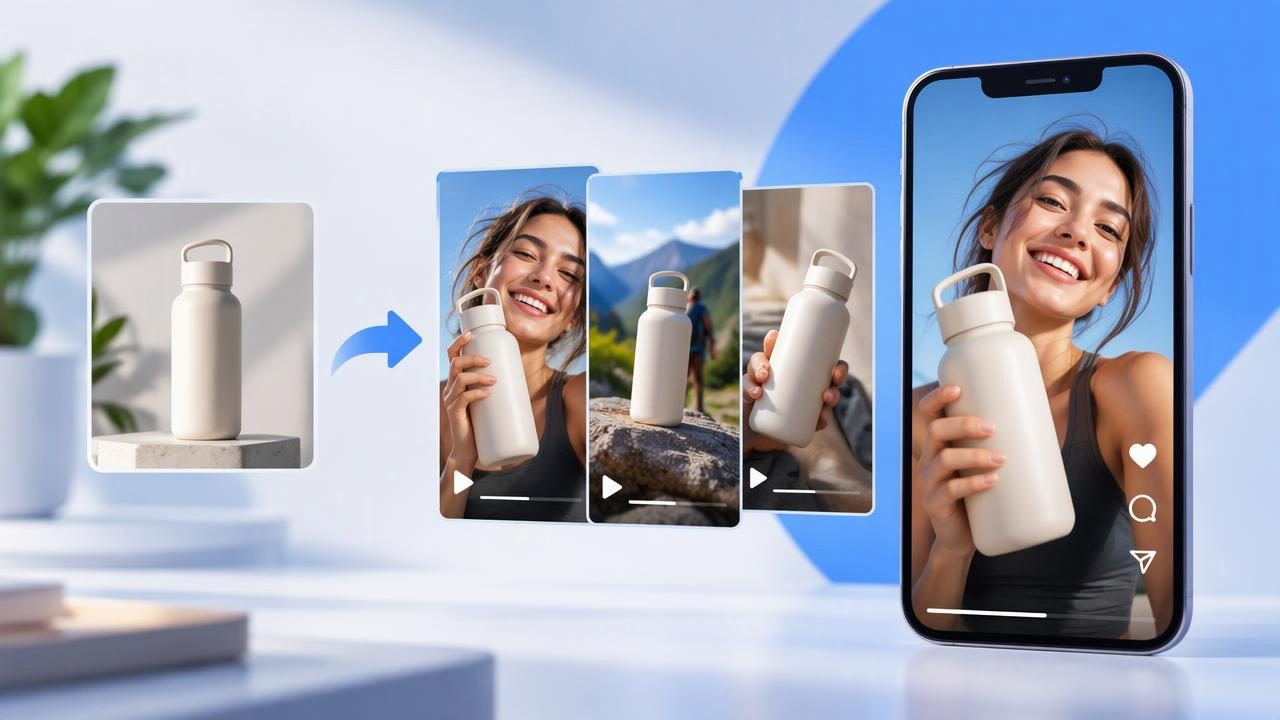
A strong Instagram Reel ad does not always start with a full video shoot. If you have a clear product photo, a social video ad tool may help you explore short-form creative directions before committing time to filming. The useful part is not simply turning a still image into motion. It is comparing different hooks, settings, and story ideas while keeping the actual product recognizable.
This guide explains how to make Instagram Reel ads from one product image, using a hypothetical ceramic travel mug to show the process. The example concepts are creative starting points—not proof of how a real product looks, performs, or feels in use. Your final ad still needs accurate product details, careful review, and a message that fits your audience.
What a social video ad tool can help you test
A social video ad tool can help translate a product image and a creative brief into draft video concepts. Depending on the tool, it may offer options for scenes, pacing, captions, or a creator-inspired presentation. Capabilities vary, so check what a particular platform actually supports rather than assuming every tool can produce the same elements.
For an Instagram Reel ad, the goal is to make the idea understandable in a short vertical video. A tool can help you compare creative choices such as:
- The opening hook: a question, a quick problem statement, or a direct introduction to the product.
- The setting: a neutral tabletop, a kitchen counter, or another context that suits the product.
- The story: a simple product introduction, a routine-based scenario, or a feature explanation based on verified details.
- The presentation: a calm, practical tone versus a more energetic, creator-style delivery.
These are options to evaluate, not guaranteed tool functions or promised ad outcomes. The purpose of comparing concepts is to make a more considered creative decision—not to assume that an AI-generated draft is ready to publish.
Start with a product photo that gives the tool a fair reference
The source image influences what a generated concept can represent. Choose a sharp, well-lit product photo where the item is easy to identify. A plain background can help separate the product from its surroundings, while a second reference image may be useful if the tool accepts additional inputs and you need to show another angle. Avoid images that hide important features behind hands, reflections, packaging, or heavy shadows.
Before uploading, check that you have permission to use the image and that its product details are current. Make a short reference note covering the exact color, material, visible components, and any feature you are allowed to describe. If the photo shows a matte cream travel mug with a dark lid, for instance, those details should not become a glossy white mug with a straw in the generated draft.
Also decide what the photo cannot establish. A still image does not verify how long a mug keeps a drink hot, whether it fits a particular cup holder, or whether it is leakproof. Those claims need reliable product information; they should not be inferred from an attractive video scene.
Build a concrete Reel concept from one image
Imagine a brand has a single product photo of a ceramic travel mug on a light background. Rather than ask for a finished ad with broad instructions, create distinct briefs that change one main creative variable at a time. This makes the concepts easier to compare and helps prevent the product story from drifting.
| Concept | Opening idea | Visual direction | What to review |
|---|---|---|---|
| Morning routine | “A quieter start to the day” | Show the mug as part of a simple breakfast-table scene. | Does the product remain visually faithful, and does the scene imply anything unverified? |
| Design focus | “A closer look at the details” | Keep attention on the mug’s shape, finish, and visible lid. | Are the proportions, color, and features consistent with the reference? |
| Direct introduction | “Meet your new desk-side mug” | Use a clean setting and a concise product introduction. | Is the wording clear, accurate, and readable on a phone? |
These are illustrative creative concepts, not descriptions of an existing product campaign or evidence that one direction will perform better. If you use a creator-style voice or a person in the scene, make sure the presentation does not imply a real customer endorsement or personal experience that never happened.
Keep each brief focused. If one draft changes the hook, setting, claims, and tone all at once, it becomes difficult to identify what made the concept feel more relevant. A useful comparison might hold the product and core message steady while testing three different openings.
Compare drafts without confusing creativity with product truth
Review each generated video in two passes. First assess the creative idea: can you understand the hook quickly, does the sequence feel coherent, and does the setting support the intended message? Then inspect product accuracy: does the item still look like the source photo, and does the draft add features, packaging, or use cases that you have not confirmed?
Keep a simple review sheet with a row for each concept and columns for hook clarity, product fidelity, claim accuracy, legibility, and fit with the campaign brief. Use notes rather than treating an informal score as research. For example, you might write that the design-focused version makes the product easier to inspect, while the routine version needs a closer check for an implied benefit.
This kind of review helps a team choose which idea deserves further development. It does not show which ad will earn more views, sales, or engagement. Those outcomes depend on factors beyond the draft, including the audience, placement, offer, landing page, timing, and budget. Only an appropriately designed campaign test can provide performance evidence for your own situation.
Check the Reel format and the viewer experience
Review the video on a phone-sized screen before publishing. A vertical 9:16 composition is commonly used for Reels, but check Instagram’s current specifications and ad requirements when preparing a campaign. Keep important product details and text away from interface areas that may cover the edges. Confirm that captions are readable, the first moments make sense without relying on sound, and any voice or music is appropriate for your intended use.
Look for visual problems that can be easy to miss on a large monitor: a warped handle, changing product color between shots, strange fingers, inconsistent shadows, or text that flickers. Check transitions and pacing too. Motion should help explain or frame the product, not distract from it. If the generated result alters an important detail, revise the brief, use a more suitable source image, or leave that concept aside.
Finally, verify every factual statement against approved product information. Avoid adding health, safety, durability, sustainability, or performance claims just because they make a hook sound stronger. A compelling Reel still needs to be honest, and advertising policies can apply to both the wording and the visuals.
Turn a promising concept into a responsible ad
- Select a direction: choose the draft that best matches the campaign goal and accurately represents the item.
- Fact-check the script: remove claims, testimonials, or personal-use language that you cannot substantiate.
- Refine the edit: correct visual inconsistencies, improve captions, and make the opening easy to understand.
- Review rights and requirements: check image, music, voice, and other asset permissions, along with the latest placement rules.
- Plan measurement separately: define the campaign objective and comparison method before drawing conclusions from results.
If you are testing multiple hooks, keep other parts of the campaign as consistent as practical. Record what changed between versions so that any later performance comparison has context. A creative review can identify which draft is clearer or more faithful; it cannot substitute for campaign data.
Use the photo as a starting point, not the final authority
Making Instagram Reel ads with a social video ad tool can be a practical way to explore visual storytelling from existing product photography. One image may support several useful directions, such as a routine-based scene, a closer look at visible design details, or a direct introduction. The best workflow separates those creative possibilities from facts about the real product and from claims about campaign results.
For a closer look at the process of turning a product photo into a video concept, see UGCMade’s product photo-to-video guide. Use any generated draft as material to review and refine, then publish only after checking product accuracy, rights, platform requirements, and the evidence behind every claim.
