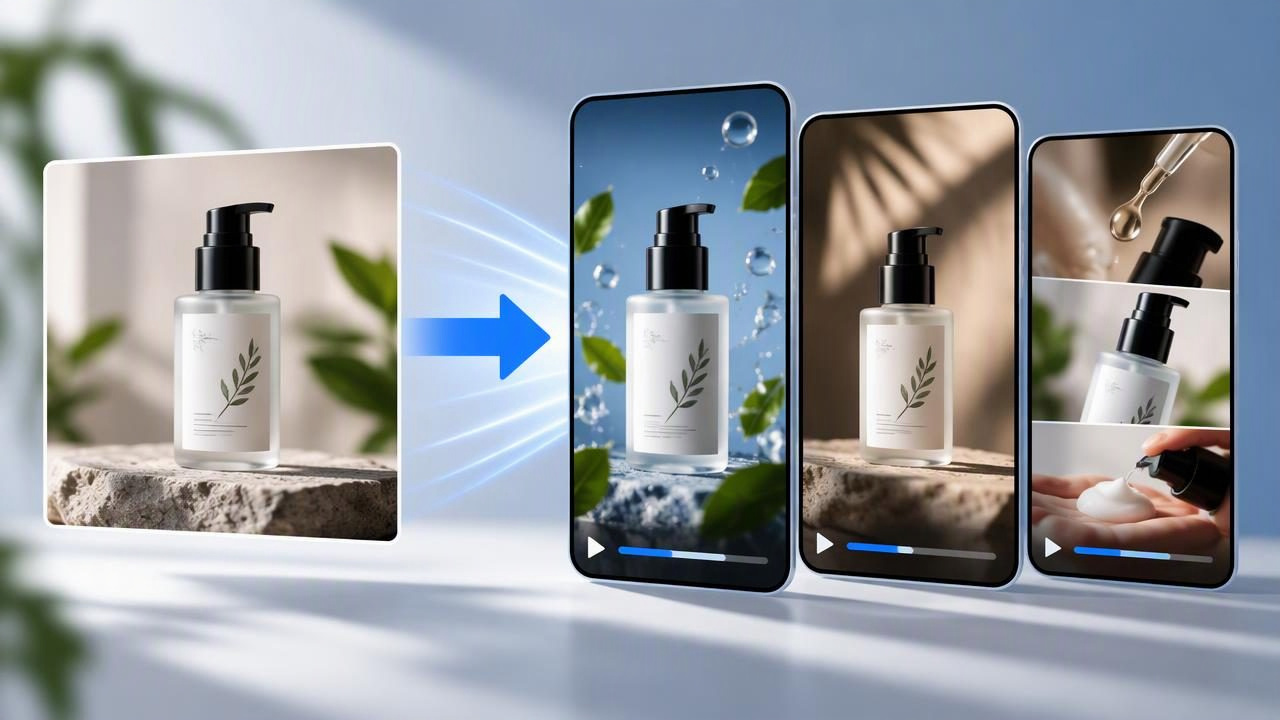
Making videos for multiple platforms does not mean posting the same file everywhere and hoping it fits. Each channel has its own viewing habits, placements, and technical requirements. A vertical clip that works in a full-screen feed may feel cramped in a landscape placement, while a product detail video may need clearer information than a quick social ad.
You can still start with one product photo. Use it as the visual anchor for a set of short, AI-generated UGC-style video concepts, then adapt the message, framing, and pacing for each intended placement. The result is a group of related creative drafts—not proof that a product performs a certain way or a substitute for real product footage.
This guide explains how to plan that process, with a reusable-bottle example, a platform adaptation table, and practical limits to check before publishing.
Start with the job each video needs to do
Before choosing dimensions or generating motion, decide what viewers should understand. A video designed to introduce a product has a different job from one that answers a common question or reminds shoppers of a feature. If you try to fit every benefit into every clip, the message can become difficult to follow.
Write a one-sentence brief that identifies the audience, product, main point, and next step. For example: “Show busy commuters why this insulated bottle is convenient to carry, and invite them to explore its details.” Keep the claim tied to information you can verify from the product itself. Avoid adding performance promises, materials, or certifications that are not supported by the product listing or approved brand copy.
- Audience: Who should recognize the problem or use case?
- Message: What single feature or benefit should be remembered?
- Evidence: Which product detail, image, or approved copy supports the message?
- Action: What should the viewer do next?
This brief keeps visual storytelling consistent even when the opening, format, or call to action changes across platforms.
Prepare a product photo that can support variations
A clear product image gives an AI video tool a stronger visual reference. Choose a sharp photo with the full item visible, recognizable edges, and enough surrounding space to allow for different crops. A simple background can make it easier to assess whether the generated composition still resembles the original product. If packaging, a label, or a distinctive product feature matters, make sure it is visible in the source image.
Check the image at the sizes and crops you expect to use. A photo with the product touching the edge may be hard to adapt to a tall frame. A tiny logo may become unreadable in a short-form feed. If you have several approved product photos, compare them before settling on one; the best source is the one that gives the planned concepts enough visual room.
Also prepare a small reference sheet of factual details: product name, verified features, approved wording, and any statements to avoid. This is useful because image-to-video generation can create motion or context, but it cannot verify product claims. A generated scene should not be treated as evidence that a product was used, tested, or shown in a real customer’s home.
Make multiple platform videos by varying the concept
For an efficient first round, create a few concepts that change one major creative choice at a time. Keep the product and core message stable while testing different hooks, settings, or narrative angles. Comparing focused variations helps you see what changed; generating several unrelated ideas at once makes it harder to learn from the comparison.
Here is a hypothetical example using a reusable insulated bottle. Assume the product listing confirms that it is designed to be carried in a bag and has a screw-top lid. Those are the only details the concepts should present as facts. The following are creative directions, not customer stories or claims about actual product results:
- Commute hook: Open with a packed-bag moment, then show the bottle as an item being prepared for the day. Keep the copy focused on portability.
- Feature close-up: Lead with the lid and bottle silhouette, using approved wording to explain the screw-top design.
- Routine reminder: Frame the bottle as part of a desk-to-commute routine without suggesting a health outcome or inventing a user testimonial.
When comparing concepts, note the opening image, first line, product visibility, factual claims, and closing action. You might change only the opening hook in one comparison and the scene framing in another. If an AI tool adds a hand, room, or movement that looks unnatural—or changes the product’s shape—reject or revise that draft rather than treating it as a faithful demonstration.
Adapt the creative for each platform
Start with the destination, not with a universal export. Review the current specifications for the exact placement you plan to use, including aspect ratio, duration, safe areas, file limits, captions, and sound requirements. Those specifications can change, and different placements within the same platform may not share identical rules.
| Destination or use | Creative adaptation | What to check |
|---|---|---|
| Vertical, full-screen social feed | Put the hook and product high enough to read quickly; keep important details away from interface overlays. | Current vertical dimensions, safe areas, duration, captions, and sound behavior. |
| Square or mixed feed placement | Use a centered composition and a concise opening that remains clear in a smaller feed preview. | Placement-specific crop, thumbnail appearance, text legibility, and file requirements. |
| Landscape product or web placement | Recompose rather than simply stretch the vertical version; give the product and supporting copy room within the wider frame. | Player dimensions, whether sound starts on or off, and any page-specific layout rules. |
The table is a planning guide, not a statement of fixed platform specifications. Always confirm the latest requirements in the destination’s own publishing tools or documentation. If one source image cannot support a clean landscape crop, use another approved image or create a separate composition instead of forcing the same framing into every size.
Keep a practical versioning system
When you make several cuts, name files so that the concept and destination are clear. A simple structure could be bottle_commute_vertical_v1 or bottle_lid-closeup_square_v1. Keep a short record of the source image, prompt or creative brief, copy, format, and edits. This prevents a promising concept from becoming difficult to reproduce and helps reviewers compare like with like.
For each platform version, check that the first seconds communicate the idea without relying on sound alone. Add captions or on-screen copy where useful, but keep text brief and readable on a phone. Preview the video at its intended display size, not only in an editing window. Check that the product remains recognizable after cropping, the text does not sit under interface elements, and the final frame provides a clear next step.
Do not assume that changing the aspect ratio automatically makes a new creative. A useful adaptation may require a different crop, a shorter opening, reordered information, or a new end card. Preserve the core message, but let the format guide the presentation.
Know what one product photo cannot show
A still image can provide a visual reference, but it does not contain genuine footage of a person opening the package, carrying the product, or using it over time. AI-generated motion may suggest those actions without documenting them. If the video needs to demonstrate how a mechanism works, show a precise texture, or establish a real customer experience, capture suitable footage and use it as evidence instead of relying on an invented scene.
Inspect every frame for altered labels, misshapen parts, inconsistent colors, unexpected accessories, and impossible movement. Review the audio and captions too. An apparently small generated change can make a product demonstration misleading. Clearly distinguish an illustrative concept from actual product results, and obtain the necessary permission for any real person, customer quote, or creator content included in a final asset.
There are also limits to what concept comparisons can tell you. A more polished-looking draft is not automatically a better-performing ad. Only a properly designed test using the relevant audience, placement, and measurement can provide performance evidence. Keep creative review separate from performance reporting, and do not turn a visual preference into a claim about conversions.
A concise workflow for multi-platform video
- Write one brief with an audience, single message, verified support, and intended action.
- Select a clean product photo with enough space for the planned crops.
- Develop a small set of UGC-style concepts, changing one main creative variable at a time.
- Review generated scenes for product accuracy, unsupported claims, and misleading implied use.
- Adapt composition and copy to each destination’s current placement requirements.
- Preview each version on a phone-sized screen, then save the approved files with clear names.
- Measure results only through an appropriate test; keep concept examples distinct from verified outcomes.
If you want a step-by-step explanation of the source-image stage, see this guide to turning a product photo into video concepts. The main principle remains simple: one product image can help you explore several creative routes, but each published video needs platform-specific framing, factual review, and a clear distinction between illustration and proof.
