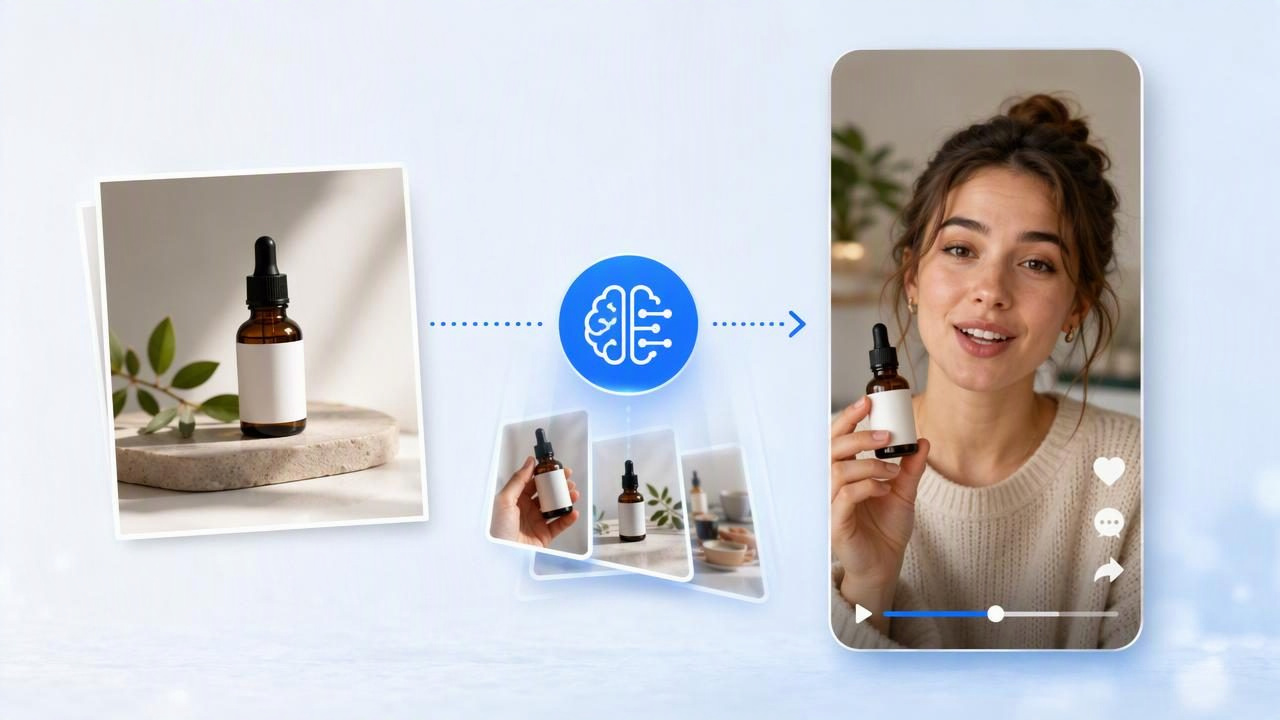
Brands often assume they need creators, models, a studio, and a large production budget to make effective short-form video. While actor-led production can be valuable for some campaigns, it is not the only path to strong visual storytelling. If you already have clear product photography, you can use that image as a starting point for planning and comparing AI-generated UGC-style video concepts.
This approach is especially useful for ecommerce teams, founders, and marketers who need more ad creative without waiting on casting, shipping products to creators, scheduling shoots, or editing raw footage. The goal is not to pretend an AI concept is identical to a real customer review. The goal is to explore believable creative directions quickly, then decide which messages deserve further testing or a full production investment.
Here is how to make videos without hiring actors while keeping your product, claims, and brand presentation grounded in reality.
Start With a Product Photo That Can Carry the Story
A product photo is more than an asset to animate. It is the visual reference that helps keep an AI-generated concept connected to the actual item you sell. Before developing a video idea, choose a photo that makes the product easy to recognize.
- Use a sharp, well-lit image with the product in clear focus.
- Show accurate colors, packaging, labels, and proportions.
- Choose a simple background when the product shape or details matter.
- Use a lifestyle image only when the setting supports the intended message.
- Avoid photos with tiny unreadable text, heavy reflections, or cropped product edges.
For example, imagine a brand selling an insulated stainless-steel water bottle. A front-facing product photo on a neutral background can support several video concepts: a desk hydration reminder, a gym-bag packing moment, or a daily commute routine. A blurry image of the bottle half-hidden in a car cup holder gives an AI system—and your viewer—less dependable visual information.
Product photography also helps establish boundaries. If the bottle is only available in navy and white, do not build a concept around colors that do not exist. If it keeps drinks cold for a specific verified duration, use that approved claim rather than inventing a broader promise. AI-assisted content creation works best when the source materials and instructions are precise.
Choose a Video Concept Before You Generate Anything
The most effective alternative to actor hiring is not simply asking for a generic “creator-style video.” Decide what job the video needs to do. UGC-style videos often feel persuasive because they follow familiar, human-centered structures: a problem, a small moment of discovery, a product interaction, and a reason to care.
For the water bottle example, compare these three distinct concepts:
| Concept | Core Message | Best Use | Main Risk to Watch |
|---|---|---|---|
| Desk-day reminder | Keeping water nearby makes hydration easier during work. | Awareness and routine-based messaging. | Do not imply medical or productivity outcomes. |
| Commute setup | A reusable bottle is a convenient part of leaving home. | Lifestyle-focused social video. | Keep bag, car, and product fit realistic. |
| Ice retention demonstration | The insulated design supports cold drinks throughout the day. | Feature-led product education. | Only state substantiated performance claims. |
These are creative examples, not evidence that any concept will increase sales or perform best on a particular platform. Their value is that each tests a different angle: habit, convenience, or product performance. Instead of hiring three actors and producing three separate shoots immediately, you can use the same product image to prepare comparable video directions.
Write a Brief That Defines What the Video Must and Must Not Show
AI-generated UGC-style content needs a creative brief just as much as a filmed production does. A vague request can create generic visuals, inconsistent product details, or claims that your brand cannot support. A focused brief gives the concept a clear audience, setting, action, and message.
A concrete brief for one actor-free video concept
For the desk-day water bottle concept, the brief could be:
Audience: Remote workers who forget to drink water during busy days.
Setting: Bright home desk with laptop, notebook, and natural daylight.
Product reference: Navy insulated water bottle from the supplied photo.
Story: A person notices an empty glass, reaches for the bottle,
refills the glass, and returns to work.
Tone: Casual, useful, creator-style, not overly polished.
On-screen message: “A small desk habit that helps me remember water.”
Approved product detail: Reusable insulated bottle.
Do not claim: Health improvement, guaranteed focus, or exact temperature retention.
This is specific enough to evaluate. The product has a defined role in the action, the environment explains the use case, and the copy stays within safe claim boundaries. It also avoids treating a simulated creator-style scenario as a verified personal testimonial.
If you use first-person language such as “my desk essential,” label it as creative copy rather than a real customer statement unless it comes from a documented, permissioned testimonial. Authenticity does not require misleading viewers about who is speaking or what has been independently experienced.
Build Three Variations From the Same Product Image
One product photo can support multiple video directions without changing the item itself. This is where actor-free video planning becomes practical: you are comparing a variable, not merely making versions that look different.
- Vary the opening hook. Start one concept with an empty glass, another with a packed work bag, and another with a close-up of ice being added to the bottle.
- Vary the user motivation. Frame the product around routine, portability, or a specific feature.
- Keep the product reference constant. Use the same approved photo and product facts so the comparison is fair.
- Keep the call to action modest. Examples include “Explore the colors” or “See product details,” rather than unsupported urgency or exaggerated promises.
For instance, the first version might open with “I always forget my water when my inbox gets busy.” The second could use “The one thing I put in my bag before leaving.” The third might begin with “A cold drink setup for long desk days.” All three can feature the same navy bottle, but they ask the audience to respond to different motivations.
Use a simple comparison sheet after reviewing the generated concepts:
| Review Question | Why It Matters |
|---|---|
| Is the product visually accurate? | Incorrect packaging, color, or geometry can damage trust. |
| Does the first three seconds communicate the situation? | Short-form viewers need context quickly. |
| Does the action make sense for the product? | Realistic use makes the concept easier to understand. |
| Are all claims approved? | Creative language should not exceed product evidence. |
| Is the creator-style tone appropriate for the brand? | Casual does not have to mean careless or off-brand. |
What AI-Generated Video Can and Cannot Replace
AI can help brands explore video marketing ideas without hiring actors for every initial concept. It can reduce the friction of turning a still product image into motion-led creative and make it easier to compare messaging angles. But it has important limitations.
- It cannot verify that a person genuinely used, purchased, or recommends your product.
- It should not replace real customer testimonials, regulated demonstrations, or expert endorsements.
- It may produce visual inconsistencies that require review, especially with hands, labels, moving packaging, or detailed product mechanisms.
- It cannot substantiate performance, safety, health, sustainability, or savings claims.
- It does not eliminate the need for brand, legal, and accessibility review.
For a complex item—such as a skincare product with application instructions or a device with safety steps—real filmed footage may still be the better choice for instructional accuracy. Likewise, products that depend on tactile proof, real fit, or before-and-after evidence need carefully controlled production and appropriate disclosures.
Use AI-generated UGC-style videos as creative concepts and marketing assets that require review—not as proof of customer experience or product performance.
Review the Video Like a Product Page, Not Just an Ad
Before publishing, review the final creative against your actual product page. Check the product name, available variants, visible features, pricing references, and claims. If the video shows an accessory, setting, or use case that is not included with the item, make sure the presentation does not create confusion.
Also review for accessibility. Add captions for spoken content, make on-screen text readable on mobile, and ensure that key product details are not communicated through sound alone. A fast, stylish edit is less useful if viewers cannot understand the message without audio.
When comparing concepts, avoid declaring a winner based only on personal preference. Define the purpose first. A feature demonstration may earn more product-page visits, while a routine-led video may better introduce the product to new viewers. Measure results within your own campaign setup, audience, and approved tracking process rather than assuming a creative format guarantees a particular outcome.
A Practical Way to Begin Without Actors
Start with one accurate product image and one everyday use case. Create three concepts that change only the hook or motivation, not the product facts. Review each for visual accuracy, claim compliance, clear storytelling, and mobile readability. Then choose the strongest concept for your next round of creative testing or for a more traditional filmed shoot if the message needs real-world proof.
For teams looking for a structured starting point, UGCMade’s product photo-to-video guide explains how a product image can be prepared for video-oriented creative work. The central lesson remains simple: a good actor-free video starts with a truthful product reference and a specific story worth telling.
