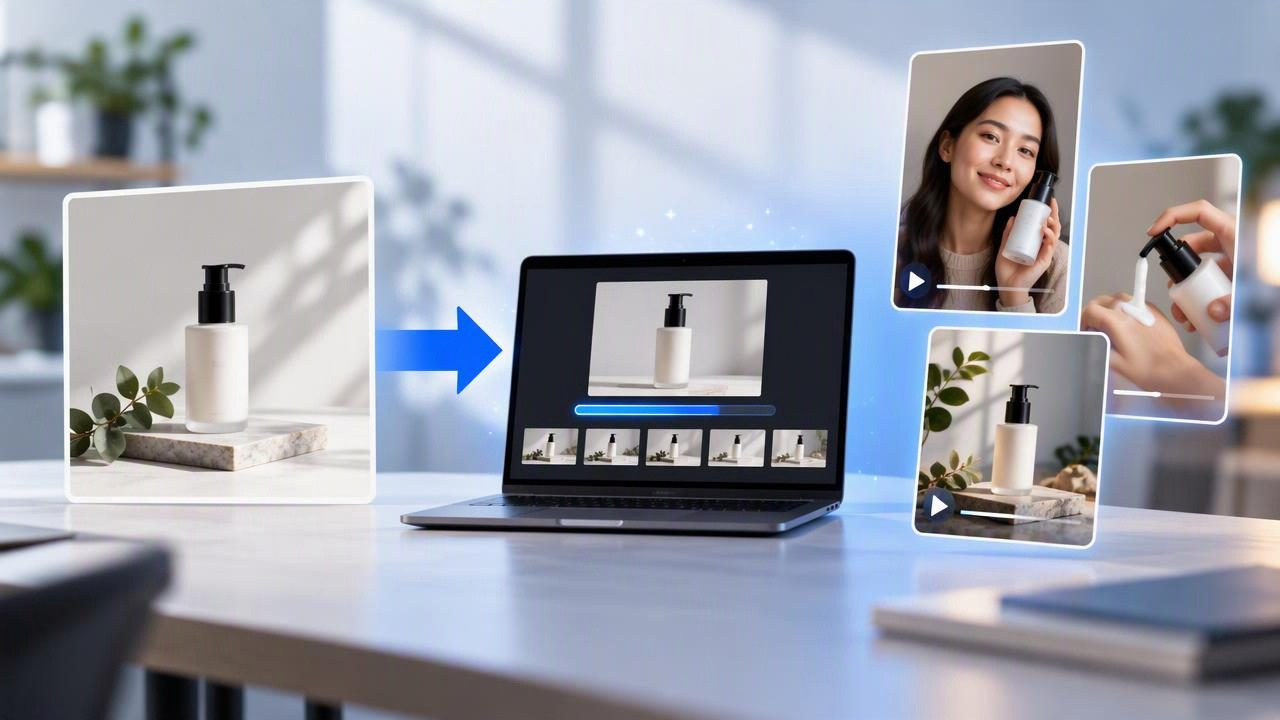
Video can help shoppers understand a product, but producing every concept from scratch takes planning, filming, editing, and review. A product photo video maker offers another starting point: use an existing product image to develop short video concepts, then decide which ideas are worth refining. The aim is not to eliminate creative work or guarantee better performance. It is to reduce avoidable setup and make early creative comparisons easier.
If you are researching how to get lower video production effort with a product photo video maker, focus on the work that can reasonably be simplified: building initial concepts, creating rough visual drafts, and organizing variations around one product. Keep human review in the process, especially for product accuracy, claims, and brand fit.
What lower production effort actually means
A product image already contains useful visual information: the item’s shape, color, packaging, and sometimes its label or distinctive details. Starting with that image can reduce the need to arrange a shoot just to explore a basic idea. It may also help a team create several draft directions from the same source asset rather than coordinating a new production for each one.
That does not mean a still image automatically becomes a finished, publishable video. Someone still needs to choose the audience, message, tone, and format; assess the generated visuals; and make sure the final edit represents the real item. Lower effort is best understood as less friction during concept development, not no effort across the full production process.
- Potentially reduced: early-stage visual setup, repeated concept drafting, and the time spent preparing alternatives for review.
- Still required: a clear brief, accurate product information, creative judgment, careful quality checks, and any final editing or approvals.
- Not guaranteed: lower total costs, faster publishing in every workflow, or stronger advertising results.
Start with one product image and a useful question
A common mistake is to make variations that change only superficial details. Different background colors may look distinct, but they do not necessarily test different creative ideas. Before using a product photo video maker, write down the question each concept should help you consider. For example: should the video introduce the product, show how it fits into a routine, or answer a common shopper question?
Choose a clear, well-lit image where the product is easy to recognize. A front-facing image can be a practical source for packaging-led concepts. If a concept depends on a feature not visible in the photo, provide accurate context separately and treat any generated depiction of that feature with extra caution. A photo cannot verify how an item works, feels, tastes, or performs.
Concrete example: three concepts for a reusable water bottle
Imagine an online shop has one clean product photo of a reusable bottle. The image shows its silhouette, color, lid, and label, but it does not show a person drinking from it or demonstrate how it opens. Instead of commissioning three separate shoots just to explore messaging, a marketer could use the photo as the visual starting point for three draft UGC-style concepts.
- Quick introduction: A creator-style opening presents the bottle as the subject and introduces its intended everyday use. The draft could use a simple spoken hook such as, “Looking for a bottle to keep in your daily bag?” This is a creative prompt, not a customer endorsement.
- Routine-based idea: A concept places the product within a morning or commute scenario and frames it as an item someone might pack. If a generated scene shows a person holding or using the bottle, check that the proportions, lid, label, and interaction look plausible.
- Question-led concept: A short video opens with a shopper question, such as, “What should I check before choosing a reusable bottle?” The answer should use only product facts the retailer has verified. If capacity, materials, cleaning instructions, or insulation are not confirmed, leave those claims out.
These are creative examples of different angles a team might explore. They are not actual product results, proven customer reactions, or evidence that the bottle has specific features. In particular, a generated person or setting should not be presented as a real buyer’s testimonial. If the source image does not show the bottle being opened, do not assume an AI-generated demonstration accurately depicts its mechanism.
The practical benefit is the comparison: the team can discuss whether an introduction, routine, or question-led angle is the best direction before investing in more detailed production. A draft can help people react to a concept, but it cannot establish whether audiences will respond to it.
Compare concepts by purpose, not just appearance
Put drafts side by side and assess them against the same brief. This keeps the review focused on the creative decision rather than on which version simply looks more polished. A compact review table can make feedback more actionable:
| Review area | Ask | What to check |
|---|---|---|
| Message | Is the concept introducing, demonstrating, or answering a question? | One clear purpose, rather than several competing ideas. |
| Product accuracy | Does the item match the supplied image and verified details? | Shape, color, label, parts, and any claimed features. |
| Visual credibility | Could a viewer mistake a fictional scene for real product evidence? | Hands, use, setting, and implied customer experience. |
| Brand fit | Does the tone suit the intended audience and brand? | Language, pacing, style, and accessibility. |
| Next step | Does this idea merit refinement or a real shoot? | Specific revisions, missing proof, or production needs. |
Use consistent review criteria, but do not assume the drafts are a controlled performance test. If you later test ads, define the audience, placement, budget, and measurement approach separately. A concept comparison helps with creative selection; it is not a substitute for campaign data.
Where a product photo video maker can save work
Exploring a brief before a shoot
When a team is unsure whether a product needs a tutorial, lifestyle introduction, or question-led ad, rough concepts can give the discussion something concrete to evaluate. That may help avoid planning a full shoot around a message stakeholders have not agreed on. For complex products, however, a draft should inform the brief rather than replace product expertise or a technically accurate demonstration.
Creating a shared starting point
Teams often lose time when feedback is vague: “make it more engaging” does not tell a creator what to change. Reviewing distinct concepts can make feedback more specific, such as requesting a clearer opening, a calmer tone, or more attention to the packaging. Keep feedback tied to a defined goal and avoid adding unsupported claims just to make a draft sound persuasive.
Reusing an asset thoughtfully
One product photo can be a useful starting asset, but it should not be treated as a universal source for every shot. A single front view may be adequate for a simple introduction and inadequate for a close-up of a small component. If the brief relies on details, gather additional approved images or create a real demonstration. Reuse the image where it helps, and identify where new material is necessary.
Know the limitations before publishing
Generated scenes can introduce visual errors. Packaging text may be altered, product proportions may shift, and hands or interactions may look unnatural. These issues matter beyond aesthetics: an inaccurate visual can mislead shoppers or create avoidable customer-service problems. Compare every frame that features the product with the real item and its approved product information.
Pay close attention to implied claims. A person smiling while using an item may suggest a real testimonial even when the scene is fictional. A video showing a bottle staying cold, a device working, or a cosmetic changing someone’s appearance can imply performance that the source photo does not prove. Do not use generated visuals as evidence, and do not write scripts that invent user experiences, endorsements, or product capabilities.
Also consider rights and disclosure requirements for your intended channel and market. Check that you have permission to use the product image, voice, likeness, music, and other assets in the final content. Policies and legal obligations vary, so seek appropriate guidance when needed. A tool can help create a draft; responsibility for what a brand publishes remains with the brand.
A practical low-effort workflow
- Define one decision. Choose the creative question you need to resolve, such as which message to develop.
- Select a suitable image. Use a clear, approved product photo and note details the image cannot establish.
- Draft meaningfully different angles. Change the story or message, not only the setting or color treatment.
- Review against verified facts. Flag inaccurate visuals, unsupported claims, or scenes that could be mistaken for real testimony.
- Refine only the promising direction. Add approved assets, a real demonstration, or human-created footage if the concept needs proof or detail.
- Measure separately. If the final work is used in a campaign, evaluate it with an appropriate test rather than treating creative preference as performance evidence.
This sequence concentrates effort where it matters: deciding what to say, checking whether the concept is credible, and investing further only when a direction is worth pursuing. It does not promise that every image will produce a usable video or that fewer production steps will always mean a better result.
Make the first draft useful, not final
A product photo video maker is most valuable when it helps a team turn an existing image into a clear set of creative options. Keep the brief specific, compare concepts by purpose, and separate illustrative scenes from factual product demonstrations. This approach can lower the effort required to explore ideas while preserving the review and production work needed for accurate, trustworthy content.
For a closer look at the image-to-video process, see UGCMade’s guide to turning a product photo into video. Use it as a starting point for concept development, then apply your own product checks and approval standards before publishing.
