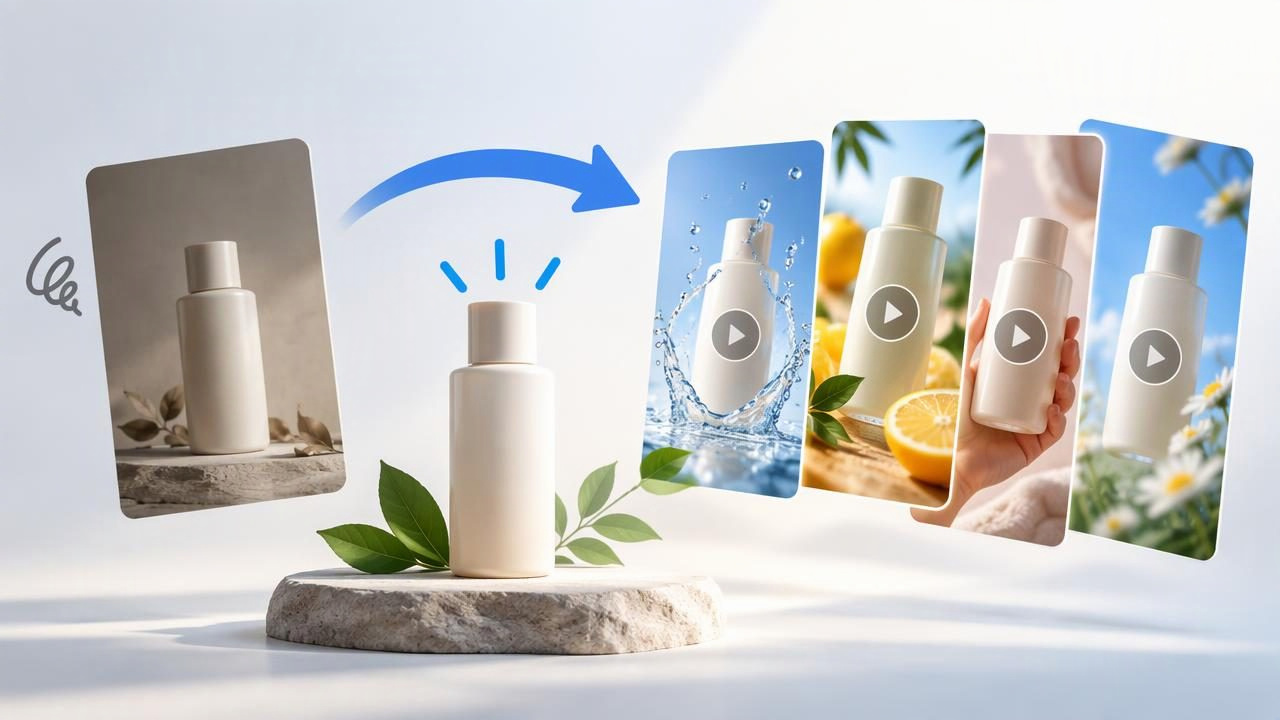
An ad can start to feel tired even when the product, offer, and audience are still relevant. The opening looks familiar, the same benefit appears in every version, and viewers may have already seen the creative several times. Refreshing it does not always require a new photoshoot or a different product. Often, the more useful first step is to change the story the ad tells.
To refresh tired ad creative, keep the product facts constant while testing different hooks, situations, and visual approaches. A single product photo can help you plan and compare AI-generated UGC-style video concepts, but those concepts are creative options—not proof that the product performs as shown. Treat them as hypotheses to review and test, not as verified product results.
What makes ad creative feel tired?
Creative fatigue is a practical description, not a diagnosis you can make from one metric alone. A familiar ad may lose attention because the audience has seen it repeatedly, because the opening no longer feels relevant, or because the message is not distinct from other content in the feed. Performance can also change for reasons unrelated to the creative, including audience, placement, budget, seasonality, or the offer.
Before replacing an ad, check what you can actually observe. Compare delivery and engagement over a consistent period, review comments and feedback, and look at whether people appear to drop away early. Use the metrics available in your ad platform as clues, not as automatic proof that the creative itself is the problem. If multiple factors changed at once, it may be difficult to tell what caused the difference.
A useful refresh gives the audience a new reason to pay attention while preserving accurate product information. That might mean changing the first line, demonstrating a different use case, or shifting from a feature-led story to a problem-and-solution explanation. It does not mean inventing a benefit, result, or customer experience.
Start with one image and a clear creative question
A clean product photo can be a useful starting point for visual storytelling. It gives a video concept a reference for the product’s visible shape, color, packaging, and presentation. It does not tell you everything about how the product works, feels, fits, tastes, or performs. Those details need reliable source information and, where necessary, real footage or substantiation.
Before developing variations, write down what must remain fixed: product name, key features, price or offer if included, required disclosures, and claims you are allowed to make. Then choose one question for the refresh, such as: Can a use-case opening communicate the product’s purpose more clearly than a feature list? Keeping a focused question makes the concepts easier to compare.
For example, imagine a fictional insulated travel mug. The only verified source material in this example is a product photo and an approved description stating that the mug has a lid and is intended for carrying drinks. That information does not establish how long it keeps a drink hot, whether it is leakproof, or how a particular person feels about it. Those claims should not appear unless separately verified.
Compare three video concepts, not three random edits
Use the same product image and approved facts to outline concepts with meaningfully different angles. The following are fictional creative examples for planning purposes. They do not show actual generated outputs, customer experiences, or product results.
| Concept | Opening idea | What it tests | Guardrail |
|---|---|---|---|
| Routine-based | “Packing your drink before you head out?” | Whether an everyday moment feels relevant | Do not imply a specific performance result |
| Feature-led | “A closer look at the lid and shape.” | Whether a visible product detail earns attention | Show only details supported by the image or source material |
| Question-led | “What do you look for in a travel mug?” | Whether a conversational opening invites interest | Do not present a fictional speaker as a real customer |
The concepts differ in the reason to keep watching, not merely in caption color or music. That distinction makes a comparison more informative. If you change the hook, setting, claims, pacing, and call to action in every version, you may not know which change mattered. For an initial round, hold the product facts and offer steady, then vary one main creative dimension at a time.
How to refresh tired ad creative step by step
- Audit the existing ad. Note its opening, central message, visual treatment, and call to action. Identify what feels repetitive rather than assuming the entire campaign needs replacing.
- Choose a single audience need or use case. Base it on research, product documentation, or existing customer questions you are permitted to use. Avoid inventing a customer profile just to make a script sound authentic.
- Set claim boundaries. Separate verified facts from ideas that still need evidence. Remove claims about outcomes, durability, safety, or superiority unless they are properly supported.
- Write distinct concept briefs. Give each version a different hook or storytelling angle. Keep the product, core facts, and offer consistent so the comparison has a clear purpose.
- Use the product photo as a visual reference. Check that any AI-generated UGC-style scene keeps the item recognizable and does not add misleading packaging, accessories, or product behavior.
- Review every frame and line. Look for visual distortions, inaccurate demonstrations, unreadable text, implied endorsements, and claims that go beyond the source material. A plausible-looking scene is not evidence that it happened.
- Test thoughtfully. Where practical, compare versions under similar conditions and allow enough time for useful observations. Record what changed and avoid treating a small or noisy difference as a reliable conclusion.
Keep creative examples separate from product results
AI-generated scenes can help a team imagine how a product might be introduced in a casual, creator-style format. They can support brainstorming, storyboarding, and the comparison of hooks before a team decides what to produce or test. But a generated scene is not a customer testimonial, an authentic review, or proof that a feature works.
This distinction matters especially when a video depicts hands using an item, a person reacting to it, or a setting that implies a particular result. If the scene was generated, do not label the person as a real customer or suggest they personally experienced the product. Do not use a visual demonstration to imply an unsupported claim. Follow relevant advertising rules and platform policies, and disclose synthetic or altered content where required.
For the travel mug example, a concept could show the item beside a packed bag and use a neutral line about taking a drink along. It should not show a spill-free bag, claim that the drink stays hot for hours, or invent a delighted customer reaction unless those elements are verified and appropriately represented. The concept is a way to explore a message, not a substitute for product testing or authentic customer evidence.
How to judge whether the refresh is useful
Evaluate the creative against the question you set at the start. If you were testing whether a routine-based hook attracts attention, review suitable attention or viewing measures alongside downstream indicators relevant to your campaign. If you were testing clarity, inspect comments, questions, or other feedback for signs that the product and its purpose are understood. The right measures depend on the objective and the data available.
Keep a simple record of each version: the hook, the visual concept, the facts used, the audience and placement, the dates, and the observations. This helps prevent a common mistake: declaring a winner when versions were served to different audiences or under different conditions. Results from one test may not generalize to every placement, audience, or future campaign.
Also distinguish creative performance from business outcomes. A video that receives more views has not necessarily produced more sales, and a short test may not establish causation. Treat results as directional unless the test design and evidence support a stronger conclusion. Use what you learn to form the next focused question rather than changing every part of the ad at once.
Common mistakes to avoid
- Changing everything at once: Multiple simultaneous edits make it harder to learn which creative choice helped.
- Over-polishing the concept: A casual visual style should still be clear, accurate, and appropriate for the brand.
- Confusing a generated scene with authentic UGC: Do not imply that a fictional speaker or event is real.
- Adding claims to make the story stronger: Keep all statements within the evidence and approved product information.
- Judging on one metric: A single engagement signal rarely explains the full campaign outcome.
Build a repeatable creative refresh habit
Refreshing tired ad creative works best as a learning process: identify what has become repetitive, define a focused creative question, and compare a small set of distinct concepts without changing the underlying facts. Product photography can make it easier to explore visual directions, while careful review keeps those directions grounded in what the product actually is and does.
For a practical next step, write three hooks for one product image, label each as a creative hypothesis, and note what evidence would be needed before making any product claim. Teams exploring photo-based video concepts can also consult UGCMade’s guide to testing ad variations for a related framework. Keep the distinction clear throughout: concepts help you decide what to test; only appropriate evidence and well-designed measurement can tell you what happened.
