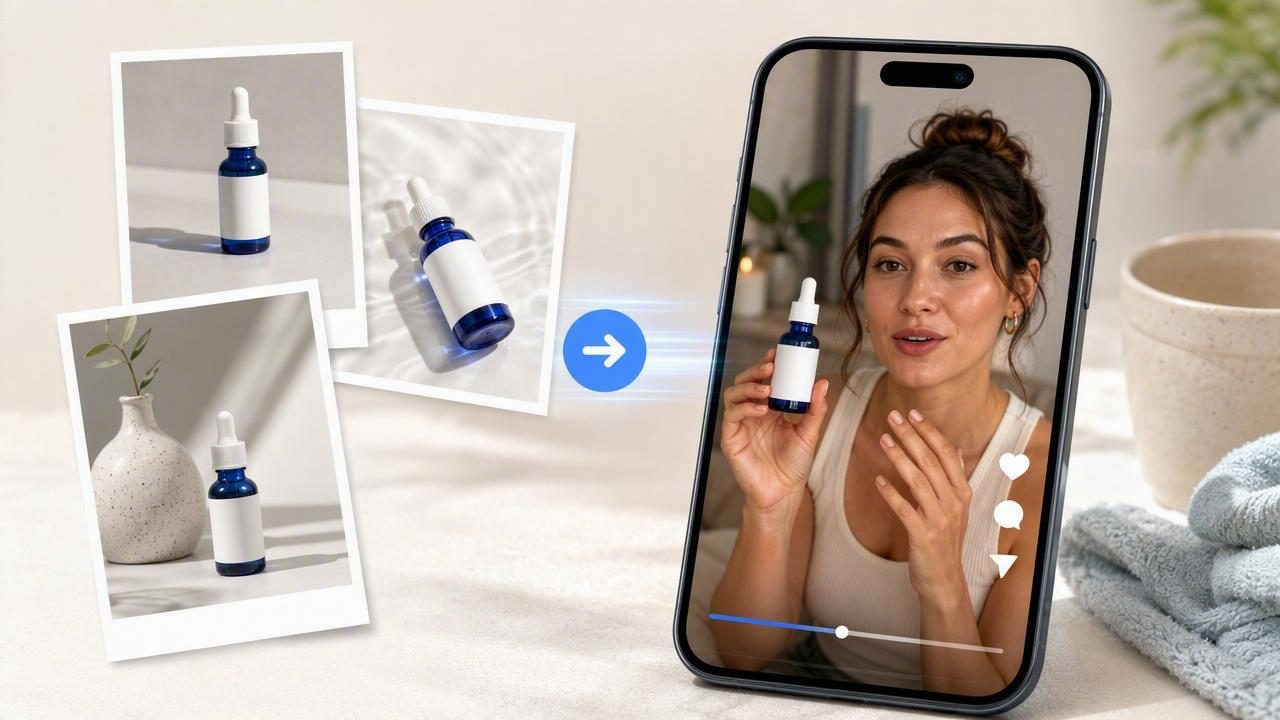
Brands increasingly need short-form video content, but arranging product shoots, finding creators, and editing multiple variations can take time. Learning how to turn product photos into UGC videos gives marketers a practical way to explore creator-style ad concepts before committing to a larger production effort.
A product image is not a finished video brief on its own. It is the visual reference point for a concept: the product’s shape, packaging, color, texture, and key details. The real creative work is deciding what the video should communicate, who is speaking, what problem is being addressed, and why a viewer should keep watching.
This guide explains how to use a single product photo to prepare, compare, and improve AI-generated UGC-style video concepts. It also covers what these concepts can and cannot prove, so you can use them responsibly in your video marketing workflow.
What Does It Mean to Turn Product Photos Into UGC Videos?
UGC-style video refers to content designed to resemble the approachable, personal format often seen in creator reviews, product routines, unboxings, demonstrations, and social media recommendations. It may include a casual setting, direct-to-camera language, product close-ups, captions, and a clear opinion or use case.
When you turn a product photo into a UGC video, the product image acts as a visual anchor. An AI-generated concept may place that product in a suitable scene, show a person holding it, create supporting product shots, or pair the image with a creator-style script.
The goal is not to claim that an image alone can verify every product detail or replace a real product demonstration. Instead, it helps you develop creative directions efficiently.
Start With a Product Photo That Supports the Story
Not every image will support the same type of video. A clean, high-resolution product photo gives a creative system more useful visual information and helps your team evaluate whether the product remains recognizable throughout the concept.
What to look for in a source image
- Clear packaging: Labels, logos, colors, and product form should be easy to see.
- Simple lighting: Avoid harsh shadows that hide important features.
- Accurate color: Use imagery that represents the real product as closely as possible.
- Limited visual clutter: A plain or unobtrusive background makes the product easier to interpret.
- Useful angle: A front, three-quarter, or detail-oriented view often works better than an extreme angle.
If the product has details that must be exact, such as ingredients, controls, measurements, certifications, or shade names, keep those claims out of the generated visual unless you can review and verify them. A photo-to-video concept should never become a reason to overstate what the product does.
Build the Video Concept Before Generating Anything
The strongest creator-style videos have a simple idea at their core. Before generating a concept, define the audience, problem, format, message, and visual proof point. This prevents a generic “person holding product” video that lacks a reason to exist.
| Creative decision | Question to answer | Example for a skincare serum |
|---|---|---|
| Audience | Who should recognize themselves in this video? | People building a simple evening skincare routine |
| Problem | What frustrating moment opens the story? | “My routine had too many steps, so I stopped using it.” |
| Product role | How does the product fit into the routine? | A simple step used after cleansing |
| Proof point | What can be shown without unsupported claims? | Texture, packaging, application sequence, routine context |
| Call to action | What should a viewer do next? | Explore the product details or save the routine idea |
A Concrete Example: Three UGC Video Concepts From One Product Image
Imagine you have one clear photo of a reusable insulated water bottle. Rather than generating three nearly identical clips, use the same photo to compare different visual storytelling angles.
Concept 1: The everyday inconvenience hook
This concept opens with a relatable statement: “I kept buying drinks when I was out because my old bottle leaked in my bag.” The video then shows a creator-style character packing the bottle near a laptop, keys, and a tote bag. Product close-ups focus on the cap and bottle shape, followed by a casual “take it with me” routine moment.
This is a problem-first concept. It works best when the product’s design can visually support the situation. Do not claim that the bottle is leakproof unless that is a verified product specification and the claim is approved for use.
Concept 2: The routine-based recommendation
This version begins with: “My desk setup is finally helping me remember to drink water.” The visual setting is a work desk, with the bottle appearing next to a notebook and computer. The story is less about a product feature and more about how the product fits into a daily habit.
This approach can be useful for brand engagement because it gives viewers a familiar lifestyle context. It is also flexible: the same bottle photo could appear in a gym bag, commuter routine, or weekend outing, provided the visual scenes remain believable.
Concept 3: The gift or aesthetic angle
The third variation opens with: “If you need a useful gift that does not feel boring, this is my go-to idea.” The product appears in a gift-wrapping or kitchen-counter scene, with attention on its color, finish, and presentation.
This concept prioritizes visual appeal and occasion-based relevance. It may be appropriate for seasonal campaigns, but it should not imply availability, pricing, or personalization options that have not been confirmed.
How to Compare Video Concepts Fairly
Creative testing is more useful when you change one major variable at a time. If every version has a different opening, setting, audience, script, and call to action, it becomes difficult to identify what made one direction more promising.
For the water bottle example, keep the product photo, approximate video length, and call to action consistent. Then compare the primary angle: inconvenience, routine, or gifting.
- Review the first three seconds: Is the hook understandable without sound?
- Check product recognition: Does the product remain visually consistent and easy to identify?
- Assess message clarity: Can a viewer explain the core idea after one watch?
- Look for visual credibility: Do hands, reflections, labels, movement, and product placement appear plausible?
- Verify every claim: Remove language that cannot be substantiated by approved product information.
- Match the destination: A paid social ad, organic post, product page video, and email asset may need different pacing.
Useful creative testing principle: Compare concepts to learn which message deserves further investment, not to treat an early generated video as final evidence of product performance.
Write Prompts Around the Story, Not Just the Product
A vague instruction such as “make a UGC ad for this water bottle” leaves too many creative choices undefined. A stronger prompt describes the audience, location, mood, camera behavior, storyline, and visual limitations.
Create a vertical creator-style video concept for a reusable insulated water bottle.
Audience: commuters who want a simple daily hydration habit.
Setting: bright home entryway before leaving for work.
Hook: “I stopped forgetting my water when I started keeping this by the door.”
Visuals: casual handheld framing, product close-ups, packing a tote bag,
realistic morning light, on-screen captions.
Avoid: unverified performance claims, unreadable labels, exaggerated product transformations,
or references to pricing and promotions.
This prompt does not guarantee that every visual detail will be perfect. It does, however, make the intended story clearer and gives reviewers a better basis for deciding whether the output aligns with the brand.
Limitations to Keep in Mind
AI-generated UGC-style videos are creative materials, not independent product testing. Review them carefully before publishing, especially when they show product use, people, packaging, or product outcomes.
- Generated labels and small text may be inaccurate or distorted.
- Hands, product interactions, shadows, and reflections may require close review.
- A video may suggest a use case that is not appropriate for the product.
- Creator-style language can sound like a personal testimonial, even when it is fictional. Avoid presenting generated opinions as real customer experiences.
- Health, safety, performance, sustainability, and comparative claims need appropriate substantiation.
- Strong creative concepts do not automatically predict sales, conversion rates, or audience response.
For regulated categories such as cosmetics, supplements, food, finance, children’s products, or health-related goods, involve the relevant approval team before publication. The more specific the claim, the more important the review process becomes.
Use Product Photos as a Starting Point for Better Content Creation
The most practical way to turn product photos into UGC videos is to treat each output as a concept board in motion. Start with an accurate image, choose one audience problem or desire, create several distinct angles, and review the output for visual accuracy and claim compliance.
This approach supports more thoughtful video marketing than simply generating variations at random. It can help a team decide whether a product needs a problem-solution script, a routine-based story, an unboxing-style format, or a design-focused visual treatment.
For a closer look at the workflow, UGCMade’s product photo-to-video guide offers additional context on moving from a product image to a video concept. The important next step is still human judgment: select the story that is clearest, most accurate, and most relevant to the audience you want to reach.
