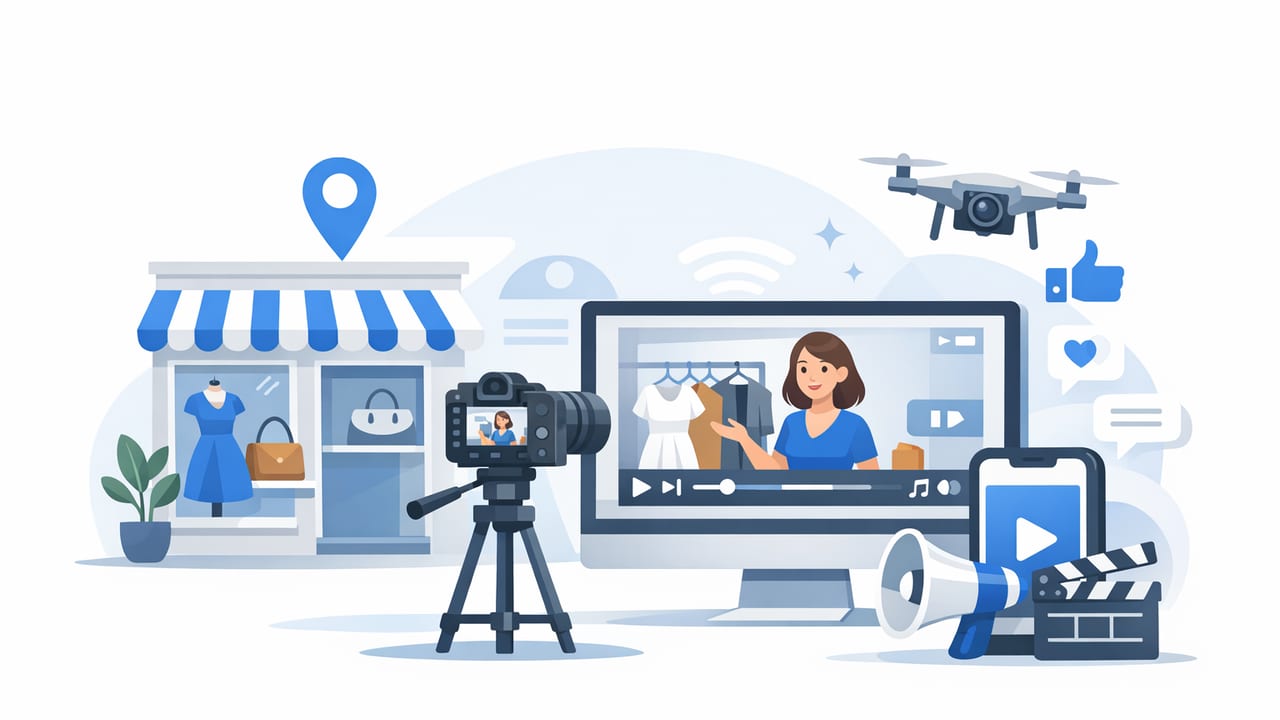
If you’ve searched “local boutique marketing videos near me”, you’re likely trying to solve a specific problem: you want scroll-stopping video content that feels local, authentic, and shoppable—without wasting time or budget on the wrong approach. The good news is that boutique marketing videos don’t require a huge production crew. What they do require is a clear plan, the right format for the platform, and a workflow you can repeat.
This guide walks through how to choose the best local option (or DIY it), what to film, how much to budget, and how to publish videos so they actually drive foot traffic and sales.
What “near me” should mean for boutique video marketing
When people say “near me,” they usually want one (or more) of these:
- Fast turnaround (you can shoot this week, not next month).
- Location familiarity (the videographer understands local vibes, lighting, and seasonality).
- In-person filming (store walkthroughs, try-ons, street shots).
- Easy coordination (short travel time, fewer scheduling headaches).
But “near me” shouldn’t come at the expense of fundamentals: great framing, strong hooks, clean audio, and editing that matches the platform you’re posting on. Your goal is to combine local authenticity with platform-native video.
Pick a video goal first (so you don’t overshoot the budget)
Boutique videos work best when each video has one job. Common goals include:
- Drive store visits: highlight location, parking, hours, neighborhood landmarks.
- Sell specific products: new arrivals, best sellers, limited drops.
- Grow repeat customers: styling tips, care guides, “how to wear it” series.
- Build trust: behind-the-scenes, staff picks, customer reactions.
Rule of thumb: If a viewer can’t tell what you sell, where you are, and what to do next within the first 3–5 seconds, the video won’t convert—no matter how pretty it looks.
Best-performing boutique video formats (and when to use them)
| Format | Best for | Ideal length | Key tip |
|---|---|---|---|
| Store walkthrough + hook | Foot traffic, discovery | 10–25s | Open with your strongest visual aisle/display |
| Try-on carousel (video) | Sales + saves | 12–30s | Add on-screen sizing notes (“S–XL, wearing M”) |
| “New arrivals” drop | Urgency, repeat visits | 8–15s | Show 5–7 items max; keep pacing fast |
| Staff picks | Trust, personality | 15–35s | Include one honest detail (“runs small,” “super soft”) |
| Event recap (trunk show, launch) | Community, brand | 20–45s | Capture faces, laughter, movement, signage |
Pre-production: the simple plan that makes filming easy
You don’t need a 20-page treatment. You do need clarity on four things:
- Offer: What are you promoting (new arrivals, sale, styling appointment, event)?
- Audience: Who is it for (workwear shoppers, gift buyers, teens, capsule wardrobe fans)?
- Message: One sentence that should stick (“Elevated basics you can try on today”).
- Call to action (CTA): “Visit today,” “DM to reserve,” “Shop the drop,” “Book a styling slot.”
A repeatable boutique video script (plug-and-play)
Use this structure for most short videos:
- Hook (0–3s): “If you’re looking for outfits that work from brunch to dinner…”
- Proof (3–12s): show 3–5 items on rack/try-on, include close-ups of texture.
- Local anchor (optional, 1–2s): storefront sign, street corner, recognizable landmark.
- CTA (last 2s): “We’re open until 7—come try these on.”
Shot list: what to film in 60 minutes (and reuse for weeks)
If you hire someone local—or film yourself—this shot list is your best friend. Capture these in one session:
- Exterior: sign, door opening, window display, a quick pan of the street.
- Interior wide: one smooth walkthrough of the most visually strong section.
- Product close-ups: fabrics, details, tags, accessories, stitching.
- Try-on clips: 3 outfits, 2 angles each (front + side), 3–5 seconds per clip.
- Human moments: greeting, folding, steaming, ringing up, laughter.
- “Proof” assets: best-seller rack, “new arrivals” sign, fitting room area.
With just these clips, you can edit: new arrivals videos, staff picks, style tips, and seasonal promos—without re-shooting every week.
How to choose the right “near me” option (vendor vs DIY)
There are three common paths. Your best choice depends on speed, budget, and how often you need content.
| Option | Best when | Pros | Trade-offs |
|---|---|---|---|
| Local videographer/production team | You need premium brand feel + minimal effort | High quality, creative direction, lighting/audio | Higher cost; scheduling; may deliver fewer monthly videos |
| DIY smartphone + simple editing | You want volume and agility | Fast, authentic, low cost | Learning curve; inconsistent quality without a process |
| Photo-to-video workflow | You already have product photos and need video consistently | Efficient, repeatable, great for product highlights | Less “in-store” atmosphere unless you mix in real clips |
Questions to ask a local videographer (before you book)
- Can you deliver in vertical 9:16 for Reels/TikTok/Shorts?
- How many final cutdowns are included (10s, 15s, 30s)?
- Do you include captions and on-screen text (or is that extra)?
- What’s your approach to hooks and platform-native pacing?
- Can we structure this as a monthly batch shoot (more cost-effective)?
Budgeting: what boutiques should expect to pay (and why batching matters)
Pricing varies by market, but the pattern is consistent: one-off shoots cost more per finished video than a repeatable monthly system. For boutiques, consider batching:
- One 60–90 minute shoot per month
- 8–20 short videos edited from the same session
- Seasonal refresh of exterior and store walkthrough shots
Batching keeps your feeds active without needing constant filming—and gives you enough variations to test hooks and CTAs.
DIY filming tips that instantly improve quality
If you’re creating “near me” boutique videos yourself, these fundamentals make the biggest difference:
- Light: Face a window or shoot near the entrance. Avoid overhead-only lighting for try-ons.
- Stability: Use a small tripod or lean your phone on a stable surface.
- Audio: If speaking, record with a simple lav mic or do a voiceover later.
- Framing: Keep the subject centered, leave space for on-screen text.
- Movement: Slow walking shots beat fast pans. Let textures “catch” the light.
On-screen text templates that convert
- “New arrivals: sizes XS–XL”
- “3 outfits for work → weekend”
- “Under $50 gift picks”
- “In-store exclusive colors”
- “Try-on: wearing size M (true to size)”
When product photos are enough: a fast photo-to-video workflow
Not every boutique video needs live filming. For accessories, jewelry, candles, beauty, and curated gift items, product photos can power effective video—especially for ads and product highlights.
A simple workflow:
- Choose 6–12 photos per collection (wide, close-up, detail, packaging).
- Write a 1-sentence message and a CTA (keep it consistent across the set).
- Create 3 versions: one “new arrivals,” one “giftable,” one “best seller.”
- Export in 9:16 and add captions/on-screen text.
- Mix in 1–2 local clips (storefront, shelf pan) to keep the “near me” feel.
Example: caption + CTA formulas
Keep captions scannable. Use this pattern:
- Line 1: Who it’s for + what it solves
- Line 2: What’s included (or price range)
- Line 3: CTA + location cue
Work-to-weekend outfits just landed.
Sizes XS–XL, limited quantities.
Visit us today or DM to reserve for in-store pickup.
Publishing: where “near me” videos win (and how to optimize)
To make “local boutique marketing videos near me” work in practice, your videos should show up where local shoppers already look:
- Google Business Profile: upload short clips and keep photos/videos fresh.
- Instagram Reels: strongest for boutique discovery + saves.
- TikTok: great for try-ons, staff picks, and story-based hooks.
- YouTube Shorts: underrated for search-based discovery over time.
- Local ads: run a 10–15s vertical video with a tight radius targeting.
Local SEO cues to include (without sounding spammy)
- Show the storefront sign in the first or last second.
- Use a location mention in on-screen text (“Downtown,” neighborhood name).
- Add keywords naturally in captions (e.g., “boutique,” “in-store,” “near [area]”).
- Tag nearby landmarks or cross streets when relevant.
Measurement: the metrics that matter for boutiques
Track performance based on your goal:
- Foot traffic goal: saves, shares, map views, direction requests, in-store mentions (“I saw this reel”).
- Sales goal: link clicks, DMs, product inquiries, conversion rate from campaign traffic.
- Brand goal: watch time, followers, repeat viewers, comments quality.
If you run paid campaigns, use clean UTM tags so you can attribute results:
utm_source=instagram&utm_medium=paid_social&utm_campaign=new_arrivals&utm_content=reel_01FAQ: local boutique marketing videos
How many videos should a boutique post per week?
Start with 2–4 short videos per week. Consistency matters more than volume. Batch-shooting once a month makes this realistic.
What’s the best length for boutique videos?
For most boutiques, 10–25 seconds performs well for discovery. Educational try-ons and styling tips can go 25–45 seconds if the pacing stays tight.
Do I need professional models?
No. Many boutiques see better engagement with real staff or authentic customers (with permission). Fit notes and honest commentary often outperform polished modeling.
How do I keep videos “local” if I use product photos?
Add a short clip of your storefront, in-store shelves, packaging at the register, or a recognizable neighborhood visual. That small cue reinforces the “near me” intent.
Putting it all together: a simple 30-day boutique video plan
- Week 1: Store walkthrough + “what we’re known for”
- Week 2: Try-on: 3 outfits for one occasion
- Week 3: New arrivals + close-up detail shots
- Week 4: Staff picks + quick Q&A (voiceover)
Repeat monthly, swapping in seasonal themes (events, gift guides, back-in-stock, weather changes) while keeping the structure consistent.
Closing thought
The best results for people searching “local boutique marketing videos near me” come from a repeatable system: clear hooks, a reliable shot list, platform-native editing, and steady publishing. Whether you hire locally, film on a phone, or turn existing product photos into short videos, the goal is the same: make it easy for nearby shoppers to discover you, trust you, and take action.
If you’re exploring a photo-to-video workflow for product-focused clips, tools like UGCMade can help streamline the process—especially when you want consistent videos from existing images.
