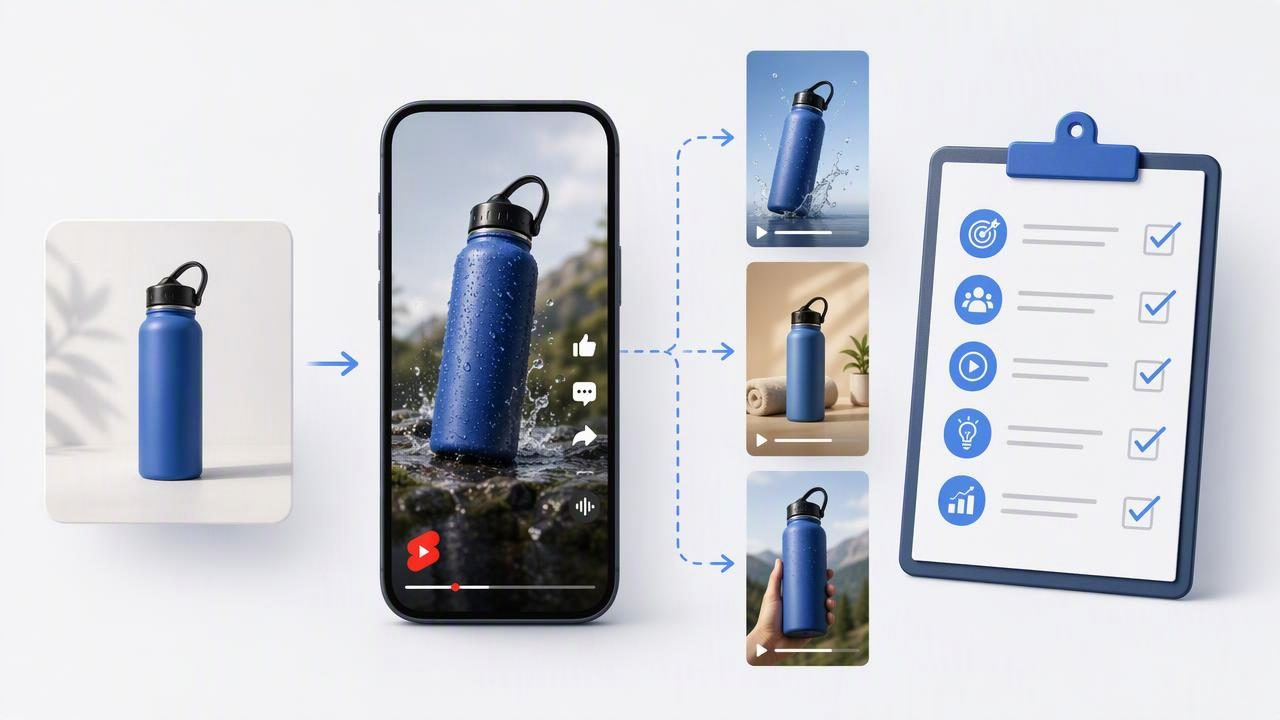
Creating YouTube Product Shorts does not always require a full studio shoot, a cast of creators, or dozens of product samples. A strong product image can become the starting point for planning several creator-style video concepts—provided you treat the image as a source of visual evidence, not proof that every idea will work.
This checklist helps marketers, ecommerce teams, and founders use a social video ad tool thoughtfully. The goal is to prepare concepts that are clear enough to compare, practical enough to produce, and honest about what a product photo can and cannot show. Rather than making random variations, you will build short-form video ideas around specific customer questions, product details, and viewing situations.
The result is a more organized approach to product photography, video marketing, content creation, and visual storytelling for YouTube Shorts.
Start With What the Product Image Actually Proves
Before writing a hook or selecting a creator-style scenario, inspect the product photo closely. A single image can support certain claims visually, while other claims need additional footage, documentation, or careful wording.
For example, imagine you sell a stainless-steel insulated water bottle. Your product photo shows a matte navy bottle, a carry loop, a screw-top lid, and the bottle beside a backpack. From that image, you can reasonably build video concepts around:
- The bottle’s color, shape, lid style, and portability.
- A commuter, gym, school, or travel setting suggested by the backpack.
- A close-up visual sequence featuring the cap, loop, and surface finish.
- A simple “what I pack every day” or “desk-to-gym essential” story.
However, the photo alone does not prove how long the bottle keeps drinks cold, whether it is leakproof, how it performs after being dropped, or whether it fits every cup holder. Those may be valid product attributes, but they need verification from reliable product information before appearing as on-screen text, voiceover, or captions.
Rule of thumb: Let the image guide the visual story. Let verified product information guide the claims.
YouTube Product Shorts Checklist Before You Create Concepts
Use this checklist on the exact image you plan to use. It is more useful than starting with a vague instruction such as “make a viral product video.”
- Choose one product job. Identify the practical moment the product supports. For the water bottle, that may be carrying a drink between work and a workout—not “improving your life.”
- Identify three visible details. Write down features that can be seen without assumption: carry loop, textured matte exterior, screw-top cap.
- Set the viewer context. Decide who is watching and why. A busy commuter may care about portability; a hiker may care about packing space; a student may care about everyday convenience.
- Define one video promise. The Short should answer one question, such as “What makes this easier to carry?” Avoid trying to explain every feature in one clip.
- Plan the opening frame. The first moment should make sense with the available image. A close product crop, hand-held viewpoint, or bag-packing setup can work better than an unrelated dramatic scene.
- Check text readability. Keep on-screen copy short enough to read quickly on a vertical mobile screen. Use high contrast and avoid placing key words over busy product details.
- Verify claims separately. List every performance, material, safety, price, or availability claim. Confirm each statement before publishing.
- Review brand consistency. Match the product color, packaging, logo treatment, and naming to approved product materials.
- Decide what success means. One concept may be designed to earn attention, another to explain a feature, and another to encourage a product-page visit. Do not judge every idea by the same signal.
Build Three Concepts From One Product Photo
A practical way to use a social video ad tool is to create comparable concepts from the same source image. Keeping the product image constant helps you evaluate the effect of the message, the opening, and the scenario without changing everything at once.
Using the water bottle example, here are three distinct YouTube Product Shorts concepts. These are creative examples for planning; they are not predictions of performance or verified product outcomes.
| Concept | Opening Hook | Visual Story | Main Message | What It Tests |
|---|---|---|---|---|
| Commute Reset | “One thing I stopped leaving at home.” | Bag opens, bottle is placed inside, then appears on a desk. | Easy everyday carry. | Relatable routine and convenience. |
| Detail-First Demo | “The small design detail I notice most.” | Close views of the carry loop, cap, and matte finish. | Visible product design. | Feature-focused attention. |
| Pack With Me | “My work-to-gym bag in 10 seconds.” | Fast packing sequence with bottle, towel, keys, and headphones. | Fits into an active routine. | Lifestyle context and product relevance. |
Notice that all three ideas can use the same product image while changing the audience angle. The commute concept leads with a personal routine. The detail-first concept gives the viewer a closer product look. The packing concept places the product within a familiar moment. This is a more useful comparison than producing three nearly identical videos with different music.
Write Short, Specific On-Screen Copy
YouTube Shorts viewers often decide quickly whether a video is relevant. The opening line should create a clear reason to keep watching, but it should not overstate what the product delivers.
For the example bottle, compare these options:
- Too broad: “The best bottle you will ever buy.”
- Too vague: “You need this.”
- More specific: “My desk-to-gym bag essential.”
- Feature-led: “A carry loop that makes grab-and-go simpler.”
- Routine-led: “Packed before my morning commute.”
Specific copy gives the visual a job to do. If the text says “carry loop,” the viewer should see the carry loop. If the line refers to packing, the visual should show a bag or a packing action. When words and visuals match, the Short feels more coherent and less like a generic ad.
A Practical 15-Second Structure
There is no universal ideal duration, but a concise product Short often benefits from a simple progression:
- 0–2 seconds: Present the product or a familiar problem context.
- 2–7 seconds: Show the most relevant visible detail or use moment.
- 7–12 seconds: Reinforce the product’s role in the routine.
- Final seconds: Use a straightforward next step, such as “See colors” or “Explore the details,” if appropriate for the destination.
This is not a formula for guaranteed engagement. It is simply a way to prevent a video from spending too long on an introduction before the viewer understands what is being shown.
Compare Concepts Fairly Before Publishing
When comparing AI-generated UGC-style video concepts, change one major variable at a time. If one Short has a different product image, different audience, different hook, different length, and different call to action, you will not know what caused any difference in viewer response.
For the three water bottle concepts, keep the following consistent where possible:
- The approved product image and accurate product appearance.
- The same destination page and core call to action.
- Similar video length and vertical framing.
- Comparable caption style and readable text placement.
Then vary the concept angle: convenience, visible design, or routine. Record each variation in a simple review sheet before it goes live.
Concept: Pack With Me
Audience context: Work-to-gym commuter
Opening text: “My work-to-gym bag in 10 seconds”
Visible proof: Bottle shown being packed and carried
Claim review: No unverified temperature or leakproof claims
Primary question: Does a routine-led hook earn stronger early attention?
This kind of documentation helps content teams distinguish between a creative hypothesis and an established result. A concept can be compelling in a planning review and still underperform with a real audience. Conversely, a simple product-detail video may outperform a more elaborate lifestyle scenario. Publishing and measurement are what turn ideas into evidence.
Important Limitations of Product Image to Video Workflows
A product image is a useful starting asset, but it has limitations. It may not show every angle, texture, interaction, accessory, or product size accurately. AI-generated movement and creator-style scenes should be reviewed carefully for details that could misrepresent the product, packaging, hands, environments, or use case.
Pay particular attention to these risks:
- Visual inaccuracies: A lid, label, logo, color, or accessory may appear inconsistent with the real product.
- Unsupported demonstrations: Do not imply durability, waterproofing, medical benefit, or performance outcomes that the available evidence does not support.
- Misleading social proof: Avoid invented reviews, customer quotes, expert endorsements, or “everyone is buying this” language.
- Audience mismatch: A trend-inspired format may not fit the product category or the people you want to reach.
- Platform changes: Check YouTube’s current publishing, disclosure, music, and advertising requirements before posting or promoting content.
Use the final review to ask a direct question: Would a customer recognize the real product and understand the message without being misled? If the answer is uncertain, revise the visual, simplify the claim, or use additional approved source material.
Turn the Checklist Into a Repeatable Content System
Once your team has used this process for one product, repeat it across a catalog. Choose one product image, identify its visible proof points, create three audience-led concepts, and document what each one is intended to test. Over time, this creates a practical library of hooks, visual patterns, and product storytelling angles.
For teams exploring product-photo-based video creation, UGCMade’s product photo-to-video guide offers additional context on turning a source image into video concepts. The key is to keep creative experimentation grounded in accurate product representation, clear messaging, and a fair comparison process.
