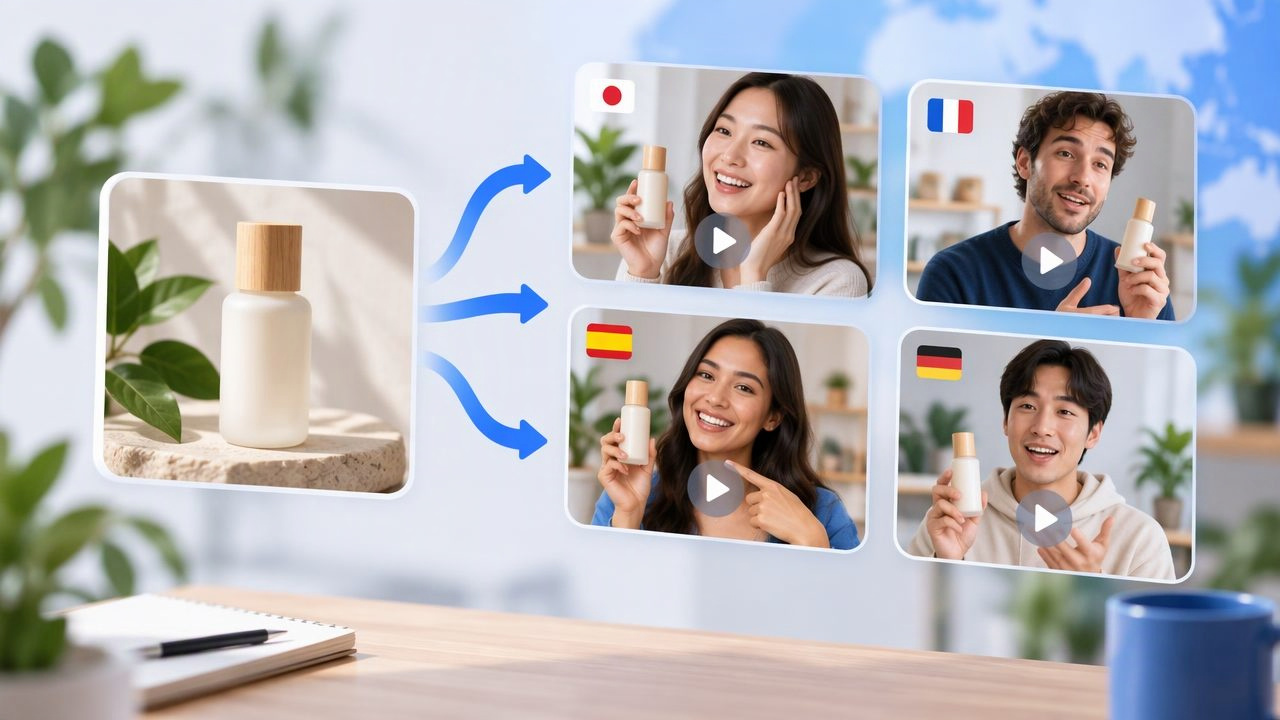
A multilingual UGC generator can help you explore creator-style video ideas in more than one language without starting every concept from scratch. For beginners, the key is to treat generated videos as creative concepts to review, not as proof that a product works or that an ad will perform.
A product photo gives the process a useful visual anchor: the product’s shape, packaging, color, and visible details. You can use that image to explore different hooks, scenes, and language versions, then compare which concepts communicate the intended message most clearly. The image cannot supply missing facts, customer experiences, or performance evidence, though. Those still need to come from reliable sources and careful review.
This guide explains how to prepare one image, plan multilingual variations, and assess the results. It also uses a clearly fictional example to show what a beginner can learn from concept comparisons—and what should not be inferred from them.
What a multilingual UGC generator can—and cannot—do
A UGC-style video is designed to resemble a person sharing or demonstrating a product in a social format. AI tools can help turn product imagery and creative direction into draft video concepts. Depending on the tool, the concept may include a spoken script, an on-screen message, a visual scene, or some combination of these. Check the tool’s actual capabilities rather than assuming every generator works the same way.
Adding languages can make it easier to develop localized drafts for different audiences. But translating a sentence is not the same as localizing an ad. Word choice, humor, levels of formality, units, cultural context, and product claims can all affect whether a message feels natural and accurate.
- Useful for: exploring different hooks, drafting language versions, and comparing creative directions.
- Not a substitute for: product testing, customer research, qualified translation, legal review, or real campaign results.
- Important distinction: a convincing-looking video is still a generated concept unless its statements and depicted use have been verified.
Start with a product photo that supports the story
Choose a clear, well-lit image that shows the product in a way that matches the intended video. A front-facing pack shot may work well for introducing packaging, while a lifestyle image may suggest a setting. Avoid relying on a photo to communicate information it does not actually show, such as how a product feels, how long it lasts, or whether it solves a particular problem.
Before using the image, check that you have permission to use it and that the product is not obscured by props or text. Look closely for details that must remain accurate: logos, label wording, colors, packaging proportions, and product variants. If the image is low-resolution, cropped, or visually busy, the generated scene may make important details harder to assess.
Make a short reference note alongside the image. Include only confirmed facts, such as the product name, intended audience, approved features, and any wording that must not change. Keep opinions and claims separate from verified product information. This makes it easier to spot when a draft adds a detail that the image and source material do not support.
Plan a small, meaningful concept comparison
Beginners often get more useful feedback by changing one creative variable at a time. If you change the hook, setting, language, and offer all at once, it can be difficult to explain why one draft feels clearer than another. Start with a single audience and a single product image, then develop a few distinct directions.
For example, imagine a fictional reusable water bottle. The product photo shows a blue bottle with a screw-top lid. Assume the only confirmed facts are its color and lid type; there is no verified information about insulation, capacity, or leak resistance. A beginner could prepare three concepts:
- Visual introduction: open on the bottle and invite the viewer to notice its design.
- Everyday context: place the bottle in a fictional desk scene, without implying a performance benefit.
- Question-led hook: ask what details someone checks when choosing a reusable bottle, then show the visible lid and color.
These are creative examples, not actual product results, user feedback, or proven ad messages. The desk setting does not establish that the bottle fits a particular bag, and a question about product choice does not demonstrate consumer preferences. Keep these distinctions visible in your notes and in any review document.
Localize the idea, not just the words
Once the concept directions are clear in the source language, adapt each one for the intended language. A direct translation may sound stiff, too formal, or longer than the available speaking time. Ask a fluent reviewer to check meaning, tone, pronunciation, and any product terminology before treating a localized script as ready to publish.
Use a simple localization brief for each language:
- Audience and context: Who is the message for, and where might they encounter it?
- Voice: Should the wording sound conversational, informative, playful, or restrained?
- Must-keep facts: Which approved details need to remain consistent across versions?
- Flexible elements: Which hook or phrase can be adapted to sound natural?
- Review needs: Who will check translation, claims, captions, and pronunciation?
For the bottle example, a localized version might change the phrasing of a question so it sounds natural in the target language, while keeping the visible product details and meaning intact. Do not add a regional claim, certification, or cultural reference simply because it sounds persuasive. If a phrase cannot be translated neatly, rewrite the idea while preserving its intent, then have a fluent speaker review it.
Compare drafts with a practical review table
Assess each concept against the same criteria. A short review table helps separate execution issues from the idea itself. It also discourages decisions based only on whether a draft looks polished.
| Review area | Ask this question | Common issue to flag |
|---|---|---|
| Product accuracy | Does the visual match the reference photo? | Changed label, color, shape, or lid |
| Claim accuracy | Can every product statement be verified? | Invented benefit or unsupported result |
| Hook clarity | Is the opening idea understandable quickly? | Vague wording or several messages at once |
| Language quality | Does it sound natural to a fluent reviewer? | Literal phrasing, awkward timing, or wrong register |
| Visual fit | Does the scene support the concept without misleading? | Unshown product use or distracting setting |
Record specific observations rather than a general score alone. For example: “The second opening is easier to understand, but the localized caption needs a shorter phrase.” That note is actionable. “This one feels better” may be a useful first reaction, but it does not explain what to revise.
Know the limits of image-based video concepts
A still photo contains limited information. It may not show how a product opens, moves, fits, sounds, or performs in real conditions. Generated motion can therefore introduce details that are visually plausible but inaccurate. Review hands, product proportions, packaging text, shadows, and any action shown around the product. If an important feature cannot be confirmed from the image or product documentation, do not present it as fact.
Language versions have their own limits. A generated script may use incorrect idioms, pronounce names unexpectedly, or fit captions poorly. On-screen text can be misrendered or difficult to read. A fluent review and a final check on the intended screen size can catch problems that an automated draft does not.
Also distinguish creative review from performance testing. Comparing drafts side by side can help a team select concepts to refine. It does not show which version will earn more attention, engagement, or sales. Those conclusions require an appropriately designed test with real audience exposure and measured outcomes. Do not label an idea “the winner” based on appearance alone.
A beginner workflow that stays grounded
- Select one usable image and confirm you have rights to use it.
- Write down verified product facts and mark claims that are unavailable or prohibited.
- Choose a single audience and communication goal for the first set of concepts.
- Draft a few distinct hooks while keeping the product facts and core message consistent.
- Adapt each concept for the target language and arrange a fluent review.
- Compare the drafts against shared criteria, including accuracy, clarity, localization, and visual fit.
- Revise or reject weak concepts before considering any real-world campaign test.
Keep a record of the image, source facts, language reviewer, and revisions. This lightweight documentation helps teams understand why a concept changed and reduces the chance that an unsupported detail slips into a later version.
Turn one image into better creative decisions
For beginners, the main benefit of a multilingual UGC generator is not that it removes review; it is that it can make it easier to explore and compare different creative directions. A carefully chosen product photo provides a visual starting point, while a concise brief protects factual accuracy. Thoughtful localization makes each language version more than a word-for-word copy.
Keep concepts separate from evidence, and treat generated scripts and scenes as drafts until they are checked. If you want a focused way to think about comparing creative directions, UGCMade’s guide to testing ad variations offers related context. The same principle applies across languages: review what the concept communicates, verify what it claims, and test performance only with real campaign data.
