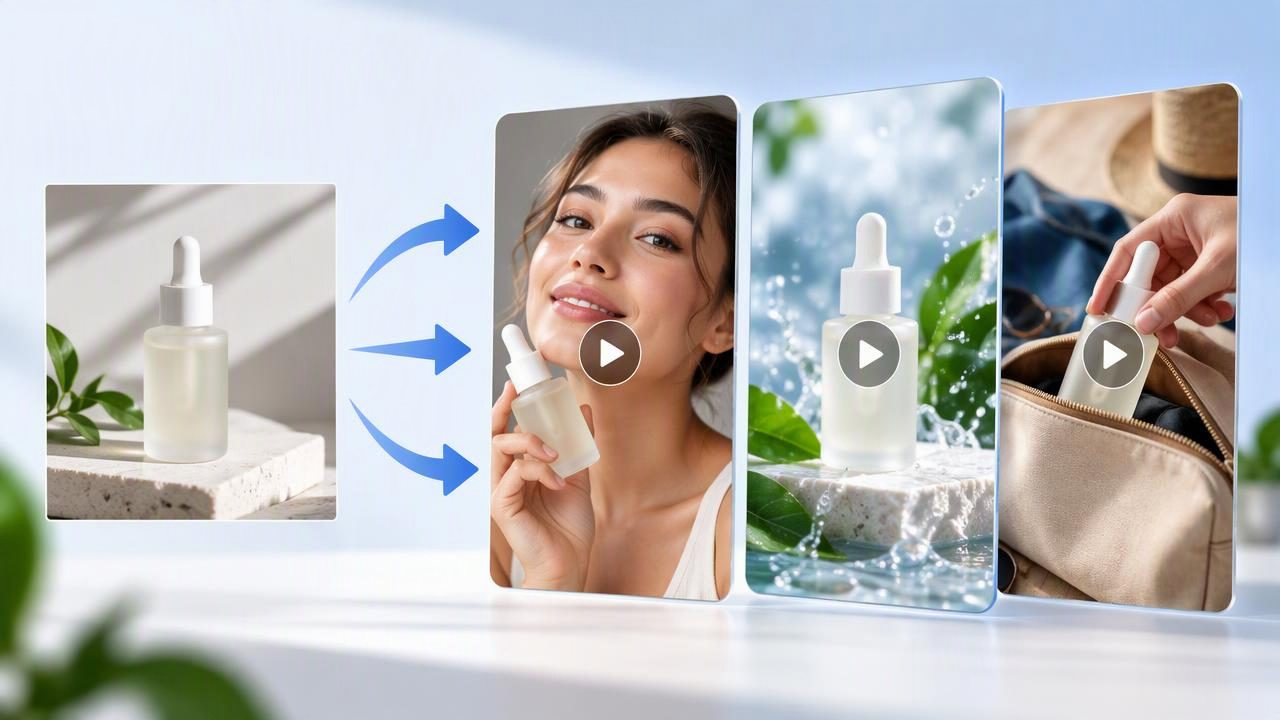
A product image can be a useful starting point for exploring UGC-style video ideas. Instead of commissioning a full shoot to test every angle, you can use one clear photo to develop and compare several creative concepts. But a polished preview is not the same as a verified product demonstration—and “no watermark” does not automatically mean an export is free to use anywhere.
This guide explains how to assess a no-watermark UGC video generator, prepare a product image for concept testing, and review the results with care. A hypothetical insulated bottle will serve as a running example. The concepts are creative illustrations, not real customer experiences or evidence of product performance.
What “no watermark” means—and what to check
A watermark is a visible mark or label placed over a video, often to identify a platform, creator, or preview version. A no-watermark UGC video generator may offer exports without that overlay, but the phrase alone does not tell you whether a particular plan, file type, or use case qualifies. Policies can differ, so check the tool’s current terms before building a workflow around them.
Confirm whether watermark-free downloads are available on the plan you intend to use, whether restrictions apply to video length or resolution, and what usage rights cover the output. Also check for required attribution, limits on commercial use, and how trial or preview exports are treated. If the tool’s terms are unclear, ask for clarification rather than assuming an unmarked video is automatically cleared for an ad campaign.
Inspect the finished file, too. A platform logo might be absent while captions, stock assets, or other elements still carry separate licensing conditions. Keep a record of the source image, chosen assets, tool terms, and final export settings. This simple review helps distinguish a technically watermark-free file from content that is ready for your intended use.
Start with a photo that can support a fair comparison
For concept testing, consistency matters more than elaborate photography. Choose a sharp, well-lit image that shows the product clearly, with its shape, packaging, and important visual details unobstructed. A plain background can make it easier to assess the product itself. Avoid relying on tiny labels or details that may be difficult to preserve in a generated video.
Before uploading, check that you have permission to use the image and that it does not include private information or visual elements you cannot license. Decide which product facts are confirmed—for example, material, dimensions, or care instructions—and write them down. Do not ask a video tool to infer claims from the photograph. A picture may suggest a feature without proving that the feature exists.
For the hypothetical bottle, imagine a front-facing image with the cap and body visible. The photo can help communicate the bottle’s appearance. It cannot, by itself, verify that the bottle keeps drinks cold for a particular number of hours, fits a specific cup holder, or never leaks. Those claims need reliable product information and, where appropriate, testing.
Build distinct UGC-style concepts from the same image
Use one source image and keep the product facts, audience, and basic length consistent while exploring different creative approaches. That makes it easier to compare the idea behind each video rather than confusing concept changes with new product information. If a tool supports prompts or scripts, give each concept a clear purpose and avoid adding details the source image cannot establish.
Here are three illustrative concepts for the bottle. They are creative examples only; they are not actual generated outputs, customer testimonials, or evidence that the product has these qualities.
| Concept | Opening idea | What the photo contributes | What needs verification |
|---|---|---|---|
| Everyday routine | “A bottle I keep by my desk” | A recognizable view of the bottle for a simple product introduction | Whether the product suits the described routine or has any stated capacity |
| Gift consideration | “Looking for a practical gift?” | A clean product view that helps viewers see its appearance | Gift packaging, included accessories, and delivery details |
| Design focus | “A closer look at the shape and finish” | Visible design elements, if the image captures them clearly | Material, finish, durability, and care claims |
These openings use a creator-style point of view without pretending to quote a real buyer. If you use a fictional narrator or AI-generated person, avoid presenting them as a verified customer. A first-person line such as “I use this every day” implies actual experience. Use neutral language instead, or clearly identify a dramatized scenario when that is appropriate for your campaign and compliant with applicable rules.
Compare the concepts without confusing them with results
Review each version against the same checklist. First, check product fidelity: does the bottle retain its recognizable shape, color, cap, and label? Then assess whether the opening communicates one clear idea, whether the pacing feels appropriate, and whether captions are readable on a mobile screen. Finally, review the voice, visuals, and call to action for consistency with your brand.
Keep a simple concept scorecard. Rate each item on a consistent scale, such as one to five, and add notes rather than treating the total as an objective prediction of ad performance.
- Product accuracy: Are visible details consistent with the source photo and approved product information?
- Concept clarity: Can a viewer understand the intended angle quickly?
- Brand fit: Do the language, tone, and visual style suit your audience?
- Disclosure and authenticity: Could the format mislead someone about who is speaking or what has been tested?
- Technical quality: Are there visual distortions, awkward movement, garbled text, or distracting transitions?
- Usage readiness: Have you checked watermark status, usage terms, asset rights, and platform specifications?
A higher score means a concept may be more suitable for further review; it does not show that the video will outperform another ad. To assess audience response, you need a properly designed test, consistent conditions, and actual campaign data. Do not describe a creative preview as a conversion result or proof of customer preference.
Know what a product photo cannot prove
AI-generated motion can make a still image feel more dynamic, but it can also introduce errors. A label may change, a cap may appear to move incorrectly, or a product’s proportions may shift between frames. Inspect the whole clip, not just the opening thumbnail. If a detail is important to the buying decision, consider using approved source footage or a real demonstration rather than relying on generated motion.
There is also a difference between a UGC-inspired visual style and genuine user-generated content. A creator-style edit may borrow familiar cues such as conversational framing, informal captions, or a direct-to-camera structure. Those cues do not make the speaker a customer, and they do not substantiate a product claim. Keep scripts accurate, disclose synthetic or staged elements when required, and avoid fabricated reviews, endorsements, or personal results.
One image also limits what a concept can show. It may provide a helpful starting point for visual storytelling, but it cannot establish how a product works in use, how it feels, or how it performs under real conditions. If the brief depends on those details, add authentic footage, verified documentation, or another source that supports them.
A practical workflow for a small creative test
- Define the question. Decide what you are comparing, such as an everyday-use opening versus a design-focused opening.
- Gather approved inputs. Use a product image you have rights to, plus accurate product facts and any required brand language.
- Write separate concept briefs. Give each version one distinct angle while keeping the audience and factual claims consistent.
- Review every frame. Correct or reject versions with distorted product details, unsupported statements, or misleading creator cues.
- Check the export. Confirm watermark status, file quality, licensing terms, and destination requirements before publishing.
- Test responsibly. If you run an ad experiment, change only the intended creative variable where possible and interpret results from real, adequately contextualized data.
For a practical overview of turning product imagery into video concepts, see UGCMade’s product photo-to-video guide. The core principle applies whatever workflow you choose: use a still image to explore creative directions, then verify the product, claims, permissions, and export before treating a concept as publishable content.
