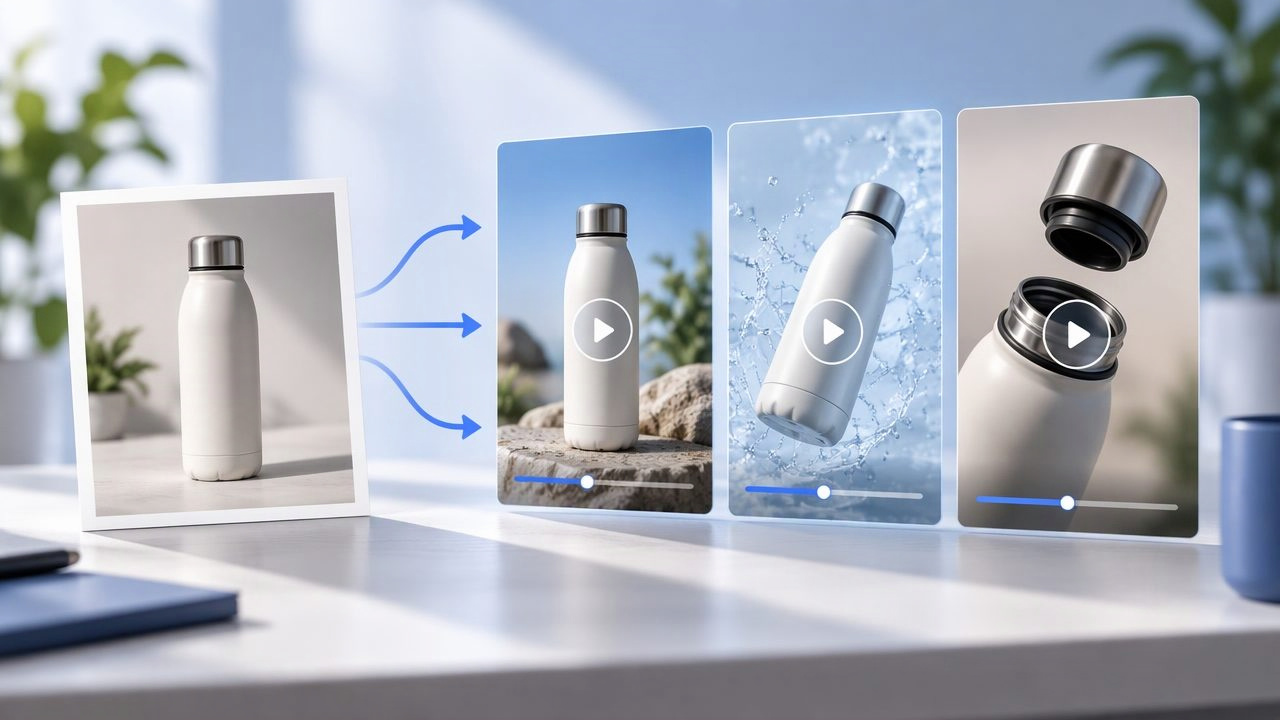
You can plan a product demo video without a camera by starting with a clear product photo and using it to explore different visual concepts. The photo provides a reference for the product’s appearance; a written brief supplies the message, audience, and details the image cannot show. AI-generated UGC-style concepts can then help you compare creative approaches before deciding what needs real footage or further verification.
The distinction matters: a generated concept is not proof that a product works as depicted. Treat it as a way to explore storytelling and presentation—not as evidence of product performance, customer experience, or results. Here’s how to use one image thoughtfully, with a concrete example and practical checks.
What a camera-free product demo can—and cannot—show
A product demo typically explains what an item is, highlights a useful feature, and helps a viewer picture how it fits into a situation. Without original camera footage, you can still develop a visual direction, draft a voiceover, and create a short-form concept around a product image. Depending on the tools and inputs available, a concept may use motion, text, narration, or a creator-style presentation.
However, a still photo does not document movement, sound, dimensions, durability, setup, or how a real person uses the item. AI may animate or reinterpret parts of the image, but that does not make the new detail accurate. If the video needs to demonstrate a physical action—such as a lid locking, a device connecting, or a fabric stretching—you need a trustworthy source for that action. A generated visual alone cannot verify it.
Start with a product photo that can serve as a reference
Choose an image where the product is easy to identify and the important details are visible. A clean, well-lit photo with a simple background can be a useful starting point. Check that the label, silhouette, color, and any distinctive components are legible. If the product has several parts, consider whether one image shows enough of them to support the concept you want to test.
- Use an accurate source image. Make sure it shows the current product version, packaging, and branding.
- Keep the product unobstructed. Cropped edges, glare, hands, or props can make key features hard to interpret.
- Gather supporting facts separately. Write down verified materials, dimensions, instructions, and approved claims instead of expecting the image to communicate them.
- Decide what must remain unchanged. Note details such as the logo, shape, color, and component placement so you can review the output against them.
A single photo is a visual anchor, not a complete product specification. If a detail is important to the demo but missing from the image, provide an accurate description or choose a different concept that does not depend on it.
Use one example to develop distinct concepts
Imagine a fictional reusable travel mug with a visible handle and a screw-on lid. The photo shows the mug closed against a plain background. It does not show whether the mug is leakproof, how it opens, or how long it keeps a drink warm. That boundary should shape the concepts.
Rather than asking for several versions of the same generic product introduction, define a different viewer question for each creative route:
- Everyday carry: Frame the mug as an item someone might take on a commute. The concept can focus on its visible form and portability, but should avoid claiming it fits a particular bag or cup holder unless that has been checked.
- Design close-up: Focus on the handle, finish, and overall appearance visible in the reference photo. This is a presentation concept, not a test of material quality or durability.
- Quick product introduction: Use a concise narration to identify the mug and share one verified feature supplied in the brief. Avoid inventing specifications to make the script sound more persuasive.
These are creative examples, not actual product results. The mug is hypothetical, and none of the concepts establishes how a real mug performs. If a real brand uses this method, it should replace the example’s assumptions with checked product information and review every generated scene.
Write a brief that gives the image a job
A helpful brief narrows the creative task. It tells the video creator what the audience should understand and which product facts are safe to use. Keep the language concrete, especially where a visual could imply a claim.
- Audience: Who is the video meant to help?
- Viewer question: What should the demo answer in a few seconds?
- Verified message: Which product detail can you substantiate?
- Visual boundaries: What actions, settings, or product features should not be invented?
- Tone and format: Should the concept feel like a calm explanation, a quick tip, or a creator-style introduction?
For the fictional mug, a safe brief might ask for a short, friendly introduction that shows the product clearly, calls out its visible handle and lid, and avoids claims about insulation, leak resistance, or fit. The prompt can request a creator-style delivery, but the resulting person or scene should not be presented as a real customer or testimonial.
Compare concepts by changing one creative choice at a time
When comparing AI-generated UGC-style video concepts, keep the product reference and core message consistent. Then vary one meaningful creative choice, such as the opening hook, narration style, or visual framing. If every version changes the setting, claim, pacing, and audience at once, it becomes difficult to tell what made the concepts feel different.
| Concept variable | Version A | Version B |
|---|---|---|
| Opening | Introduce the mug by name | Begin with a commute-related question |
| Visual emphasis | Show the full product | Focus on the visible handle and lid |
| Delivery | Direct, concise narration | Conversational creator-style narration |
| Product facts | Use the same approved description | Use the same approved description |
This is a comparison framework, not a performance test. The table says nothing about audience preference, engagement, or sales. It simply makes the creative differences easier to inspect. If you later run a real campaign test, define the audience, placement, budget, and measurement method separately; do not treat a visual preview as evidence of advertising results.
Review the output for accuracy before using it
Compare each concept with the source photo and your product notes. Look closely at the logo, color, proportions, lid, handle, and any text. AI-generated imagery can change or obscure these details, especially when the product is shown at an angle or combined with a new setting. A polished look is not a substitute for a faithful representation.
Then check every line of narration and every implied claim. Does the video suggest that the mug prevents spills, keeps drinks hot, or fits a certain holder? If so, can the brand substantiate that statement? Does a scene show the mug being filled, closed, carried, or cleaned in a way that the image cannot verify? Remove, replace, or validate unsupported actions before publishing.
Also consider how the presenter is framed. A synthetic creator-style character is a creative device, not a real user. Do not add fabricated first-person statements, personal experiences, or testimonials. If the concept uses a person, make sure the final presentation does not mislead viewers about who they are or what they have experienced.
Know when a still image is not enough
A photo-led concept is most useful when the goal is to explore messaging, visual tone, and possible openings. It is less suitable as a final demonstration when the main selling point depends on a real action or a detail the reference cannot establish. A kitchen gadget that must be shown cutting food, for instance, needs a reliable visual source for that process. A product with a complex setup may need accurate step-by-step footage or diagrams.
For those cases, use the generated concept to identify what footage you still need. It might reveal that viewers need to see a particular component, a scale reference, or a setup step. You can then plan a targeted shoot or collect approved product visuals. Camera-free ideation can help clarify a production brief; it cannot replace evidence the product story requires.
Turn a visual concept into a responsible demo
A sound process connects creative exploration to factual review. Start with a current, readable product photo and a short brief. Develop concepts with distinct hooks or presentations while holding the product facts steady. Compare the outputs for clarity, visual fidelity, and fit with the intended audience. Finally, verify claims and actions against reliable product information before deciding whether the result is ready to publish or needs real footage.
For more guidance on using a product image as the starting point for video ideas, see UGCMade’s guide to turning a product photo into video. Whatever tools you use, keep the central distinction clear: an AI-generated concept can help you plan a product demo video without a camera, but only accurate information and review can make that demo trustworthy.
