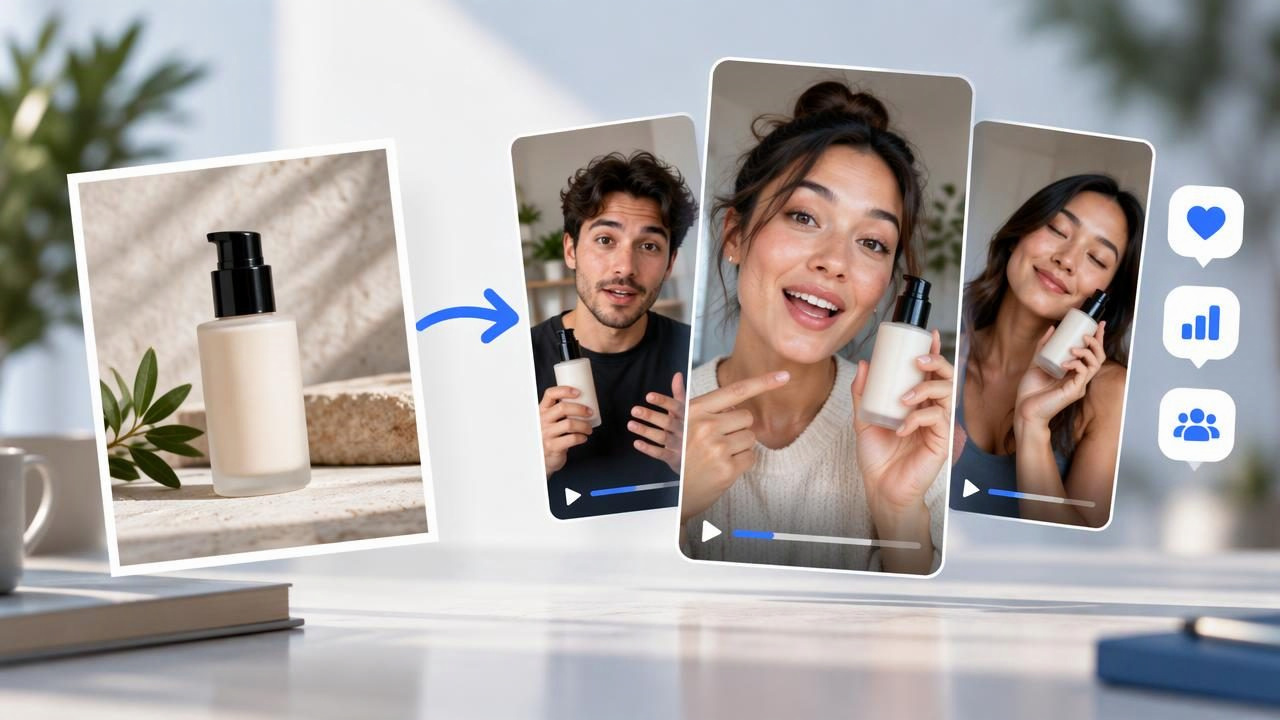
A product photo video maker can help turn a still image into a starting point for creator-style ad concepts. The useful part is not simply adding motion. It is exploring how different hooks, settings, and story angles might present the same product—then checking that each idea feels believable and stays true to the product.
AI-generated UGC-style videos are creative drafts, not proof that a real customer used or recommended an item. Treat them as a way to plan and compare visual directions. Confirm every product detail, claim, and depiction before using a concept in a campaign. This distinction keeps visual storytelling useful without confusing generated creative with actual product results.
What a product photo video maker can—and cannot—do
A product image provides a visual reference: its packaging, colors, shape, and visible details. A video-generation process may use that reference to create a moving scene or a short ad concept. Depending on the source image and tool, the output may suggest a person presenting the item, a change in camera framing, or a setting that supports a particular message.
That is different from documenting a real product demonstration. A single photo cannot establish how an item feels, works, fits, tastes, or performs. Nor can it verify a testimonial, show a genuine customer experience, or supply missing specifications. Any action or spoken line that goes beyond confirmed information needs review—and may need to be removed.
Think of the generated video as a visual hypothesis: “Would this product be clearer or more appealing if introduced through this situation and opening line?” It is not evidence that the proposed situation happened or that the concept will perform better.
Prepare the product image and the creative brief
Begin with a clear, well-lit product photo in which the item is easy to identify. A simple background and a view that shows important packaging or design details give a useful visual reference. Check that the image is not cropped so tightly that the product’s shape is ambiguous. If you have several approved images, choose one that matches the intended concept rather than asking a generator to infer details outside the frame.
Before creating variations, write a short brief with four parts:
- Audience: Who should understand the message?
- Verified product facts: What can you accurately say or show?
- One creative question: What do you want to explore, such as a problem-led hook versus a routine-led hook?
- Boundaries: Which claims, uses, settings, or visual changes are not approved?
Keep the brief narrow. If each concept changes the hook, audience, product benefit, location, and tone at once, it becomes difficult to tell what the comparison is actually testing. A disciplined brief also helps reviewers spot when a generated scene has drifted from the reference image or introduced an unsupported detail.
Example: compare three concepts for one travel mug
Consider a hypothetical insulated travel mug. For this example, assume the brand has verified only the product’s appearance and that it is a reusable mug. No insulation duration, leak resistance, capacity, or customer feedback has been provided. Those details must not be invented in the ad. The photo can inform the mug’s visible design, but it cannot substantiate performance claims.
Using the same photo and the same product facts, a team could explore three distinct creative directions:
| Concept | Opening direction | What to review |
|---|---|---|
| Everyday routine | “What’s coming with me today?” | Does the setting feel natural, and is the mug still recognizable? |
| Visual introduction | “A closer look at my everyday mug.” | Does the video show approved visible details without implying unverified features? |
| Style-focused | “A small detail in my daily setup.” | Does the scene support the product’s appearance without presenting a fictional endorsement? |
These are creative examples, not real creator testimonials, customer experiences, or demonstrated product results. A generated person should not be framed as an actual buyer unless that identity and experience are genuine and authorized. Likewise, a kitchen counter or commute scene is illustrative unless it represents a real, approved shoot.
Compare the concepts by asking which one communicates the product most clearly, fits the intended audience, and leaves the fewest unanswered questions. The strongest direction may be the one that needs the least correction—not the most dramatic or polished-looking output.
How to judge whether a concept feels authentic
Authenticity is not the same as making a video look casual. It comes from a credible relationship between the product, the message, and the person or scene presenting it. Use a review checklist before choosing a direction:
- Product fidelity: Are the shape, label, color, and proportions consistent with the reference?
- Claim accuracy: Can every spoken or on-screen statement be supported by approved product information?
- Human credibility: Does the script sound conversational without pretending that a generated character is a real customer?
- Scene logic: Does the setting make sense for the product, or does it create an unsupported impression about how it is used?
- Disclosure and rights: Are required disclosures in place, and do you have the rights and permissions needed for supplied assets and final use?
Listen to the dialogue as well as reviewing the frames. A line can sound like a personal recommendation even when it is written as a general hook. Remove fabricated first-person experiences, invented results, and statements such as “I’ve used this for months” unless a real, authorized speaker can truthfully make them.
Compare concepts without confusing the test
Set one variable at a time when you can. For example, keep the product facts and visual style consistent while comparing an everyday-routine opening with a style-focused opening. If you also change the audience, offer, and setting, you will have more difficulty interpreting the difference. Record the creative question beside each draft so stakeholders know what the variations are meant to explore.
First evaluate the drafts qualitatively: accuracy, clarity, relevance, visual coherence, and brand fit. If you later run a live campaign, assess it using an appropriate testing plan and reliable campaign data. A generated preview alone cannot establish engagement, sales impact, or conversion lift. Avoid describing a concept as a “winner” until real testing supports that conclusion.
Keep a simple comparison log with the concept name, changed variable, confirmed facts, reviewer notes, and decision. That makes feedback actionable: “The opening is clear, but the label changes in the second shot” is more useful than “This one feels better.” It also helps preserve a record of why a draft was approved, revised, or rejected.
Know the limits of image-to-video creative
Generated motion can distort labels, add objects, change proportions, or make a product appear to behave in a way the source image cannot verify. Small text may become unreadable. Hands and props may look unnatural. A scene can also imply a use case or outcome that the brand did not intend. Review the full video frame by frame, including captions and audio, rather than judging only the opening frame.
A single image is especially limited when the concept depends on showing operation, scale, fit, texture, or a before-and-after result. Use additional approved references or film a real demonstration when those details matter. Do not treat AI-generated movement as a substitute for evidence, safety instructions, product testing, or an accurate demonstration.
There are also practical considerations beyond visual quality. Check that the source photo is cleared for the intended use, follow applicable advertising and disclosure rules, and review the requirements of each channel where the video may appear. Platform specifications and policies can change, so confirm current guidance rather than assuming one export or disclosure works everywhere.
A practical decision checklist
- Choose a clear product photo and list only confirmed product facts.
- Write one focused creative question and define claims or scenes to avoid.
- Create a small set of concepts that differ in a deliberate, understandable way.
- Label generated scenarios as concepts; do not present them as actual customer experiences.
- Review product fidelity, script accuracy, rights, disclosures, and channel requirements.
- Use campaign data—not the appearance of a draft—to judge real-world performance.
The goal is not to make every draft look spontaneous. It is to find a clear, relevant creative direction that can be made truthful and credible. For a practical starting point, UGCMade’s guide to turning a product photo into video offers related guidance; use the principles above to evaluate concepts carefully before publication.
