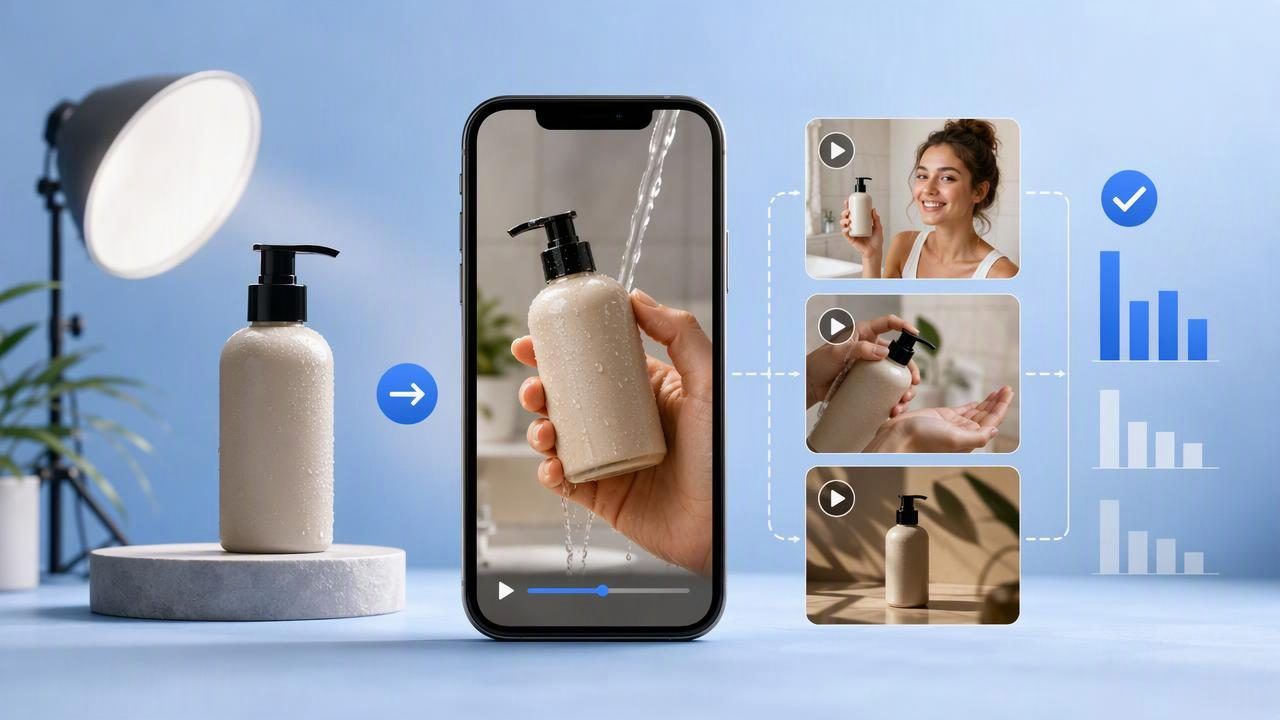
A product photo video maker can help a small team explore video ideas without beginning every concept with a full shoot. But the most useful beginner mindset is not “turn this image into a finished ad.” It is use one clear product image to plan, visualize, and compare creative directions before investing more time in production.
That distinction matters. An AI-generated, UGC-style video concept can be useful for testing a hook, a creator-style angle, a product sequence, or a message hierarchy. It is not automatic proof that an audience will respond, that a product performs as portrayed, or that the final video accurately represents every product detail. Good video marketing starts with an honest source image, a precise creative brief, and a method for comparing ideas.
This guide shares practical product photo video maker tips for beginners, including a concrete example, a comparison framework, and the limitations to keep in mind when using product imagery for content creation.
Start With a Product Image That Can Carry the Story
The input image influences every subsequent creative decision. A clean product photo gives you a reliable reference for the item’s visible shape, packaging, color, label placement, and key details. It also makes it easier to spot when a generated concept drifts away from the source.
Choose one image that meets these basic conditions:
- The product is in focus: Avoid motion blur, heavy compression, or a tiny product surrounded by empty space.
- The label is legible: If packaging copy matters, begin with a front-facing image where it can be checked.
- The lighting is believable: Neutral, even lighting is usually more flexible than dramatic shadows or color casts.
- The background is uncluttered: A plain tabletop or simple setting keeps attention on the item.
- The image shows the right variant: Confirm the size, shade, flavor, bundle, and current packaging before using it in a concept.
For example, a skincare brand might begin with a sharply lit photo of a moisturizer jar on a bathroom counter. The jar should be large enough to inspect, the brand name should be readable, and the lid, color, and container shape should be visible. A lifestyle photo can work too, but it should not obscure the product you need viewers to recognize.
Define the Job of the Video Before Creating Concepts
Beginners often ask for a video that does everything: introduce the product, explain the ingredients, demonstrate use, establish trust, answer objections, and drive a purchase. That usually creates a vague concept. Give each short video one primary job instead.
| Video job | Best question to answer | Example opening angle |
|---|---|---|
| Problem awareness | What frustrating situation does the product relate to? | “My desk always looked cluttered until I changed this.” |
| Product introduction | What is this item at a glance? | “This is the compact organizer I keep reaching for.” |
| Use-case demonstration | When or how might someone use it? | “Here is how I set this up before a workday.” |
| Objection handling | What hesitation needs a clear answer? | “I thought it would take up too much space.” |
| Comparison planning | Which message is worth testing first? | “The feature I noticed first was…” |
A single purpose creates a stronger visual storytelling brief. It also makes later comparison easier because you are evaluating one changing variable rather than several unrelated ideas.
A Concrete Example: Three Concepts From One Product Photo
Imagine you sell a reusable insulated water bottle. You have one product photo showing the bottle upright on a kitchen counter, with its matte finish and lid clearly visible. Rather than asking for one generic “viral” video, prepare three UGC-style concepts around one audience: commuters who want a dependable bottle for long workdays.
Concept A: The everyday frustration hook
Creative idea: A creator-style voice opens with the inconvenience of lukewarm drinks during a commute, then introduces the bottle as part of a morning routine. The product photo functions as the visual reference for the bottle’s appearance.
“By the time I got to my desk, my drink was never how I wanted it. This is the bottle I now pack before leaving.”
What to evaluate: Is the frustration immediately understandable? Does the opening feel relevant to the intended audience? Is the product visible early enough to connect the problem and the item?
Concept B: The routine demonstration angle
Creative idea: The video follows a simple sequence: fill bottle, place it in a bag, arrive at a desk, take a sip. The message emphasizes portability and routine rather than a broad lifestyle claim.
“My five-minute before-work reset: fill it, grab it, and go.”
What to evaluate: Does the sequence make the use case easy to understand? Do the actions support the message? Would a viewer need actual footage to verify a fit, size, or function before making a decision?
Concept C: The design-detail angle
Creative idea: A closer, slower creator-style introduction focuses on the bottle’s visible finish, cap, and silhouette. It is built for viewers who care about how a product looks alongside how it fits their routine.
“I wanted something practical that did not look out of place on my desk.”
What to evaluate: Is the visual detail the true appeal, or does the audience need a more functional reason to care? Is the product image accurate enough to support close-up attention?
These are creative examples, not actual product results. They do not establish insulation duration, leak resistance, capacity, or customer satisfaction. If a concept includes a factual claim, confirm it against your own product documentation and use real supporting footage where appropriate.
Write a Brief That Keeps Concepts Grounded
A useful prompt or production brief gives creative direction while separating known facts from desired tone. Do not fill gaps with assumptions. If you do not know whether a feature can be shown accurately, flag it for review instead of presenting it as certain.
Product reference: matte black insulated water bottle from supplied image.
Audience: commuters who carry drinks to work.
Concept goal: make the morning-routine use case easy to understand.
Tone: casual, practical, creator-style; not overly polished.
Must show: bottle shape, lid, and front label as shown in source image.
Avoid: unverified performance claims, exact time claims, altered logos,
and scenes implying features not documented by the brand.
Review question: does every visible product detail match the source?
This type of brief helps preserve brand engagement without relying on exaggerated language. It also gives reviewers a clear checklist: product accuracy, audience relevance, message clarity, and disclosure requirements.
Compare Concepts Fairly Instead of Guessing
Comparing AI-generated UGC-style concepts is most useful when the concepts have a shared foundation. Keep the product photo, audience, format length, and core use case consistent. Change one meaningful creative element, such as the hook or narrative structure.
- Choose one audience segment. For the bottle example, keep the commuter audience across all three versions.
- Hold the offer and product facts steady. Do not let one concept make claims the others avoid.
- Change one angle at a time. Compare frustration, routine, and design rather than changing the audience, voice, and product benefit simultaneously.
- Use a simple scorecard. Ask reviewers to score the first three seconds, product clarity, message credibility, and relevance to the intended viewer.
- Record what needs real footage. Note scenes where actual handling, measurements, texture, or performance must be filmed.
A comparison scorecard does not predict sales. It is a planning tool that helps your team decide which message deserves the next round of editing, real-world filming, or compliant ad testing.
Know the Limitations of a Product Photo Video Maker
One product photo is a starting point, not complete evidence of how an item behaves in the real world. Treat generated video as a concept visualization and review it carefully before publication.
- Physical behavior may not be reliable: Pouring, opening, squeezing, assembling, or wearing a product can require real footage to show accurately.
- Fine details can change: Small text, labels, logos, stitching, textures, and proportions need close review against the original image.
- Claims still need substantiation: Avoid invented durability, health, sustainability, safety, ingredient, pricing, or performance statements.
- Creator-style is not the same as a real endorsement: Do not imply that a real customer, employee, expert, or creator gave a testimonial unless that is true and properly authorized.
- Platform rules still apply: Check your applicable advertising, disclosure, music, rights, and audience policies before publishing.
These limitations are not a reason to avoid AI-assisted content creation. They are a reason to use it thoughtfully: explore the story quickly, validate the facts, and replace uncertain moments with approved assets or original footage.
Turn the Best Concept Into a Stronger Production Plan
After comparing concepts, pick the one with the clearest connection between the audience problem, the visible product, and the message. Then translate it into a practical shot list. If the routine concept wins, your final plan might require a real close-up of filling the bottle, a verified bag-fit shot, a desk scene, and an accurate pack shot. That is more actionable than simply deciding that “UGC works.”
For beginners, the goal is repeatable learning. Use the same product photo to identify several plausible angles, document why one is stronger, and carry those insights into your next product photography and video marketing project. Over time, this creates a more disciplined creative library instead of a collection of disconnected videos.
For a detailed workflow on moving from a source image to a reviewable video concept, UGCMade’s guide to turning a product photo into video offers additional planning guidance. Begin with one accurate image, make one focused comparison, and let validated product information—not assumptions—shape the final story.
