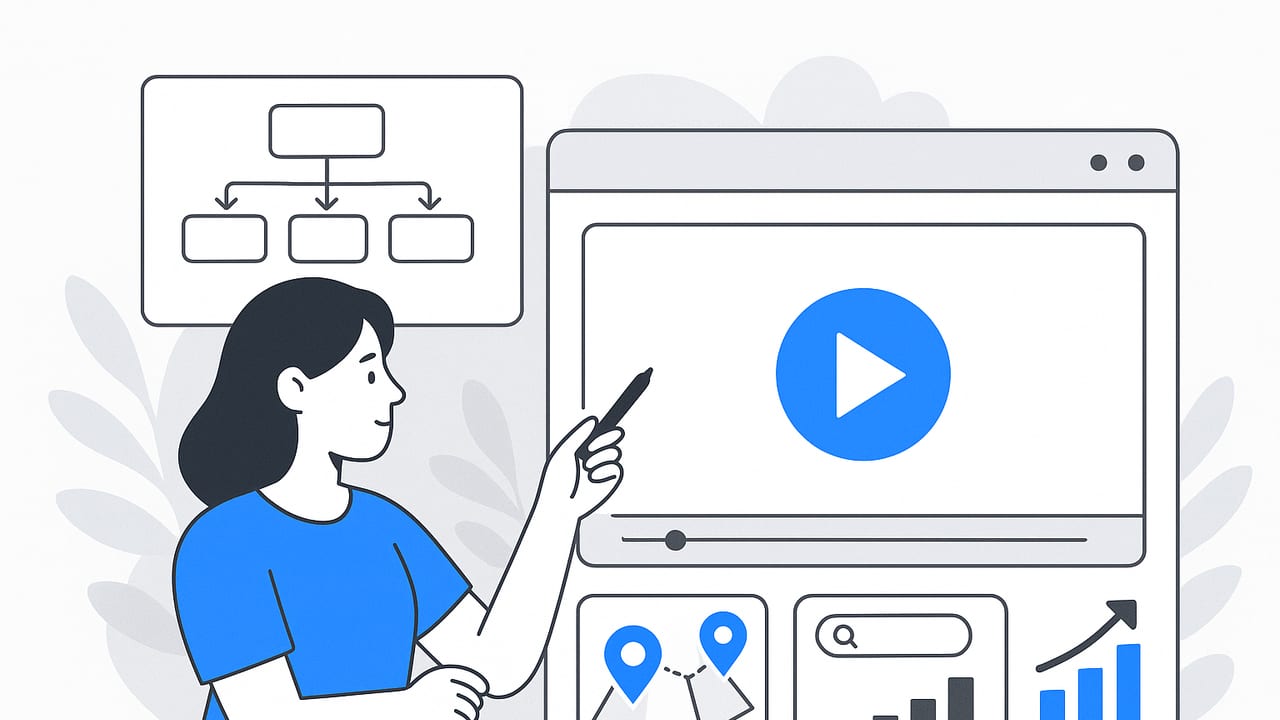
A high-performing product video doesn’t just look great—it answers key user questions faster than text or images can, reduces friction, and inspires action. Whether you’re launching a new SKU, optimizing a product detail page (PDP), or building creative for ads and email, a UX-led approach helps your video meet people at the exact moment of their intent and move them confidently to the next step.
“A great product video decreases uncertainty. Less uncertainty equals more conversions.”
This guide walks through practical frameworks for planning, scripting, producing, and measuring product videos. You’ll find shot lists, scripting beats, SEO best practices (including structured data), and clear metrics to track real business impact.
Why Product Videos Convert
- They reduce cognitive load: Seeing the product in motion compresses complex details—size, texture, fit, use—into seconds.
- They build trust: Real-world demonstrations, social proof, and clear close-ups counter buyer skepticism.
- They align with mobile behavior: Swiping users prefer quick, visual validation before adding to cart.
- They improve discoverability: Video surfaces in search, increases time on page, and earns high engagement in social and email.
Match User Intent to the Right Product Video Format
Different moments in the journey call for different creative. Map video types to user intent, length, and KPIs.
| Format | Best For | Length | Primary KPI |
|---|---|---|---|
| Quick Demo | PDP validation, retargeting | 10–30s | Add-to-cart rate, view-through |
| Explainer | Complex features, onboarding | 30–90s | Conversion rate, support deflection |
| Unboxing/UGC | Trust, authenticity, social proof | 15–45s | CTR, comments, shares |
| Comparison | Competitive evaluations | 30–60s | Conversion lift vs. control |
| How-To | Post-purchase satisfaction, SEO | 45–120s | Time on page, repeat purchase |
| Motion Stills (from photos) | Fast production, catalogs, PDP | 6–20s loops | Scroll stop rate, PDP engagement |
| 3D Loop / Macro | Design details, premium positioning | 8–15s | View rate, perceived quality |
A 7-Beat Script Framework That Works
Use this repeatable structure to script any product video—from a 15-second paid spot to a 60-second explainer. Adjust pacing to your length cap.
- Hook (0–3s): A bold claim, striking visual, or problem statement. Make the thumb stop.
- Problem (3–7s): Clarify the pain or job-to-be-done in the customer’s words.
- Value Prop (7–12s): State how the product uniquely solves the problem.
- Proof (12–18s): Social proof, stat, certification, or quick testimonial.
- Demo (18–40s): Show the core use case end-to-end; highlight key features.
- Details (last 5–10s): Options, sizes, materials, shipping/returns—only what’s essential.
- CTA (final frame): Clear, specific next step; mirror the funnel stage.
Example for 30s: Hook (0–2s), Problem (2–5s), Value Prop (5–8s), Proof (8–11s), Demo (11–24s), Details (24–28s), CTA (28–30s).
Shot List: Turn Static Assets Into Dynamic Stories
You don’t need a full studio to create motion. Build a compelling product video from photos and lightweight clips using intentional movement:
- Ken Burns moves: Slow pans and zooms across high-res images to simulate camera motion.
- Parallax reveals: Separate foreground and background layers to create depth.
- Mask and wipe transitions: Match on shape or color to glide between features.
- Macro crops: Punch into textures, ports, stitching, or finishes to convey quality.
- Text overlays: On-screen labels for specs, sizes, or benefits; keep under 8–10 words per frame.
- Callout lines/arrows: Guide the eye to important details.
- Loopable background: Subtle animated patterns or light sweeps to keep energy up without distraction.
- Context shots: Hand model, lifestyle setting, or in-bag/desk scenes for scale and use.
Keep each beat visually distinct. Use contrast in angle, distance, and color between shots to refresh attention every 2–3 seconds.
Voiceover, Captions, and Sound
- Voice pacing: Target 140–160 words per minute for comprehension.
- Subtitles: Burned-in captions for social; closed captions (SRT/VTT) for web accessibility and SEO.
- Music and SFX: Pick a track that supports the brand. Use subtle whooshes or clicks to highlight transitions and features.
- Mix: Keep VO at -6 to -3 dB peaks; duck music -12 to -18 dB under VO.
On-Page SEO for Your Product Video
Video can amplify search visibility if you package it correctly. Apply these steps on your product or landing pages:
- Unique title and description: Include the product name and a target intent phrase. Avoid duplicate titles across variants.
- File hygiene: Use descriptive filenames (e.g., stainless-bottle-30s-product-video.mp4), not final_v12.mp4.
- Transcript: Provide a text transcript below the fold; improves accessibility and keyword coverage.
- Structured data: Add VideoObject JSON-LD; include duration, thumbnail, and embed URL.
- Video sitemap: Reference your video URLs and thumbnails in your XML sitemap or a dedicated video sitemap.
- Performance: Use
preload="metadata", a lightweight poster image, and lazy-load behavior for offscreen videos. - UX: Default to muted autoplay above the fold only when helpful; otherwise, click-to-play with clear controls.
Sample VideoObject structured data:
{
  "@context": "https://schema.org",
  "@type": "VideoObject",
  "name": "Stainless Bottle — 30s Product Video",
  "description": "See leak-proof lid, insulation test, and one-hand pour in a quick demo.",
  "thumbnailUrl": [
    "https://example.com/thumbnails/stainless-bottle-30s.jpg"
  ],
  "uploadDate": "2024-04-05T08:00:00+00:00",
  "duration": "PT30S",
  "contentUrl": "https://cdn.example.com/video/stainless-bottle-30s.mp4",
  "embedUrl": "https://example.com/products/stainless-bottle#video",
  "publisher": {
    "@type": "Organization",
    "name": "Example Co.",
    "logo": {
      "@type": "ImageObject",
      "url": "https://example.com/logo.png",
      "width": 600,
      "height": 60
    }
  }
}
Distribution: Get the Right Eyes on Your Product Video
- PDP hero module: Place near image gallery; show a short loop with a clear play CTA.
- Category pages: Use silent loopable teasers to increase click-through to PDPs.
- Landing pages: Align to campaign promise; consider 30–60s with proof and CTA.
- Email: Use a static thumbnail with a play button overlay; link to your landing page, not a third-party host.
- Social: Add square or vertical crops; front-load the hook and captions.
- Paid ads: Test 6s, 15s, and 30s variants; keep branding within the first second for skippable formats.
- Marketplaces: Follow listing specs; highlight differentiators allowed by the platform.
- Retail and packaging: Add a QR code on boxes and in-store displays linking to the video.
Always tag links with UTM parameters to tie view-through and click-through behavior back to sessions and revenue.
Analytics: Measure What Matters
Track video’s impact on both engagement and revenue. Pair media metrics with conversion outcomes.
- Engagement: View rate (views/impressions), average watch time, 25/50/75/100% completion, sound-on rate.
- Behavioral: Click-through to PDP, add-to-cart rate, scroll depth, dwell time.
- Revenue: Conversion rate, RPV (revenue per visitor), assisted conversions.
Simple lift calculation: If your control PDP converts at 2.1% and the PDP with video converts at 2.4% over 25,000 sessions each, the relative lift is ((2.4–2.1)/2.1) × 100 ≈ 14.3%.
A/B testing tips:
- Test one variable at a time: placement, length, or CTA.
- Run for a full purchase cycle to avoid seasonality skew.
- Segment by traffic source and device; mobile behavior differs.
Accessibility and Compliance
- Captions: Provide accurate captions; avoid placing text over busy backgrounds.
- Contrast: Maintain at least 4.5:1 contrast for on-screen text.
- Motion safety: Avoid flashes above 3 Hz; use gentle easing and keep background motion subtle.
- Controls: Ensure keyboard navigability; include play/pause, mute, and a transcript.
- Localization: Use subtitles for key locales; mirror currency and units in on-screen text.
Budget Tiers: Good, Better, Best
You can craft an effective product video at any budget. Scope to your goal and channel.
Scrappy (0–$500)
- Smartphone + tripod, natural light, foam boards for bounce.
- Repurpose photos with motion graphics; add captions and a simple VO.
- Royalty-free music; export multiple aspect ratios (16:9, 1:1, 9:16).
Use when: You need PDP validation loops, social teasers, or quick tests.
Pro ($500–$5,000)
- Mirrorless camera, 3-point lighting, macro lens, controlled set.
- Scripted VO, branded motion templates, color consistency.
- Multiple variants for funnel stages (6s hook, 15s, 30s).
Use when: You want high-quality demos and explainer content for ads and site.
Premium ($5,000+)
- Director, set design, talent, 3D/CG integration, advanced sound design.
- Location and lifestyle scenes; multiple hero edits and cutdowns.
Use when: Launching flagship products, retail placements, or broadcast.
Common Pitfalls to Avoid
- Too much, too fast: Cramming every feature destroys clarity. Prioritize the top 1–3 benefits.
- Weak first frames: If the hook isn’t compelling in the first second, attention drops.
- Text overload: More than 10 words on-screen is rarely readable on mobile.
- Ignoring sound-off: Many viewers watch muted; rely on captions and visual storytelling.
- Unclear CTA: Always end with a specific action aligned to the funnel stage.
- No variant testing: One-size-fits-all creative underperforms; test lengths, hooks, and placements.
- Heavy files: Overly high bitrates hurt load speed; aim for efficient compression and a sharp thumbnail.
Putting It All Together
The best product video is ruthlessly user-centered. Start with intent, choose a format that fits the moment, script a clear arc with proof and a single CTA, and deliver it where it will be seen. Wrap your work in strong on-page SEO and accessible design, then measure impact on the metrics that actually matter—adds to cart, conversion rate, and revenue per visitor.
If you’re working primarily with product photos and need to turn them into engaging motion quickly, a specialized tool like UGCMade can streamline the process with AI-generated video built from your existing visuals.
