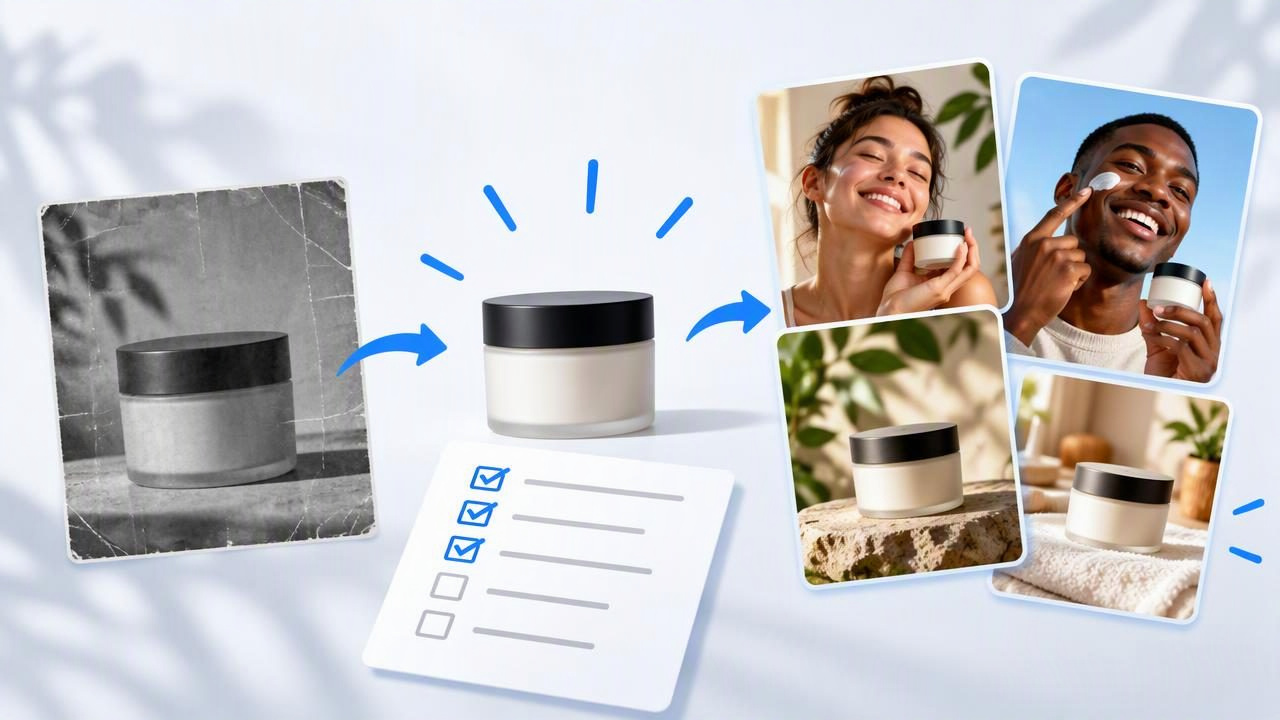
When an ad starts to feel stale, the answer is not always a new product shoot. Sometimes the message, opening scene, or way the product is shown needs a rethink. A UGC creative generator can help you explore new creator-style video concepts from an existing product image, giving your team options to assess before investing in a larger production.
The key is to treat generated videos as creative concepts, not proof of product performance. A useful refresh process starts with a clear diagnosis, changes a small number of creative variables, and checks every claim and visual detail before anything is published. Use the checklist below to make that process more deliberate.
What a UGC creative generator can—and cannot—do
A UGC-style video uses the approachable conventions often associated with user-created content: direct address, everyday settings, a simple demonstration, or a personal-sounding explanation. A generator can help a marketer explore ways those conventions might frame a product. For example, one image could inform a problem-first idea, a quick-use demonstration, and a feature-focused explanation.
That is different from having a real customer share an experience. Generated scenes, scripts, or presenter-style visuals do not establish that someone used the product, achieved a result, or endorses a brand. Keep the distinction visible in internal reviews, and do not present fictional experiences as authentic customer testimony.
Nor can a concept preview tell you whether an ad will perform well with a particular audience. It can help you compare creative directions. Audience response, platform delivery, and business outcomes require appropriate real-world testing and measurement.
Checklist: refresh tired ad creative with a UGC creative generator
1. Diagnose what feels tired
Before making another version, write down what is not working creatively. Is the opening too slow? Does the video repeat the same product shot? Is the benefit hard to understand? Does the message sound like a list of features instead of a useful explanation? Use available campaign observations to guide the diagnosis, but avoid assuming that a creative change alone explains any performance movement.
Choose one main issue to address. If you revise the hook, setting, script, pacing, and offer all at once, it becomes harder to understand what changed between concepts.
2. Choose an image that can support the story
Start with a clear, accurate product photo. Check that the item is visible, well lit, and not obscured by text or decorative elements. A clean image gives you a more useful starting point for a concept; it does not guarantee that a generated video will preserve every detail correctly.
Decide what the image can honestly support. A front-facing pack shot might support a product introduction, while a photo showing the item in use may help suggest a demonstration. If the image does not show a specific feature, do not assume a generated scene will represent that feature accurately.
3. Write a message boundary before exploring ideas
List the facts a video may communicate: the product name, verified features, intended use, and any approved wording. Separately list claims that need evidence or must be avoided. This short brief helps keep a lively concept from turning into an unsupported promise.
- Approved: information confirmed by product documentation or your brand team.
- Needs review: performance, safety, health, environmental, or comparative statements.
- Do not invent: customer quotes, personal results, endorsements, certifications, or product functions.
4. Compare distinct creative directions
Ask for concepts that differ in a meaningful way, not just minor wording changes. Keep the product and core factual message consistent while varying the opening, explanation style, or scene. Three distinct directions are often easier to evaluate than a long list of near-duplicates.
| Concept direction | Possible opening | What to review |
|---|---|---|
| Problem-first | “Need a simpler way to keep your drink close during the day?” | Does the setup fit the product’s intended use? |
| Demonstration | “Here’s how this bottle’s lid opens.” | Does the visual show the real lid accurately? |
| Feature explanation | “Take a closer look at the bottle’s shape and finish.” | Are the visible details and descriptions correct? |
These are illustrative creative examples, not claims about an actual product, user experience, or campaign result. Replace the sample wording with details verified for your own product.
5. Compare the concepts with a consistent scorecard
Review every concept against the same criteria. This shifts discussion from “Which one feels coolest?” to “Which one communicates the intended idea most clearly and accurately?” A simple scorecard can use a one-to-five rating, plus a note explaining each score.
- First-second clarity: Is it immediately apparent what the video is about?
- Message fit: Does the opening lead naturally to the product’s real value?
- Visual accuracy: Does the product look like the item you sell?
- Natural delivery: Does the script sound conversational without implying a false testimonial?
- Distinctiveness: Is the concept meaningfully different from the current ad?
- Brand fit: Do the language, setting, and tone suit your audience?
- Review effort: How much correction would be needed before the idea is usable?
Keep notes about why a concept was selected or rejected. That record can make future content creation more focused and help your team avoid repeatedly exploring directions that do not fit the product.
Example: one bottle photo, three concepts
Imagine an ecommerce team has a straightforward photo of a reusable bottle and an existing ad that only shows the bottle against a plain background. The team wants a fresher way to explain the item, but the image does not show a person drinking from it or demonstrate how the lid works.
Using that photo as a starting point, the team could explore three hypothetical directions: a quick introduction to the bottle’s verified design, a close-up-led explanation of a feature confirmed by product documentation, and a routine-based scene that presents the bottle as part of a typical day without claiming a real customer used it. Each concept gives reviewers a different storytelling route to consider.
The team should then check whether the generated visuals depict the bottle faithfully. If the lid, color, proportions, or logo appear altered, that concept needs correction or rejection. If a script says the bottle “keeps drinks cold all day,” the team should verify that wording against substantiated product information rather than treating the generated script as evidence.
This example describes a planning exercise, not an actual customer result or a claim that a particular generated concept will outperform an existing ad. The value is in making the creative choices easier to compare before deciding what to produce or test.
Quality-control checklist before publishing
A promising concept still needs human review. Generated imagery and scripts may introduce errors, so inspect the finished video rather than judging it from the idea alone.
- Verify product details: Check color, shape, packaging, logos, accessories, and any demonstrated action.
- Fact-check every line: Confirm product claims, numbers, comparisons, and instructions with approved sources.
- Label fictional scenarios appropriately: Do not imply that a generated presenter is a real customer or that an invented story is a genuine review.
- Check the whole viewing experience: Review pacing, captions, legibility, sound, and whether the product remains understandable on a small screen.
- Confirm rights and requirements: Review applicable rules for advertising, disclosures, likenesses, music, and the channels where you plan to publish.
- Keep a human approval step: Assign someone responsible for the final creative, factual, and brand review.
If the output cannot represent the product accurately from the source image, do not publish it simply because the concept is appealing. Consider supplying a clearer reference image, narrowing the scene, or using a more suitable production method.
How to test a refreshed concept responsibly
After review, treat selected concepts as hypotheses. If you choose to test them, define what you are changing and what you will observe before the test begins. Keep other variables as consistent as practical so the comparison is easier to interpret. For instance, a team might compare two different openings while retaining the same offer and audience setup.
Set expectations carefully: a creative test can provide evidence about how specific versions performed under the conditions used, but it does not prove that a single element will work for every audience or placement. Record the test context, compare like with like, and use the result as one input for the next round of creative decisions.
Common mistakes to avoid
- Changing everything at once: Too many differences make the comparison less informative.
- Confusing polish with truth: A convincing-looking scene can still contain inaccurate details.
- Writing fake social proof: A creator-style format is not permission to invent a customer story.
- Using a weak source image: Ambiguous or low-quality product photography can make accurate visual review harder.
- Calling concepts results: A preview is not evidence of audience response, sales, or conversion lift.
- Skipping the final check: Review the exact version intended for publication, including its captions and context.
Make the next refresh more useful
A UGC creative generator is most useful when it helps a team explore a small set of clearly differentiated ideas from product photography, then review those ideas against factual and brand requirements. Start with the reason your current creative feels tired, preserve accurate product information, and compare concepts using a shared scorecard. The aim is not to generate more variations for their own sake; it is to make the next creative decision more deliberate.
For a practical overview of comparing creative directions from one product image, see UGCMade’s guide to testing ad variations. Use any generated concept as a starting point for review—not as a substitute for verified product information, genuine customer feedback, or careful testing.
