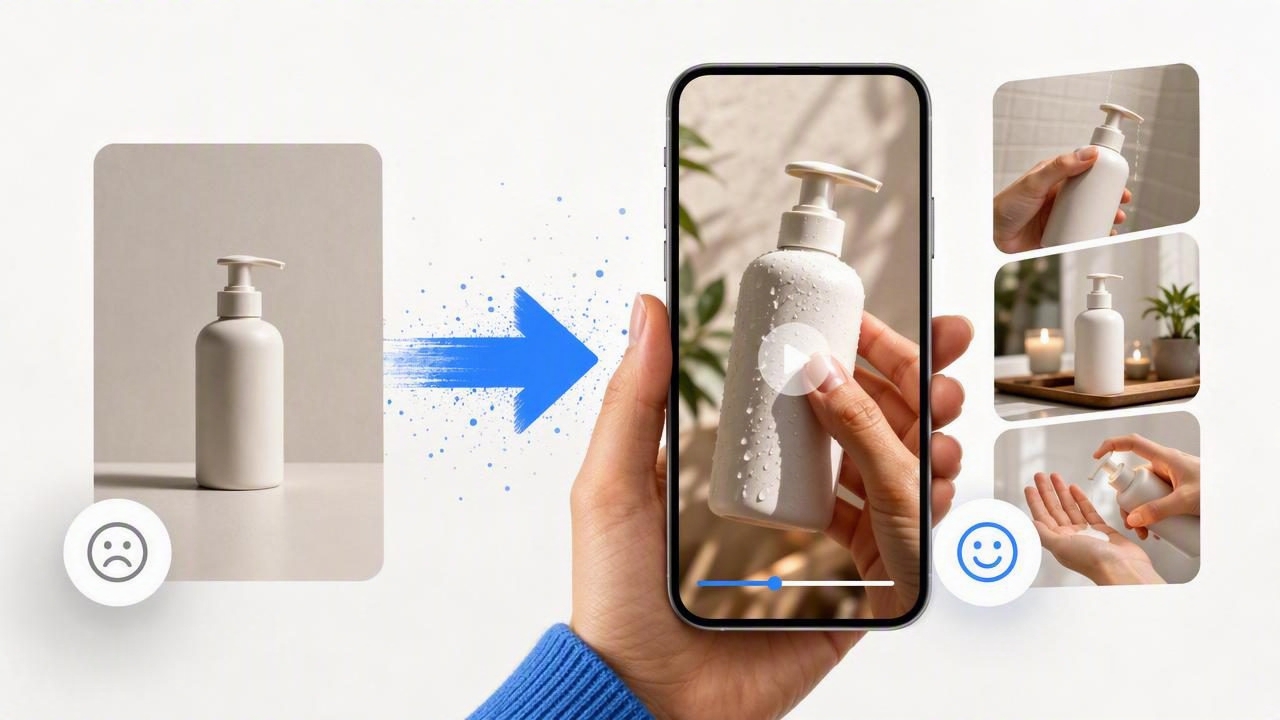
When paid social ads start to feel repetitive, the problem is not always the product, offer, or audience. Often, the creative has simply been seen too many times. The same polished product shot, static headline, and familiar opening can lose its ability to stop the scroll—even if the campaign once performed well.
A product photo video maker can help teams refresh tired ad creative without requiring a completely new studio shoot for every idea. Starting with one strong product image, marketers can prepare multiple AI-generated UGC-style video concepts that explore different hooks, use cases, visual pacing, and messages.
The important distinction is that these concepts are creative directions to evaluate, not proof of actual product results, customer experiences, or campaign performance. A video that resembles a creator-style product demo may help you test a new storytelling angle, but it should not imply a real testimonial unless it is based on a real, approved testimonial.
Why Ad Creative Gets Tired
Creative fatigue happens when a target audience repeatedly encounters similar ads. People may recognize the visual structure before they engage with the message: the same first frame, product angle, voiceover rhythm, caption treatment, or call to action. Even a well-designed product image can become less effective when it is used unchanged across campaigns for too long.
Refreshing creative does not have to mean changing everything at once. In fact, it is often more useful to isolate one variable. You might keep the product photo and offer consistent while changing the:
- Opening hook or first three seconds
- Primary problem being addressed
- Product use scenario
- On-screen text and message hierarchy
- Visual framing, movement, or pacing
- Call to action
That approach makes comparisons more meaningful. Instead of wondering why two entirely different ads produced different outcomes, you can identify which creative idea deserves further attention.
Use One Product Image as a Consistent Creative Anchor
A high-quality product photo is more than an asset for a product detail page. It can become a consistent visual anchor for several video concepts. Keeping the same source image across variations helps ensure that the product, packaging, colors, and key visual details remain recognizable while the story around it changes.
Before using a product photo video maker, review the image for basic readiness:
- Clear subject: The product should be easy to identify at a glance.
- Readable packaging: Important labels should be sharp enough to inspect.
- Accurate color: Avoid source photos with heavy filters that misrepresent the item.
- Simple composition: A clean background makes it easier to build alternate scenes around the product.
- Approved claims: Any visible packaging language, badges, or benefit statements should be legally and brand-approved.
If the source image is weak, generated motion will not solve the underlying issue. A blurry bottle, unclear product silhouette, or outdated package design can create confusion in every variation built from it.
A Concrete Example: Three UGC-Style Concepts From One Photo
Imagine a brand selling a reusable insulated water bottle. It has one product photo: a matte green bottle on a plain light background, with the logo and lid clearly visible. Rather than producing one generic animated ad, the team can use that photo to prepare three distinct UGC-style video concepts.
| Concept | Opening Hook | Visual Story | Message to Review |
|---|---|---|---|
| Desk-Day Reset | “Trying to drink more water at work?” | The bottle appears on a desk beside a laptop, followed by quick moments suggesting a workday routine. | Does a productivity-oriented context create stronger relevance? |
| Gym Bag Essential | “One thing I always pack before a workout.” | The product is framed near workout gear with faster cuts and energetic text overlays. | Does an active-use setting improve attention for fitness-focused audiences? |
| Giftable Everyday Item | “A practical gift people actually use.” | The bottle is presented in a simple gift-ready scene with a focus on color and everyday usefulness. | Does a gifting angle make sense for seasonal or occasion-based campaigns? |
All three concepts use the same product photo, but they answer different audience questions. The first is about a daily habit, the second is about an active routine, and the third is about purchase motivation. This is a better basis for comparison than making three nearly identical versions with only different background music.
Creative concept is not product evidence. A UGC-style scene can communicate a possible use case, but it should not portray unverified outcomes, fabricated reviews, or a real person’s endorsement.
How to Compare Concepts Before You Produce More
The goal is not to generate as many videos as possible. The goal is to create a small set of clearly differentiated ideas that can be reviewed against a specific creative question. Give each variation one job.
For the water bottle example, a simple planning document could look like this:
Product: Matte green insulated water bottle
Audience: Adults building healthier daily routines
Control idea: Static product image with product name
Variation A: Workday hydration hook
Variation B: Workout bag hook
Variation C: Practical gift hook
Primary difference: Audience context in the opening scene
Keep consistent: Product image, brand colors, CTA, offer
This framework prevents a common mistake: changing the hook, scene, text, voice, music, offer, and CTA all at once. When every element changes, it becomes difficult to learn what made a concept more or less useful for your campaign.
During review, compare concepts using practical questions:
- Is the product visible and recognizable early enough?
- Does the opening line match the visual scene?
- Is the use case understandable without relying on exaggerated claims?
- Does the text stay readable on a mobile screen?
- Does the video still look like the actual product being sold?
- Does each version test a genuinely different angle?
Write Prompts That Describe a Story, Not Just an Effect
When preparing AI-generated UGC-style video concepts, vague instructions often produce vague creative. “Make this product look viral” does not establish who the video is for, what problem it addresses, or what visual sequence is needed.
A more useful prompt describes the audience, setting, product role, motion, and message boundaries. For example:
Create a vertical UGC-style product video concept using the supplied water bottle photo.
Scene: clean home-office desk in natural daylight.
Hook text: “Trying to drink more water at work?”
Show the bottle prominently in the first seconds, then use subtle movement and close product framing.
Tone: practical, calm, everyday routine.
Do not add medical, performance, or unverified hydration claims.
End text: “Make your desk setup work harder.”
This does not guarantee a final approved ad. It gives the creative process a clearer brief and creates a fairer comparison with other concepts. Review all text, product details, and implied claims before publishing.
Where a Product Photo Video Maker Has Limits
A product photo video maker is useful for expanding creative exploration, but it cannot replace every form of production. Teams should be especially careful when accuracy, compliance, or physical product behavior matters.
- Product functionality: Do not rely on generated visuals to demonstrate precise mechanics, measurements, assembly steps, or safety features.
- Real people and endorsements: A creator-like presentation is not the same as a verified customer review or paid creator partnership.
- Before-and-after claims: Avoid depicting results that cannot be substantiated, especially in beauty, wellness, finance, or regulated categories.
- Packaging accuracy: Check that labels, sizes, ingredients, colors, and logos match the product currently available.
- Environmental claims: Do not imply sustainability certifications, recycling outcomes, or material benefits unless the brand can support them.
For some campaigns, a real product shoot remains necessary. This includes detailed how-to content, close-up texture demonstrations, authentic employee or customer stories, and products where a small visual error could create misleading expectations.
Build a Sustainable Creative Refresh Routine
Instead of waiting until every ad feels exhausted, build a recurring review process. Start by identifying one existing asset that has strong product clarity. Then prepare several concept directions around different motivations: convenience, discovery, gifting, routine, comparison, or problem awareness.
Keep a record of what changed in each concept. Over time, this produces a more useful creative library than a folder filled with unexplained versions. You can revisit promising angles with a new hook, revised text, or a different audience context while maintaining a recognizable brand presentation.
For teams exploring this workflow, UGCMade’s guide to turning a product photo into video offers additional context on using a product image as the starting point for video creative.
Conclusion
Refreshing tired ad creative is not about chasing novelty for its own sake. It is about giving audiences a new reason to notice a product they may have already seen. With a strong source image and a disciplined comparison process, a product photo video maker can help marketers explore UGC-style video concepts efficiently.
Use each variation to test one clear story: a different need, setting, or motivation. Keep claims accurate, label concepts honestly, and treat generated footage as creative material that still requires human review. That balance supports more thoughtful content creation, stronger visual storytelling, and more resilient brand engagement.
