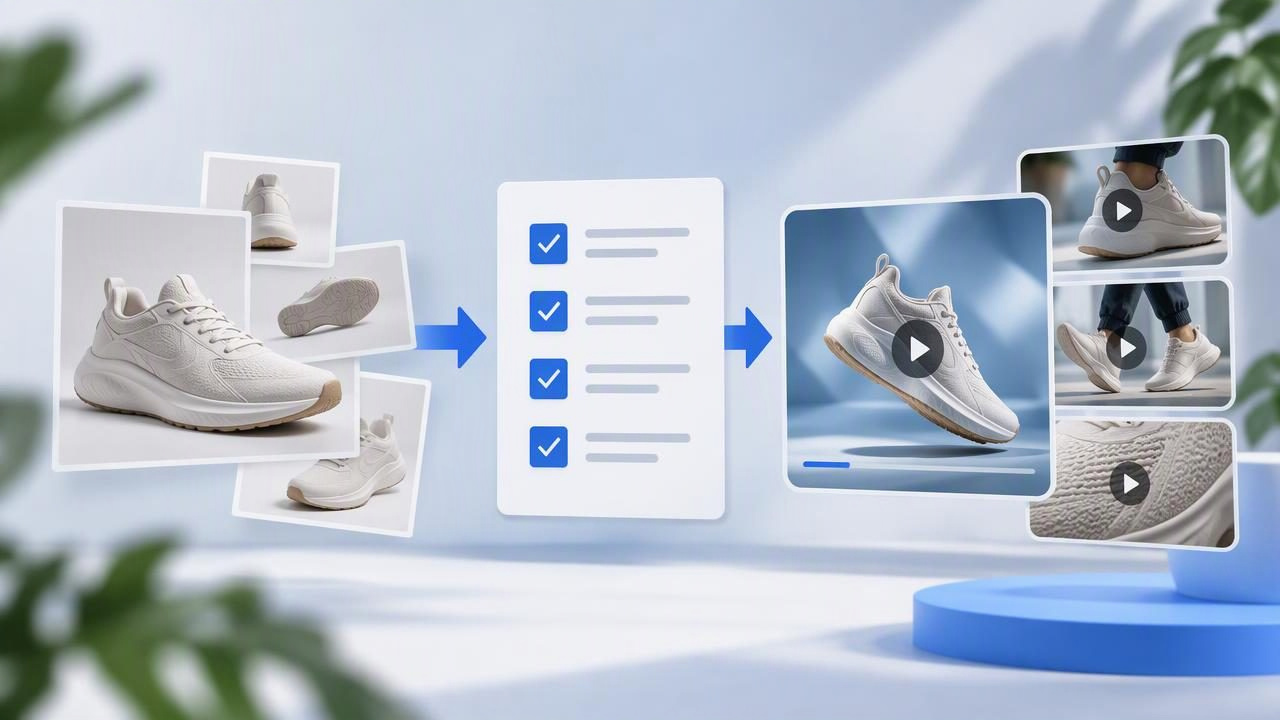
Scaling ecommerce creative production is not simply a matter of making more videos. Teams need a repeatable way to turn product photography into useful creative options, compare those options fairly, and check that each one represents the product accurately. A photo-to-video platform can help teams explore AI-generated, UGC-style video concepts from an existing image, but it cannot establish product facts or guarantee that an idea will perform.
This checklist is designed to make that process more deliberate. It covers asset preparation, concept planning, review, and organization, with a concrete example of how one product image can support several distinct creative directions.
What scaling creative production actually involves
For an ecommerce team, scale means being able to produce and assess more relevant creative options without letting quality control, product accuracy, or brand consistency slip. It is useful to distinguish creative concepts from product results. A generated video concept is a draft for review. It is not proof that customers will respond to it, nor is it evidence of a product feature that the source material does not show.
Photo-to-video workflows are especially useful when a team has clear product photography but needs new ways to introduce, demonstrate, or contextualize an item. The image provides a visual starting point; the team supplies the brief, verifies factual claims, and decides which concepts are worth developing or testing.
Checklist: prepare a product image for video concepts
- Choose an image with a clear subject. Select a product photo where the item is easy to identify and is not obscured by props, cropping, glare, or text. A clean product image can make it easier to assess whether a video concept preserves the item's appearance.
- Check image rights and intended use. Confirm that your business can use the image for the campaign and that any people, settings, or branded elements in it are approved for the intended channels. Keep track of the source file and its usage permissions.
- Write down what the image does and does not establish. Record visible details, such as color, shape, packaging, and included components. Separately list product claims that need confirmation from an approved product page, specification sheet, or internal source. A picture alone may not verify materials, performance, compatibility, or results.
- Set the campaign boundary. Note the audience, intended placement, brand voice, required disclosures, and any words or claims that must not appear. This gives reviewers a standard to apply across every concept rather than relying on personal taste.
- Decide what should remain consistent. Identify non-negotiables such as the product's color, logo, packaging, proportions, and any legally reviewed wording. Mark optional creative choices—like setting, opening hook, or narration—separately.
These preparation steps make creative review more useful. They also help teams spot when a visually appealing draft has moved beyond the information available in the source image and approved product materials.
Build a concept set that is easy to compare
Instead of asking for several versions that all make the same point, assign each concept a distinct job. A simple concept brief can include the audience need, opening idea, product detail to show, tone, and factual guardrails. Keep the product and campaign goal fixed while changing one or two creative variables at a time. That makes differences easier to discuss.
For example, imagine an online store has one clear photo of a hypothetical stainless-steel bottle with a visible flip lid. The image shows the bottle's exterior and lid, but does not establish how long it keeps a drink cold, whether it is leakproof, or what materials are used. A team could prepare these three creative examples:
- Detail-led concept: Open with a close view of the visible lid, then present the bottle as the subject. The concept can draw attention to the design without claiming a performance benefit.
- Everyday-context concept: Place the bottle in a simple desk or bag-packing scene to suggest a possible use occasion. The setting is illustrative; it should not be presented as a verified customer experience.
- Question-and-answer concept: Start with a shopper question about the bottle's appearance or use, then direct viewers to confirmed listing details. Do not invent an answer when the product information is not available.
These are directions for review, not actual product results, customer testimonials, or evidence of campaign performance. Each concept should be checked against the product listing and approved claims before it is treated as usable advertising.
Compare concepts with a shared review scorecard
Review each draft against the same criteria. A short scorecard helps separate personal preference from practical suitability and creates a record of why a team advanced or rejected an idea.
| Review area | Questions to ask |
|---|---|
| Product fidelity | Does the item still look like the approved product image? Are color, shape, logo, and visible parts represented consistently? |
| Claim accuracy | Are spoken or written claims supported by approved product information? Has the concept added an unverified benefit? |
| Concept distinction | Does this version offer a genuinely different hook, setting, or product focus from the other drafts? |
| Audience relevance | Is the opening understandable and appropriate for the intended shopper and placement? |
| Brand and accessibility | Does the tone fit the brand? Are captions, on-screen text, and disclosures readable and easy to follow? |
Use a simple rating scale, such as “ready for review,” “revise,” or “reject,” and add a brief reason. Avoid treating a score as a prediction of sales. It is a production decision aid, not a performance forecast.
Keep creative variation separate from product facts
AI-generated video can introduce motion, context, or a creator-style presentation, but generated scenes and narration still need human review. A concept may imply that someone used the product, demonstrate an action the image cannot verify, or suggest a benefit that is not in the approved brief. Review both what is explicitly said and what the visuals could imply.
For the bottle example, a generated scene showing it beside a laptop is a styling choice. A line saying it “keeps drinks cold all day” is a product claim and needs substantiation. A person speaking as though they personally tested it could also mislead viewers if no such real experience exists. Keep hypothetical creative examples clearly separate from real customer footage, verified testimonials, and documented product results.
Also inspect visual details at the intended viewing size. Look for altered labels, inconsistent product proportions, strange hands or interactions, unreadable text, and transitions that make the item appear to change. A concept that looks plausible in a small preview may need closer inspection before use.
Make the workflow repeatable as volume grows
A checklist becomes more valuable when it supports handoffs between ecommerce, creative, and legal reviewers. Use consistent file names that identify the product, concept angle, version, and review status. Keep the original image, campaign brief, approved claims, and review notes together so the team can trace what informed each draft.
When producing a batch, define the comparison before generating concepts. For instance, keep the product image and core message constant while varying the opening hook across drafts. In another round, hold the hook steady and explore different settings. Changing every element at once makes it harder to understand why one draft feels more suitable than another.
Before a concept moves forward, confirm that it meets the brand's quality bar, fits the destination's current specifications, and has the necessary approvals. Platform requirements can change, so check current guidance rather than relying on a saved assumption about aspect ratios, length, or disclosure placement.
Know the limits of photo-to-video production
A single product image offers a limited view. It may not show how an item opens, fits, connects, works, or compares with alternatives. Do not ask a generated scene to fill those evidence gaps with confident demonstrations or claims. If a concept depends on an unseen feature, obtain suitable approved photography, product footage, or verified information first.
Generated UGC-style content is also not automatically authentic user content. A creator-like tone or setting should not be confused with a real person's endorsement. Follow applicable advertising and disclosure rules, and do not imply a testimonial, partnership, or firsthand experience that does not exist.
Finally, more drafts do not automatically mean better creative. Set a practical review limit, prioritize concepts that serve different communication goals, and stop producing variations that do not add a meaningful distinction. Use campaign results only when they are actually measured, and interpret them in light of the test design and other factors that may affect performance.
A practical final checklist
- The source photo is clear, approved, and suitable for the intended use.
- Visible details and verified product claims are documented separately.
- Each concept has a distinct purpose and shares consistent review criteria.
- Drafts are labeled as concepts until factual, visual, and brand checks are complete.
- Reviewers check implications, disclosures, accessibility, and destination requirements.
- Only measured evidence is described as a product or campaign result.
That process gives ecommerce teams a grounded way to expand visual storytelling from existing product photography while keeping accuracy central. For a closer look at the source-image stage, UGCMade offers a guide to turning product photos into video. The core principle remains the same: use image-led video concepts to explore creative possibilities, then verify every product detail before publication.
