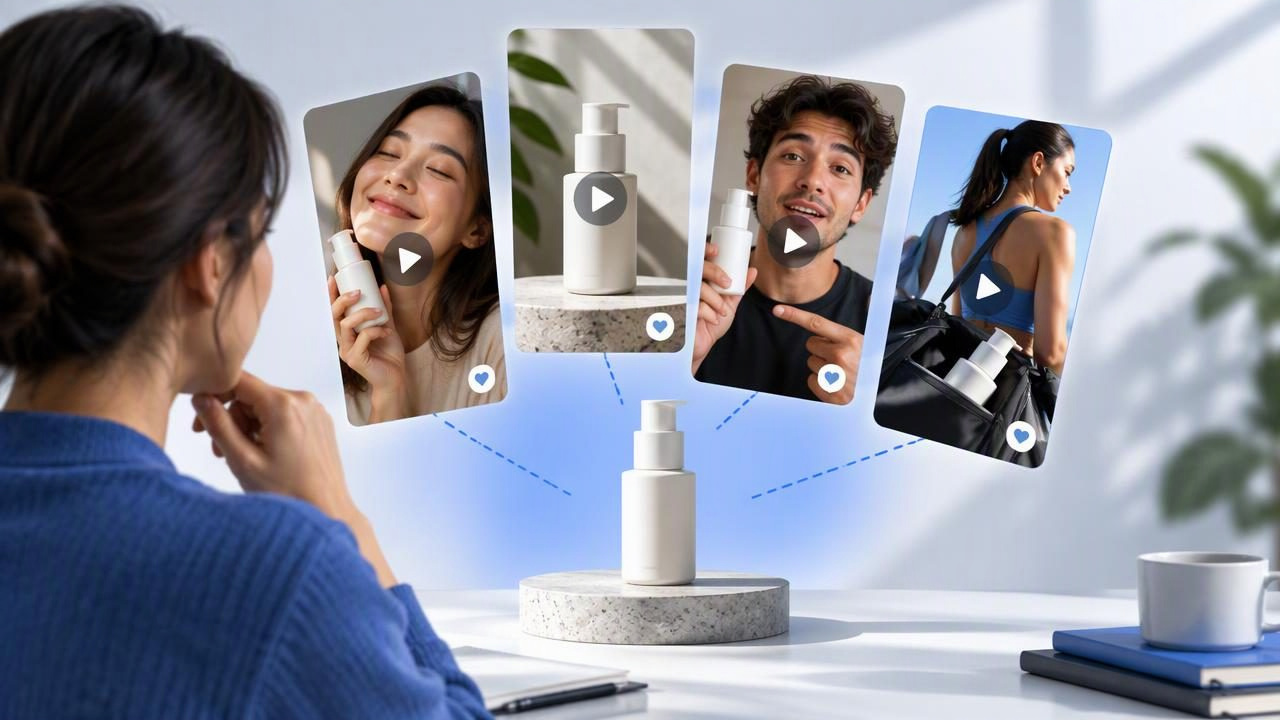
Social media managers often need several fresh video ideas for a single product, but a full shoot for every variation can take time and coordination. A short form ad generator for social media managers can help turn one product photo into a starting point for comparing AI-generated, UGC-style video concepts. The useful part is not simply making more clips: it is deciding which creative direction is worth developing, while checking that the product still looks accurate.
This guide explains how to prepare an image, compare concepts, and evaluate the result without confusing a creative mock-up with proof of real product performance. The examples below are illustrative, not generated product results or campaign data.
What a short-form ad generator can help you compare
A short-form ad generator is a tool or workflow for developing brief video-ad concepts suited to social feeds. Depending on the tool, a product image may be used as visual input for AI-generated motion or scenes. The output can help a team explore different hooks, settings, and story structures before deciding what to produce next.
There is an important distinction between UGC-style and actual user-generated content. UGC-style describes a creator-like presentation, such as a conversational tone or casual framing. An AI-generated concept is not automatically a real customer review, a creator endorsement, or evidence that someone used the product. Avoid presenting invented experiences as genuine testimony.
Think of the image as a visual anchor, not a complete brief. It can show packaging, color, and product shape, but it does not tell the tool what audience to address, which benefit matters, or what claims are approved. Those decisions still need human input.
Prepare the product photo before making concepts
Start with an image that clearly shows the item you want to feature. A clean, well-lit product photo with visible edges and readable packaging gives reviewers a better reference when checking a generated scene. If the product is partly hidden, tiny in the frame, or surrounded by distracting objects, it may be harder to judge whether the video has represented it faithfully.
- Choose the right view. Use a front or three-quarter angle that shows the most recognizable features. If a label or distinctive detail matters, make sure it is visible.
- Check the crop. Leave enough room around the item for a vertical composition. A tightly cropped image may limit how a scene can be framed.
- Keep the reference honest. Do not use a retouched image that changes the package, ingredients, size, or appearance from what customers receive.
- Write a short brief. Record the audience, one supportable product benefit, desired tone, and any claims or visual elements to avoid.
Before creating anything, decide what must remain consistent across concepts. For example, the product name, package color, and approved benefit might be fixed, while the opening hook and setting can vary. This turns a vague request for “more video” into a useful creative comparison.
Concrete example: compare three concepts from one photo
Imagine a social media manager promoting a reusable travel mug using one clear product photo. The brand has approved a factual message that the mug is designed for taking drinks on the go. The manager wants to explore different creative approaches, not claim that any version will perform better.
- Everyday routine: Open with a desk or commute moment, then show the mug as part of a morning routine. The hook could be a question about remembering a drink before leaving home.
- Product-detail focus: Begin with a close view of the lid, finish, or other visible feature. The concept should only describe details that are confirmed in the product information; a photo alone may not establish how a feature works.
- Gift-selection angle: Frame the mug as an item someone might consider for a practical gift. Keep the language general and do not imply that customers have praised it or that it is a proven bestseller.
These are creative examples for a planning exercise. They are not actual generated clips, confirmed product demonstrations, customer stories, or tested ad results. A manager could use a suitable image-to-video workflow to explore visual interpretations of each idea, then assess whether the output communicates the intended direction.
For instance, a generated scene might make the mug appear on a moving train table. That could suggest a commute concept, but it would not prove that the mug is leakproof or safe to use in that setting. Unless those properties have been independently confirmed, the scene should not be treated as a product demonstration. A safer concept may show the item in a static lifestyle setting and use approved copy for the message.
Compare concepts with a consistent review rubric
Review each concept against the same criteria. If one clip gets judged on visual polish and another on claim accuracy, the comparison will not help a team choose a direction. A simple rating scale, such as “needs revision,” “acceptable,” and “strong,” can keep discussion specific without suggesting that the result predicts campaign performance.
| Review area | Questions to ask |
|---|---|
| Product accuracy | Does the item resemble the reference photo? Are packaging, proportions, and visible details credible? |
| Hook clarity | Can a viewer understand the opening idea quickly, without relying on misleading wording? |
| Message fit | Does the concept focus on the approved audience and benefit, rather than introducing unsupported claims? |
| Visual readability | Is the product visible on a phone-sized screen? Do motion, background, or overlays compete with it? |
| Brand suitability | Does the tone fit the brand, and are any logos, people, settings, or implied endorsements appropriate? |
| Next-step value | Does the concept provide a useful direction for a human-made edit, reshoot, or further review? |
Keep notes tied to observable details. “The package label becomes hard to read after the camera moves” is more actionable than “this one feels off.” Also record which parts are AI-created and which copy was approved by the brand. That makes review clearer when concepts move between social, creative, and compliance teams.
Know the limits before using a generated concept
A product photo may not contain enough information to support every scene or claim. AI-generated motion can make labels, edges, hands, or product proportions appear inconsistent. Backgrounds and props can also imply a use case that the brand has not verified. Inspect the full clip, not just its opening frame or thumbnail.
There are limits to what a concept comparison can tell you, too. A polished-looking variation is not evidence that audiences will prefer it. Without a properly designed campaign test, you cannot infer watch time, engagement, clicks, or sales from appearance alone. If you later test creative, change and document variables carefully so the comparison answers a clear question.
Do not use a generated person or voice in a way that could be mistaken for a real customer sharing an authentic experience. Avoid fabricated testimonials, invented before-and-after results, and claims that go beyond the product information you can substantiate. Check applicable advertising rules, platform requirements, image rights, and internal brand policies before publishing. Requirements can depend on the market and the specific content.
Finally, a single source image is not a substitute for every product angle. If a video needs to show a feature that the image cannot establish—such as how a lid opens or how a fabric moves—use verified product footage or arrange an appropriate shoot. A concept can suggest what to capture next, but it should not fill factual gaps with guesses.
A practical workflow for social media managers
- Set the decision. Define what you need to learn, such as whether a routine-based hook or a detail-led hook is more suitable for the brief.
- Prepare the image and guardrails. Choose a clear reference, list approved facts, and note details that must not change.
- Develop a small set of distinct concepts. Vary the story angle or opening, not every element at once. This makes the differences easier to review.
- Inspect and annotate each output. Flag visual errors, unclear messaging, and any implied claim that needs verification.
- Select a direction, then validate it. Treat the chosen concept as a creative starting point. Make any required edits, confirm claims, and use a real campaign test if you need evidence of audience response.
This process keeps the tool in its proper role: supporting early-stage content creation and visual storytelling, while a person remains responsible for accuracy, brand fit, and publishing decisions. Teams exploring the method can review UGCMade’s guide to turning a product photo into video for additional context on the image-to-video approach.
Make the comparison useful, not just faster
For social media managers, the value of using a short-form ad generator is the chance to examine different creative directions from a shared visual starting point. A single product photo can help frame a focused comparison of hooks, settings, and storytelling choices, but it cannot verify product functions or predict ad performance.
Prepare the reference carefully, separate illustrative concepts from real customer content, and review every output against a consistent rubric. When a generated idea depends on a detail the image cannot prove, verify that detail before turning the concept into a published claim. That balance makes AI-assisted video exploration more useful for product photography, video marketing, and responsible brand engagement.
