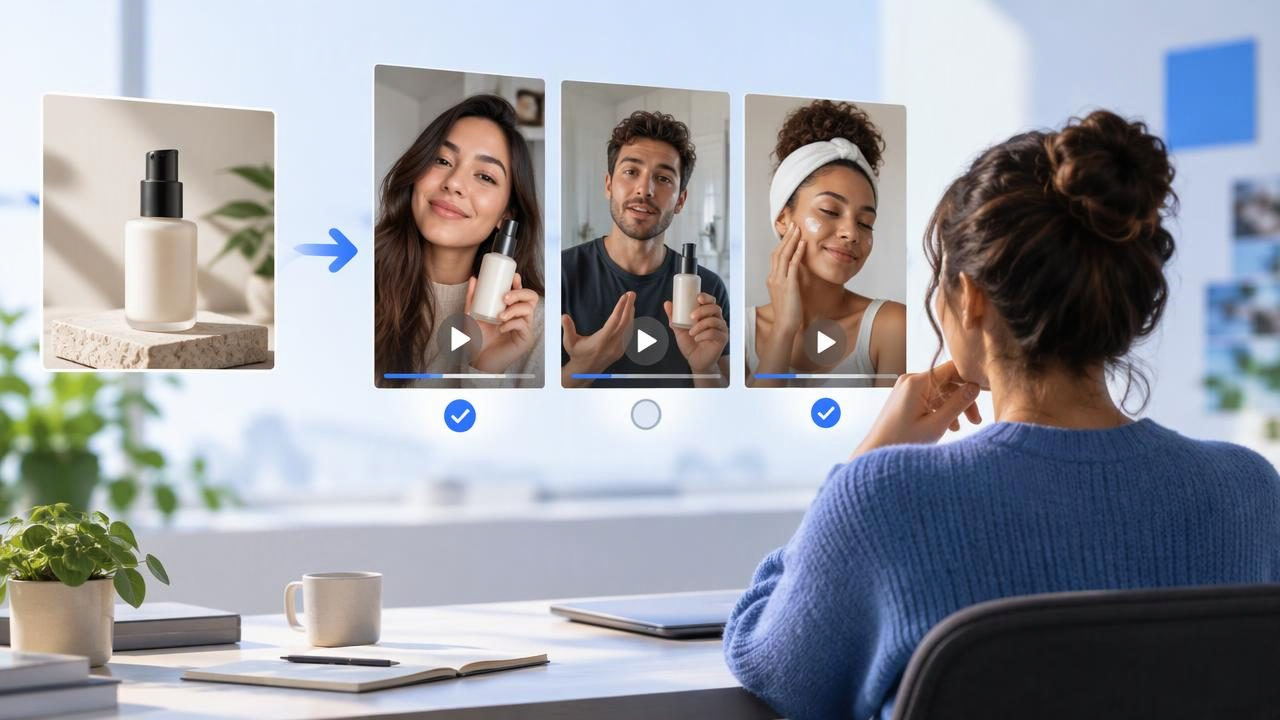
Producing a short-form ad can involve more than filming: teams need to agree on the angle, write a script, plan visuals, and review the final creative. An AI UGC video generator may help shorten that process by turning a product image into draft video concepts to evaluate before committing to a full production.
The useful question is not simply how to generate a video. It is how to get faster ad production with an AI UGC video generator while keeping each concept accurate, distinct, and worth reviewing. A clear source image and a structured comparison can make the tool part of the planning process—not a substitute for product knowledge or quality control.
What faster ad production can mean
Speed is not just the time between uploading an image and receiving a clip. It can also mean fewer rounds of debate about the opening hook, less time spent visualizing different creative directions, and earlier discovery of ideas that need a real shoot or a more suitable asset.
AI-generated UGC-style videos can provide a quick way to explore possible presentations. “UGC-style” describes a creator-like format or visual approach; it does not make a generated character a real customer or turn a concept into a verified product demonstration. Treat early clips as creative drafts unless they have been checked against the real product and approved for use.
Start with one useful product photo
A product image gives a video tool a visual reference for what is being advertised. Choose a sharp, well-lit photo where the product is easy to identify and important details are visible. A front-facing image may work for packaging and labels; a photo showing the product in use can provide a stronger reference for context. If the image is cluttered or cropped too tightly, the generated scene may be harder to assess.
Before creating concepts, note what the image can and cannot establish. It can show visible color, shape, packaging, and other details present in the frame. It cannot prove performance, ingredients not shown, durability, customer satisfaction, or how the product behaves outside the photograph. Write those boundaries down so reviewers do not mistake a plausible visual for evidence.
Prepare a short creative brief
Give each concept a simple job. A compact brief might specify the audience, the problem or desire to address, one supported product point, the intended tone, and the action the viewer should take. Keep the creative direction separate from factual claims. For example, “a casual morning routine” is a setting; “keeps drinks cold all day” is a product claim that needs substantiation before it appears in an ad.
Also record practical constraints: required wording, prohibited claims, brand colors, product details that must remain visible, and the intended ad placement. If the generator accepts a reference image and written instructions, these notes can help guide the concept. The exact controls vary by tool, so check what the specific platform supports rather than assuming every option is available.
Concrete example: compare three concepts for a bottle
Imagine an illustrative reusable bottle with a visible screw-top lid and a simple, solid-color body. The following are creative examples, not actual generated product results or tested ads. They show how one source image can inform different directions while keeping the product reference consistent.
| Concept | Opening idea | What the photo helps check | Review question |
|---|---|---|---|
| Everyday routine | Show the bottle beside a packed work bag. | Whether its shape and color remain recognizable in a lifestyle scene. | Does the setting support the intended audience? |
| Design focus | Begin with a close view of the lid and body. | Whether visible product details resemble the reference. | Are any details invented, obscured, or distorted? |
| Gift angle | Present the bottle as part of a simple gift-preparation scene. | Whether the product stays central rather than becoming background decoration. | Does the concept communicate a clear reason to keep watching? |
These directions vary the story, not the underlying product facts. A generated scene may add props, a person, or motion that were not in the photo. Those additions should be treated as proposed visual choices. They do not establish that the bottle has a particular capacity, material, temperature performance, or customer response.
Use a comparison process, not a pile of drafts
- Set a shared baseline. Use the same product photo, audience, supported benefit, and approximate video length for the concepts being compared. Changing too many things at once makes it harder to understand why one version feels clearer.
- Change one creative variable at a time. Compare hooks, settings, or storytelling angles separately. For example, keep the design-focus concept fixed while testing two different opening lines. If the tool cannot control a variable consistently, record that limitation rather than treating the comparison as a controlled test.
- Review against a short scorecard. Rate product accuracy, clarity of the opening, audience relevance, brand fit, readability, and production readiness. A simple low/medium/high rating is often enough for an early review; a numerical score is not proof that an ad will perform.
- Keep notes on required fixes. Flag incorrect packaging, unclear wording, unnatural movement, unsupported claims, or visuals that distract from the product. Decide whether to revise the instructions, use a different source image, edit the concept, or move to a real shoot.
- Choose the next action. The best draft may be ready for careful editing, useful as a storyboard, or only a prompt for a human-created video. Make that decision based on accuracy and purpose, not on how polished the preview appears.
What to check before using a generated concept
Review generated video frame by frame where practical. Product images can be altered as a scene develops: labels may change, edges may warp, hands may appear unnatural, and text may become unreadable. Check the opening, close-ups, transitions, and final frame. Make sure the item shown still matches the actual product photography and that any added context is appropriate.
Then review the words. A script or on-screen caption should not imply a guarantee, feature, comparison, health benefit, or customer experience that the business cannot support. Avoid presenting generated people as genuine customers sharing personal testimonials. If a concept uses a creator-like character, make sure the presentation does not mislead viewers about who is speaking or whether the experience is real.
Finally, consider placement and accessibility. Text should be legible at phone size, key information should not sit beneath interface overlays, and the video should remain understandable if watched without sound. Check current advertising and platform requirements before publishing; rules can depend on the claim, audience, format, and market.
Where AI can save time—and where it cannot
A draft generated from a product image can help a team discuss creative direction before arranging a shoot. It can make abstract ideas easier to compare and reveal which details need clarification. This is especially useful when the immediate goal is to review a handful of hooks or story approaches rather than to produce a final, fully verified advertisement.
However, faster drafts do not guarantee faster approval. Poor source images, vague instructions, extensive correction, and unclear claims can add work. AI visuals may also fail to show physical interactions accurately. A product that must be demonstrated in use may require real footage, a human-led explanation, or another source of evidence. A generated video is not automatically a replacement for product photography, production expertise, legal review, or audience testing.
Turn the process into a repeatable creative brief
Save the information that helped reviewers make a decision: the source image, concept angle, exact prompt or brief, factual boundaries, review notes, and reason for choosing or rejecting each direction. This record can help the next project begin with clearer requirements instead of repeating the same discussion.
For a product-image workflow, see UGCMade’s guide to turning a product photo into video. Use any generated concept as a starting point: compare the creative idea, verify the product details, and decide whether the next step is editing, a real shoot, or further review. That distinction is what makes faster ad production useful without confusing an appealing draft with a proven result.
