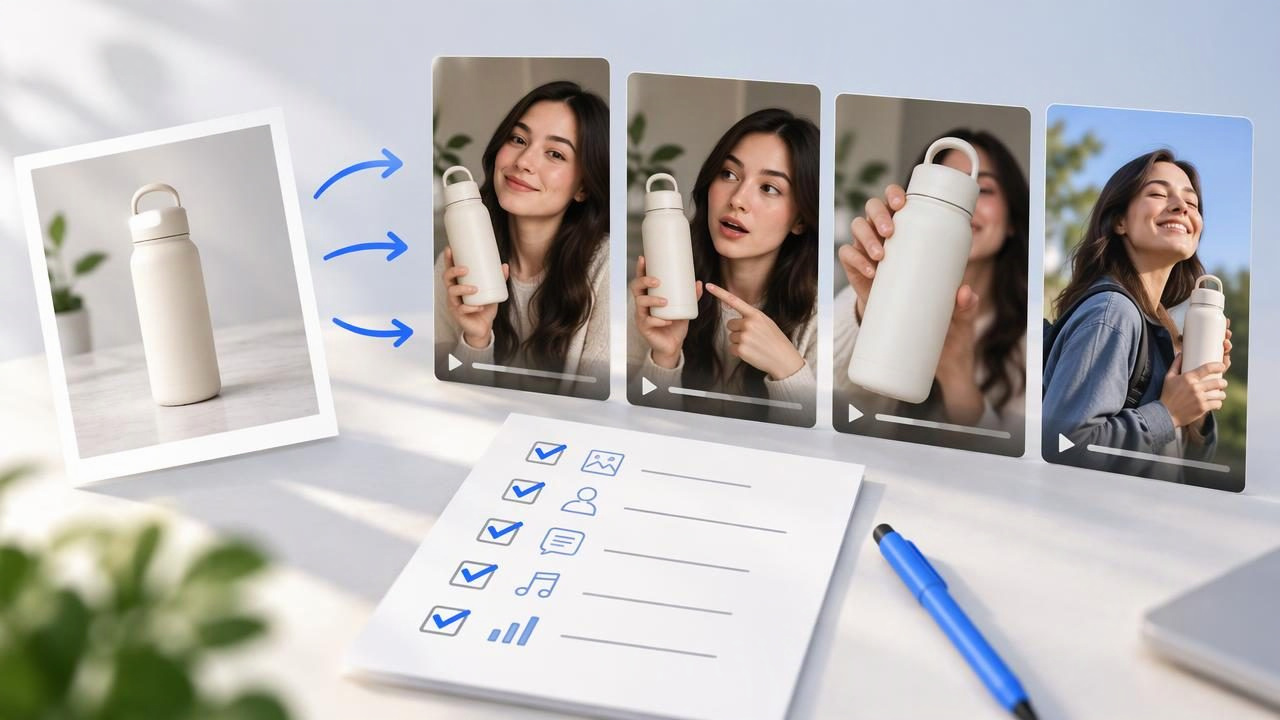
A strong video ad often starts with a simple question: which opening will make the right person want to keep watching? Testing different marketing hooks helps you explore that question before settling on a final creative direction. If you already have a product photo, you can use it to plan several AI-generated UGC-style video concepts without treating the image as proof of how the finished product performs.
The key is to compare ideas, not just produce more videos. Give each concept one clear hook, keep the product and audience consistent, and review what the generated visuals actually show. This checklist will help you move from a single product image to a thoughtful set of concepts, while keeping creative possibilities separate from verified product claims and campaign results.
What a marketing hook does in a product video
A hook is the opening idea or moment that gives viewers a reason to pay attention. It might name a common frustration, pose a relevant question, show a product detail, or introduce a use case. In a short video, the hook should quickly establish why the product is relevant to the intended audience.
A hook is not the same as a product benefit or a result. “Tired of cluttered counters?” is a question that frames a possible problem. “Keeps your counter organized” is a product claim that needs to be accurate and supported. “Customers say it saves them an hour a day” is a testimonial-style statement that should not be used unless it reflects a real, authorized customer account and can be substantiated.
That distinction matters when you use AI to turn a product photo into a UGC-style video concept. Generated scenes can help you explore tone, pacing, and storytelling, but they do not independently confirm a product’s performance, customer experience, or market appeal.
Start with the product photo, not the script
Before writing hooks, inspect the source image. Identify what a viewer can genuinely see: the product’s shape, color, packaging, visible parts, and any included accessories. Note what is not visible too, such as how the product works, its size in a real setting, or what comes in the box. Those details should not be filled in with guesses just because a video concept would look more dramatic that way.
Choose a clear, well-lit product photo with the item easy to distinguish from its background. If you have several images, pick one that shows the product accurately and leaves enough visual space for a human-style scene or framing. A single image may be enough to explore a visual direction, but it may not show every angle or detail needed for a reliable demonstration.
A practical example: one photo, three hook concepts
Imagine an insulated travel mug shown in a clean product photo. The visible facts are its color, lid, handle, and overall shape. The image does not prove how long it keeps drinks hot, whether it fits a particular car holder, or whether it is leakproof. With those limits in mind, you could prepare three distinct creative concepts:
| Concept | Opening hook | What the video could explore | What must be verified |
|---|---|---|---|
| Routine-based | “What’s your first stop on a busy morning?” | A casual morning routine featuring the mug as a visual prop. | Any statements about temperature, capacity, or drink freshness. |
| Design-focused | “A closer look at the details I use every day.” | The visible lid, handle, color, and shape, based on accurate product imagery. | That the generated product appearance matches the actual item. |
| Use-case question | “Looking for a mug to take along?” | A simple, conversational introduction to carrying a drink. | Claims about leak resistance, durability, or fit in specific spaces. |
These are creative examples, not proven winning ads or confirmed customer testimonials. The generated scenes might include a person holding the mug or a setting that suggests a commute, depending on the creative approach. Review every frame for visual accuracy. If the product shape, lid, branding, or other defining detail changes, the concept may not represent the real item faithfully.
Checklist for testing different marketing hooks
- Define the audience. Describe who the video is meant for and the situation that makes the product relevant. “People who want a simpler morning routine” is more useful than “everyone.” Keep audience assumptions as hypotheses until you have evidence.
- Choose one communication goal. Decide whether the concept should introduce the product, make a visible feature easier to understand, or place it in a particular routine. Avoid asking one short video to communicate every benefit at once.
- Write three to five distinct hooks. Change the underlying idea, not just a few words. For example, compare a routine question, a design observation, and a problem-led opening. If every hook says “Meet your new favorite mug,” the concepts may not provide meaningfully different creative directions.
- Separate facts from assumptions. Create two brief lists: details confirmed by the product information, and points that still need verification. Use only approved, accurate claims in scripts. Avoid invented quotes, statistics, guarantees, or dramatic before-and-after outcomes.
- Plan the visuals around the source image. Decide how the product might appear in each concept and what the viewer should notice. A product photo can anchor a visual direction, but it may not provide the information needed to show real use accurately. Do not present an imagined scene as documentation of actual product testing.
- Keep comparison conditions consistent. When comparing hooks, keep other creative choices as similar as practical: audience, product facts, approximate length, and overall format. If you change the setting, speaker, offer, and opening at the same time, it becomes harder to understand which difference shaped a response.
- Review the generated concepts carefully. Check product proportions, packaging, logo placement, hands, props, captions, and spoken wording. Remove or correct anything misleading, awkward, unsupported, or inconsistent with the actual product. Review accessibility and readability as well, including whether on-screen text can be understood at typical viewing sizes.
- Decide what evidence would count. If concepts are later used in a live campaign, define the measurement and comparison method before drawing conclusions. A creative preference during review is not the same as a measured audience response, and a small or uncontrolled comparison may not support a confident conclusion.
How to compare concepts without confusing the results
Start with a creative review. Ask whether each opening is understandable, relevant to the chosen audience, and supported by the product information. Ask whether the visual makes the hook clearer or distracts from it. A simple scorecard can help reviewers use the same criteria:
- Relevance: Does the opening connect to a plausible audience need or situation?
- Clarity: Can a viewer understand the idea quickly?
- Product accuracy: Does the product appear as it actually is, without unverified details?
- Distinctiveness: Does this concept test a meaningfully different angle?
- Claim safety: Are statements and implied results accurate and authorized?
Use this review to select concepts for further refinement, not to declare a commercial winner. If you run an audience test, keep a record of the creative versions, the test conditions, and the metric you intend to interpret. Results can vary with audience, placement, timing, and other campaign factors. A concept that receives positive feedback in an internal review may not perform the same way with customers.
It can also help to label concepts clearly: “routine hook—creative draft,” “design hook—visual exploration,” or “use-case question—claim review needed.” Labels make it less likely that an illustrative AI-generated scene will later be mistaken for footage of an actual customer or a verified product outcome.
Limitations to keep in mind
A product photo provides a visual starting point, not a complete product specification. It may not communicate scale, function, material, or how an item behaves in real conditions. Generated imagery can also introduce visual inconsistencies or depict actions that the product cannot perform. Inspect the output rather than assuming that a polished appearance means it is accurate.
UGC-style describes a creative look or storytelling approach; it does not make a scripted or generated scene a genuine customer review. Do not attribute words to a real person without permission, or imply that an actor or generated character has used the product if that is not true. Follow relevant advertising, disclosure, and platform requirements for the content and market where it will appear.
Finally, creating several concepts does not guarantee better engagement, sales, or conversion. The value of the process is that it helps teams make creative choices more deliberately and identify what they may want to evaluate next.
Turn the checklist into a repeatable creative brief
For each product, save the source image, confirmed product facts, audience hypothesis, hook options, visual notes, and review comments together. Record which details require approval and which scenes are illustrative. This creates a useful reference for future content creation and helps collaborators distinguish a concept from an approved claim or a measured result.
If you are exploring this workflow, UGCMade’s guide to testing ad variations offers a related resource for thinking through creative comparisons. Use any product photo video maker as part of a review-led process: start with what the image truly shows, explore distinct hooks, and verify every claim and visual before treating a concept as ready for an audience.
