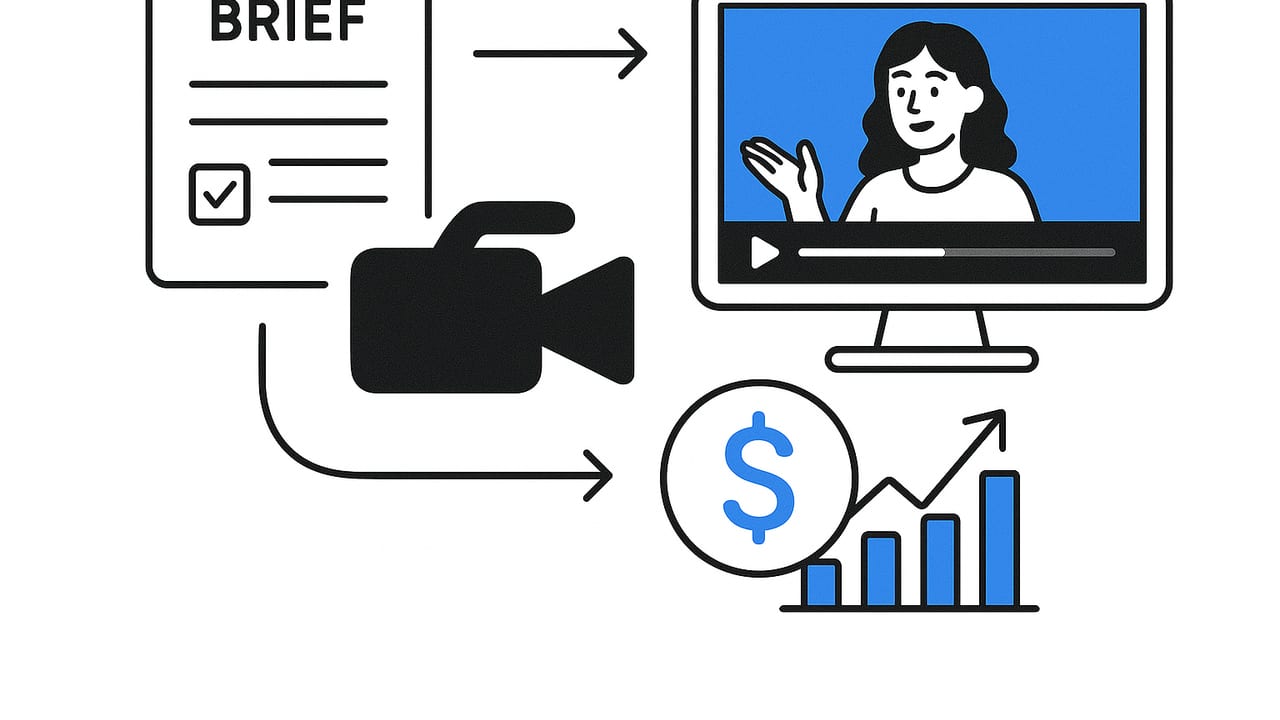
Authenticity beats polish when it comes to product videos. That’s why creators and brands rely on a UGC video maker: to turn everyday product moments into short, persuasive clips that feel real and convert fast. Whether you’re a solo marketer or part of a growth team, a repeatable approach to briefs, scripting, shooting, and editing will help you ship more video with less guesswork—and reliably grow sales.
This guide walks you through a practical, end-to-end workflow, complete with shot lists, hook formulas, editing checklists, platform specs, and metrics. Use it to create consistently on-brand videos that people watch, trust, and buy from.
What Is a UGC Video Maker—And Why Use One?
A UGC video maker is any workflow or toolset that helps you plan, assemble, and publish short-form product videos that look and feel like genuine customer content. Unlike polished brand ads, UGC-style clips emphasize real-world context: a hand unboxing, a quick before/after, a candid testimonial, a frictionless tutorial. The goal is to balance authenticity with clarity—fast.
- Speed: Templates, presets, and automation shrink production time.
- Consistency: Brand-safe captions, fonts, and colors across creators and campaigns.
- Performance: Hook-first structure, tight pacing, and clear CTAs that drive clicks and sales.
The End-to-End Workflow
Use this seven-step loop to plan, produce, and optimize. Each step is designed to work with an ugc video maker platform or a lightweight manual setup.
1) Start With a One-Page Brief
Great videos start with a tiny plan: who it’s for, what it should do, and how it will prove it. Keep briefs short so creators can improvise while staying on-message.
Project: Backpack Launch – “Commuter Proof”
Audience: Urban professionals, 22–35, cycle or take transit
Primary KPI: Add-to-cart CTR from product page
Big Promise: Weatherproof + organized in 30 seconds
Proof Assets: Spill test, inside pocket tour, commuter testimonial
Format: 20–30s vertical, native captions, upbeat track
CTA: “Shop the Commuter – Free 2-day shipping”
Mandatory: Logo end-card, #commuterproof hashtag
Tip: Align the brief with a single business outcome (e.g., product page CTR) so you can measure success without ambiguity.
2) Hook-First Scripts That Don’t Sound Like Ads
UGC thrives on a strong first three seconds. Use tight, modular lines and let creators fill in details with their own voice.
- PAS (Problem–Agitate–Solve): “My commute bag soaked through… umbrella, papers, all ruined. Switched to this and watched water bead off.”
- Before/After/Bridge: “Before: chaos. After: everything has a pocket. Here’s the 10-second tour.”
- Checklist Hook: “Three things my bag needed: weatherproof, laptop-safe, and actually organized.”
- Pattern Interrupt: Start with the punchline: a slow-motion water pour, a zipper close-up, or a surprising sound.
Keep lines short and visual. If a sentence doesn’t map to a shot, cut it.
3) Shot List and Asset Prep
Make a 10–15 shot plan so creators don’t over-record. Aim for 1–2 seconds per shot to keep pacing tight.
- Opener: Thumb-stopping visual (spill test, snap-close, dramatic reveal)
- Context: “Commuter morning” B-roll: bike, bus stop, door close
- Feature proof: Zippers, seams, laptop sleeve, bottle pocket, key clip
- Social proof: Quick testimonial: “Two weeks in, zero soggy notebooks.”
- CTA visual: On-screen “Shop now” with end-card
Also collect: product photos, logo lockup (transparent PNG), brand color hex codes, and any compliance lines.
4) Capture: Get Crisp, Fast Footage on a Phone
- Lighting: Face a window or use a soft lamp; avoid mixed color temperatures.
- Framing: Vertical (9:16). Keep subject centered with room for captions.
- Stability: Use a tripod or rest your elbows on a surface. Avoid micro-shakes.
- Audio: Quiet room + phone mic near speaker. If noisy, plan for captions and text-first storytelling.
- Take multiples: 2–3 takes per shot. It’s faster to cut than to reshoot.
5) Edit: Pace, Proof, and Personality
The edit is where UGC becomes irresistibly watchable. Focus on pace and proof.
- Cut speed: Average 1–2 seconds per shot; faster at the start, then breathe during demos.
- Text overlays: Use large, high-contrast captions. Front-load the benefit; keep lines under 7 words.
- Proof moments: Zoom on details, split-screen before/after, quick pop sound on reveals.
- Branding: Light touch: colors, end-card, logo watermark at 40–60% opacity.
- Music: Upbeat, non-distracting. Keep levels under dialogue.
Platform Specs at a Glance
| Platform | Aspect Ratio | Recommended Length | Safe Text Area | Subtitles |
|---|---|---|---|---|
| TikTok | 9:16 (1080×1920) | 9–30s | Avoid top/bottom 130px | Strongly recommended |
| Instagram Reels | 9:16 (1080×1920) | 7–30s | Avoid UI overlays | Strongly recommended |
| YouTube Shorts | 9:16 (1080×1920) | 10–45s | Keep text center-safe | Strongly recommended |
6) Captions, Hashtags, and CTAs
- Caption: Repeat the hook and add one concrete proof (“Water test in clip 2”).
- Hashtags: Mix 2–3 niche tags (#commuterbag, #bikecommute) with 1–2 category tags.
- CTA: One action. “Shop now” or “See colors,” not both.
7) Publish, Measure, Iterate
Ship in batches of 3–5 variants that test hooks, proof shots, or CTAs. Kill underperformers quickly and double down on winners.
Metrics That Matter (And How to Read Them)
Make your ugc video maker output accountable to a simple funnel. Use these benchmarks to diagnose where a video is breaking down.
| Stage | Metric | Good Signal | If Low, Try |
|---|---|---|---|
| Thumb-stop | 3s/5s hold | >30% on cold audiences | Stronger visual hook; tighter open; pattern interrupt |
| Engagement | Average watch, rewatches | >35% completion | Faster cuts; clearer text; move proof earlier |
| Click | CTR to PDP | 1.5–3%+ | Sharper CTA; benefit-led caption; link clarity |
| Conversion | CVR on PDP | 2–5%+ | Align product page with video promise; add social proof |
Quick ROI check: If a video costs $150 to produce and ad spend is $350, total cost is $500. With $2,500 attributed revenue, ROAS is 5.0 and profit margin depends on COGS. Track per-video unit economics to know which angles to scale.
Angles and Formats That Scale
Rotate angles and formats to avoid creative fatigue while staying on-message. Use a simple content matrix.
| Angle | Format | What to Show |
|---|---|---|
| Problem/Solution | POV demo | Before: mess; After: organized in 10s |
| Proof | Test clip | Water pour, drop test, stain wipe |
| Comparison | Split-screen | Your product vs. generic alt |
| Social Proof | Testimonial | “Two weeks in, zero soggy notebooks” |
| How-To | Mini tutorial | Pack for gym + office in 30s |
| Lifestyle | Day-in-the-life | Commute, café, meeting, gym transitions |
Pro tip: Pair one angle with two formats per week (e.g., Proof + split-screen, Proof + POV demo) to collect fast learnings without burning budget.
Choosing the Right UGC Video Maker
Even a simple editor works, but specialized features save time and improve consistency—especially at scale. Evaluate tools using this checklist.
| Feature | Why It Matters | Questions to Ask |
|---|---|---|
| Photo-to-video automation | Turns product photos into motion quickly | Does it add motion, captions, and on-beat cuts automatically? |
| Auto-captions + brand kit | Accessibility and brand consistency | Can we lock fonts/colors and export presets? |
| Hook templates | Faster ideation and testing | Are there proven structures and copy prompts? |
| Music/voiceover library | On-brand vibe without licensing headaches | Are rights cleared for ads? Can we adjust levels easily? |
| Batch variants | Test multiple hooks/CTAs quickly | How many variants per asset set? Bulk export? |
| Direct publish | Fewer handoffs, faster shipping | Supports TikTok/Reels/Shorts scheduling? |
| Collaboration & approvals | Clarity across marketers, creators, legal | Can we comment frame-by-frame and track versions? |
| Rights tracking | Compliance for user-submitted content | Does it store usage windows and whitelisting? |
Common Pitfalls (And Fast Fixes)
- Looks like an ad: Replace polished intro with a pattern interrupt (close-up or surprising action). Use creator voice, not brand voice.
- Low watch time: Move your strongest proof to the first 3–5 seconds; cut redundant b-roll.
- Weak CTR: Clarify the outcome in text and voice (“Hands-free commute in a week”). Use one CTA only.
- Inconsistent brand feel: Lock captions, colors, and end-card templates in your editor.
- Rights issues: Use model and music cleared for ads; store consent and usage terms.
Templates You Can Copy
Script Skeleton (20–30s)
[0–2s] Pattern interrupt visual + on-screen hook
[2–6s] Problem in one line (POV voice)
[6–14s] Proof montage: 3–5 micro shots, captions on beat
[14–22s] Mini demo or testimonial (1 line)
[22–28s] Benefit recap in 2 bullets
[28–30s] CTA + end-card
Shot List Mini-Pack
- Reveal (1s): quick dramatic open
- Close-up detail (1–2s): stitching/zip
- POV movement (2s): walking, biking
- Test (2–3s): water, drop, stain
- Inside tour (3 shots × 1s): laptop, bottle, keys
- Reaction (1s): smile/thumbs-up
- CTA frame (2s): product + offer
Operationalizing Your UGC Engine
Turn creative chaos into a simple weekly rhythm.
- Monday: Approve briefs and angles (30 minutes).
- Tuesday: Capture or collect creator footage (2–3 hours).
- Wednesday: Edit 4–6 variants using presets (2 hours).
- Thursday: Ship to two platforms; allocate modest test budget.
- Friday: Read metrics; keep best two for scaling next week.
Maintain a living “hit list” of top hooks, shots, captions, and CTAs. Reuse what works; retire what stalls.
Beware the content treadmill. Scale what proves ROI, not just what looks great in the timeline.
Final Thoughts
A dependable ugc video maker process doesn’t require a big crew or a studio—just sharp briefs, hook-first scripts, proof-centric shots, and fast edits tuned to platform behavior. Anchor every creative decision to a measurable outcome, test variants in small batches, and keep a library of winning angles so you can scale with confidence.
If you want to accelerate production from existing product photos without compromising authenticity, consider a tool like UGCMade, which turns images into engaging, AI-powered videos that slot neatly into the workflow above.
